manuals.online logo
Brands
  1. Home
  2. •
  3. Brands
  4. •
  5. Extron electronics
  6. •
  7. Speakers
  8. •
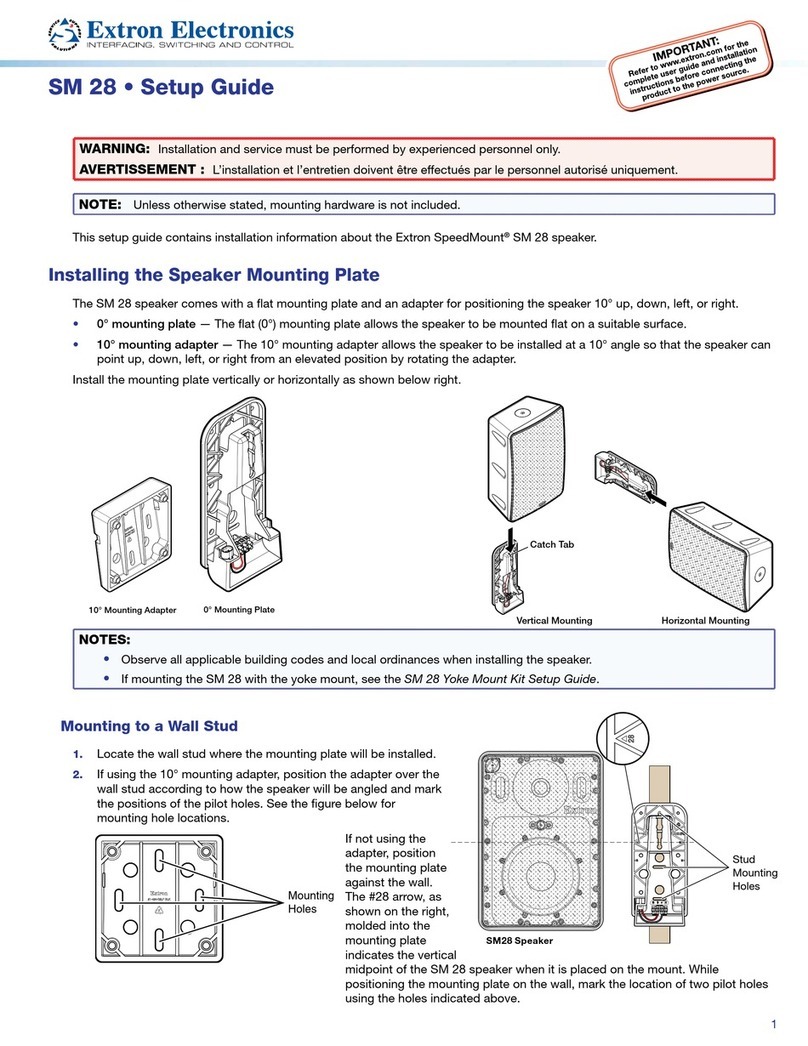
  9. Extron electronics SM 28 User manual

Extron electronics SM 28 User manual

Other manuals for SM 28

2

This manual suits for next models

1

Other Extron electronics Speakers manuals
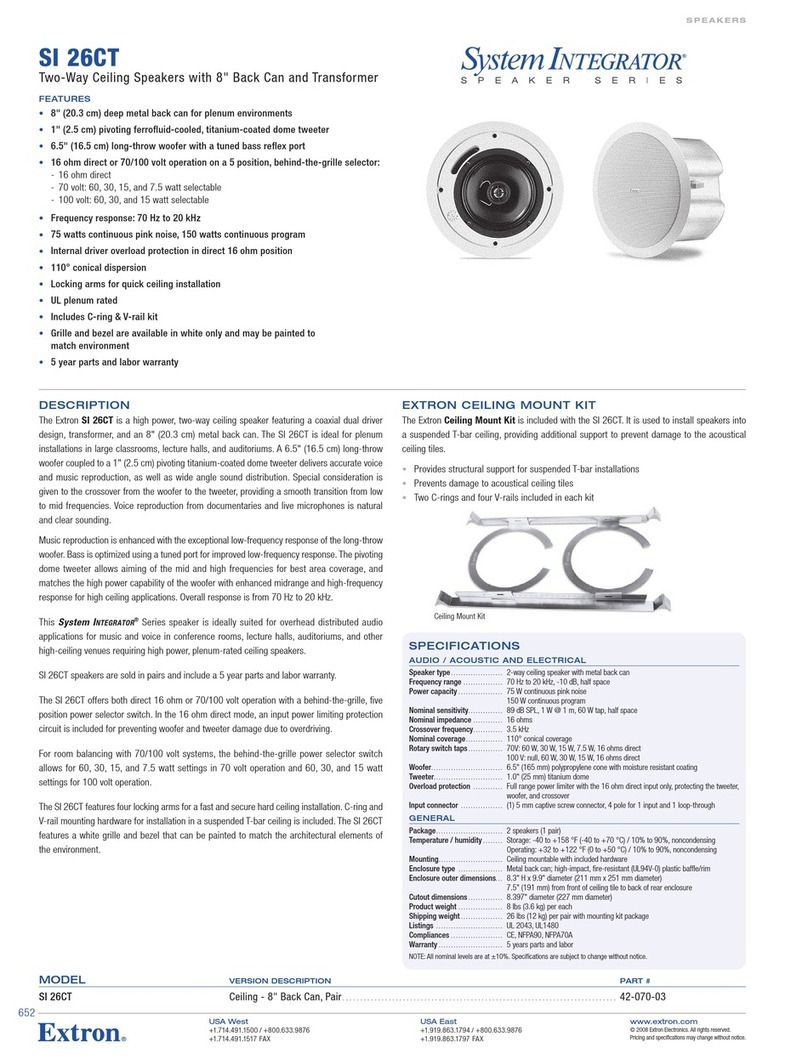
Extron electronics SF 228T Plus User manual

Extron electronics

Extron electronics SF 228T Plus User manual

Extron electronics SI 28 Quick start guide

Extron electronics

Extron electronics SI 28 Quick start guide

Extron electronics BCK SF 3C LP User manual

Extron electronics

Extron electronics BCK SF 3C LP User manual

Extron electronics SF 26PT User manual

Extron electronics

Extron electronics SF 26PT User manual

Extron electronics FF 220T User manual

Extron electronics

Extron electronics FF 220T User manual

Extron electronics SB 33 A Series User manual

Extron electronics

Extron electronics SB 33 A Series User manual

Extron electronics CS 26T Plus User manual

Extron electronics

Extron electronics CS 26T Plus User manual

Extron electronics SI  26X User manual

Extron electronics

Extron electronics SI 26X User manual

Extron electronics SI 26 User manual

Extron electronics

Extron electronics SI 26 User manual

Extron electronics BCK SF 26CT User manual

Extron electronics

Extron electronics BCK SF 26CT User manual

Extron electronics SI 26CT User manual
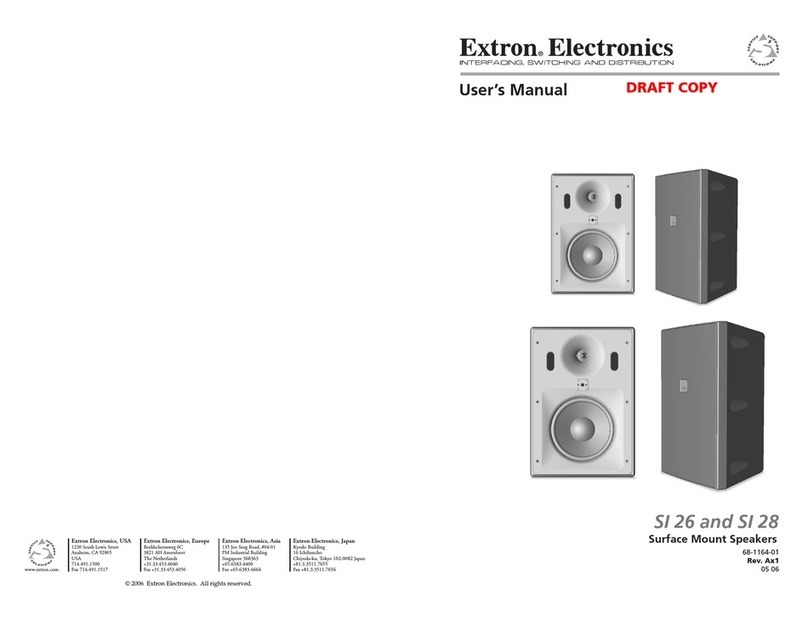
Extron electronics

Extron electronics SI 26CT User manual

Extron electronics SpeedMount SM 26 User manual

Extron electronics

Extron electronics SpeedMount SM 26 User manual

Extron electronics SI 26W User manual

Extron electronics

Extron electronics SI 26W User manual

Extron electronics SI 3 System INTEGRATOR User manual

Extron electronics

Extron electronics SI 3 System INTEGRATOR User manual

Extron electronics SF 26PT User manual

Extron electronics

Extron electronics SF 26PT User manual

Extron electronics SM 3 User manual

Extron electronics

Extron electronics SM 3 User manual

Extron electronics CA 163 User manual

Extron electronics

Extron electronics CA 163 User manual

Extron electronics SM 28 User manual

Extron electronics

Extron electronics SM 28 User manual

Extron electronics SI 3CT LP User manual

Extron electronics

Extron electronics SI 3CT LP User manual

Extron electronics SF 228T User manual

Extron electronics

Extron electronics SF 228T User manual

Extron electronics SpeedMount SM 26 User manual

Extron electronics

Extron electronics SpeedMount SM 26 User manual

Extron electronics SF 28PT User manual

Extron electronics

Extron electronics SF 28PT User manual

Extron electronics SI 26 User manual

Extron electronics

Extron electronics SI 26 User manual
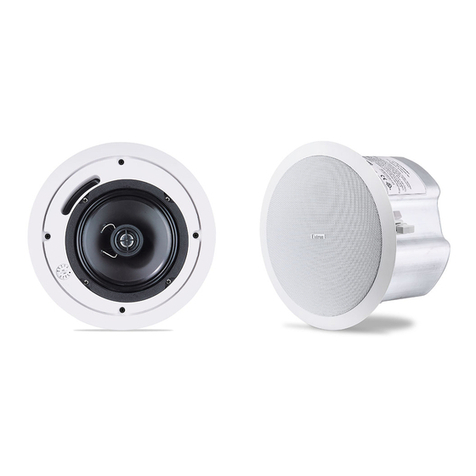
Extron electronics BCK SF 3CT LP User manual
Extron electronics

Extron electronics BCK SF 3CT LP User manual

Popular Speakers manuals by other brands

Electro-Voice LR4S engineering data

Electro-Voice

Electro-Voice LR4S engineering data

Definitive Technology Sound Cylinder user guide

Definitive Technology

Definitive Technology Sound Cylinder user guide

AudioSource LS545 user manual

AudioSource

AudioSource LS545 user manual

Paso C402-T Instructions for use

Paso

Paso C402-T Instructions for use

Altec Lansing 416-8C LF SPEAKER manual

Altec Lansing

Altec Lansing 416-8C LF SPEAKER manual

Kenwood KFC-1072 Servise manual

Kenwood

Kenwood KFC-1072 Servise manual

Peavey ProSys 112 user guide

Peavey

Peavey ProSys 112 user guide

JBL Control Contractor 60 Series installation instructions

JBL

JBL Control Contractor 60 Series installation instructions

Aura STORM-8 owner's manual

Aura

Aura STORM-8 owner's manual

Oontz ANGLE 3 PLUS quick start guide

Oontz

Oontz ANGLE 3 PLUS quick start guide

Electro-Voice LR4A engineering data

Electro-Voice

Electro-Voice LR4A engineering data

Rave RK-650-ICA-B owner's manual

Rave

Rave RK-650-ICA-B owner's manual

Flux Reference Series installation manual

Flux

Flux Reference Series installation manual

Lanzar AQAWBS64BK installation manual

Lanzar

Lanzar AQAWBS64BK installation manual

DAPAudio DCS-6230 manual

DAPAudio

DAPAudio DCS-6230 manual

Aluratek ABS03F quick start guide

Aluratek

Aluratek ABS03F quick start guide

Kenwood KES-5A instruction manual

Kenwood

Kenwood KES-5A instruction manual

Sonance ORIGINAL SERIES instruction manual

Sonance

Sonance ORIGINAL SERIES instruction manual

manuals.online logo
manuals.online logoBrands
  • About & Mission
  • Contact us
  • Privacy Policy
  • Terms and Conditions

Copyright 2025 Manuals.Online. All Rights Reserved.

Number of Wires
per Connection Point Maximum
Wire Gauge
1 12 AWG
2 16 AWG
4 18 AWG
Wire Gauge Table
5.1"
(13.0 cm)
6.0"
(1
5.2 cm)
2.6"
(6.6 cm)
3.5"
(8.9 cm)
R = 0.28"
(0.71 cm)
SMK P SM 26/28 Pivot Mount Kit • Setup Guide
This setup guide contains installation information about the Extron SMK P SM 26/28 Pivot Mount Kit.
WARNING: Potential risk of severe injury.Installation and service must be performed by authorized personnel only.
AVERTISSEMENT : Risque potentiel de blessure grave ou de mort. L’installation et l’entretien doivent être effectués par
le personnel autorisé uniquement.
ATTENTION: The final installation should be able to continuously support the speaker weight. The final installation should
also be able to support any short term overloading. Since applications can vary considerably, it is assumed that the
installer will exercise good judgment when selecting the mounting location, method, and hardware. Installation and service
must be performed by authorized personnel only.
Installing the Pivot Mount Kit
The pivot mount enables the speaker to be positioned
and locked at various angles due to the adjustable ball
joint feature.
NOTE: Observe all applicable building codes and
local ordinances when installing the speaker.
ATTENTION: Attaching a secondary support
cable to the SM 26/28 speaker is required when
using the pivot mount kit.
1. Locate a suitable mounting location where the
pivot mount will be installed. Allow for the
dimensions of the SM 26 and SM 28, as shown
below.
SM 28: SM 26:
2. All four mounting plate
screw holes must be secured
with at least two
screws attached to
a wall stud. Mark
the four holes on
the wall as indicated
by the wall plate
holes.
NOTE:
Mounting
hardware
is not
provided.
3. Drill the four holes
for the wall plate.
4. Drill a hole for the speaker wire.
5. Route the speaker wire through the speaker wire hole
while leaving enough slack for connection to the wall
plate.
NOTE: If the speaker wire is not being routed
through the wall, a notch on the wall plate allows
the wire to enter the wall plate from a raceway.
6. Attach speaker wires to the Euroblock on the wall plate.
Quick Connect Contacts
1
SM 28 SM 26
11.50"
(29.21 cm)
8.45"
(21.46 cm)
2.44 - 3.35"
(6.20 cm - 8.51)
7. 28"
(18.50 cm)
2.44 - 3.35"
(6.20 cm - 8.51)
6.45"
(16.38 cm)
16.50"
(4
1.91 cm)
12.98"
(32.97 cm)
9.2"
(23.37 cm)
9.16"
(23.27 cm)
SM 28 SM 26
11.50"
(29.21 cm)
8.45"
(21.46 cm)
2.44 - 3.35"
(6.20 cm - 8.51)
7. 28"
(18.50 cm)
2.44 - 3.35"
(6.20 cm - 8.51)
6.45"
(16.38 cm)
16.50"
(41.91 cm)
12.98"
(32.97 cm)
9.2"
(23.37 cm)
9.16"
(23.27 cm)
SMK P SM 26/28 Pivot Mount Kit • Setup Guide (Continued)
7. Unlock the mounting plate from the pivot ball by moving
the ball lever to the Up (horizontal) position.
Pivot ball locked Pivot ball unlocked
8. Mount the wall plate to the wall using appropriate
fasteners and washers in the four holes.
9. Loosen, but do not remove, the two locking screws that
secure the pivot ball shaft to the wall plate, then extend
the mounting plate to the desired position.
5/32” (4 mm) Hex Wrench
10. To aid in determining where the speaker tweeter is
located before the speaker is actually mounted on the
pivot mount, place the included tweeter alignment guide
on the mounting plate of the pivot mount to determine
the actual position of the tweeter after the speaker is
installed.
TWEETERLOCATION
BENDANDPLACEONFLATMOUNT
SM 26 SM 26
SM 28 SM 28
TWEETER LOCATION
BEND AND PLACE ON FLAT MOUNT
11. Adjust the mounting plate to the desired position.
Articulation: a maximum angular movement of
• SM 26: 30° up, 30° down, 30° left, 30° right
• SM 28: 20° up, 30° down, 30° left, 30° right
30°
Turn
the unit to the right or the left.
2
ATTENTION: By default,
the SM 26/28 speaker is
shipped unlocked. When
attaching the speaker
to the mounting plate
be sure that the speaker
is unlocked. Failure to
place the speaker in the
unlocked position will
result in damage to the
speaker lock mechanism
should an attempt be
made to attach speaker
to the mounting plate.
See the SM 26 Setup
Guide or SM 28 Setup
Guide for further details.
SMK P SM 26/28 Pivot Mount Kit • Setup Guide (Continued)
3
SM 28 = 20°
SM 26 = 30°
Down position Up position
30°
Rotation: a maximum angular rotation of
360°
360°
Unit
Rotation
12. Lock the ball joint lever (vertical down position) so that
the mounting plate is securely locked in place.
13. Tighten the two screws to secure the pivot ball shaft to
the wall plate.
5/32” (4 mm) Hex Wrench
14. Install the speaker on the mounting plate so that the
speaker is securely attached to the mounting plate.
Catch Tab
Vertical Mounting
ATTENTION: By default, the SM 26/28 speaker is
shipped unlocked. When attaching the speaker
to the mounting plate be sure that the speaker
is unlocked. Failure to place the speaker in the
unlocked position will result in damage to the
speaker lock mechanism should an attempt be
made to attach the speaker to the mounting
plate. See the SM 26 Setup Guide or
SM 28 Setup Guide for further details.
SMK P SM 26/28 Pivot Mount Kit • Setup Guide (Continued)
Extron Headquarters
+800.633.9876 Inside USA/Canada Only
Extron USA - West Extron USA - East
+1.714.491.1500 +1.919.850.1000
+1.714.491.1517 FAX +1.919.850.1001 FAX
Extron Europe
+800.3987.6673
Inside Europe Only
+31.33.453.4040
+31.33.453.4050 FAX
Extron Asia
+65.6383.4400
+65.6383.4664 FAX
Extron Japan
+81.3.3511.7655
+81.3.3511.7656 FAX
Extron China
+86.21.3760.1568
+86.21.3760.1566 FAX
Extron Middle East
+971.4.299.1800
+971.4.299.1880 FAX
Extron Korea
+82.2.3444.1571
+82.2.3444.1575 FAX
Extron India
1800.3070.3777
(Inside India Only)
+91.80.3055.3777
+91.80.3055.3737 FAX
© 2016 Extron Electronics — All rights reserved. All trademarks mentioned are the property of their respective owners. www.extron.com 68-2767-50 Rev. A
01 16
4
15. Attach a secondary support cable to the speaker.
ATTENTION: Do not allow any slack in the
secondary support line.
SM 28:
Secondary
Attachment
Cable
Anchor this end to a
suitable secur
e point.
A
ttach cable here
and secur
e.
SM 26:
Secondary
Attachment Cable
Anchor this end to a
suitable secure point.
Attach cable here
and secure.
16. Insert the security key into the keyhole of the speaker
grille and rotate the key to lock the speaker. There are
three small raised “dimples” on the center of the grille
surface that surrounds the keyhole.
Twist to
Lock/Unlock
Unlocked Locked
17. Check the position of the speaker. If the speaker needs
to be repositioned, unlock the speaker if it had been
previously locked using the included security key. Apply
pressure to the grille with your nger over the “dimpled”
keyhole to unlatch the speaker from the mounting plate
while lifting up on the speaker. The ball joint lever can
now be released (horizontal up position) and the speaker
position readjusted.
NOTE: After repositioning the speaker, be sure to
lock the ball joint lever (vertical down position)
before installing the speaker.
18. If installing the SM 26T or SM 28T, use a small
screwdriver to set the tap switch as needed (see the
SM 26 Setup Guide or SM 28 Setup Guide for further
details).
8Ω
70
100
8Ω
Tap Indicator
for 70 volt
Tap Indicator
for 100 volt