Table of contents SMS-4
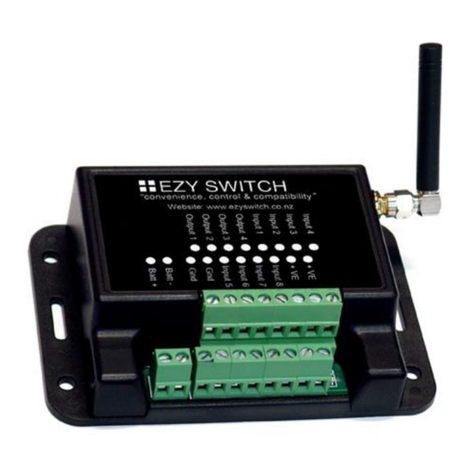
System Connections 4
Getting Started
•Setting Up the Initial User 7
Adding and Managing Users
•Adding a User 8
•Removing a User 8
•Adding an Administrator 8
•Removing the Administrator 9
•Get a list of all the Users 9
•Programmed numbers look-up on/off 9
•Text all programmed numbers on
or off 9
•Turn All Texts OFF and Disable Inputs 10
•Turn All Texts ON and Enable Inputs
10
Input and Output Programming
•Testing Inputs and Outputs 10
•Get a List of the Inputs 10
•Get a List of the Outputs 10
•Naming Inputs/Outputs and Changing
Names 11
•Change the Input Delays 11
•Change Input to Normally Open or
Normally Closed 12
•Set Input as a latched Input 12
•Set Input as a non-latched Input 12
•Reset latched Input 12
•Masking Inputs 12
•Link an Input to an Output 13
•Get linked information 13
Reminder Message for
Unacknowledged Inputs
•Setup Input Tick off 13
•Setup tick-off number step through 14
•Setup tick-off number schedule 14
Customize Text Messages for Inputs
•Programming the Input ON/OFF reply
messages 15-16
Commands to Control Outputs
•Turn an Output ON or OFF 17
•Turn an Output ON for a set time 17
•Change output to normally on or off 17
•Make an Output Pulse On and Off 18
•Make an Output pulse every xx hours 18
•Clear Output Pulse (Set to non-pulsed) 18
•Make an output public 19
•Turn Output response On / Off 19
•Save Output Status 19
•Link Outputs 19
Battery Monitoring (Power Monitor -SMS Unitt)
•Set Battery Alarm trigger voltage 20
•Link Battery Alarm to Output 20
•Check Battery Supply Voltage 20
•Latching / Non-latching battery alarm 21
•Reset Latched Battery Alarm 21
•System active message 20
•Alive text 21
•Masking Alive Texts 22
Special Functions
•Setting Input Priorities 22
•Fire System 22
•Irrigator feature 22-23
Unauthorized Users (Block)
•Authorizing text On/Off 23
Pulse Counter
•Set input to pulse counter 24
•Calibrate the input pulse counter 24
•Setting a trigger point 24
•Reporting Totals 25
•Resetting counter 25
Factory Settings and Unit Status
•Get Firmware Version 26
•Resetting Unit 26
•Get Signal Strength 26
•Reset Unit to Factory Defaults 26
Warranty 27
Appendix 1: Record of Names of
Inputs and Outputs 28
Troubleshooting Guide 29
Appendix 2:
SMS-4 Application Notes 30