2
Table of Contents
Before Use�����������������������������������������������������������������������������������3
Notes on Disposing of the Camera ����������������������������������������3
About This Camera ��������������������������������������������������������������������3
Main Features ������������������������������������������������������������������������������������3
Functions Available with INSTAX® Mini LiPlay Smartphone
App ������������������������������������������������������������������������������������������������������3
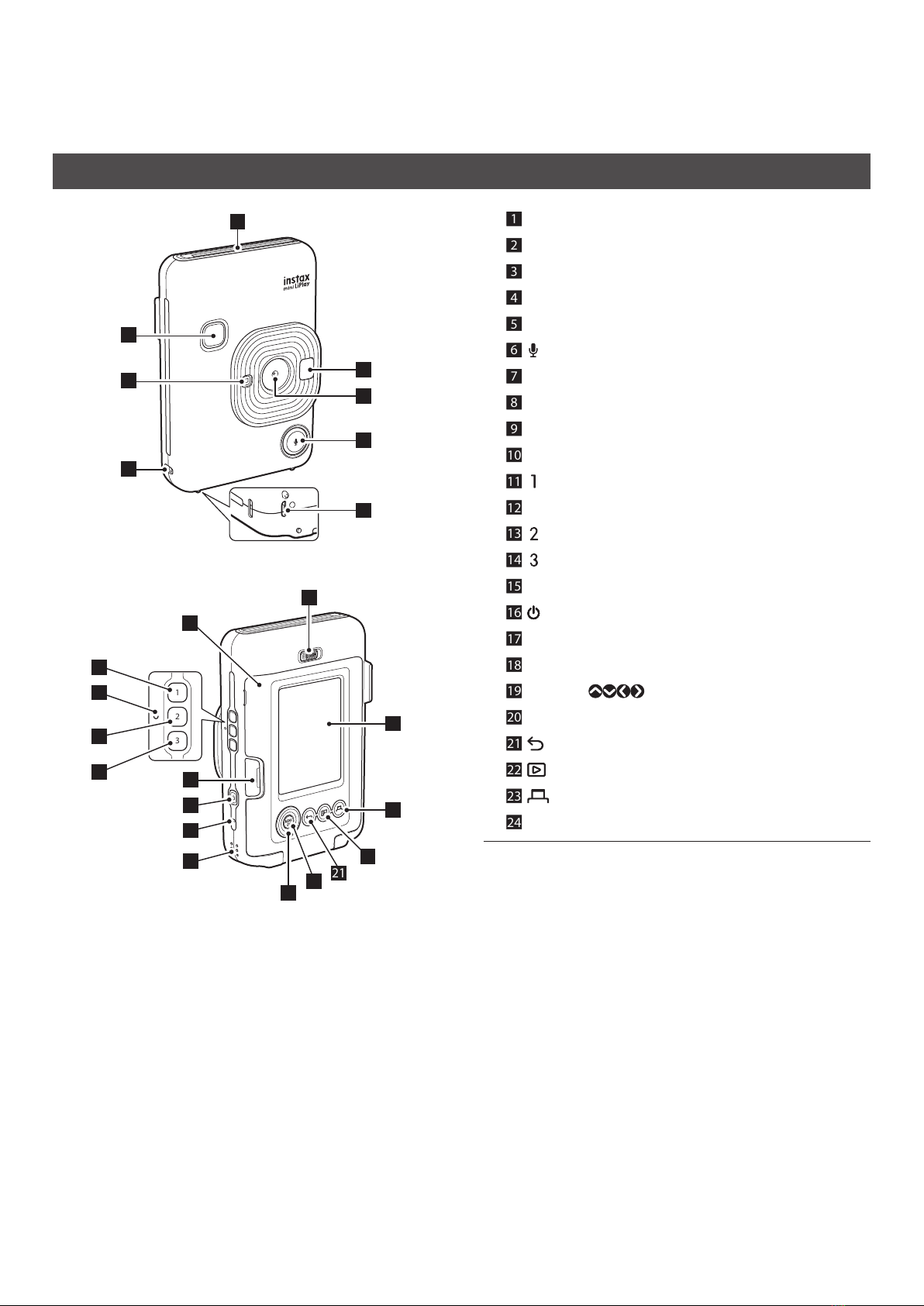
Part Names����������������������������������������������������������������������������������4
LCD Monitor��������������������������������������������������������������������������������5
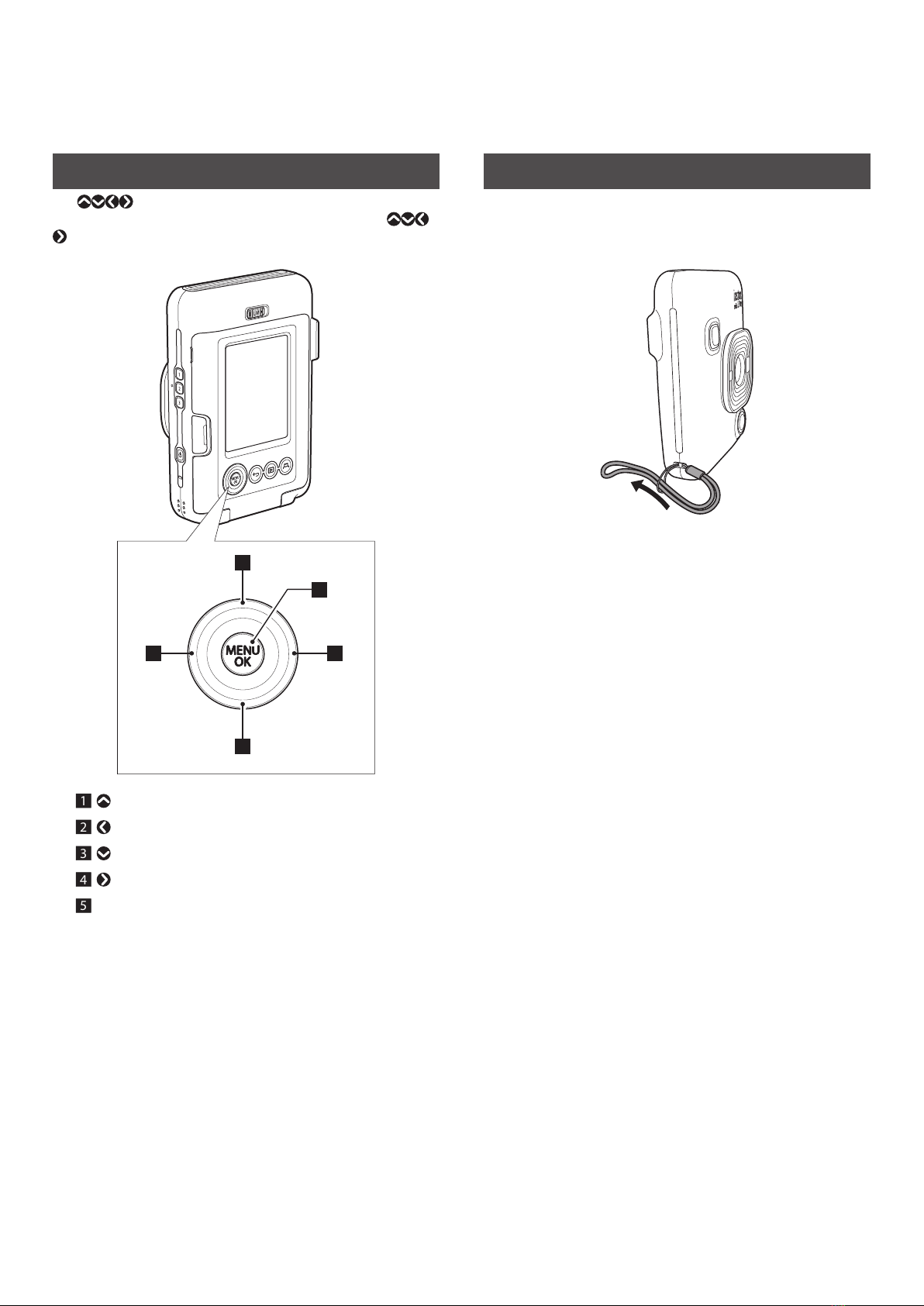
Using the Cross Key�������������������������������������������������������������������6
Attaching the Strap�������������������������������������������������������������������6
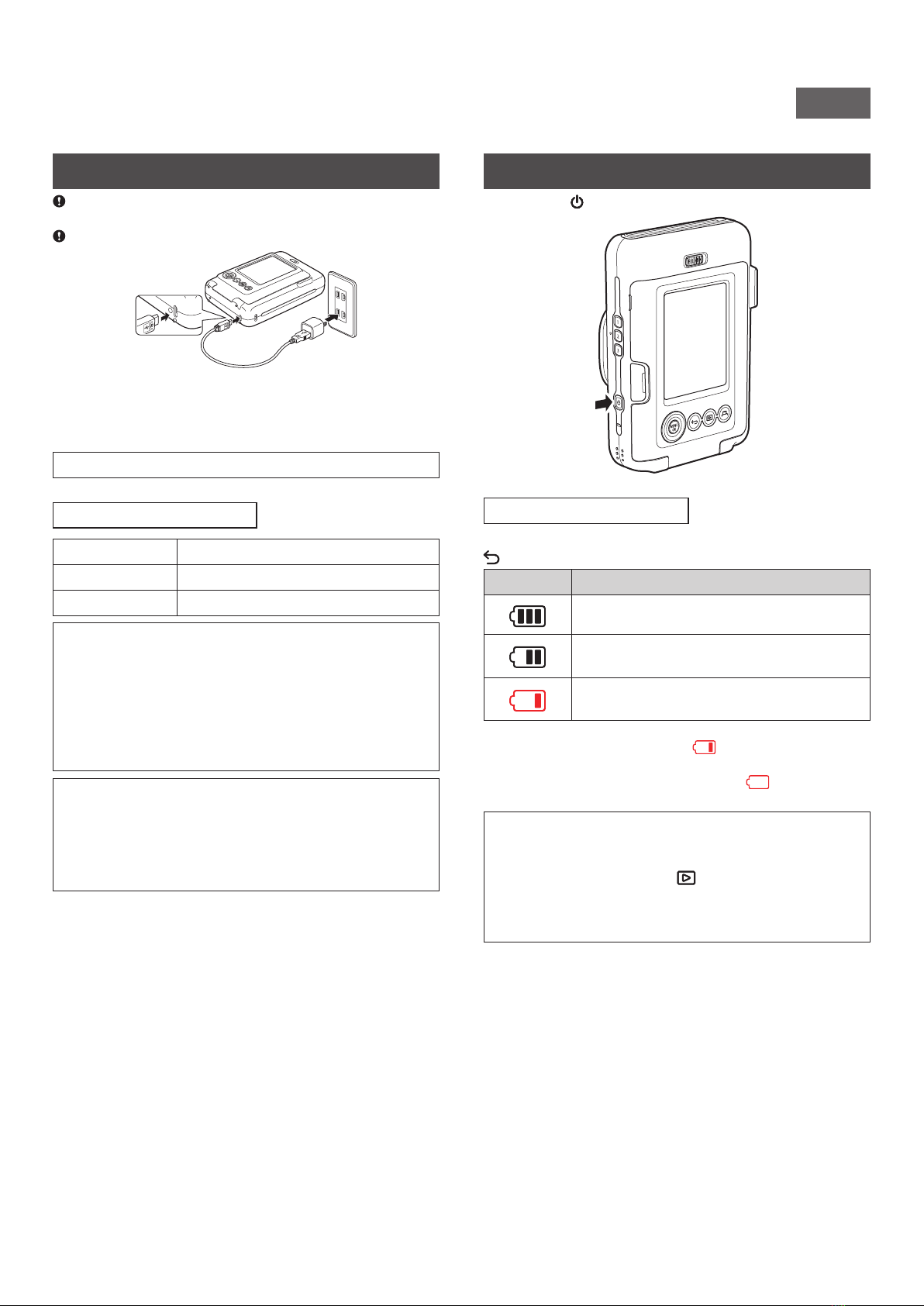
Charging the Battery ����������������������������������������������������������������7
Charging Status Indication �������������������������������������������������������������7
Powering on/off�������������������������������������������������������������������������7
Checking the Battery Level�������������������������������������������������������������7
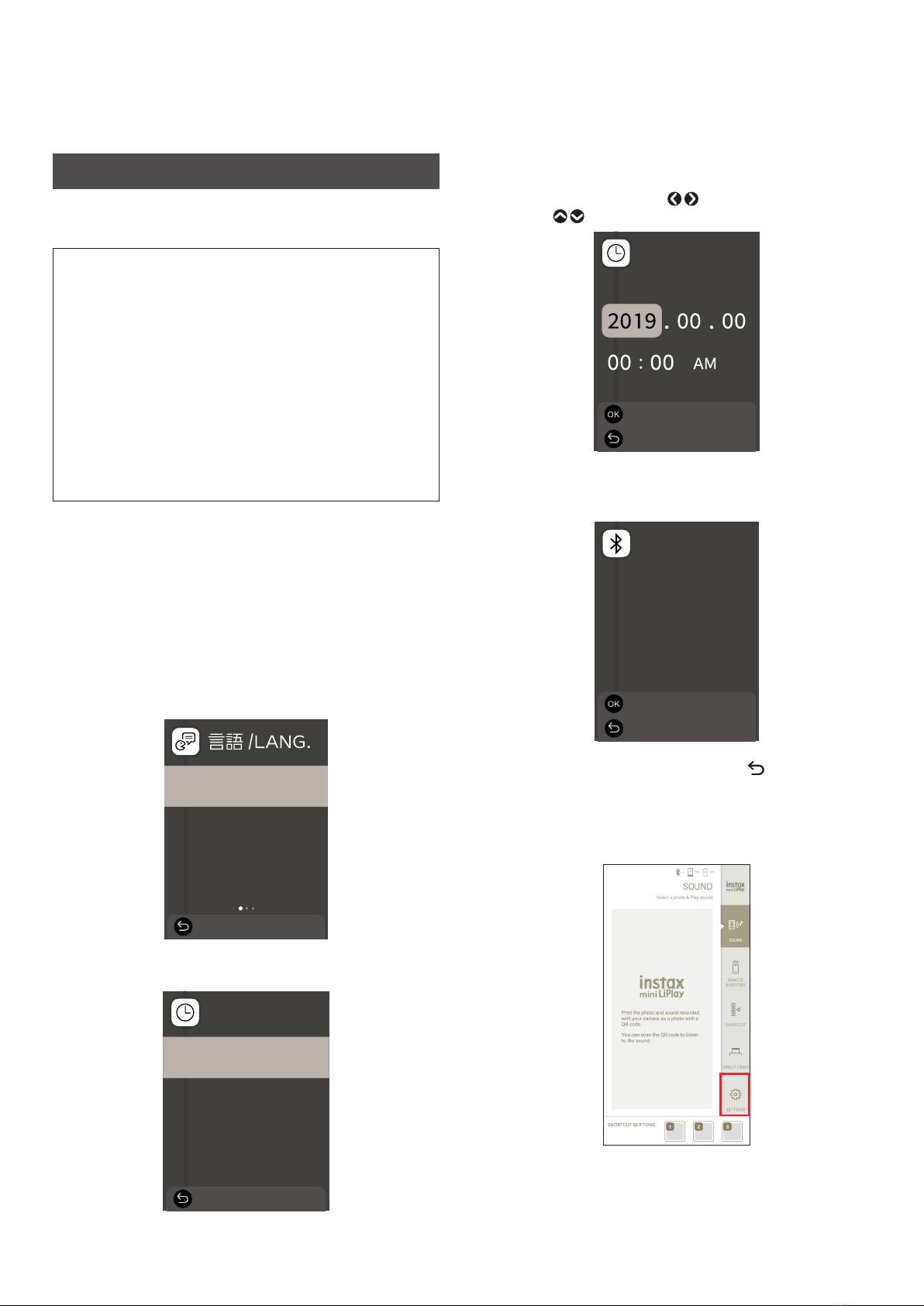
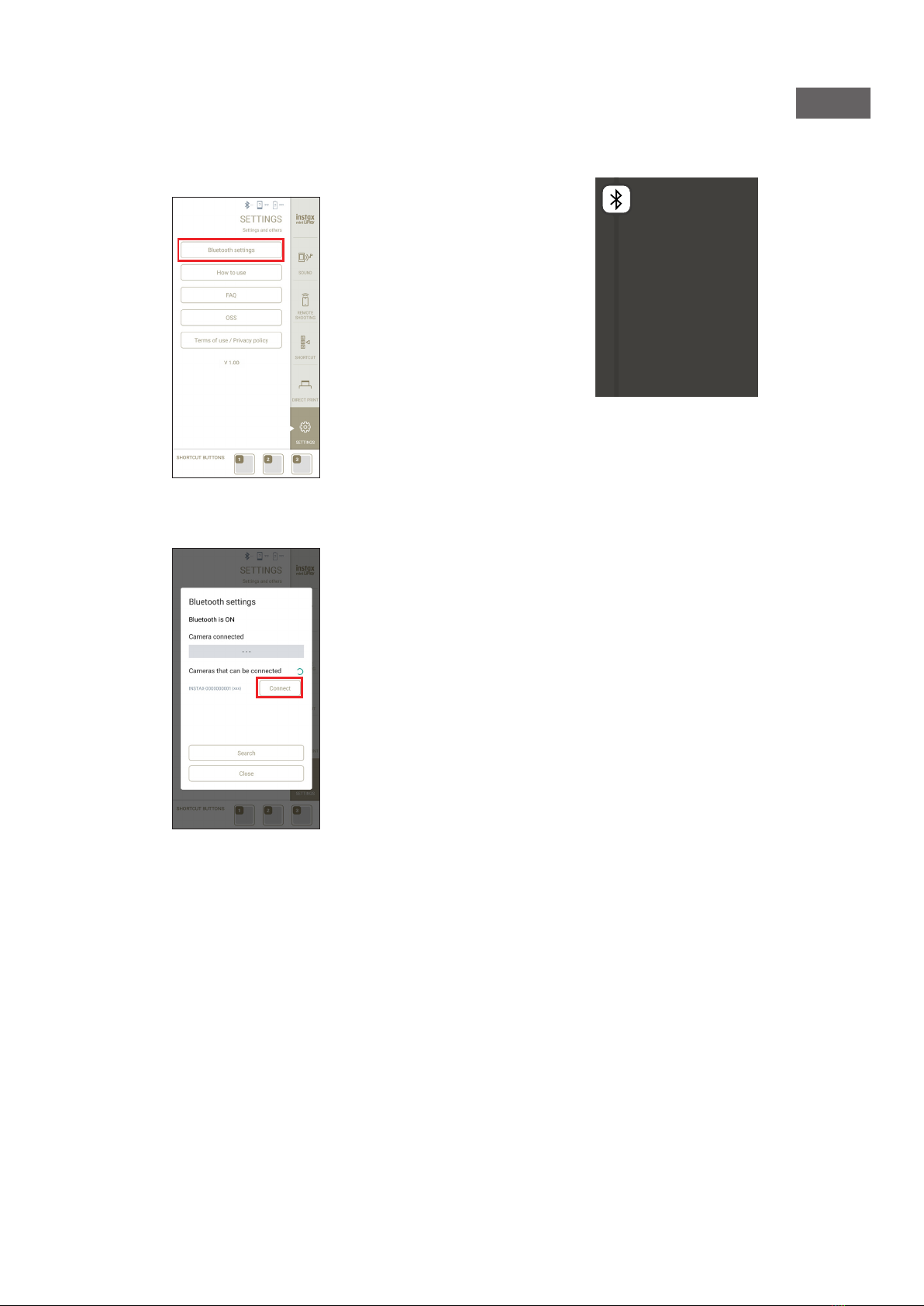
Initial Settings ���������������������������������������������������������������������������� 8
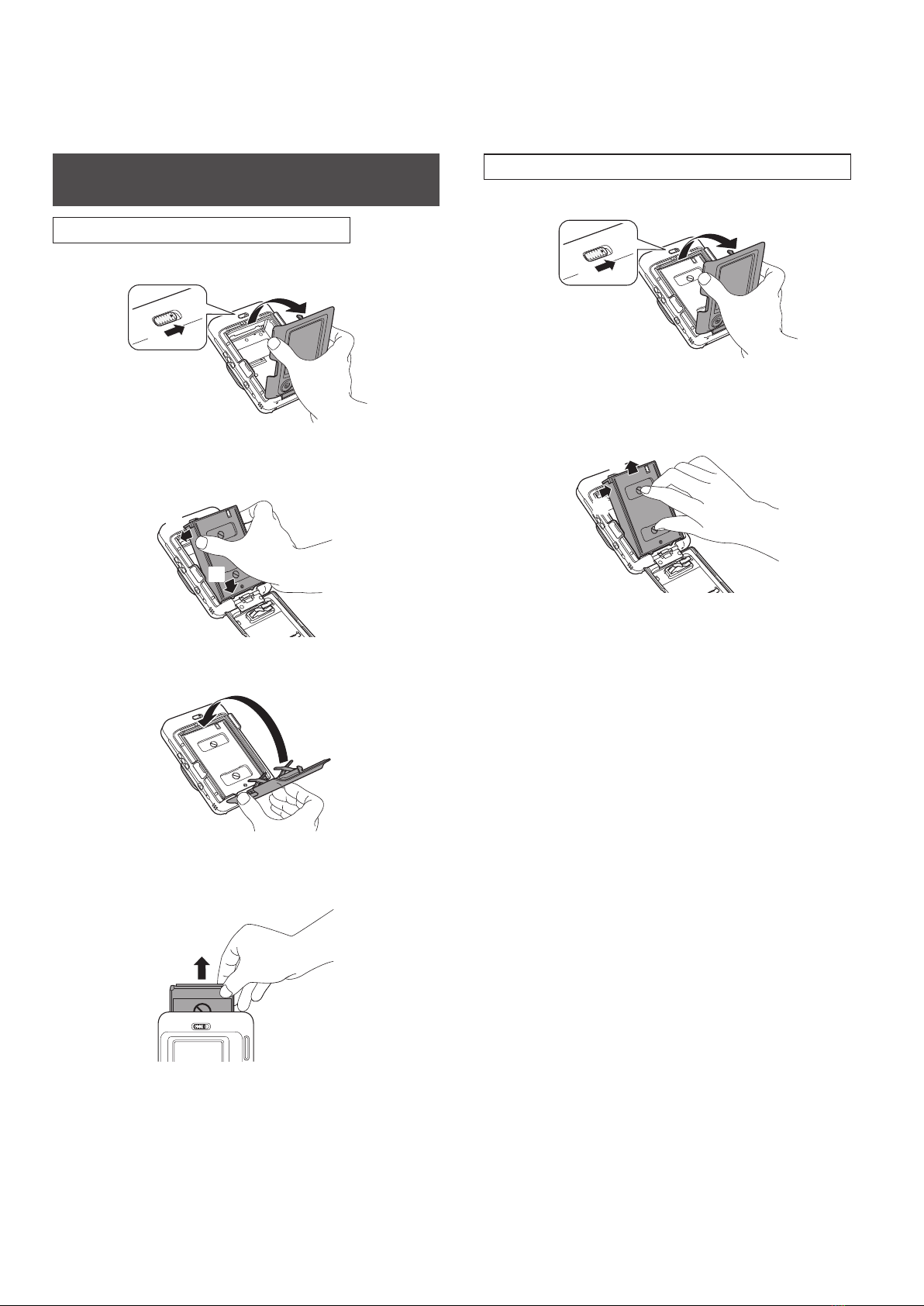
Loading/Unloading INSTAX® Mini Instant Film Pack��������10
Loading INSTAX® Mini Instant Film Pack ����������������������������������� 10
Unloading a Used INSTAX® Mini Instant Film Pack ����������������� 10
Basic Shooting and Playback ������������������������������������������������11
Shooting������������������������������������������������������������������������������������������ 11
Playing Back Images���������������������������������������������������������������������� 11
Changing the Playback Screen Display ������������������������������������� 11
Printing��������������������������������������������������������������������������������������12
Remaining Film Indicator������������������������������������������������������������� 13
Selecting the Frame and Filter����������������������������������������������13
Selecting the Frame ���������������������������������������������������������������������� 13
Selecting the Filter������������������������������������������������������������������������� 13
Adding Sound to Images �������������������������������������������������������14
Adding Sound When Shooting ��������������������������������������������������� 14
Adding Sound When Playing Back ��������������������������������������������� 15
Various Types of Shooting �����������������������������������������������������15
Shoot Using the Self-timer����������������������������������������������������������� 15
Shooting Using the Flash ������������������������������������������������������������� 16
Taking a Photo of Yourself (Selfie)���������������������������������������������� 16
Shooting Using the AF/AE Lock �������������������������������������������������� 16
Printing from Print History ����������������������������������������������������17
Using a Memory Card �������������������������������������������������������������17
Inserting a Memory Card�������������������������������������������������������������� 17
Using the Shooting Menu������������������������������������������������������18
Using the Playback Menu ������������������������������������������������������19
Using the Set-up Menu�����������������������������������������������������������19
Functions Available by Linking with INSTAX® Mini
LiPlay Smartphone App ���������������������������������������������������������20
Sound Function������������������������������������������������������������������������������ 20
Remote Shooting Function���������������������������������������������������������� 20
Shortcut Function�������������������������������������������������������������������������� 20
Direct Print Function��������������������������������������������������������������������� 20
Specifications ���������������������������������������������������������������������������21
Troubleshooting ����������������������������������������������������������������������22
IMPORTANT SAFETY NOTICE�������������������������������������������������23
Common Sense Camera Care ������������������������������������������������������ 23
Bluetooth® Device Cautions �������������������������������������������������������� 24