logo
Brands
  1. Home
  2. •
  3. Brands
  4. •
  5. Galaxy
  6. •
  7. Amplifier
  8. •
  9. Galaxy DE 902682 Manual

Galaxy DE 902682 Manual

Other Galaxy Amplifier manuals

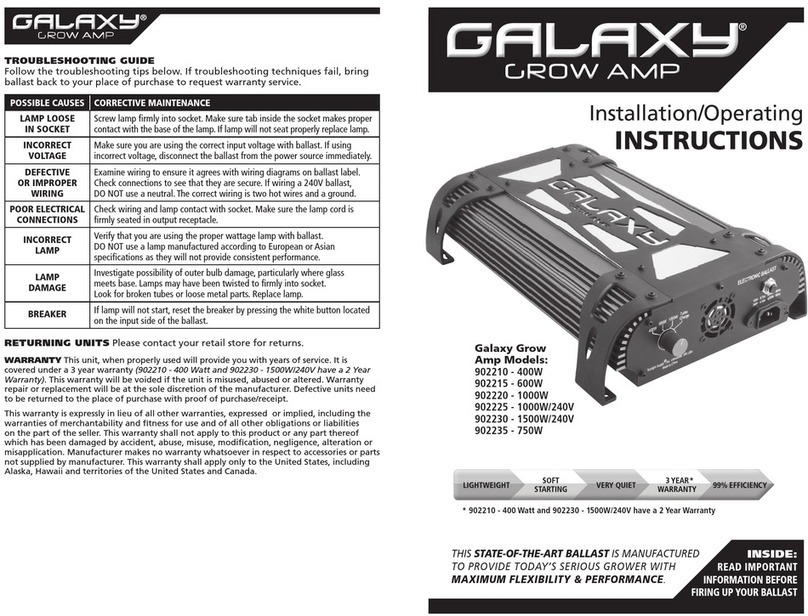
Galaxy 902210 Installation and user guide

Galaxy

Galaxy 902210 Installation and user guide

Popular Amplifier manuals by other brands

ASTRO HVO V40 P operating manual

ASTRO

ASTRO HVO V40 P operating manual

Marantz SUPERSCOPE BLA-545 Service data

Marantz

Marantz SUPERSCOPE BLA-545 Service data

NAD CI980 Quick setup guide

NAD

NAD CI980 Quick setup guide

Technics SE-CH770 Service manual

Technics

Technics SE-CH770 Service manual

Harman Kardon HK6300 instruction manual

Harman Kardon

Harman Kardon HK6300 instruction manual

NAD T975 owner's manual

NAD

NAD T975 owner's manual

McIntosh MA6850 Brochure & specs

McIntosh

McIntosh MA6850 Brochure & specs

Electro-Harmonix ENGLISH MUFF’N manual

Electro-Harmonix

Electro-Harmonix ENGLISH MUFF’N manual

Viatron Autrix Technical manual

Viatron

Viatron Autrix Technical manual

GME GA9800 instruction manual

GME

GME GA9800 instruction manual

Atlas CP700 Specification sheet

Atlas

Atlas CP700 Specification sheet

Roland KC-1000 owner's manual

Roland

Roland KC-1000 owner's manual

Pyle PFMRA350BW user manual

Pyle

Pyle PFMRA350BW user manual

Advantage S-250 manual

Advantage

Advantage S-250 manual

IRT Electronics DVA-3007 manual

IRT Electronics

IRT Electronics DVA-3007 manual

Dimavery BA-100 Series user manual

Dimavery

Dimavery BA-100 Series user manual

Sony XM-S400D operating instructions

Sony

Sony XM-S400D operating instructions

Schertler ROY X quick guide

Schertler

Schertler ROY X quick guide

https://manuals.online logo
https://manuals.online logoBrands
  • About & Mission
  • Contact us
  • Privacy Policy
  • Terms and Conditions

Copyright 2025 Manuals.Online. All Rights Reserved.

TITLE DECLARATION OF CONFORMITY according to FCC Part 15
Name of third party responsible Northwest EMC
Address 22975 NW Evergreen Pkwy, Suite 400
Hillsboro, OR 97124
Phone number 503-844-4066
Compliance statement
This device complies with part 15 of the FCC Rules.
Operation is subject to the following two conditions:
(1) This device may not cause harmful interference, and
(2) this device must accept any interference received,
including interference that may cause undesired
Part 18 compliance This device complies with Part 18 of the FCC Rules.
Advisory statement
This product may cause interference to radio equipment and
should not be installed near maritime safety communications
equipment or other critical navigation or communication
equipment operating between 0.45-30 MHz.
The interference potential
of the device or system
Maintenance of the system Unplug the unit, wait 30 seconds, and plug the unit back in.
Simple measures that can be taken
by the user to correct interference
Move the unit away from any radio device.

All manuals and user guides at all-guides.com
all-guides.com
POSSIBLE CAUSES CORRECTIVE MAINTENANCE
LAMP LOOSE
IN SOCKETS
Make sure that the lamp is fully inserted into the sockets and that the
sockets are in the closed position.
INCORRECT
VOLTAGE
Make sure you are using the correct input voltage with ballast. If using
incorrect voltage, disconnect the ballast from the power source immediately.
DEFECTIVE
OR IMPROPER
WIRING
Examine wiring to ensure it agrees with wiring diagrams on ballast label.
Check connections to see that they are secure. If wiring a 240V ballast,
DO NOT use a neutral. The correct wiring is two hot wires and a ground.
POOR ELECTRICAL
CONNECTIONS
Check wiring and lamp contact with socket. Make sure the lamp cord is
firmly seated in output receptacle.
INCORRECT
LAMP
Verify that you are using a 1000W double ended lamp. Lamps manufactured
according to European or Asian specifications will not provide consistent
performance.
LAMP
DAMAGE
Investigate possibility of outer bulb damage.
Look for broken tubes or loose metal parts. Replace lamp.
All manuals and user guides at all-guides.com