G-501 Quick User Manual Document: G-501101
------------------------------------------------------------------------------------------------------------------------------------------------
8
Projector selection guide for 3D display
1. It is not necessary to use expensive projectors with lens shift or special geometry alignment rack because
GeoBox can do pixel by pixel precise geometry adjustment.
2. A normal projector can be chosen for 3D display (no need to have 3D ready). Usually, XGA resolution will
create acceptable 3D video quality. A projector with higher native resolution, output brightness and contrast
ratio, will yield better performance similar to Movie Theater.
3. The output light from a projector with 3x LCD micro display (such as Epson) or LCOS (JVC or Sony) may
preserve polarization and the polarizer and glasses need to be carefully selected. Linear polarized system
can be used in Epson 3x LCD projector but circular polarized system can’t. Optical spectrum type filter and
glasses can be an alternative in this case. DLP type projector is easier in polarizer and glasses selection.
4. The projector with throw ratio under 0.8 is not recommended because it will be more sensitive to the flatness
of the screen and create difficulty in the installation.
5. DLP projector for PC graphics display purpose may use different color wheel for higher brightness but
degrade the color performance. Please select video projector with HDMI input for home theater application.
6. For use in public area, the projectors with higher brightness should be considered. Projector with more than
3,000 lumens will be acceptable in limited ambient light controlled area. More than 4,000 lumens will create
better 3D effect. Projector with full HD resolution and 2,000 lumens will be recommended for home theater.
Other Important Tips for 3D display
1. The final brightness to the eyes will be reduced due to 3D polarizer and glasses. Passive 3D brightness to
the eyes will be about 3x if compared with the same projector used in active (shutter) 3D system.
2. Incorrect aspect ratio adjustment of signal source may cause abnormal 3D display when the 3D format is
Side by Side or Top-Bottom.
3. Pair the glasses and polarizer is required: If viewer wears 3D glasses and sees the light from lamp through
one polarizer via RH eye with different side, direction and angle, viewer will see below conditions:
i. If RH eye can see through the polarizer at any side, direction and angle, then this polarizer is not for RH
eye. It should belong to LH eye projector.
ii. If viewer can’t see through or only see minor light at some angle or direction, then it can be for RH eye
projector. The side faced to the eye should be pointed out to the screen and the polarizer should be
installed at the same angle as viewer sees minimum light through.
4. GeoBox doesn’t have VGA output. Using HDMI to VGA conversion box to connect projector through VGA
port is not recommended because projector may change the geometry alignment due to “Auto Setting”
during system booth up stage, unless “Auto Setting” function in projector can be turned off.
5. It is possible for the system to hung up during image adjustment. In this case, system will restart within one
minute. User can also turn OFF/ON the system to restart again. This kind of situation will not happen once
the complete system setup is finished. It will not affect the stability of the whole system.
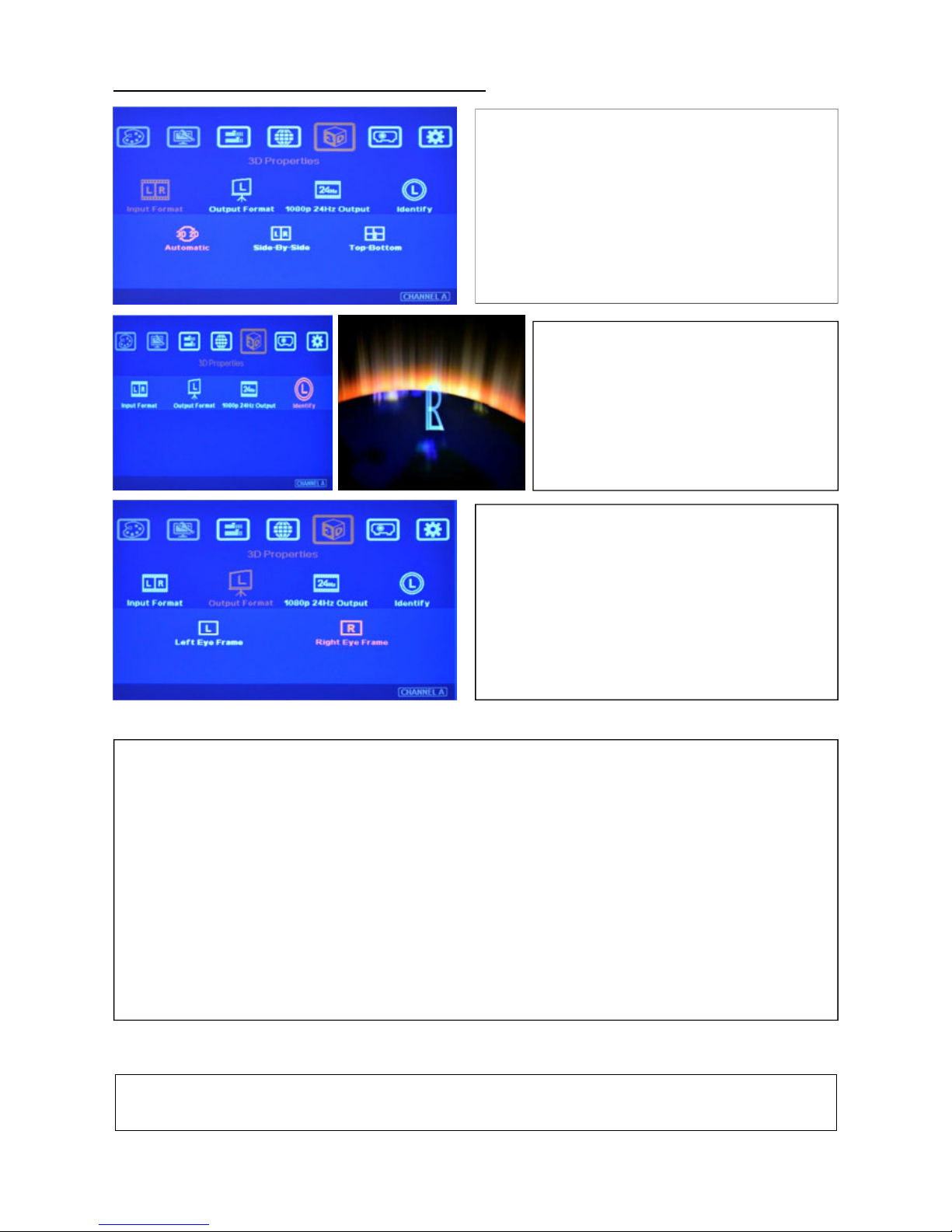
6. If 3D setting in Blue Ray is not correct, GeoBox will not be detected and 3D signal can’t be delivered to
GeoBox. Please set Blue Ray at auto 3D or 1080p@24Hz frame packing.
7. Usually front projection 3D screens will be silver (aluminum) surfaced in polarized 3D system unless optical