14 15
Tape
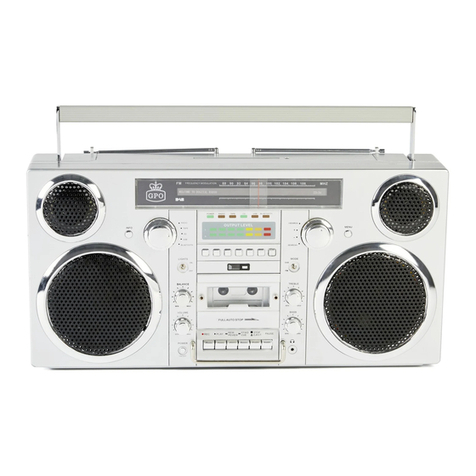
1. Turn the unit on using the Power Button
2. Press Eject on the tape control panel to open the cassette tape slot
3. Insert a cassette tape into the cassette tape slot on the front of the
unit
4. Close the slot
5. Turn the Function Knob to Tape
6. The Tape LED light will be illuminated and the timer clock will begin
counting up from zero
7. This counter can be reset at any point using the reset button next to
the timer clock
8. Use the play, tracking and stop buttons on the unit to play the
cassette
9. The cassette auto stop will ensure the tape stops at the end of each
side. At this point, eject the tape, remove it, turn it around and re-
insert it
10. Press play again to resume playback
11. To remove the cassette, press Stop/Eject once to stop playback
and a second time to eject the tape
12. While using any of the unit’s other modes, you can press the record
and play buttons together to record music to a blank cassette tape
CD
1. Turn the unit on using the Power button
2. Turn the Function Knob to CD
3. The CD LED light will be illuminated
4. Insert a CD into the CD tray on top of the unit and close the tray
5. PLEASE NOTE: On the rear of your Brooklyn is a 4-digit batch
number. If this is less than 2250, the label of the CD should face the
REAR of the unit when inserted. If you experience a read error, eject
the CD, turn it around and re-insert it. If it is 2250 or greater, the CD
can be inserted with the label facing either way.
6. Use the play, tracking and stop buttons on the unit to play the CD
7. To skip to the next track, tap the Next button once
8. To move back to a previous track, press the Previous button once
9. To move forward through a track, press the FFWD button repeatedly
– a long press will NOT move the track forward
10. To move backwards through a track, press the REW button
repeatedly.
11. The LED display will show relevant track and playing time
information
12. To stop playback, press the Stop button
13. To eject the CD, press the eject button to the right of the CD tray