Gsou U190 User manual

U190 USER MANUAL
< Bluetooth version >
Please read the user manual carefully before operation

Thanks for purchasing Gsou U190 Ultra portable Bluetooth®
speaker.Please take the time to follow the instructions in this User
manual carefully. If you have any query, please call our national
service hotline: +(86)755-83222871
I、Preface
II、Warnings and Cautions
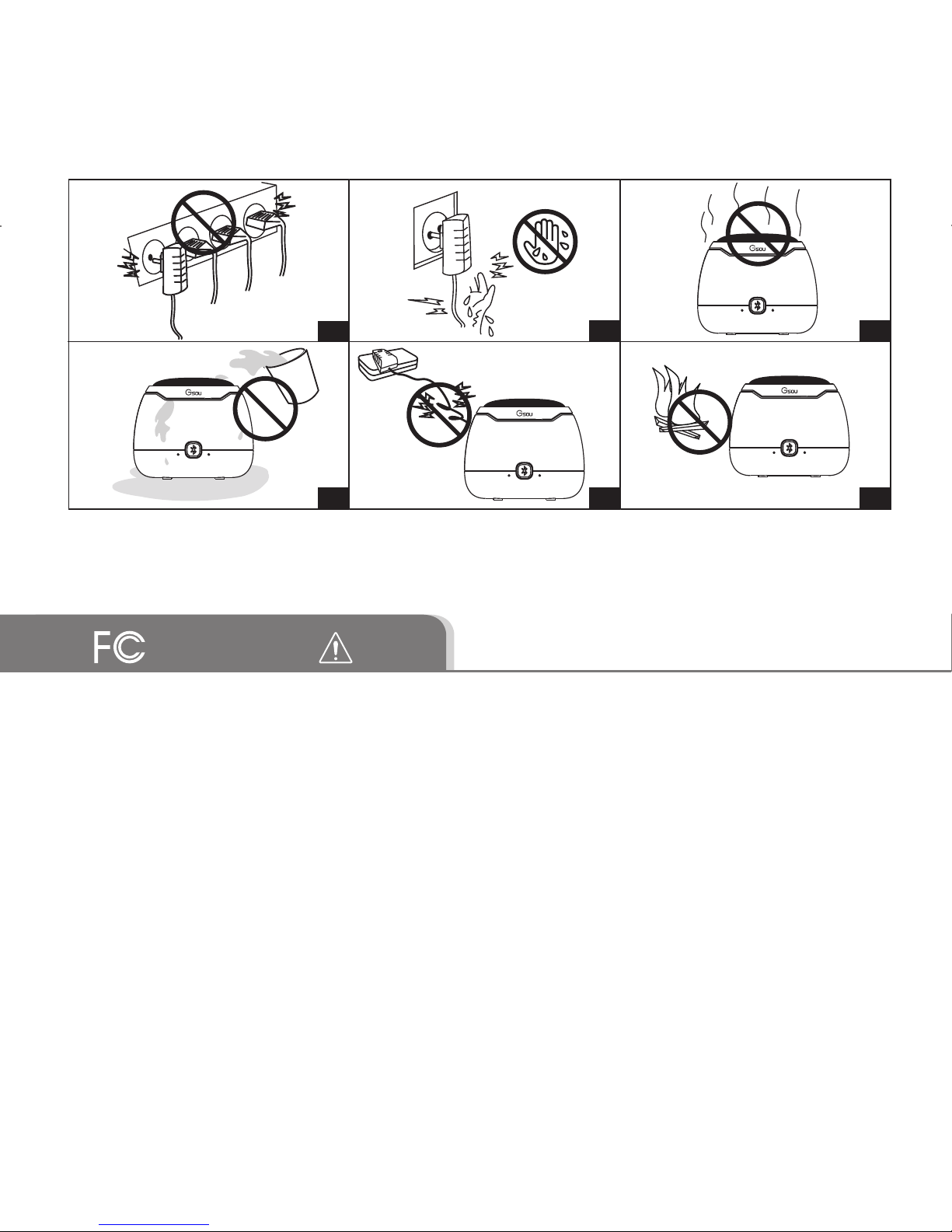
1. To reduce the risk of fire or electric shock, be sure the electrical circuits
are not overloaded.
2. To reduce the risk of electronic shock, be sure not plug the adapter with
wet hands.
3. Unplug the power cable if your device is smoking or abnormal and seek
professional help from your nearest service center, be sure not detach the
device yourself.
4. To reduce the risk of fire or electric shock, do not expose this product to
rain or moisture. Liquids can cause a failure and/or a fire hazard.
5.
The power cable and audio cable can not be twisted or dragged in case
of short circuit.
6.
Do not place any naked flame sources, such as lighted candles, on or near
the apparatus.
III. Warnings
This device complies with Part 15 of the FCC Rules. Operation is subject
to the following two conditions:
(1) this device may not cause harmful interference, and (2) this device
must accept any interference received, including interference that may
cause undesired operation.Changes or modifications not expressly
approved by the party responsible for compliance could void the user's
authority to operate the equipment.
12
4 5
3
6

NOTE: This equipment has been tested and found to comply with the
limits for a Class B digital device, pursuant to Part 15 of the FCC
Rules. These limits are designed to provide reasonable protection against
harmful interference in a residential installation. This equipment
generates, uses and can radiate radio frequency energy and, if not installed
and used in accordance with the instructions, may cause harmful
interference to radio communications. However,there is no guarantee that
interference will not occur in a particular installation.
If this equipment does cause harmful interference to radio or television
reception,which can be determined by turning the equipment off and on,
the user is encouraged to try to correct the interference by one or more of
the following measures:
-- Reorient or relocate the receiving antenna.
-- Increase the separation between the equipment and receiver.
-- Connect the equipment into an outlet on a circuit differentfrom that to
which the receiver is connected.
-- Consult the dealer or an experienced radio/TV technician for help.
FCC RF warning statement: The device has been evaluated to meet
general RF exposure requirement. The device can be used in portable
exposure condition without restriction.
IV.Standard Accessories
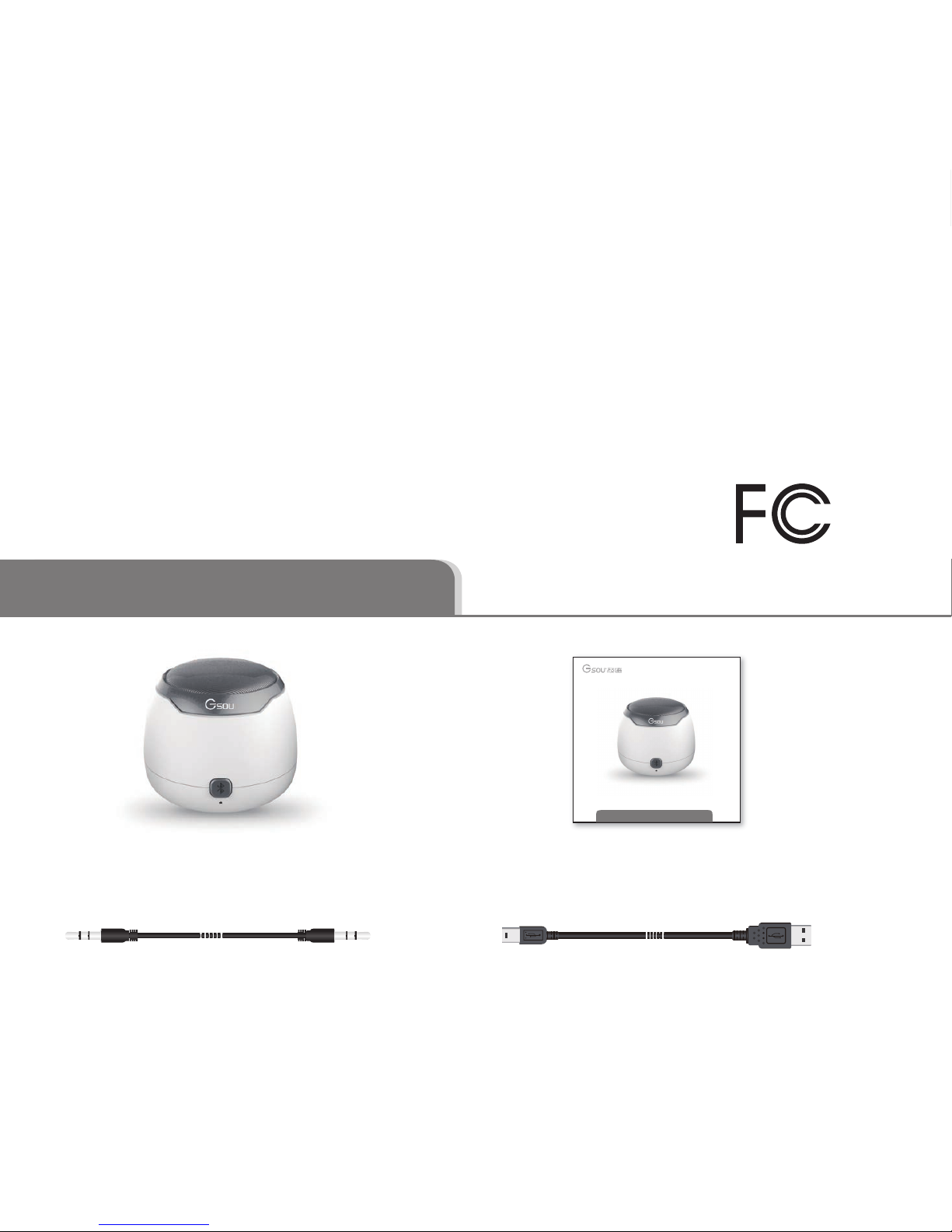
Micro USB cable 1 unit3.5mm Audio cable 1 unit
User Manual/Warranty Card 1 set
RF Exposure Statement:
To maintain compliance with FCC's RF
Exposure guidelines, This equipment should be installed and operated
with minimum distance between 20cm the radiator your body: Use only
the supplied antenna.
FCC RF warning statement:
The device has been evaluated to meet
general RF exposure requirement. The device can be used in portable
exposure condition without restriction.
U190 Bluetooth® speaker 1pc
U180蓝牙版使用说明
(使用音箱之前请先仔细阅读本机使用说明)

V.Safety information
L ead
(Pb)
Merc ury
(Hg)
C admium
(C d) Hexavalent
(C R (VI)) Polybrominated
B iphenyl (PB B )
Polybrominated
Diphenylether
(PB DE )
Part
Name
PCBs
Metal
Parts
Plastic
Parts
Speakers
Cables
X O O O O O
O O O O O O
O O O O O O
O O O O O O
O O O O O O
Toxic or Hazardous Substances and Elements
O: Indicates that this toxic or hazardous substance contained in all of
the homogeneous materials for this part is below the limit requirement
in SJ/T 11363-2006.
X: Indicates that this toxic or hazardous substance contained in at
least one of the homogeneous materials used for this part is above the
limit requirement in SJ/T 11363-2006.
Names and Contents of Toxic or Hazardous Substances or Elements
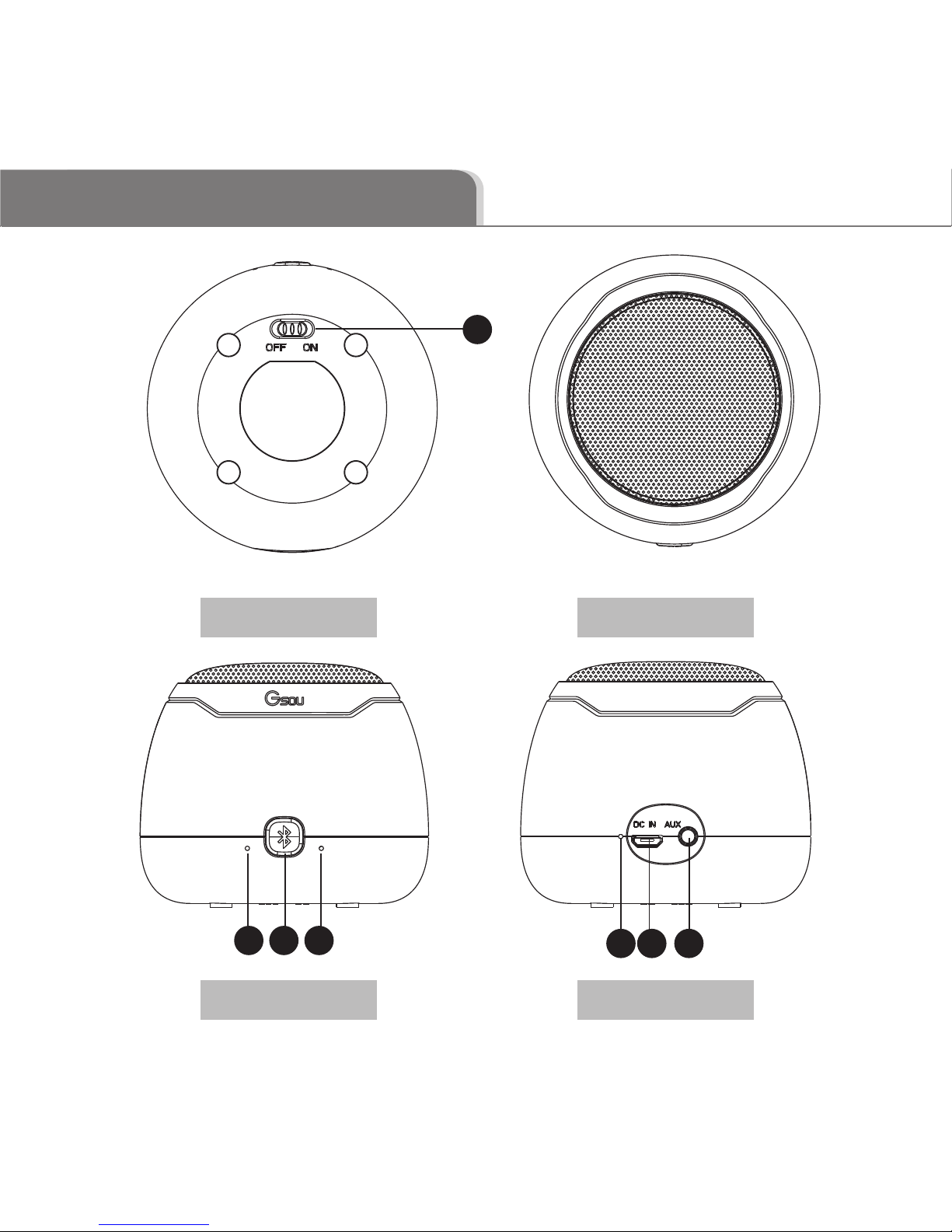
VI.Structure Introduction
Bottom View Top View
Front View Back View
1
2 3 4 6 75
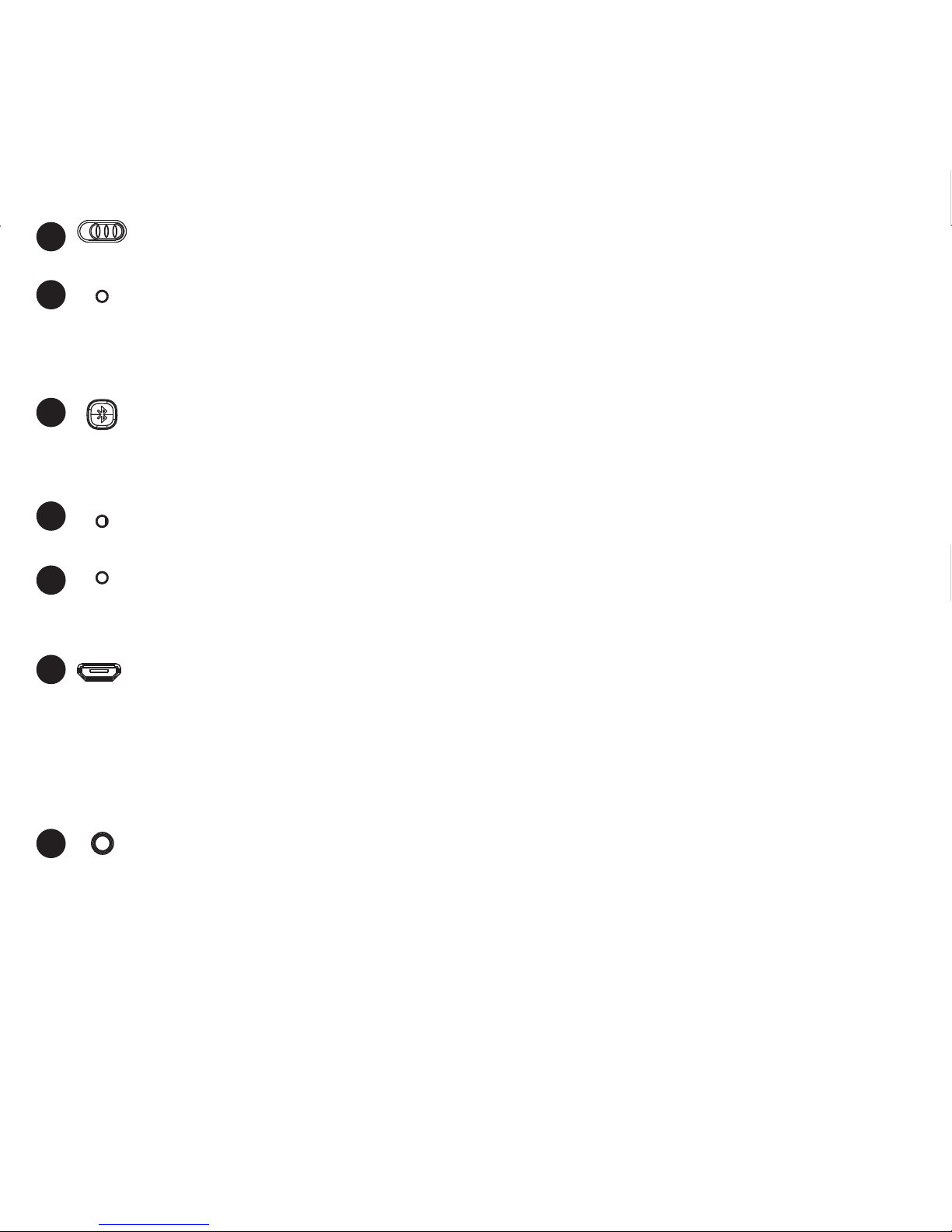
Bluetooth status indicator:Blue indicator flashes which means waiting
for pairing; Blue indicator remains on which means paired successfully. The
battery voltage< 3.3 V, the red light flashing, low voltage reminder.
1
2
3
4
OFF NO
5
6
7
Power on/off
Microphone hole
Micro USB port is for connecting to DC 5V USB cable, to charge the U180
Bluetooth® speaker. Please take note that power adaptor is not standard
accessory of Gsou Bluetooth speaker. You can use your mobile phone adaptor
to charge the speaker or connect to USB port of your PC /power bank to
charge the device. The limited voltage is 5V.
AUX-in jack. Connect the U190 with your pc, MP3/mp4 player, Tablet,
Mobile and other playback devices with 3.5mm jack by audio cable and
U190 will disconnect the Bluetooth® automatically.
Chaging indicator. Red indicator lighted when charging, and off after fully
charged.
In Bluetooth mode, press and hold for 3 seconds to disconnect Bluetooth.
In Bluetooth mode, short press for 1 second to answer the call, and long
press for 3 seconds for rejecting call.
VII.Structure Introduction
VIII.Operation Steps
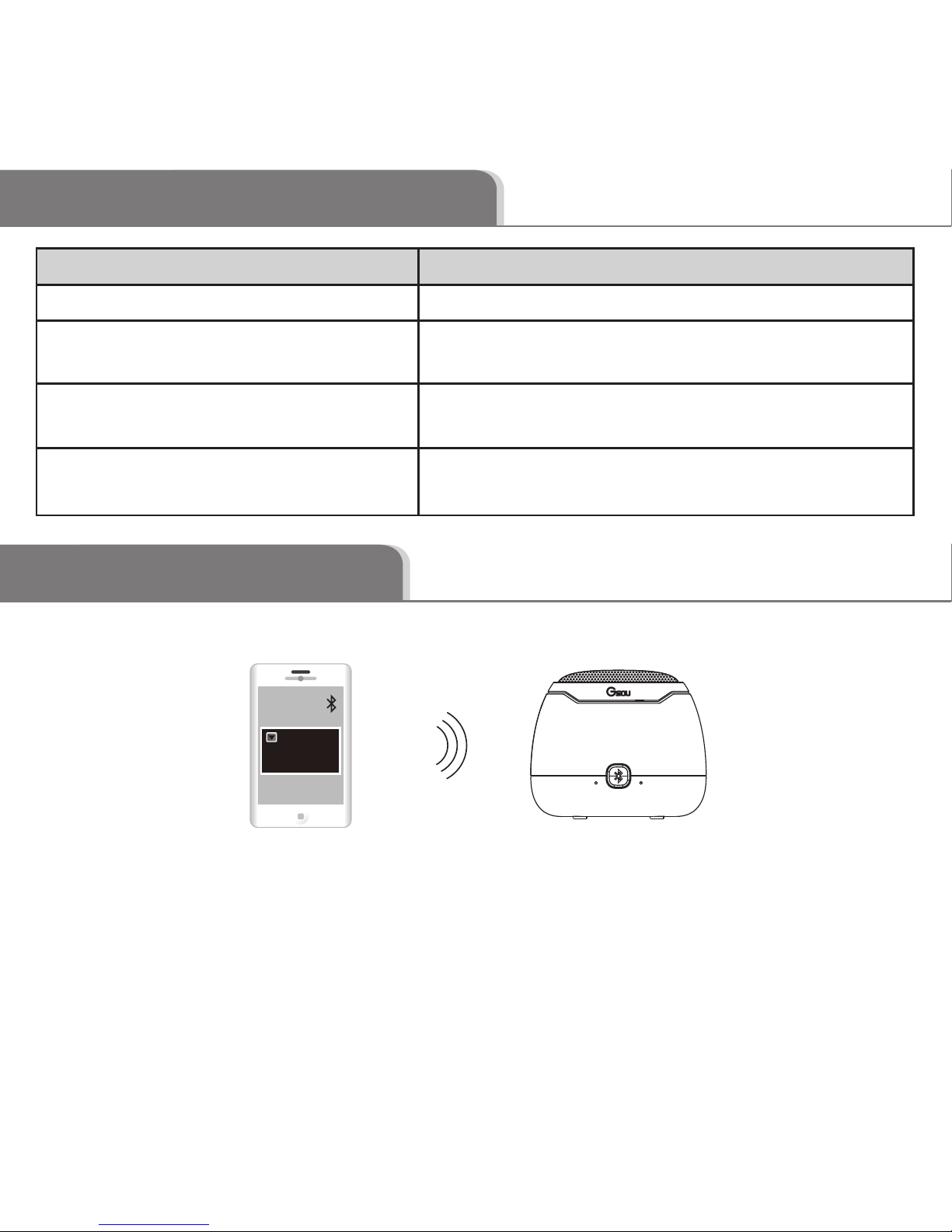
Indicator Color U190 working status
Blue indicator flashes
Blue indicator remains steadlily on
* How to connect your U190 with Bluetooth playback devices?
Step 1: Be sure your speaker battery has sufficient power.
Step 2: Turn on your speaker and it will be in Bluetooth mode automatically and
ready for connecting. The blue indicator flashes..
Step 3: Open the Bluetooth® of your mobile, search the “Gsou U190” device and
connect to it. Usually you needn’t to input password for most of Bluetooth
playback devices, but due to the Bluetooth version varies, sometimes, you
need to input the default password “0000”(four zero) if required.
Status of waiting for connecting
Connected to Bluetooth® source or
connected to aux in devices
Battery voltage lower than 3.3v, Red light
flashes means your U190 need to be charged
Red indicator is on when charging, and off
when fully charged.
Low power indicator flashes
Red charging indicator light
GsouU190
* How to connect your U190 with Bluetooth playback devices?
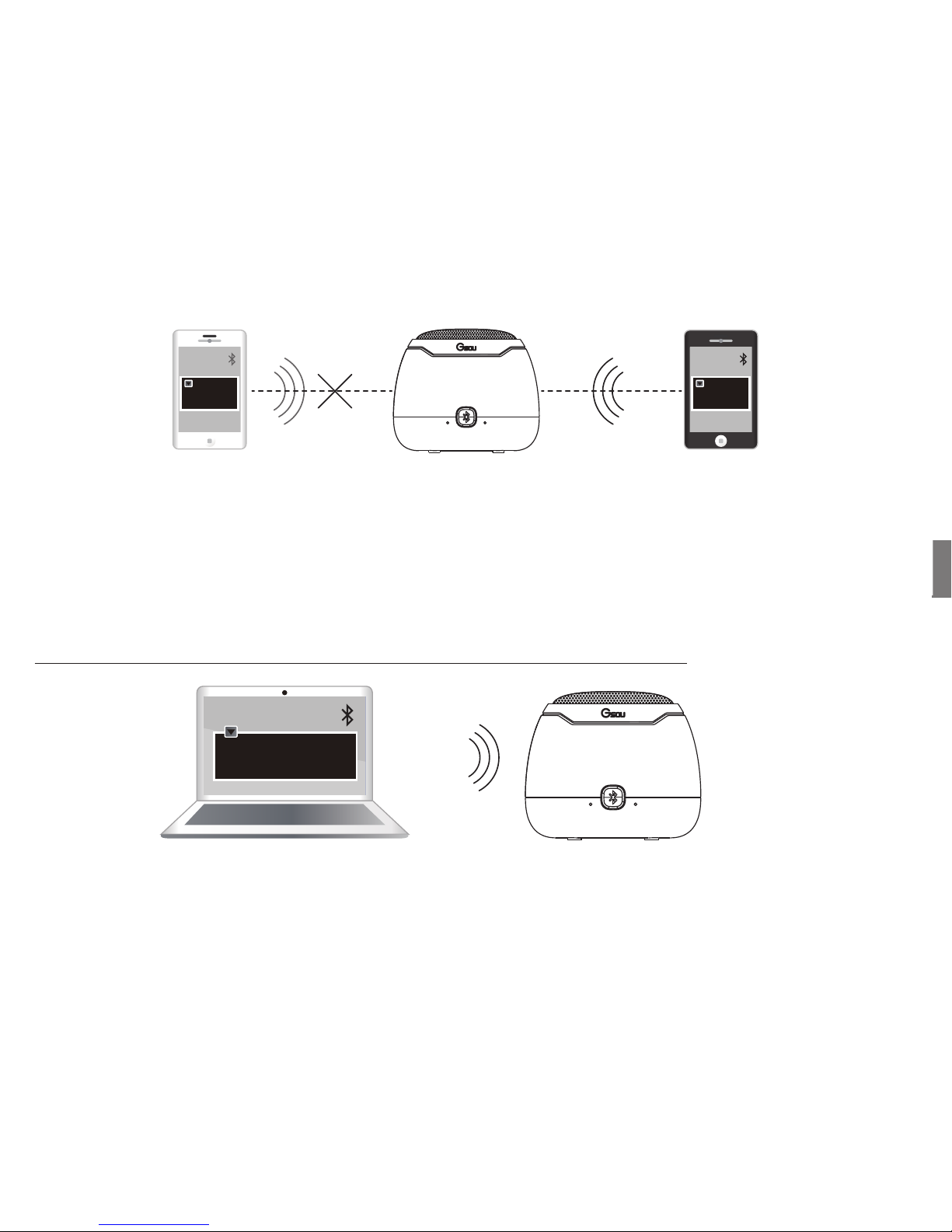
* How to connect the U190 with your notebook pc by Bluetooth®?
1. In the case of your notebook with the Bluetooth® function.
Step 4: Blue light remains steadily on to indicate successfully connected
Your U180 supports connect to one Bluetooth playback device at the same time
only. You need to disconnect the previous pairing Bluetooth® device, then other
mobiles can be available to connect, and the operation steps will also be same
as before.
Step 1: Start your notebook, search the Bluetooth® device by
“Start—Setting—Control Panel”.
Step 2: Start the Bluetooth® searching function of your notebook, blue light
flashes when searching the Audio-in devices.
Step 3: Blue indicator light remains steadily on after connecting successfully.
Step 4: You can play the audio music of the notebook by the U190.
Step 5: Run the music player of your mobile, and enjoy the loud but clear sound
from your U190.
disconnect the
previous pairing
Bluetooth® device
GsouU190
Start—Setting—Control Panel
Table of contents
Other Gsou Speakers manuals