Page 5 of 10
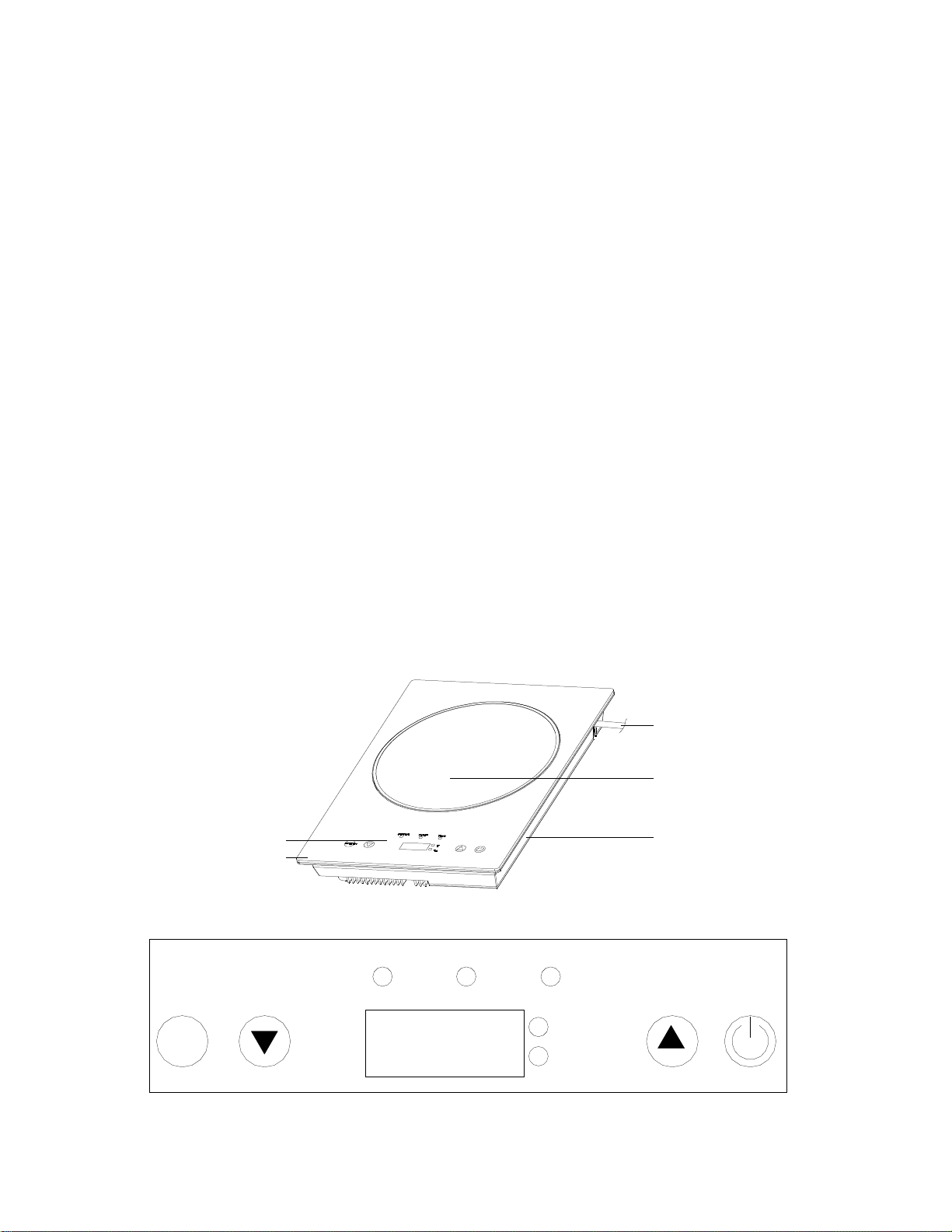
2. POWER function setting: touch FUCTION key, when the POWER indicator is lighted, it means
entering heating state, and power can be set by touching “▲” or “▼” key to the following value: 400W-
600W- 800W- 1000W- 1200W- 1400W.
3. TEMP function setting: touch FUNCTION key, when the TEMP indicator is lighted, it means entering
warming state, and the warming temperature can be set by touching “▲” or “▼” key to the following
value: 150℉ 200℉ 250℉ 300℉ 350℉ 400℉..
4. Timer function setting: touch FUNCTION key, when the TIMER indicator is lighted, it means
entering timing state, shut-off time can be set by touching “▲” or “▼” key, the time range is within 23
hours and 59 minutes.
5. The unit will stop automatically when no any key is pressed within 2h.
OPERATION
1. Insert power cord into separate appropriate socket, and buzzer sound “Bi” will be heard once, digital
tube and all indictors light up for 1 second and then go out, indicating the unit is energized.
2. Place the pan on the center of the hot plate. Touch ON/OFF key, digital tube displays “- - - -”, prompt
you set the cooking function. Touch the FUNCTION key once to enter POWER function within 10s,
while the POWER indictor will be lighted, at the same time the fan starts running, the default power is
1400W, which can be adjusted by touching “▲” or “▼” key. The digital tube displays “E0” if the pan is
not placed in position and buzzer sound “Bi” will be heard at an interval of 3 seconds. The appliance will
return to the standby state immediately if you place the pan in position within 6s, if you do not place the
pan in position within 6s, after 6s, the appliance will also return to the standby state.
3. Touch FUNCTION key again to enter TEMP setting, and the TEMP and ℉ indicators will be lighted.
The default temperature is 400℉, which can be adjusted by touching “▲” or “▼” key, when the
temperature rises to the set value, the program will enter the automatic protection.
4. Touch FUNCTION key for the third time to enter timer setting which is used for setting the time to
shut off the power, at this time the TIMER indictor will be lighted. Digital tube displays and
hour is flashed.
Within 3s touch “▲” or “▼” key to set hour, the maximum set time is 23h. The “▲” and “▼” keys can
be hold down to scroll through the digits, or touched and released to advance one digit at a time. If the
hour is not adjusted within 3s, the hour setting will be finished, following enter minute setting, and the
minute set range is 0-59s. If the minute is not adjusted within 3s, the minute setting will be finished.
1) After timing, power and time will cycle to display, and the POWER and TIMER indicators will be
lighted. You can adjust the power by touching “▲” or “▼” key. The default power is 1400W when the
FUNCTION key is not touched any more.