6
Cassette Tape to MP3 Converter
5.2 Auto recording mode
In “Auto Recording” mode, the device will detect intervals between songs automatically, and
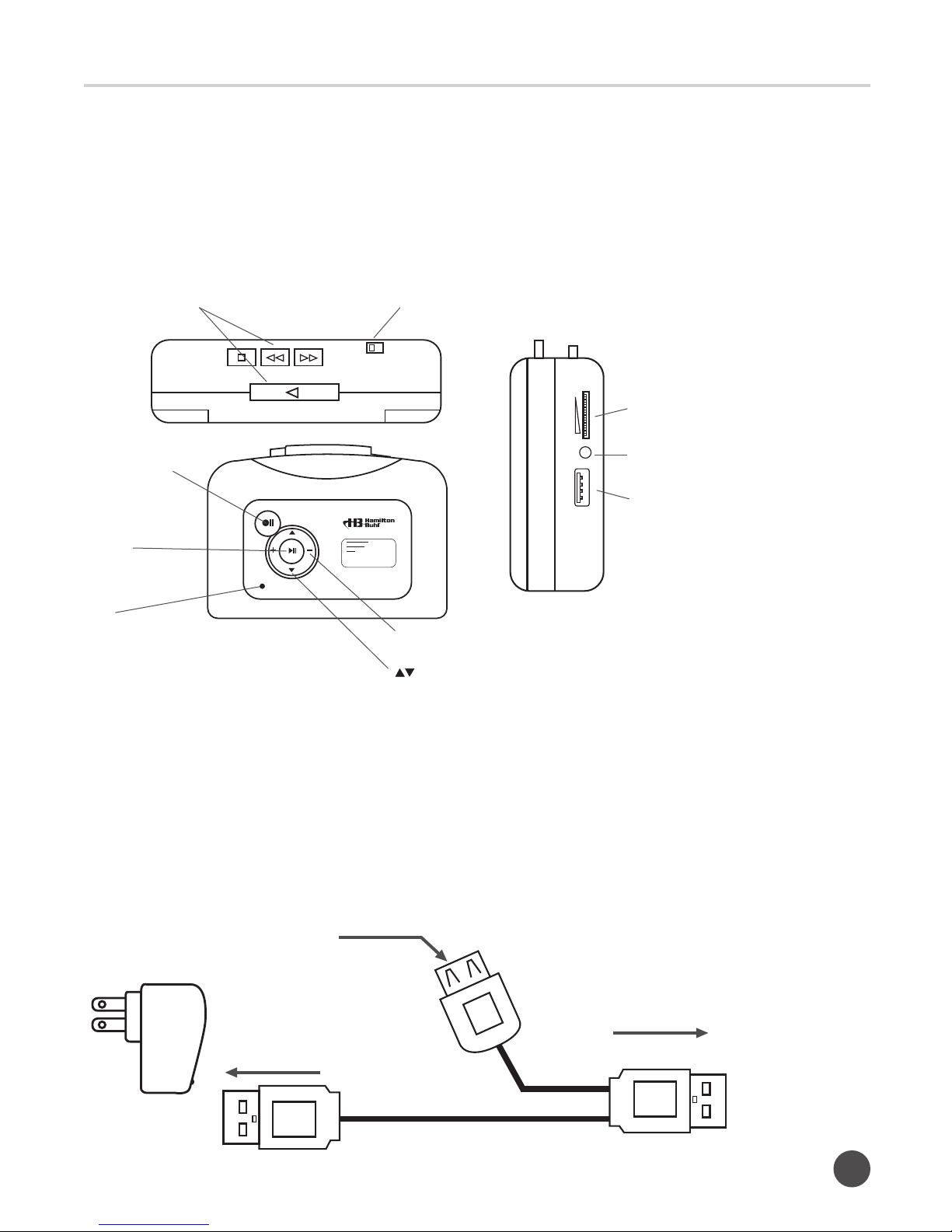
save them into separate les. Select “Auto Recording” mode by pressing the down arrow
button for 3-5 seconds until the LED indicator turns green to blue.
For example, if you have 6 songs on the side A (or B) of your cassette tape, insert the
cassette tape, press play, then press record. After the 6th song, the device will automatically
create and save 7 MP3 les into your USB ash drive. (Note: There will be 7 les for the 6
songs, the FV0001~FV0006 will be the rst 6 songs and the last le, FV0007 will be created,
but without contents).
The device will create a new folder called “TAPEMP3” in your USB ash drive and les will be
saved under the following le names “FV0001, FV0002, FV0003…FV9999”
Switching back from “Auto Recording” mode to “Manual Recording” mode can be done at the
“Standby” mode. Press the down arrow button for 3-5 seconds until the LED indicator turns
blue to green, or simply power off the device, then turn it back on (Default Mode – “Manual
Recording” mode).
Note: Due to the rmware limitation, the device may not be able to correctly determine the
intervals between songs. For example, in “Auto Recording” mode, if there is a long pause
within a song, the device may record them in separate les instead of a single le. Also, you
have to repower (remove AA batteries or USB power supply then re-plug in) the device if you
accidentally unplug the USB ash drive during recording, otherwise both recording and replay
button will not work properly.
5.3 AUX Recording Mode
It is also possible to record contents from other sources via a 3.5mm auxiliary input
(e.g., smartphones, tablets, radio or devices with AUX line out).
6. Playback
This device can playback the USB ash drive contents so you can easily review the recorded
les. In “Standby” mode, press the playback button and the device will start to play the
recorded contents, and the LED indicator will ash slowly in green.
Press the playback button again, to stop the playback function and return to “Standby” mode.
During playback, use up/down buttons to choose play previous or next le.
Use +/- button to adjust the volume level.
Note: You can also copy other MP3 les to USB ash drive and plug into your device to
playback, but only les in “TAPEMP3” folder can be played.