manuals.online logo
Brands
  1. Home
  2. •
  3. Brands
  4. •
  5. Hasbro
  6. •
  7. Game
  8. •
  9. Hasbro Pooh Learning Theater 87-021 User manual

Hasbro Pooh Learning Theater 87-021 User manual

Other Hasbro Game manuals

Hasbro Battle of Naboo Game 88-003 User manual

Hasbro

Hasbro Battle of Naboo Game 88-003 User manual

Hasbro Littlest Pet Shop Digital Planner... User manual

Hasbro

Hasbro Littlest Pet Shop Digital Planner... User manual

Hasbro Baby Alive Diaper Bag 18849/18657 User manual

Hasbro

Hasbro Baby Alive Diaper Bag 18849/18657 User manual

Hasbro Attacktix Battle Figure Game 68080 User manual

Hasbro

Hasbro Attacktix Battle Figure Game 68080 User manual

Hasbro BeyBlade Draciel Fortress 82500 User manual

Hasbro

Hasbro BeyBlade Draciel Fortress 82500 User manual

Hasbro Whac-A-Mole 42622 User manual

Hasbro

Hasbro Whac-A-Mole 42622 User manual

Hasbro ATTACKTIX 6698200000 User manual

Hasbro

Hasbro ATTACKTIX 6698200000 User manual

Hasbro Backgammon E4314 User manual

Hasbro

Hasbro Backgammon E4314 User manual

Hasbro Guess Who Littlest Pet Shop Edition... User manual

Hasbro

Hasbro Guess Who Littlest Pet Shop Edition... User manual

Hasbro Poppin' Bedbugs Pinball 06102 User manual

Hasbro

Hasbro Poppin' Bedbugs Pinball 06102 User manual

Hasbro Twister dance DVD Game User manual

Hasbro

Hasbro Twister dance DVD Game User manual

Hasbro Fantastic Gymnastics User manual

Hasbro

Hasbro Fantastic Gymnastics User manual

Hasbro The World Conquest Game User manual

Hasbro

Hasbro The World Conquest Game User manual

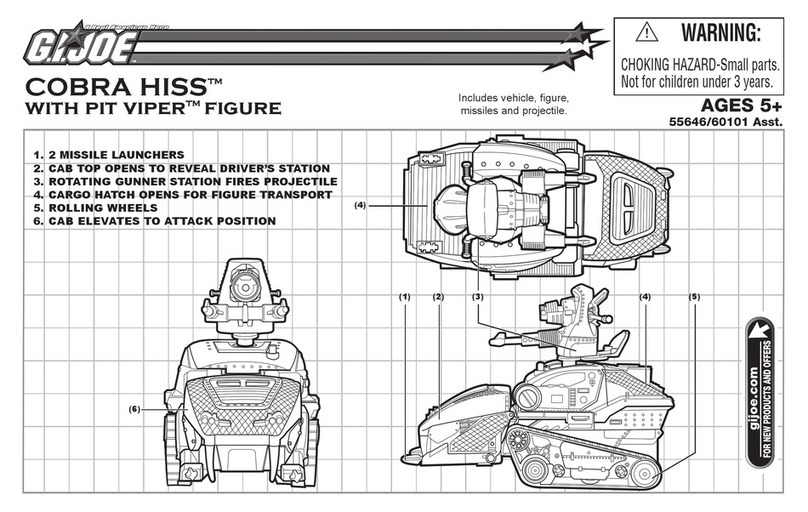
Hasbro Cobra Hiss with Pit Viper Figure 55646/60101 User manual

Hasbro

Hasbro Cobra Hiss with Pit Viper Figure 55646/60101 User manual

Hasbro Beyblade Salamalyon 82528 User manual

Hasbro

Hasbro Beyblade Salamalyon 82528 User manual

Hasbro Autobot Breakaway 83839 User manual

Hasbro

Hasbro Autobot Breakaway 83839 User manual

Hasbro Paker Brothers' Continental Game User manual

Hasbro

Hasbro Paker Brothers' Continental Game User manual

Hasbro The Perils of Mickey 7-625 User manual

Hasbro

Hasbro The Perils of Mickey 7-625 User manual

Hasbro Pop Flyers 09015 User manual

Hasbro

Hasbro Pop Flyers 09015 User manual

Hasbro Autobot Hacker X-3 81056 User manual

Hasbro

Hasbro Autobot Hacker X-3 81056 User manual

Hasbro The Enchanted Slippers Game User manual

Hasbro

Hasbro The Enchanted Slippers Game User manual

Hasbro Beyblade VForce 82635 User manual

Hasbro

Hasbro Beyblade VForce 82635 User manual

Hasbro 60-043 User manual

Hasbro

Hasbro 60-043 User manual

Hasbro Xevoz AGES 6+ User manual

Hasbro

Hasbro Xevoz AGES 6+ User manual

Popular Game manuals by other brands

Bay Tek Games GRIDIRON BLITZ Service manual

Bay Tek Games

Bay Tek Games GRIDIRON BLITZ Service manual

Outdoor Play Box it! 2020 instruction manual

Outdoor Play

Outdoor Play Box it! 2020 instruction manual

Beleduc Papilio Instruction

Beleduc

Beleduc Papilio Instruction

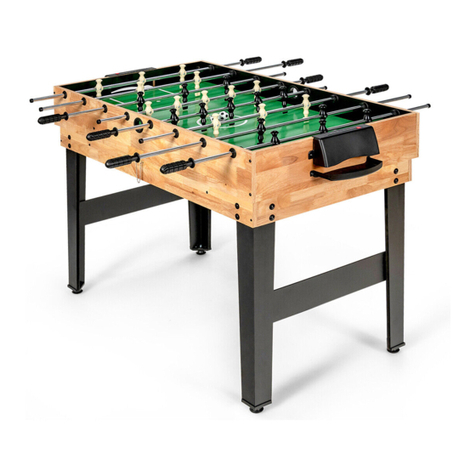
Costway UY10001 user manual

Costway

Costway UY10001 user manual

Vex Add It Up Assebly instructions

Vex

Vex Add It Up Assebly instructions

Radica Games BUCKAROO 630 instruction manual

Radica Games

Radica Games BUCKAROO 630 instruction manual

Roberto Sport INGLESE Assembly instructions

Roberto Sport

Roberto Sport INGLESE Assembly instructions

Koala Technologies KoalaWare Spider Eater owner's manual

Koala Technologies

Koala Technologies KoalaWare Spider Eater owner's manual

Tomy The Magic Oven manual

Tomy

Tomy The Magic Oven manual

Tiger Electronics Last Out 7-584-0 instructions

Tiger Electronics

Tiger Electronics Last Out 7-584-0 instructions

Fisher-Price RollOverRover manual

Fisher-Price

Fisher-Price RollOverRover manual

Mattel World Championship Football instructions

Mattel

Mattel World Championship Football instructions

DGT Centaur manual

DGT

DGT Centaur manual

Haba Dragon Diego Dart manual

Haba

Haba Dragon Diego Dart manual

Tiger Electronics Brain Warp instruction manual

Tiger Electronics

Tiger Electronics Brain Warp instruction manual

Tiger Electronics Bot-Ster 59704 instruction manual

Tiger Electronics

Tiger Electronics Bot-Ster 59704 instruction manual

Fundex Games Timber Tumble User instructions

Fundex Games

Fundex Games Timber Tumble User instructions

Crivit DS-1532 Playing and user instructions

Crivit

Crivit DS-1532 Playing and user instructions

manuals.online logo
manuals.online logoBrands
  • About & Mission
  • Contact us
  • Privacy Policy
  • Terms and Conditions

Copyright 2025 Manuals.Online. All Rights Reserved.

© Disney
Based on the "Winnie the Pooh" works.
Copyright A.A. Milne and E.H. Shepard.
INSTRUCTION
MANUAL
PRINTED IN CHINA
870210001IWTI-02 Model 87-021
For Ages 2 to 6
®, TM, & © 1998 Tiger Electronics, Ltd.
All rights reserved.
980 Woodlands Parkway,
Vernon Hills, Illinois 60061, U.S.A.
90-DAY LIMITED WARRANTY
Tiger Electronics, Ltd. (Tiger) warrants to the original consumer purchaser of this product that
the product will be free from defects in materials or workmanship for 90 days from the date
of original purchase. This warranty does not cover damage from accident, negligence,
improper service or use or other causes not arising out of defects in materials or workmanship.
During this 90-day warranty period, the product will either be repaired or replaced (at Tiger's
option) without charge to the purchaser, when returned with proof of the date of purchase
to either the retailer or to Tiger.
Product returned to Tiger without proof of the date of purchase or after the 90-day warranty
period has expired, but prior to one year from the original date of purchase, will be repaired
or replaced (at Tiger's option) for a service fee of U.S.$22.00. Payments must be by check
or money order payable to Tiger Electronics, Ltd.
The foregoing states the purchaser's sole and exclusive remedy for any breach of warranty
with respect to the product.
All product returned must be shipped prepaid and insured for loss or damage to:
Tiger Electronics, Ltd. Repair Dept.
980 Woodlands Parkway
Vernon Hills, Illinois 6006l U.S.A.
The product should be carefully packed in the original box or other packing materials sufficient
to avoid damage during shipment. Include a complete written description of the defect, a
check if product is beyond the 90-day warranty period, and your printed name, address and
telephone number.
THIS WARRANTY IS IN LIEU OF ALL OTHER WARRANTIES AND NO OTHER REPRESENTATIONS
OR CLAIMS OF ANY NATURE SHALL BE BINDING ON OR OBLIGATE TIGER IN ANY WAY. ANY
IMPLIED WARRANTIES APPLICABLE TO THIS PRODUCT, INCLUDING WARRANTIES OF
MERCHANTABILITY AND FITNESS FOR A PARTICULAR PURPOSE, ARE LIMITED TO THE NINETY
(90) DAY PERIOD DESCRIBED ABOVE. IN NO EVENT WILL TIGER BE LIABLE FOR ANY SPECIAL,
INCIDENTAL, OR CONSEQUENTIAL DAMAGES RESULTING FROM POSSESSION, USE, OR
MALFUNCTION OF THIS TIGER PRODUCT.
Some states do not allow limitations as to how long an implied warranty lasts and/or exclusions
or limitations of incidental or consequential damages, so the above limitations and/or
exclusions of liability may not apply to you. This warranty gives you specific rights, and you
may also have other rights which vary from state to state.
In the shape adventure, Kids learn about shapes and colors.
In the numbers adventure, kids learn about numbers, counting, what comes next and get to
play counting games with Pooh.
In the eyes-ears-nose adventure, children learn word/image association for parts of the body.
They can also play along with Tigger on a follow-me game where they are asked if they can
cover their nose, eyes, etc.
In the ABC adventure, children will learn about letters and can join Pooh in singing the ABC
Song.
In the opposites adventure, your child will learn about size, relational and concept opposites
(such as over/under, in/out, wide/narrow, etc.).
3. At the end of each Frame, if there is no action, Pooh will say: "If you would like to continue
on this adventure, press the forward arrow key".
NOTE: Do not press or hold down the viewing window. If the screen is pressed while the
animation is moving, it may cause damage or a mismatch between the images and
corresponding speech. If at any time, the picture shown does not match the speech spoken
by Pooh and the other characters, then press the rewind button.
For more information about Tiger Electronics, our products and special promotions,
please visit our web site at: www.tigertoys.com
TO TURN OFF POOH LEARNING THEATER:
AUTOMATIC SHUT-OFF
FRIENDLY AND ENCOURAGING FEEDBACK:
During all the learning adventures and games, the 8 Pooh friends (Pooh, Rabbit, Owl, Piglet,
Tigger, Eeyore, Kanga & Roo) provide positive reinforcement and encouragement. For each
question or game, they will gently tell the child if he/she has answered correctly. If the child
answers correctly, one of the characters will respond with an enthusiastic congratulations
such as "That's Right!", "You did it!", "Aren't you clever", etc. If the child answers incorrectly,
the Pooh fiends will provide an encouraging response such as "Oops. But do try again" or
"Uh Oh, better try again" or "Not exactly". The child will be given several attempts to correctly
respond. At that point Pooh and his friends from the 100 Acre wood will move on to another
question or prompt. If the child does not respond to a prompt with a button press, Pooh will
wait a short period of time and then repeat the prompt. If there is still no action taken by the
child, then Pooh will repeat the prompt again. At that point, if the child does not respond,
Pooh will ask a new question or provide a new prompt.
Simply press the "ON/OFF" button can be turned on again at any time by pressing the
"ON/OFF" button again.
Pooh Learning Theater has an automatic shut-off feature to help prolong battery life. After
a brief period of inactivity, Pooh and his friends prompt your child for a response. If your child
doesn't respond by activating a switch, the Pooh characters will repeat the prompt or ask
another prompt. If there is still no activity after 3 minutes, the unit will then automatically turn
itself off. Pressing the "ON/OFF" button can then restart the toy at any time.
NOTE: The child needs to wait until after Pooh and his friends are done talking before pressing
a button to respond. Presses done while characters are speaking will not register. Your child
can press the forward or backwards arrow key at any time if they would like to move onto
a different animation page.

1. Pooh Learning Theater requires 4 x 1.5V "C" or "LR14"
batteries.
2. The battery compartment is located on the bottom of the
unit.
3. Open the battery door by unfastening the screw with a
universal Philips ® screwdriver or a coin.
4. Fit the coin or screwdriver into the slot and turn counter
clockwise. The door should pull apart and back, in order to
remove it from the bottom of the product.
5. Replace the 4 x "C" or "LR14" batteries according to the
diagram provided in the battery compartment.
6. Close the battery compartment door and tighten the screw.
To ensure proper function:
- Do not mix old and new batteries.
- Do not mix alkaline, standard or rechargeable batteries.
- Battery installation should be done by an adult.
- Non-rechargeable batteries are not to be recharged.
- Rechargeable batteries are to be removed from
the toy before being charged (If removable).
- Rechargeable batteries are only to be charged
under adult supervision (If removable).
- Only batteries of the same or equivalent type as
recommended are to be used.
- Batteries are to be inserted with the correct polarity.
- Exhausted batteries are to be removed from the toy.
- The supply terminals are not to be short-circuited.
Thank you for bringing home Pooh Learning Theater. This wonderful educational toy will
allow your child to explore the friendly world of Pooh while learning and developing skills.
What could be more exciting than learning with Pooh and his friends from the 100 Acre
Wood?
Pooh and his friends take your child on an interactive learning adventure. This friendly learning
toy will help teach your child about colors, shapes, opposites, numbers, letters and much
more. These are fundamental skills which are critical to a preschooler's cognitive development.
Please read the instructions carefully and learn about the many different features of Pooh
Learning Theater. Therefore, you will be able to easily explain them to your child.
MESSAGE TO PARENTS:
Pooh Learning Theater is an interactive learning toy where children direct the learning
adventure! They can learn something different on every adventure.
1. Press the "ON" button. You will hear a friendly greeting from
Pooh: "Oh Hello! Welcome to our learning theater. My friends and I are going on
a learning adventure today."
You will then hear Friendly dialogue among the characters shown in the opening animation
that describe how to begin the adventure.
Tigger: "Hoo-hoo-hoo-hooo! Learning's what Tigger's do best, ya know!"
Rabbit: "Well, I love learning about vegetables!....Eh...But exactly how do we start
our adventure?"
Roo: "By pressing the forward arrow button"
If the child does not respond Pooh will ask them to press the forward arrow button to continue
on the learning adventure. He will repeat this several times if the child does not respond.
2. Learning Adventure Page:
By pressing the forward arrow button, the unit will move you to the next animation page
which is the learning adventure screen. This frame tells the child of the different adventures
they can take and gives them the option of selecting which adventure they would next like
to go on.
Pooh says: "To start with the shape adventure press Piglet's button. For the numbers adventure,
press Tigger's button. For the eyes-ears-nose adventure, press Kanga's button. For the ABC
adventure, press Owl's Button. For the opposites adventure, press my button."
If the child presses any of the character answer buttons (mentioned above), then the unit will
automatically scroll to the start animation page of that adventure. This makes the learning
fun and different every time they play. Children will delight on being able to select their next
adventure. They also always have the option of using the forward and backward arrow keys
to scroll through the adventures.
INSERTING BATTERIES:
(Battery installation should be done by an adult.)
HOW TO USE POOH LEARNING THEATER:
Change the batteries when the voices and sounds are garbled or difficult to understand, or
pressing the "On" button does not cause the product to speak.
WHEN TO REPLACE BATTERIES
TAKING CARE OF POOH LEARNING THEATER
To protect Pooh Learning Theater follow these instructions:
- Prevent spills of food and beverage on the unit.
- Do not submerge the product in water. If the product needs to be cleaned, wipe gently
with a barely damp, soft cloth.
- Do not throw or kick the product, and do not push sharp objects through the speaker
openings.
- For ages 2 and up.
C / LR14
C/ LR14
C / LR14
C/ LR14
ON/OFF BUTTON: Turns the learning toy on and off.
REPEAT: Kids can press this button to hear the last prompt or phrase repeated again.
REWIND: Press to rewind the learning adventure animation to the starting frame.
FORWARD ARROW BUTTON: Use to move forward through the learning adventure. Each press
will scroll the animation one page/frame forward (automatically aligning it with the viewing
window.
BACKWARD ARROW BUTTON: Use to scroll backwards to previous animation pages. Each
press will scroll the animation back one page (automatically aligning it with the viewing
window.
SPEAKER: Children hear the authentic voices of Pooh and his friends. Pooh, Tigger, Rabbit,
Eeyore and the rest of the group lead you on a friendly, exciting learning adventure.
NUMBER/SHAPE BUTTONS: Children use these buttons to respond
to learning questions about shapes and numbers.
CHARACTER ANSWER BUTTONS: Children use these
buttons of the Winnie the Pooh Characters
to answer questions about opposites, letters,
colors and much more (for example: "Who is
holding the letter A").
VIEWING SCREEN: The viewing screen contains
the continuos learning adventure animation
feature 29 pages of fun!
Speaker
Viewing
Screen
Handle
Forward &
Backward
arrow
Buttons
Character
Answer
Buttons
Number/
Shape
Buttons
Repeat
Rewind
On & Off
Buttons