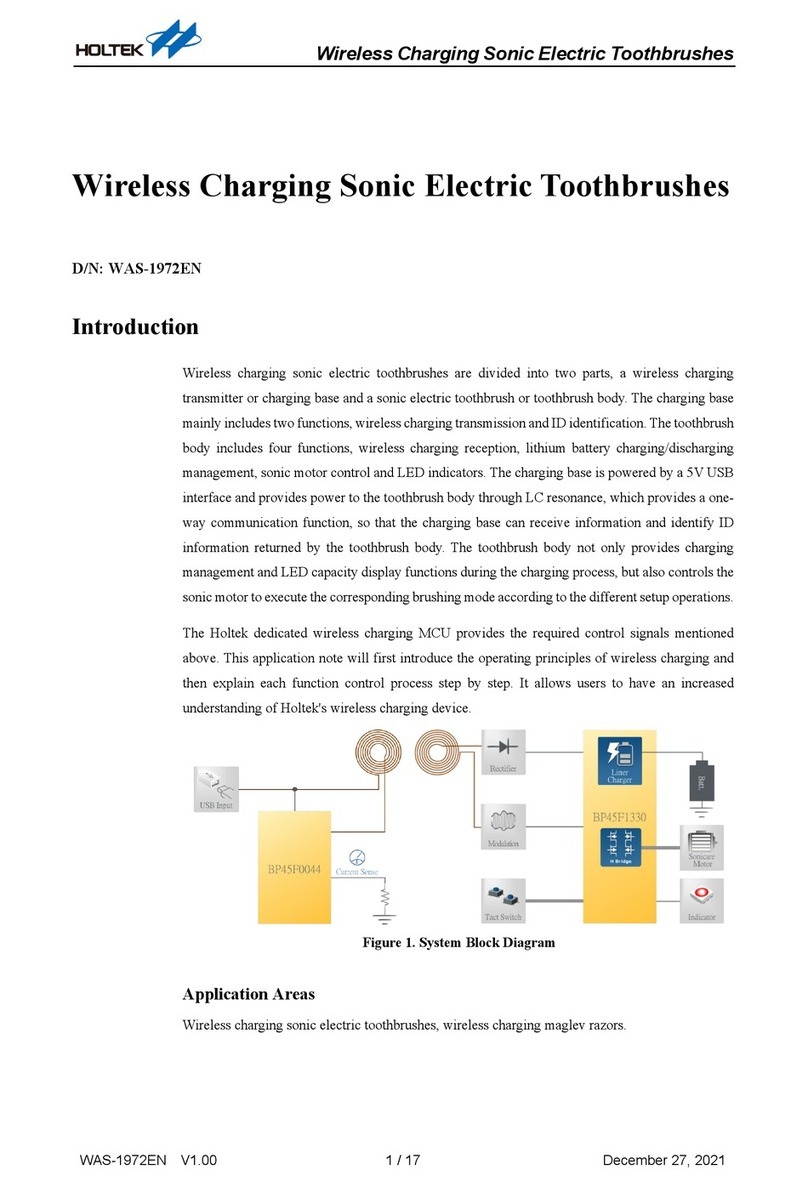
BP45F0044 Wireless Electric Toothbrush Application Note
AN0569EN V1.00 5 / 8 November 23, 2020
CH1:
Waveform after sampling
resistor filtering
CH2:
Demodulated waveform
Figure 6. Charging Base Demodulation Waveform
As shown in Figure 6, after the filtering shown in CH1, the signal is composed of a sinusoidal
waveform with a small amplitude and many spikes. After the signal enters the OCP non-
inverted mode, the signal will be firstly amplified by the OPA to increase the sinusoidal
waveform amplitude. If the CMP compares the central position of the sinusoidal waveform, it
can then be correctly demodulated. However, the component errors in the coil or sampling
resistor must be taken into account. To resolve this, Holtek has devised a way to make the DAC
adaptive to ensure that for each demodulation, the DAC can output a central value of the
sinusoidal waveform, which the CMP can compare to allow the MCU to correctly demodulate
the waveform. The signal spikes are filtered by the debounce operation, the demodulated
waveform for this is shown as CH2.
Holtek has simplified the adaptive program to make the adjustment method easier to use. Users
only need to call "OCP_demo_trim" in the program to complete the calibration of the
comparator voltage for the sinusoidal waveform. If there is a deviation in the demodulation
waveform, the parameter "c_OCPDA_offset" can be trimmed.
The OCP_demo_trim operation is as follows:
1. When the PWM function is initiated, it needs to wait for some time. The wait time is about
200µs in this application.
2. CALL OCP_demo_trim.
3. If there is a deviation in the OCP_COUT waveform, this can be resolved by trimming the
"c_OCPDA_offset".
Demodulation Program
The packet demodulation results of the charging base are obtained by a series of complex
algorithms. Holtek has shortened the user development time by calling the demodulation
subroutine. After users have debugged according to the aforementioned "Charging base
decoding OCP setting", the subroutine "Demodulation" is called every 50µs and the flag "
user_fg_demodu_ok" is checked to ensure that the ID code is correct. When the Demodulation
continues comparing until the c_ID_H and c_ID_L parameters are the same as the toothbrush
terminal setting, the flag user_fg_demodu_ok will be set high.