manuals.online logo
Brands
  1. Home
  2. •
  3. Brands
  4. •
  5. HP
  6. •
  7. Wireless Router
  8. •
  9. HP HSR6600 Series User manual

HP HSR6600 Series User manual

This manual suits for next models

8

Other HP Wireless Router manuals

HP HSTNC-003W User manual

HP

HP HSTNC-003W User manual

HP MSR 2000 User manual

HP

HP MSR 2000 User manual

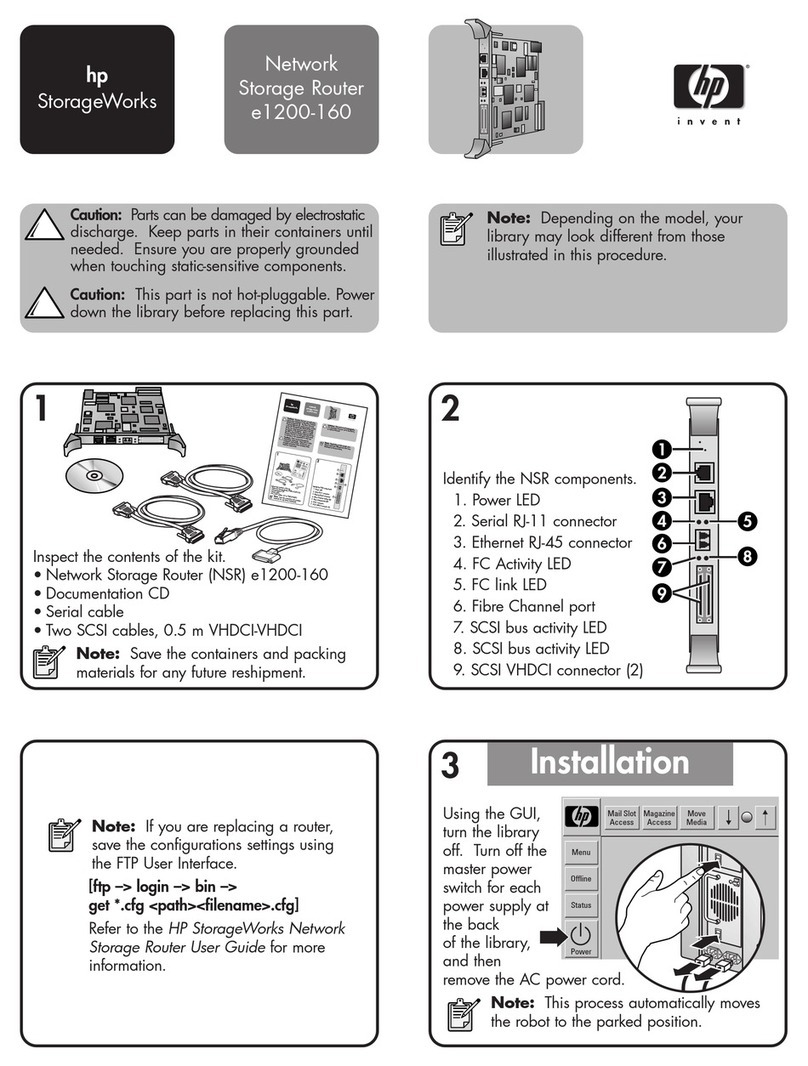
HP StorageWorks e1200-160 User manual

HP

HP StorageWorks e1200-160 User manual

HP R110 Instruction Manual

HP

HP R110 Instruction Manual

HP MSR930 Series User instructions

HP

HP MSR930 Series User instructions

HP R100-Series User manual

HP

HP R100-Series User manual

HP PS110 Instruction Manual

HP

HP PS110 Instruction Manual

HP P1980A User manual

HP

HP P1980A User manual

HP Officejet Pro 8500 User manual

HP

HP Officejet Pro 8500 User manual

HP R100 Series User manual

HP

HP R100 Series User manual

HP MSR 50-40 User manual

HP

HP MSR 50-40 User manual

HP PS110 User manual

HP

HP PS110 User manual

Popular Wireless Router manuals by other brands

NETGEAR Zing user guide

NETGEAR

NETGEAR Zing user guide

Proroute GEM420 user manual

Proroute

Proroute GEM420 user manual

ICP DAS USA WF-2000 Series Faq

ICP DAS USA

ICP DAS USA WF-2000 Series Faq

SMC Networks 7904WBRA-N FICHE user guide

SMC Networks

SMC Networks 7904WBRA-N FICHE user guide

Hamlet HRDSL300N user manual

Hamlet

Hamlet HRDSL300N user manual

Icidu NI-707517 Quick installation guide

Icidu

Icidu NI-707517 Quick installation guide

Hawking HWRGM1A user manual

Hawking

Hawking HWRGM1A user manual

Airlogic AirSync Class 1 Features

Airlogic

Airlogic AirSync Class 1 Features

Samsung WCH730B user manual

Samsung

Samsung WCH730B user manual

NETGEAR PowerLINE WiFi 1000 Series quick start

NETGEAR

NETGEAR PowerLINE WiFi 1000 Series quick start

TRENDnet TEW-211BRP user manual

TRENDnet

TRENDnet TEW-211BRP user manual

Cisco Valet M10 user guide

Cisco

Cisco Valet M10 user guide

Alloy WLF2454AP-S user guide

Alloy

Alloy WLF2454AP-S user guide

TELEFONICA USB Adapter quick start guide

TELEFONICA

TELEFONICA USB Adapter quick start guide

TP-Link TL-WR542G user guide

TP-Link

TP-Link TL-WR542G user guide

Hama 53120 Operating	 instruction

Hama

Hama 53120 Operating instruction

Asus RT-N10P user guide

Asus

Asus RT-N10P user guide

D-Link DIR-506L Quick installation guide

D-Link

D-Link DIR-506L Quick installation guide

manuals.online logo
manuals.online logoBrands
  • About & Mission
  • Contact us
  • Privacy Policy
  • Terms and Conditions

Copyright 2025 Manuals.Online. All Rights Reserved.

HP HSR6600 Routers
Installation Guide
Part number: 5998-3100
Document version: 6PW105-20140210
5998-3100
Legal and notice information
© Copyright 2014 Hewlett-Packard Development Company, L.P.

No part of this documentation may be reproduced or transmitted in any form or by any means without
prior written consent of Hewlett-Packard Development Company, L.P.
The information contained herein is subject to change without notice.
HEWLETT-PACKARD COMPANY MAKES NO WARRANTY OF ANY KIND WITH REGARD TO THIS
MATERIAL, INCLUDING, BUT NOT LIMITED TO, THE IMPLIED WARRANTIES OF MERCHANTABILITY
AND FITNESS FOR A PARTICULAR PURPOSE. Hewlett-Packard shall not be liable for errors contained
herein or for incidental or consequential damages in connection with the furnishing, performance, or
use of this material.
The only warranties for HP products and services are set forth in the express warranty statements
accompanying such products and services. Nothing herein should be construed as constituting an
additional warranty. HP shall not be liable for technical or editorial errors or omissions contained
herein.
i
Contents
Preparing for installation ············································································································································· 1
Safety recommendations ··················································································································································1
Safety symbols ··························································································································································1
General safety recommendations···························································································································1
Electricity ···································································································································································2
Laser safety································································································································································2
Router moving···························································································································································2
Examining the installation site ·········································································································································2
Weight support·························································································································································2
Temperature and humidity·······································································································································3
Altitude ······································································································································································3
Cleanness··································································································································································3
Cooling system ·························································································································································4
ESD prevention ·························································································································································4
EMI·············································································································································································5
Lightning protection··················································································································································6
Space·········································································································································································6
Power supply·····························································································································································6
Accessories ········································································································································································7
Installing the router······················································································································································· 8
Installation flow ·································································································································································8
Check before installation··················································································································································8
Unpacking the router ························································································································································9
Installing the router in a 19-inch rack ·····························································································································9
Grounding the router ····················································································································································· 11
Installing the ring terminal ···································································································································· 11
Connecting the grounding cable ························································································································· 12
Installing a power module············································································································································· 13
Installing a FIP module··················································································································································· 13
Installing a HIM/MIM···················································································································································· 14
Installing a CF card························································································································································ 15
Connecting the power cord ·········································································································································· 16
Connecting an AC power cord ··························································································································· 16
Connecting a DC power cord······························································································································ 16
Connecting the router to the network ·······················································································································18
Connecting the AUX cable············································································································································ 18
Overview································································································································································ 18
Connecting the AUX cable ··································································································································· 18
Connecting an Ethernet cable······································································································································· 19
Overview································································································································································ 19
Making an Ethernet cable ···································································································································· 21
Connecting an Ethernet cable······························································································································ 21
Connecting a fiber cable ·············································································································································· 21
Transceiver module overview······························································································································· 21
Fiber cable overview············································································································································· 22
Connecting a fiber cable······································································································································ 24
Connecting an E1/T1 cable ········································································································································· 25
E1/T1 cable overview ·········································································································································· 25
ii
Connecting an E1/T1 cable ································································································································ 26
Connecting a CE3/CT3 cable ····································································································································· 28
CE3/CT3 cable overview ···································································································································· 28
Connecting a CE3/CT3 cable····························································································································· 28
Connecting a serial port cable ····································································································································· 29
Overview································································································································································ 29
Connecting a serial port cable ···························································································································· 31
Logging in to the router and configuring basic settings··························································································33
Login methods································································································································································· 33
Logging in through the console port ···························································································································· 33
Preparation····························································································································································· 33
Setting up a configuration environment ·············································································································· 33
Setting terminal parameters·································································································································· 34
Verification before power-on ······························································································································· 37
Powering on the router ········································································································································· 37
Logging in to the router through Telnet/SSH ·············································································································· 38
Logging in to the router through the AUX port············································································································ 38
Displaying the initial configuration ······························································································································ 39
Configuring basic settings············································································································································· 39
Replacement procedures ···········································································································································41
Safety recommendations ··············································································································································· 41
Replacing a power module··········································································································································· 41
Replacing a FIP module················································································································································· 42
Replacing a HIM/MIM·················································································································································· 42
Replacing a CF card······················································································································································ 43
Replacing a transceiver module ··································································································································· 44
Replacing a fan tray ······················································································································································ 45
Replacing a memory module········································································································································ 46
Memory module structure ····································································································································· 47
When to replace a memory module ··················································································································· 47
Replacing a memory module ······························································································································· 47
Hardware management and maintenance ··············································································································49
Displaying hardware information of the router··········································································································· 49
Displaying the software and hardware version information of the router······················································· 49
Displaying the operational statistics of the router······························································································ 50
Displaying the detailed information about a module ························································································ 50
Displaying the electrical label information of a module ··················································································· 51
Displaying the CPU usage of a module ·············································································································· 52
Displaying the memory usage of a module········································································································ 52
Displaying the CF card information ···················································································································· 53
Displaying the operational status of the built-in fan··························································································· 53
Displaying the operational status of power modules························································································· 54
Displaying the alarming thresholds of a module ········································································································ 54
Configuring a combo interface ···································································································································· 54
Combo interface overview ··································································································································· 54
Configuration prerequisites ·································································································································· 54
Configuring a combo interface···························································································································· 56
Displaying transceiver module information and alarming information ···································································· 56
Introduction to transceiver modules ····················································································································· 56
Displaying transceiver module information ········································································································ 56
Displaying the alarming information or fault detection parameters for a transceiver module······················ 57
Solving system faults ······················································································································································ 57
Solving system faults ············································································································································· 57
iii
Viewing the system fault solving method ············································································································ 58
Saving the current configuration of the router ············································································································ 58
Rebooting the router ······················································································································································ 58
Troubleshooting··························································································································································60
Router failures································································································································································· 60
Power status LEDs are off······································································································································ 60
RUN LED is off ······················································································································································· 60
RUN LED fast flashes············································································································································· 60
ALM LED is steady on or flashes·························································································································· 60
FIP module failure··························································································································································· 61
Power module failures ··················································································································································· 61
Fan failures ····································································································································································· 62
Fan tray is absent ·················································································································································· 62
ALM LED is red ······················································································································································ 63
HIM/MIM failures·························································································································································· 63
Configuration system problems ···································································································································· 63
No terminal display ·············································································································································· 63
Garbled terminal display······································································································································ 64
No response from the serial port························································································································· 64
Dealing with password loss ·········································································································································· 64
Examining the state of password recovery capability······················································································· 65
Dealing with console login password loss when password recovery capability is enabled ························ 66
Dealing with user privilege level password loss when password recovery capability is enabled··············· 67
Dealing with password loss when password recovery capability is disabled ··············································· 68
Cooling system failure ··················································································································································· 69
Interface module, cable, and connection failure ········································································································ 70
Software upgrade failures············································································································································· 70
No response from the serial port························································································································· 70
TFTP upgrade failure ············································································································································· 70
FTP upgrade failure··············································································································································· 71
Application file missing errors ······································································································································ 71
Appendix A Chassis views and Technical specifications ·······················································································73
Chassis views ································································································································································· 73
Dimensions and weights················································································································································ 74
Storage media································································································································································ 75
Power consumption························································································································································ 75
Power module································································································································································· 75
AC power module················································································································································· 75
DC power module ················································································································································· 76
Fan tray ··········································································································································································· 77
Port specifications ·························································································································································· 78
Ports and slots ························································································································································ 78
Console port ·························································································································································· 78
AUX port································································································································································· 78
Management Ethernet port··································································································································· 79
Combo interface···················································································································································· 79
10 Gbps Ethernet port ·········································································································································· 80
Flexible interface platform modules ····························································································································· 81
FIP-10······································································································································································ 81
FIP-20······································································································································································ 82
Interface modules ··························································································································································· 83
Appendix B LEDs························································································································································84
Panel LEDs······································································································································································· 84
iv
HSR6602-G/HSR6602-G TAA panel LEDs········································································································ 84
HSR6602-XG/HSR6602-XG TAA panel LEDs ··································································································· 85
FIP LEDs ··········································································································································································· 87
HIM/MIM LEDs ······························································································································································ 88
Power module LEDs························································································································································ 88
Appendix C Cable management······························································································································89
General cabling requirements ······································································································································ 89
Minimum curvature radius of cables ··················································································································· 89
Minimum curvature radius of fibers····················································································································· 89
Labeling cables······························································································································································· 89
Cable management guidelines····································································································································· 90
Cable routing example·················································································································································· 92
Appendix D Arranging slots and numbering interfaces··························································································94
Slot arrangement···························································································································································· 94
Slot arrangement for FIPs ·············································································································································· 94
Numbering interfaces ···················································································································································· 95
Examples········································································································································································· 95
Example 1 ······························································································································································ 95
Example 2 ······························································································································································ 95
Support and other resources ·····································································································································97
Contacting HP ································································································································································ 97
Subscription service ·············································································································································· 97
Related information························································································································································ 97
Documents······························································································································································ 97
Websites································································································································································· 97
Conventions ···································································································································································· 98
Index ········································································································································································ 100
1
Preparing for installation
The HP HSR6600 Router Series is a line of high-performance centralized product, which includes the
models in Table 1.
Table 1 Models for the HP HSR6600 Routers
Product code Full name RMN
Abbreviation
JG353A HP HSR6602-G Router BJNGA-BB0001 HSR6602-G
JG354A HP HSR6602-XG Router BJNGA-BB0001 HSR6602-XG
JG776A HP HSR6602-G TAA Router BJNGA-BB0001 HSR6602-G TAA
JG777A HP HSR6602-XG TAA Router BJNGA-BB0001 HSR6602-XG TAA
JG357A RT-FIP-10 FIP-10 FIP-10
JG358A RT-FIP-20 FIP-20 FIP-20
IMPORTANT:
For regulatory identification purposes, every HSR6600 Router is assigned a regulatory model
number(RMN). These re
g
ulatory numbers should not be confused with the marketin
g
name HP HSR6600,
or product codes.
Safety recommendations
Safety symbols
When reading this document, note the following symbols:
WARNING means an alert that calls attention to important information that if not understood or
followed can result in personal injury.
CAUTION means an alert that calls attention to important information that if not understood or
followed can result in data loss, data corruption, or damage to hardware or software.
General safety recommendations
•Make sure that the ground is dry and flat and anti-slip measures are in place.
•Keep the chassis and installation tools away from walk areas.
•Make sure the installation site is well grounded, and lightning protection and ESD-prevention are
provided.
•Only trained and qualified personnel are allowed to install or service the router.
•Keep accessories, installation tools, and documentation safe.
•Avoid bodily injury. Do not touch any power plug when it is connected.
•Clean up the packaging materials after installation to avoid fire hazard.
2
Electricity
•Locate the emergency power-off switch in the room before installation. Shut the power off at once in
case accident occurs.
•Make sure that the router has been correctly grounded.
•Use an uninterrupted power supply (UPS).
•If there are two power inputs, disconnect the two power inputs to power off the router.
•Do not work alone when the router has power.
•Always check that the power has been disconnected.
Laser safety
The HP HSR6600 routers are Class 1 laser devices.
W
ARNING!
•Do not stare into any fiber port when the router has power. The laser li
g
ht emitted from the optical fiber
may hurt your eyes.
•Use a fiber test equipment, rather than a microscope or magnifier to observe an operatin
g
fiber or por
t
when you test link connectivity or system parameters.
Router moving
When you move an HSR6600 router, follow these guidelines:
•Move and unpack the router carefully to avoid router damage.
•Use a safety hand truck when you move a heavy device or multiple devices.
•Before you move the router, remove all the cables, USB devices, mounting brackets, and cable
management brackets.
•If the router needs to be moved over a long distance, remove all the field-replaceable units (FRUs),
such as power modules, fan trays, and interface modules, and package them separately, and install
the filler panels supplied with router.
•If the router needs to be moved over a short distance, make sure all the FRUs are securely seated in
slot and the screws are fastened.
•When you move or lift the router chassis, support the bottom of the chassis, rather than holding any
FRU. Make sure the accessories of the router are not lost or damaged during router moving.
Examining the installation site
Weight support
Evaluate the floor loading as compared to the actual weight of the router and its accessories (such as
rack and power modules), and make sure that the floor can support the weight of the rack and the router
chassis. For more information, see “Appendix A Chassis views and Technical specifications.”
3
Temperature and humidity
Maintain appropriate temperature and humidity in the equipment room.
•Lasting high relative humidity can cause poor insulation, electricity creepage, mechanical property
change of materials, and metal corrosion.
•Lasting low relative humidity can cause washer contraction and ESD and bring problems including
loose captive screws and circuit failure.
•High temperature can accelerate the aging of insulation materials and significantly lower the
reliability and lifespan of the router.
For the temperature and humidity requirements of the router, see Table 2.
Table 2 Temperature requirements
Item Tem
p
erature
Operating temperature 0°C to 45°C (32°F to 113°F)
Storage temperature –40°C to 70°C (–40°F to +158°F)
Table 3 Humidity requirements
Item Relative humidit
y
Operating humidity 5% to 95%
Storage humidity 5% to 95%
Altitude
Table 4 Altitude requirements
Item Altitude
Operating altitude –60 m (–196.85 ft) to 4 km (2.49 miles)
Storage altitude –60 m (–196.85 ft) to 4.5 km(2.8 miles)
Cleanness
Dust buildup on the chassis may result in electrostatic adsorption, which causes poor contact of metal
components and contact points, especially when indoor relative humidity is low. In the worst case,
electrostatic adsorption can cause communication failure.
Table 5 Dust concentration limit in the equipment room
Substance Concentration limit (
p
articles/cu m)
Dust particles 3 x 10⁴
(No visible dust on desk in three days)
NOTE:
Dust particle diameter ≥5 μm
4
The equipment room must also meet strict limits on salts, acids, and sulfides to eliminate corrosion and
premature aging of components, as shown in Table 6.
Table 6 Harmful gas limits in an equipment room
Gas Max. (m
g
/m3)
SO20.2
H2S 0.006
NH30.05
Cl20.01
Cooling system
The HSR6600 routers adopt left to right airflow for heat dissipation.
Figure 1 Airflow
•Make sure there is enough space (greater than 10 cm (3.94 in)) around the air intake and outlet
vents on the router for good ventilation.
•Make sure the installation site has a good cooling system.
ESD prevention
To prevent electrostatic discharge (ESD), note the following guidelines:
•Make sure that the router and rack are well grounded.
•An anti-static floor is installed and well grounded.
•Maintain the humidity and temperature at a proper level in the equipment room. For more
information, see “Temperature and humidity.”
•Always wear an ESD-preventive wrist strap and ESD-preventive cloth when touching a circuit board,
interface module, or transceiver module.
•Place the removed memory module, CF card, FIP, HIM, or MIM on an antistatic workbench, with the
face upward, or put it into an antistatic bag.