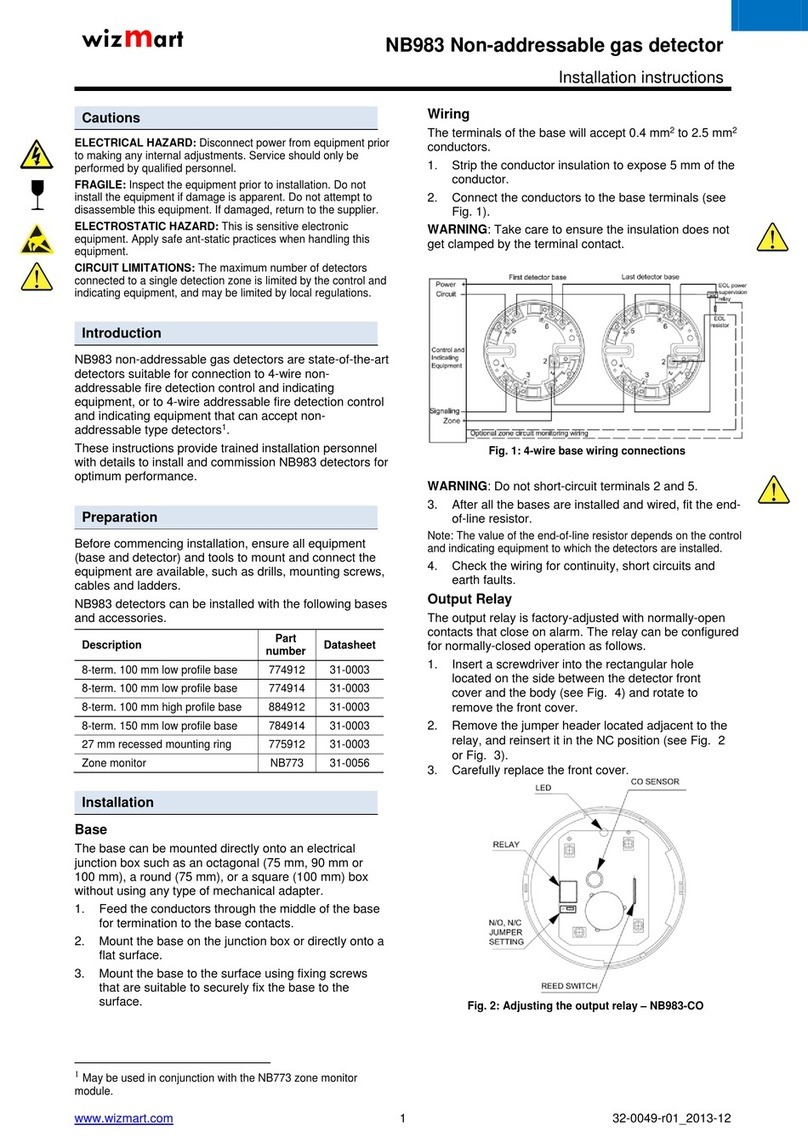
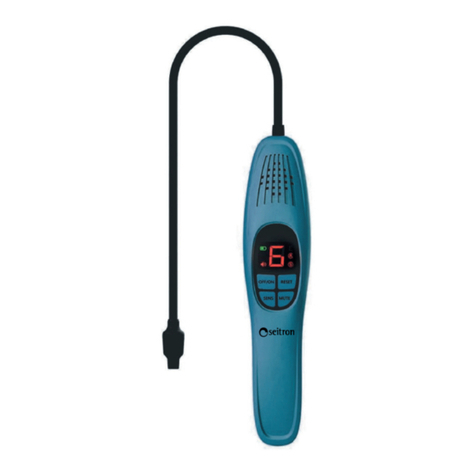
HVTest XP-1A User manual

1
Dear Client
Thank you for Purchasing our XP-1A Handheld SF6 Gas
Leak Detector. Please read the manual in detail prior to first use,
which will help you use the equipment skillfully.
Our aim is to improve and perfect the
company's products continually, so there may be
slight differences between your purchase equipment
and its instruction manual. You can find the changes
in the appendix. Sorry for the inconvenience. If you have further
questions, welcome to contact with our service department.
The input/output terminals and the test column
may bring voltage, when you plug/draw the test wire or
power outlet, they will cause electric spark. PLEASE
CAUTION RISK OF ELECTRICAL SHOCK!
Company Address:
T4,No. 41, High-tech 2 Road,East Lake High-tech Development Zone,
Wuhan
Sales Hotline: 86-27- 87457960
After Service Hotline:86-27- 87459656
Fax: 86-27- 87803129
E-mail: [email protected]
Website: www.hvtest.cc

2
SERIOUS COMMITMENT
All products of our company carry one year limited warranty
from the date of shipment. If any such product proves defective
during this warranty period we will maintain it for free. Meanwhile
we implement lifetime service. Except otherwise agreed by
contract.
SAFETY REQUIREMENTS
Please read the following safety precautions carefully to avoid
body injury and prevent the product or other relevant subassembly
to damage. In order to avoid possible danger, this product can only
be used within the prescribed scope.
Only qualified technician can carry out maintenance or repair
work.
--To avoid fire and personal injury:
Use Proper Power Cord
Only use the power wire supplied by the product or meet the
specification of this produce.
Connect and Disconnect Correctly
When the test wire is connected to the live terminal, please do
not connect or disconnect the test wire.
Grounding
The product is grounded through the power wire; besides, the

3
ground pole of the shell must be grounded. To prevent electric
shock, the grounding conductor must be connected to the ground.
Make sure the product has been grounded correctly before
connecting with the input/output port.
Pay Attention to the Ratings of All Terminals
To prevent the fire hazard or electric shock, please be care of
all ratings and labels/marks of this product. Before connecting,
please read the instruction manual to acquire information about the
ratings.
Do Not Operate without Covers
Do not operate this product when covers or panels removed.
Use Proper Fuse
Only use the fuse with type and rating specified for the product.
Avoid Touching Bare Circuit and Charged Metal
Do not touch the bare connection points and parts of energized
equipment.
Do Not Operate with Suspicious Failures
If you encounter operating failure, do not continue. Please
contact with our maintenance staff.
Do Not Operate in Wet/Damp Conditions.
Do Not Operate in Explosive Atmospheres.
Ensure Product Surfaces Clean and Dry.

4
-Security Terms
Warning: indicates that death or severe personal injury may
result if proper precautions are not taken
Caution: indicates that property damage may result if proper
precautions are not taken.

5
Content
I. Overview................................................................................................. 6
II. Features................................................................................................. 6
III. Instrument composition...................................................................... 7
IV. Preparation...........................................................................................7
V. Operation instruction........................................................................... 8
VI. Leakage preparation........................................................................ 10
VII. Precautions.......................................................................................10
VIII. Application........................................................................................11
IX. Maintenance...................................................................................... 11
X. Technical parameters........................................................................12

6
I. Overview
Micro-tech central processing unit is the core of the product; its digital
signal processing capabilities can better manage the circuit and deal with the
detection signal. Due to extensive use of integrated circuits reduce the quantity
of circuit elements 40%, greatly improve the reliability and efficiency.
Microprocessor can monitor probes and battery voltage with 4000 times per
second, tiny signal can also be captured, in any circumstance can work stable
and reliable.
The detector adds some convenience features: sensitivity increase
64-fold, tri-color light emitting diode in a progressive manner indicated a wide
range of degree of leakage. It is also used to display the sensitivity level and
battery; touch keyboard all operations; avant-garde slim type design greatly
facilitates the user to use and maintain;
Before using the equipment must read this manual carefully! After reading
this manual, if you have any questions or suggestions, please feel free to
contact us!
II. Features
1. Adopt microprocessor control with advanced digital signal processing
capabilities.
2. Three -color video display.
3. Seven-gear sensitivity setting, maximum enhanced 64 times.
4. Touch Keyboard.
5. Adjust sensitivity at any time.
6. Automatic battery test function.
7. Battery voltage indication.
8. Detect R134a, R12, R22.
9. Can detect all halogen refrigerants.

7
10. Vacuum mechanical pump sampling; provide positive draft for the
probe.
11. With gradient function.
12. Wireless, portable, just need two batteries.
13. 35 cm flexible stainless steel probe rod.
III. Instrument composition
1. Probe
2. Probe guards
3. Power switch
4. Battery test
5. Reset
6. Audio gradient
7. Sensitivity increase
8. Sensitivity reduce
9. LED indication
10. Flexible probe
IV. Preparation
Battery install
As shown, remove battery cover at the bottom of the product; insert the
battery, the negative electrode outward (toward the direction of the battery
compartment cover). See figure 2.

8
V. Operation instruction
1. Power indicate/ battery test
The instrument has two ways to indicate the battery status.
One is permanent state. By leftmost LEDs indicate battery.
Specific instructions are as follows:
GREEN: normal battery power.
ORANGE: low battery, battery should be replaced as soon as possible.
RED: battery power is low, unable to work.
Another is battery test status. Press the battery test button to test the
battery. Three-color light-emitting diodes indicates the actual battery voltage.
(See figure 4)
If you press and hold the Battery Test button, display the battery voltage.
Release the battery test button to return to the normal state.
2. Automatic circuit / Reset function
The instrument has an automatic circuit, and a reset button, the
instrument can ignore environmental levels of refrigerant.
Automatic circuit - when you turn on the switch, the instrument ignores
refrigerant concentration of the environment, is set to zero. Only when the
concentration is greater than this level it warning.
Note: If the probe in leak position switched on, the leak cannot be

9
measured.
Reset function - Press the reset, clear reset function. When you press the
reset button, the instrument will be reset to zero, ignoring the presence of
refrigerant around the probe. Such operations can be detected at higher
concentrations. The instrument is reset to a clean air can be adjusted to the
maximum sensitivity. When you press the reset button, light-emitting diodes
(except the leftmost outer) will turn orange, about one second to confirm the
reset operation.
3. Sensitivity adjustment
The instrument has a seven-gear adjustable sensitivity. Press the button
to increase or decrease the sensitivity, the corresponding sensitivity is
indicated by LEDs. "Beep" may indicate the frequency difference sensitivity.
When turned on, the instrument automatically identified as the 5th gear.
Press the key to increase/ reduce sensitivity key, you can adjust the
sensitivity.
When you press the button to adjust, the light-emitting diode display in
red.
* Each increase (or decrease), indicate the relative sensitivity change
doubled, which makes this the largest increase instrument sensitivity 64 times.
Alarm
The instrument has 18 alerts, thus clearly indicating the relative leak
volume and strength. Progressive indication can be used to locate the leak
point. Because the increased alert level indicates that the source of the leak is
approaching (at the highest concentration). Each level by the corresponding
the red, green and orange light-emitting diodes, said one (see Figure 6).

10
First, the green from left to right, then orange, and replace green
individually. Finally, from left to right in red, orange is replaced individually.
VI. Leakage preparation
1. Open the battery switch, the light-emitting diode displays reset
indication 2 seconds (left green light, other light orange).
2. By observing the light emitting diode to check battery power.
3. When turned on, the product default sensitivity is level 5; you can hear
the interval stable "beep" sound, if necessary, change the sensitivity by
sensitivity adjustment key.
4. When gas leak is found, "beep" will be rapid; the arc tube will also
change according to changes in the way light emission concentration.
5. Spiritual sensitivity can be adjusted at any time when in operation, and
does not affect the test.
6. As before the leak source is located, has the highest warning (red light
emitting diode 1 Green 6). Should reset button reset to zero reference level.
7. To ensure accurate and reliable measurement, you can often reset
operation.
VII. Precautions
1. Only when the leak could not be detected, increase sensitivity. When
the instrument cannot be reset by "Reset", the sensitivity can be reduced.
2.In heavily polluted areas, the instrument should be reset in time to
Table of contents
Other HVTest Gas Detector manuals
Popular Gas Detector manuals by other brands
Macurco
Macurco GD-6 Operation manual
Evikon
Evikon E2632 user manual
Critical Environment Technologies
Critical Environment Technologies CGAS-A Series Installation & operation manual
MSA
MSA altair 5 operating manual

DOD Technologies
DOD Technologies ChemLogic CL96 operating manual
DEGA
DEGA NS III LCD Series instruction manual