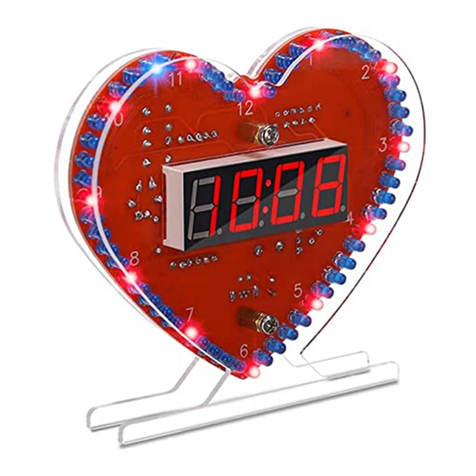
YD-030 Voice Digital Electronic Clock DIY Kit
https://www.icstation.com/
Email: orders@icstation.com; activity@icstation.com
3
9>.Please wear anti-static gloves or anti-static wristbands when installing
electronic components.
8.Installation Steps(Please be patient):
Step 1: Install 8pcs 510ohm Metal Film Resistor at R1-R8. Identify the resistor
value as shown in color: Green/Brown/Black/Black/Brown.
Step 2: Install 2pcs 10Kohm Metal Film Resistor at R9,R10. Identify the resistor
value as shown in color: Brown/Black/Black/Red/Brown.
Step 3: Install 2pcs 4.7Kohm Metal Film Resistor at R11-R13. Identify the resistor
value as shown in color: Yellow/Purple/Black/Brown/Brown.
Step 4: Install 1pcs 32.768K Crystal Oscillator at XTAL.
Step 5: Install 1pcs 10K B:3950 1% NTC Temperature Sensor at NTC. Pay
attention to reserve 3mm distance.
Step 6: Install 1pcs Photoresistor at LDR. Pay attention to reserve 3mm distance.
Step 7: Install 1pcs DIP-28 IC Socket at MCU.There is a mark(notch) on one end
of the IC Socket and there is a mark(curved silk screen printing) on PCB where the IC
Socket can place on.These two marks are corresponding to each other and are used
to specify the installation direction of the IC Socket.
Step 8: Install 2pcs DIP-8 IC Socket at DS1302,NY3P by the same method.
Step 9: Install 1pcs CR1220 Battery Socket at BAT.Pay attention to the
installation direction.
Step 10: Install 2pcs 22pF Ceramic Capacitor at C4,C5.
Step 11: Install 3pcs 0.1uF 104 Ceramic Capacitor at C1-C3.
Step 12: Install 1pcs 470uF Electrolytic Capacitor at C6. There is a white ‘ + ’ on
PCB silk screen printing where the positive(anode) can insert into.The longer lead is
positive(anode)
Step 13: Install 3pcs Black Button at S1-S3.
Step 14: Install 1pcs 5.5*2.1mm DC-005 Power Socket at DC-IN.
Step 15: Install 1pcs DIP-28 IC STC15F204EA at MCU.There is a mark(notch) on
one end of the IC Socket and there is a mark(curved silk screen printing) on PCB
where the IC can place on.These two marks are corresponding to each other and are
used to specify the installation direction of the IC.
Step 16: Install 1pcs DIP-8 IC DS1302 Clock Chip by the same method.
Step 17: Install 1pcs DIP-8 IC NY3P Voice Chip by the same method.
Step 18: Install 1pcs 3V CR1220 Battery on battery socket. Note the front of the
battery.
Step 19: Connect 1pcs 8ohm 0.5W Speaker to BEEP by 15cm red and black
wire.
Step 20: Install 4pcs 1Bit LED Red Digital Tube at DS1-DS4.Pay attention to the
installation direction of the decimal point. The installation direction of the third one is
different.
Step 21: Tear off the protective film on the surface of acrylic board.
Step 22: Fix acrylic board by M3*10 Screw and nut.