manuals.online logo
Brands
  1. Home
  2. •
  3. Brands
  4. •
  5. Insignia
  6. •
  7. Camera Lens
  8. •
  9. Insignia NS-M3LENS10 User manual

Insignia NS-M3LENS10 User manual

Popular Camera Lens manuals by other brands

Kowa TE-10Z instruction manual

Kowa

Kowa TE-10Z instruction manual

Sigma 571 Instruction booklet

Sigma

Sigma 571 Instruction booklet

THORLABS ELL15 user guide

THORLABS

THORLABS ELL15 user guide

FUJICA ZC1000 owner's manual

FUJICA

FUJICA ZC1000 owner's manual

Tamron A09 Information sheet

Tamron

Tamron A09 Information sheet

Sony SEL-55210 operating instructions

Sony

Sony SEL-55210 operating instructions

Sony VCL-HG2037 operating instructions

Sony

Sony VCL-HG2037 operating instructions

Sony VCL-ST30 operating instructions

Sony

Sony VCL-ST30 operating instructions

Canon FD 35 - 70 mm instructions

Canon

Canon FD 35 - 70 mm instructions

Sony SAL-85F14Z - 85mm f1.4 Carl Zeiss Planar T Coated Telephoto... operating instructions

Sony

Sony SAL-85F14Z - 85mm f1.4 Carl Zeiss Planar T Coated Telephoto... operating instructions

Olympus M.Zuiko Digital ES 300mm f4.0 IS PRO instructions

Olympus

Olympus M.Zuiko Digital ES 300mm f4.0 IS PRO instructions

ARRI Lenses brochure

ARRI

ARRI Lenses brochure

Sony VCL-DE07T operating instructions

Sony

Sony VCL-DE07T operating instructions

Tamron 272E user manual

Tamron

Tamron 272E user manual

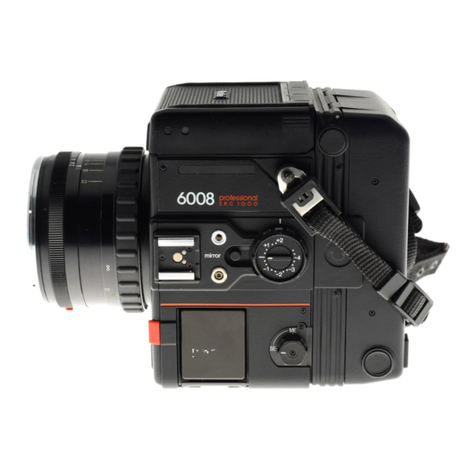
Sinar Rolleiflex 6008 AF Brochure & specs

Sinar

Sinar Rolleiflex 6008 AF Brochure & specs

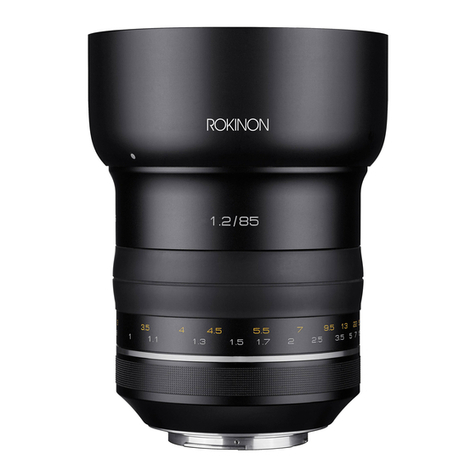
Rokinon SP 85mm F1.2 instruction manual

Rokinon

Rokinon SP 85mm F1.2 instruction manual

Nikon AF-S Zoom-Nikkor 17-35mm f/2.8D IF-ED manual

Nikon

Nikon AF-S Zoom-Nikkor 17-35mm f/2.8D IF-ED manual

Samsung Samsung 18-55mm user manual

Samsung

Samsung Samsung 18-55mm user manual

manuals.online logo
manuals.online logoBrands
  • About & Mission
  • Contact us
  • Privacy Policy
  • Terms and Conditions

Copyright 2025 Manuals.Online. All Rights Reserved.

PACKAGE CONTENTS
• 3 lenses (macro, wide-angle, and sheye)
• Lens clip
• 3 lens cap sets
• Soft carrying pouch
• Quick Setup Guide
FEATURES
• Universal design ts a variety of phones and
tablets (even with a case installed)
• Can be used on front or rear camera
• Macro lens captures detail in close-up photos
• Wide-angle lens captures the entire scene
• Fisheye lens creates extremely wide shots with
a dramatic depth of eld
SELECTING A LENS TAKING A PHOTO
1Select a lens, remove its caps, then screw the lens
onto the clip.
2Squeeze the clip to align the lens over your
mobile device’s camera.
NOTE: If the lens is not aligned correctly, there may be
shadows or blurriness on one side of the image.
Before using your new product,
please read these instructions to prevent any damage.
Quick Setup Guide |NS-M3LENS10
Camera Lens Kit
Flat size (W×H): 9 x 4 in. (228.6 x 101.6 mm)
Flat size (W×H): 3 x 4 in. (76.2 x 101.6 mm)
Macro: Captures more detail (10x) in
close-up photos. Ideal for owers,
insects, and jewelry.
Note: Focusing is only possible within a
few inches of the subject. Macro lens
cannot be used for standard pictures at
further distances.
Wide-angle: Captures 30-50% more
than a normal phone camera. Ideal for
landscapes or tight indoor shots.
Fisheye: Capture extreme ultra-wide
photos with a dramatic depth of eld.
Ideal for artistic shots of everyday scenes.
Images are representative only.
NS-M3LENS10_16-0086_QSG_V1_EN.ai 1 4/5/2016 10:02:19 AMNS-M3LENS10_16-0086_QSG_V1_EN.ai 1 4/5/2016 10:02:19 AM

3Open your photo app, then take a photo.
4When nished, remove the clip, unscrew the
lens, then cover with front and rear caps.
MAINTENANCE
· Take care when cleaning the lenses. They are
precise glass lenses and can scratch. If dirt or
ngerprints need to be cleaned, rst wipe
gently with a clean, lint-free cloth. If further
cleaning is required, a camera lens cleaning
kit can be used. Eyeglass cleaning products
are also suitable.
· Do not use harsh chemicals such as window
glass cleaner, as they can permanently
damage the lenses.
· Do not submerge lenses in liquid for cleaning,
as water can be permanently trapped inside
the lens.
ONE-YEAR LIMITED WARRANTY
Visit www.insigniaproducts.com for details.
CONTACT INSIGNIA:
For customer service, call 877-467-4289 (U.S. and
Canada) or 01-800-926-3000 (Mexico)
www.insigniaproducts.com
INSIGNIA is a trademark of Best Buy and its aliated companies. Registered in some
countries. Distributed by Best Buy Purchasing, LLC, 7601 Penn Ave South, Richeld, MN
55423 U.S.A.
©2016 Best Buy. All rights reserved.
Made in China
V1 ENGLISH 16-0086
NS-M3LENS10_16-0086_QSG_V1_EN.ai 2 4/5/2016 10:02:19 AMNS-M3LENS10_16-0086_QSG_V1_EN.ai 2 4/5/2016 10:02:19 AM