TIG WELDING FUNCTION & OPERATION
5. HF TIG WELDING SET UP (Panel Control)
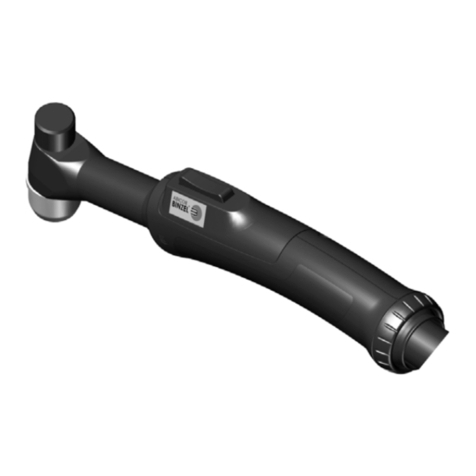
(1) Connect the work return cable into the positive Dix socket (F4). Connect the TIG welding
torch (use a torch TIG adapter if required) into the negative Dix socket (F5). Attach the
torch gas supply hose to the shielding gas outlet (F10). Screw the torch switching control
plug into the remote control socket (F13). Fit the shielding gas supply hose to the gas
inlet connection (F11). Adjust the shielding gas inlet pressure and flow as required.
(2) Set the mains power switch (F6) to the on position. The welding output meter (F2) will
light up as will the LCD display (F9). The welding mode as selected will also be shown on
the LED display (F3) and in the LCD menu display (F9).
(3) Rotate the mode selection knob (F7) in either direction until LED 3 is illuminated and 'TIG
MODE' is showing in the menu display window (F9). At this point LED 4 may also be
illuminated indicating that the HF start function is selected.
(4) Select the main welding output current required by rotating the control knob (F1). The
selected output will be displayed on the digital output meter (F2).
(5) The menu selection control knob (F8) is used to move through the welding function menu.
Using a swift motion rotate the menu selection control knob (F8) clockwise approximately
90 Degrees. The text in the display window (F9) will change and display the next function
in the menu. By repeating this operation the complete menu sequence can be stepped
through and welding parameter adjustments can be made as required using the control
knob (F1). The selected menu function will be displayed for twenty seconds, after which
the display widow (F9) will return to a datum point and display TIG MODE'. At any time
during the menu set up, the display can be signalled to return to the datum point by
pressing and releasing the torch on/off switch. The selection control knob can be rotated
in either direction to move both forward and backward through the welding sequence
program.
(6) The menu display function and operations as described in the following instructions
(7),(8),(10),(11),(12),(13,(15) & (16) are only available on the Fusion PHF models.
(7) Rotate the control knob (F8) clockwise until the text 'PRE GAS TIME' is displayed in
window (F9). Rotate control knob (F1) to select the required pre-gas time.
(8) Rotate the control knob (F8) clockwise until the text 'START CURRENT is displayed in
window (F9). Rotate control knob (F1) to select the required start current amps.
(9) Rotate the control knob (F8) clockwise until the text 'HF START is displayed in window
(F9). Rotate control knob (F1) to switch the HF start on. When the HF start is switched on
the LED 4 will be illuminated. When the HF start is switched off the machine will operate
in the Lift TIG mode. The Lift TIG welding mode and operation is explained in section (5)
page (7).
(10) Rotate the control knob (F8) clockwise until the text 'UP SLOPE TIME' is displayed in
window (F9). Rotate control knob (F1) to select the required up slope time.
(11) Rotate the control knob (F8) clockwise until the text 'PULSE CURRENT is displayed in
window (F9). Rotate control knob (F1) to select the required pulse base (background)
current amps required. Rotate the control knob (F8) anticlockwise to switch the pulse
mode off. If the pulse current is adjusted to display off, the pulse timers described in the
following section will be disenabled.
(12) Rotate the control knob (F8) clockwise until the text 'BASE TIME' is displayed in window
(F9). Rotate control knob (F1) to select the required base pulse time.
5