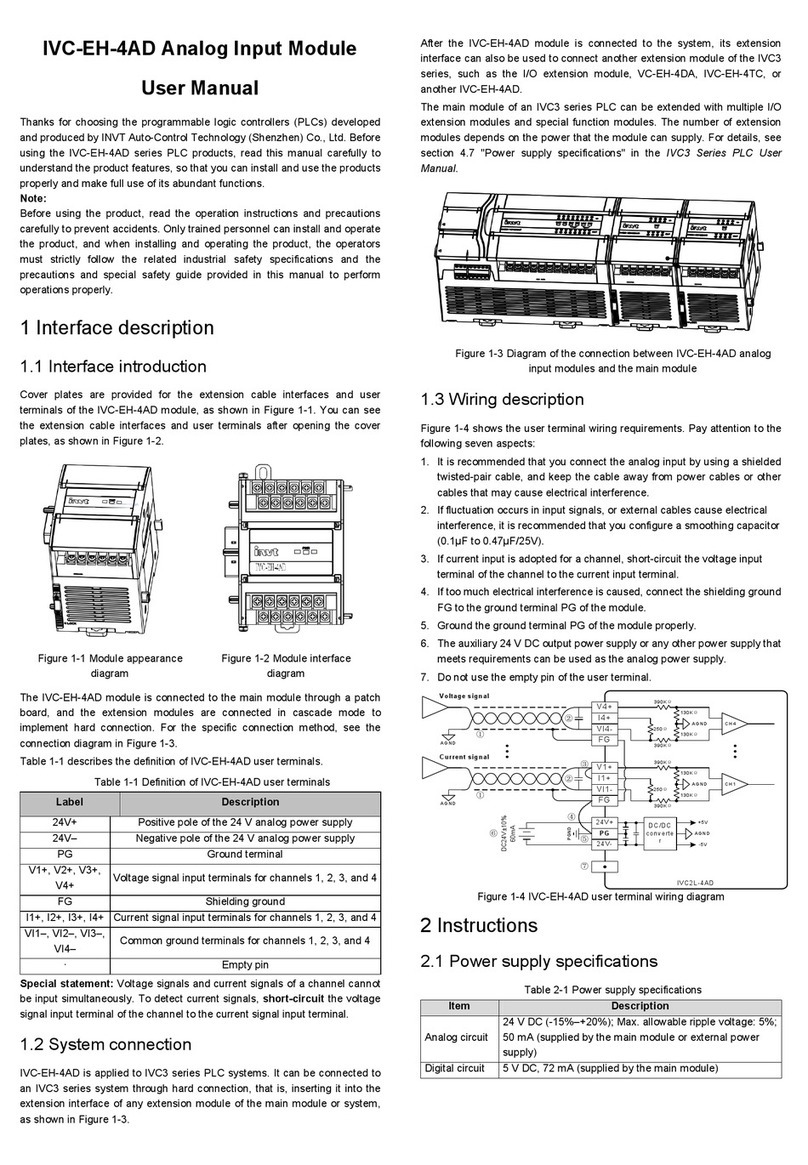
6 Extension module connection
6.1 Extension bus connection
Ensure that the main module is not powered on. Remove the
small cover of the extension cable socket on the right side of the
main module, and then insert the bus cable terminal of the
extension module to the socket. If multiple extension modules are
to be connected, you can connect them in sequence. Note that
extension cable socket covers are detachable parts. Do not lose
themafter removing them fromthe main module.
Figure 6–1 Diagram of extension module connection in series
mode
6.2 Extension module addressing
IVC3 series PLCs automatically identify extension modules that
are connected to them and automatically perform sequential
addressing on the extension modules. No user operation is
required.
Automatic addressing is performed once after the PLC is properly
powered on, and then the addresses of all the extension modules
do not change in the running. Do not insert or remove any I/O
extension module or special function module when the PLC is
running. Otherwise, the PLC may be damaged or operation
exceptions may be caused.
Extension modules with power supplies must be powered on
simultaneously with or before the main module to ensure effective
addressing on the extension modules.
The octonary system is adopted for numbering I/O points, for
example, 0, 1, 2, 3, 4, 5, 6, 7, 10, 11, 12, 13, 14, 15, 16, 17, 20,
21, … The digits 8 and9 are not used.
Input ports of the main module and extension modules are
numbered X0, X1, X2, … X7, X10, X11, …; and output ports are
numbered Y0, Y1, Y2, …Y7, Y10, Y11, … The point numbers are
grouped with 8 number in one group, and the groups with less
than 8 point number are left out.
For example, IVC3-1616MAT provides 16 input points, which are
numbered X0 to X17. No terminal is numbered X24 to X27. The X
terminal of a subsequent extension module is numbered from
X30. In the same way, if 12 output points are provided, they are
numbered Y0 to Y13, and no terminal is numbered Y14 to Y17;
and the Y terminals of subsequent extension modules are
numbered from Y20.
The X terminals and Y terminals of I/O extension modules are
numbered in ascending mode based on the sequence they are
connected to the extension connectors of the main module.
The following table describes logical numbering examples of the
ports of the main module and extension modules.
User notice
1. The warranty covers only the PLC machine.
2. The warranty period is 18 months. We provide
free-of-charge maintenance and repairs for the product if it
is faulty or damaged during proper operation within the
warranty period.
3. The warranty period starts from the ex-factory date of the
product. The machine No. is the only basis for determining
whether the machine is within the warranty period. A device
without the machine No. is deemed out-of-warranty.
4. Maintenance and repair fees are charged in the following
scenarios even the product is within the warranty period:
•Faults are caused due to misoperations. Operations
are not performed following the instructions provided in
the manual.
•The machine is damaged due to causes such as fire,
flood, or voltage exceptions.
•The machine is damaged due to improper use. You
use the machine to perform some unsupported
functions.
5. The service fees are calculated based on the actual fees. If
there is a contract, the provisions stated in the contract
prevail.
6. Keep this warranty card. Show it to the maintenance unit
when you seek maintenance services.
7. Contact the local dealer or directly contact our company if
you have any questions.
Customer Service Center (China)
INVT Auto-Control Technology (Shenzhen) Co., Ltd.
Address: Gaofa Technology Park, Longjing, Nanshan District,
Shenzhen
Postal code: 518055
Company website: http://www.invt-control.com/en/index.html
All rights reserved.
The content of this manualis subject to change without prior
notice.