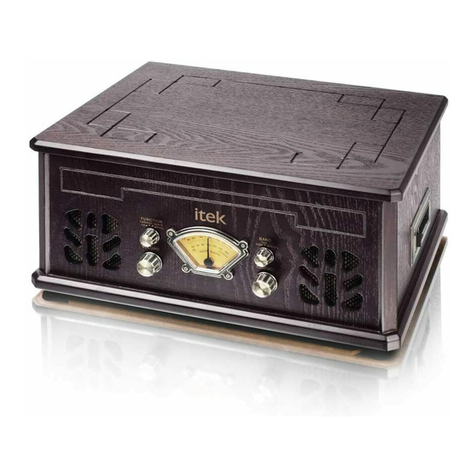
IPod FEATURES
1. Docking plug in the IPOD2. LCD Displays the unit’s current function, the clock, and alarm times.
3. STANDBY/AL.OFF Press the STANDBY button to put the unit in standby mode or to turn the unit on.
.When the unit is in standby mode.
4. FUNCTION/CLOCK.ADJ Press the FUNCTION button to switch between IPOD, Radio, andAUX modes.
5. PLAY/PAUSE/BAND Press the PLAY/PAUSE button to play and pause an IPOD. In Radio mode, Press theBAND button to
switch betweenAM and FM bands when in radio mode.
6. M-/M+ Choose the frequency from the memory.
7. SNOOZE/SLEEP to temporarily stop the alarm sound when the alarm is sounding. The preset sleep time is 9 mins. Hold to
set the sleep timer.
8. SKIP+/SKIP- Press the SKIP+/SKIP- buttons to adjust the radio frequency, change the IPOD track, or adjust the minute and
hour on the clock or alarm time settings.
9. STOP/MONO Press the STOPbutton to stop a IPOD during play.
10. VOLUME+/AL2 SETPress the VOLUME buttons to increase (+) the unit’s volume.
11. VOLUME-/AL1 SET Press the VOLUMEbuttons to increase (-) the unit’s volume.
12. BATTERYDOOR (UM2 X 8)
13.The TelescopicAntenna provides reception for the FM bandradio.
14. HEADPHONE JACK Use the headphone jack to connect headphones to the unit.
15. AUX IN Connect an external audio source to the AUX IN port to play music from that external source through the unit’s
Speakers. (Requires a 3.5mm line in cable, included)
16. REST using a paperclip or like object, press the RESET button to restore the unit to its factory default settings.
17.AC JACK Plug the attachedACAdapter into a standard outlet to power the unit.