Page: 4
1.2 Tripod Erection (see next pages for photos)
Erecting the tripod is relatively simple but please follow these steps for the easiest assembly.
CAUTION: Read 1.3 Cautions on Pg 7
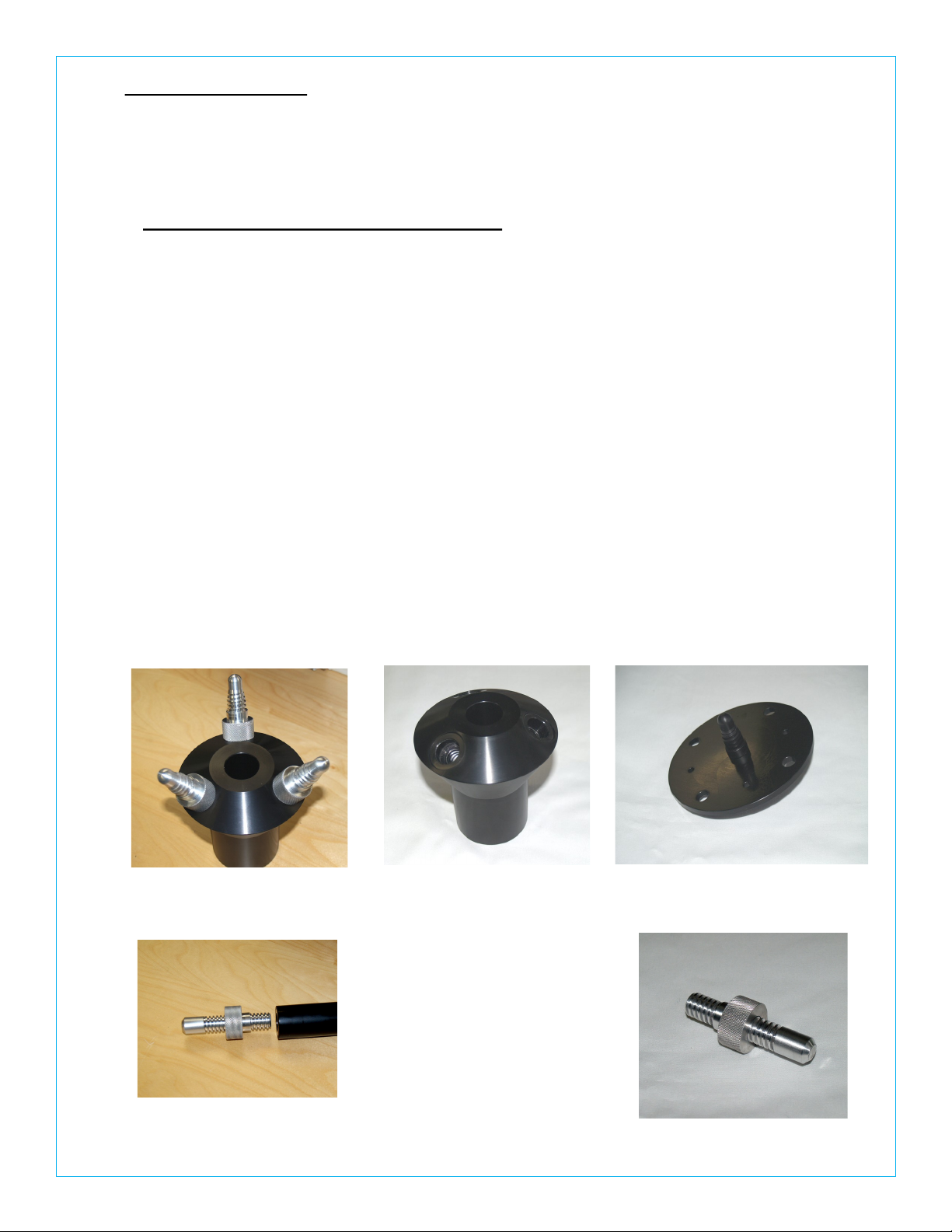
NOTE: When using the specially designed precision threaded pins, please align the pin
to the tube thread and lightly screw the pin into place until the pin’s shoulder
is fully seated inside the tube counterbore area. DO NOT force the threads,
if jammed, simply backoff and realign the mating parts and try again.
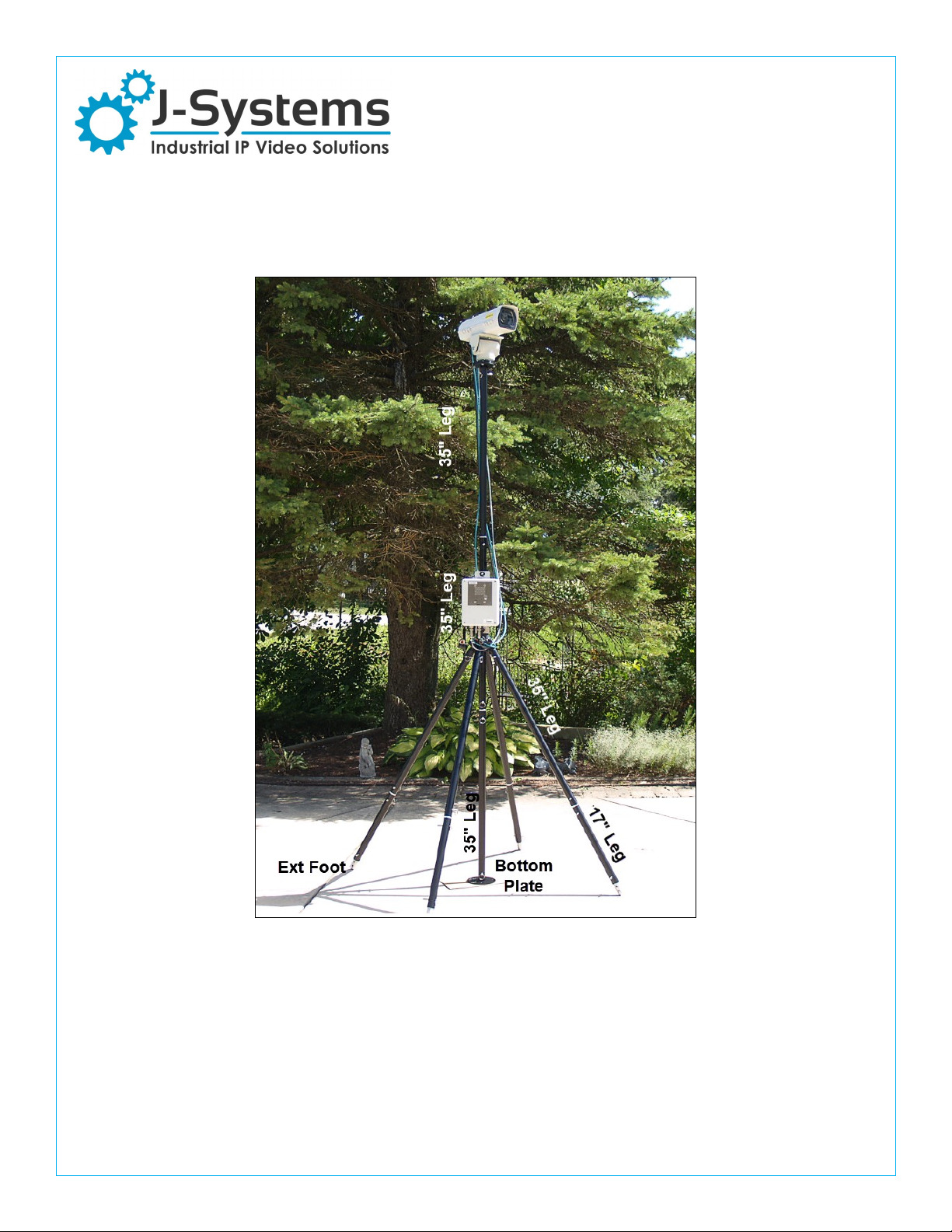
Step 1 — assemble three 35” legs to the Center Support using (3) pins. Now, screw (3) 17” legs into
the pins already installed in each of the longer legs. The Adjustable Feet and Jam Nut are already
attached to the far end of the 17” legs sections. Now stand the tripod up on its legs.
Step 2— insert the small bubble level (Opt) into the Center Support top hole and adjust the
Adjustable Feet to obtain the best level possible.
Step 3— attach (2) 35” mast sections together. Slip these down through the center hole of the Center
Section. If you plan to use guy ropes, these should now be attached to the top 6” round plate in the
(3) large holes.
Step 4 — if using a JPTH-13MPoE, now secure a 6” dia plate to the black base ring of the Pan/Tilt
Head Camera Enclosure assembly using (4) SS Thumb Screws. Next screw the Pan/Tilt Head and
Camera Enclosure into the top of the upper mast section.
Step 5 — lift the (2) mast sections with Pan/Tilt Head and Camera Enclosure up high enough in the
Center Support to insert the final 35” leg with it’s 6” round plate as the bottom mast section. This
may require two people to accomplish, but can be done by one person. If you are using an extra
mast section to go to 12 ft, this same technique can be used (insert the last mast section from the
bottom).
Step 6 — rotate the center mast until the camera is pointed to the approximate center of the viewing
area. Then stake the bottom 6” round plate into the ground using a supplied stake (just one is
needed). If you have used the guy ropes, they must also be staked into the ground. Be sure to drive
the stakes for the guy ropes into the ground at a 45 deg angle so they do not pull out due to the guy
rope tension.
Attach Electronics Enclosure to Tripod Mast
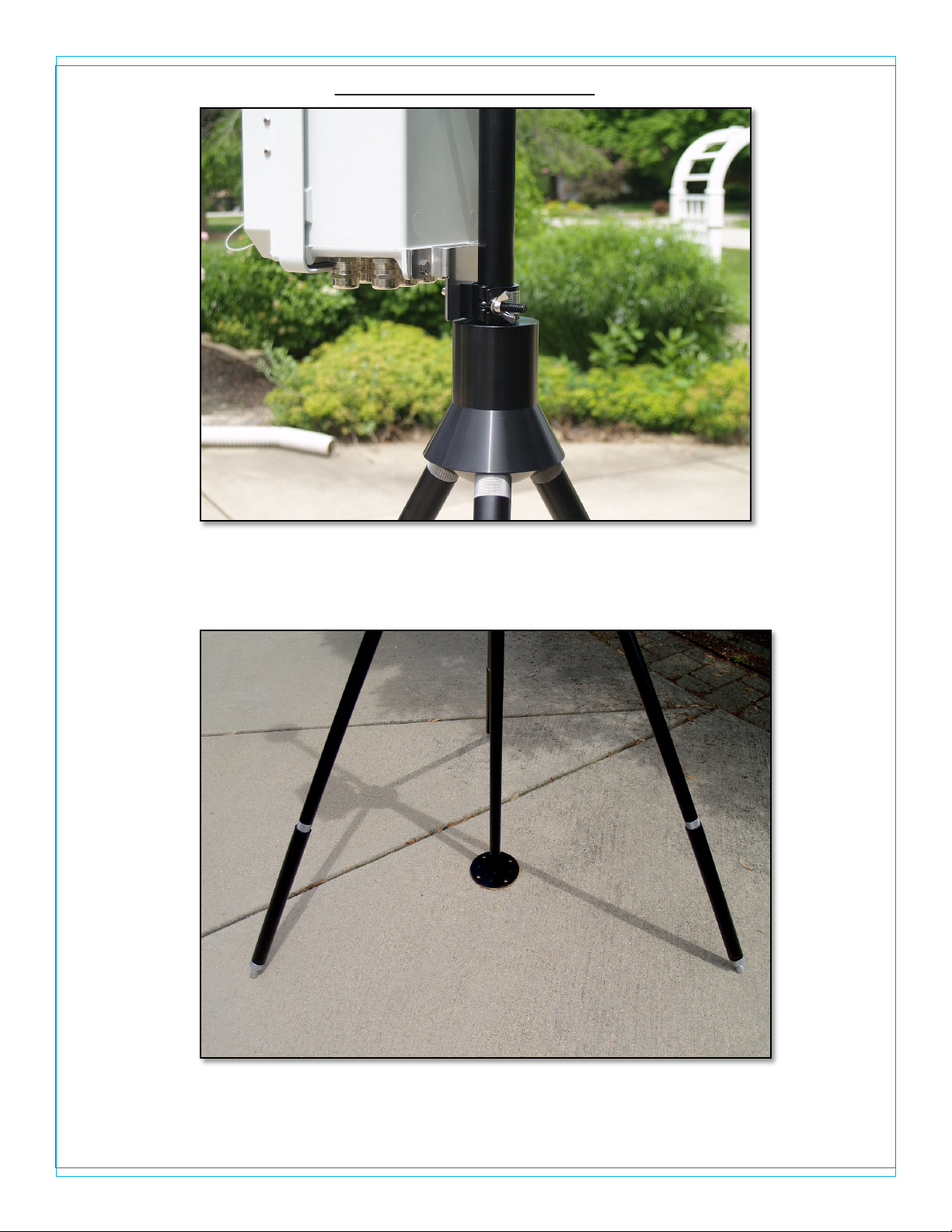
If you have an electronics enclosure, secure it to the mast using the two mast clamps with a single
bolt, then mount the enclosure with SS brackets just above the tripod Center Support. The enclosure
should face the same direction as Camera Enclosure for proper cable management.
Attach Cables
Now attach all related cable from the pan / tilt head and camera to your electronics enclosure.
Option leg clamps can be purchased to further secure the Tripod to the ground using added stakes ,
rocks or other weights.