transducer and woking frequency of generator. When frequency deviation
gauge indicates a large number, the generator automatically cuts off the
power output, and frequency deviation indicator lights.
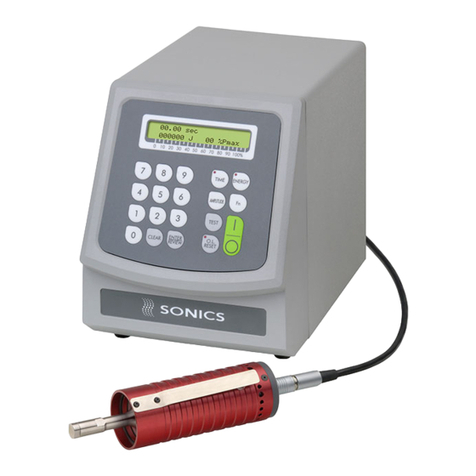
¾Frequency adjustment knob: used to adjust the frequency of
generator.
¾Ultrasonic testing button: jog the button for testing whether
ultrasound and generator are normal. Commonly used for equipment
debugging.
¾Deviation indicator: when the deviation of natural frequency of
transducer and working frequency of generator is too large or the load
current exceed the maximum limit current, the generator automatically
cuts off the power output, and indicator lights.
¾Power switch: the main power control.
¾Earth terminal: earth resistance should be less than 0.5 ohms.
¾Signal output: 4-pin airline outlet.
¾Logic signal Input: 7-pin airline outlet.
2) Ultrasonic generator ajustment
Confirm that the logic signal line and ultrasonic wire are connected
normally. Turn on the power, jog "ultrasonic testing", if the deviation
indicator light, please adjust "frequency control" knob and jog "ultrasonic
testing" button until the deviation indicator does not light. At this time,
continue to fine-tune "frequency control" button until the deviation gauge
pointers indicate the minimum, if continue to increase or reduce the
"frequency control" button, the deviation gauge pointers will indicate a
large number again.
Attention:
1.When regulating, jog the "ultrasonic testing"″button, do not continue to press.
2.Ultrasonic generator is well ajusted when: deviation gauge points the minimum
(usually within three cells), in no-load (no pressure) state, the load gauge points within
two cells. If the load gauge points a large number, please contact the manufacturer.
3.The less in the potential difference between natural frequency of transducer and
working frequency of generator, the better.
3) LCD display normal working information
zOperating mode
The operating modes of this control system are shown as follows in Figure 1.
Turned on the power normally, press [OK] button to enter the following screen.