EnglishDeutsch
 logo
Brands
  1. Home
  2. •
  3. Brands
  4. •
  5. KAM
  6. •
  7. Speakers
  8. •
  9. KAM SF6A Original instructions

KAM SF6A Original instructions

Other KAM Speakers manuals

KAM SOUNDFORCE6A User manual

KAM

KAM SOUNDFORCE6A User manual

KAM Zoomer 800 User manual

KAM

KAM Zoomer 800 User manual

KAM RZ12A Portable PA-BT User manual

KAM

KAM RZ12A Portable PA-BT User manual

KAM Soundforce 15A User manual

KAM

KAM Soundforce 15A User manual

KAM RZ V3 User manual

KAM

KAM RZ V3 User manual

KAM SOUNDFORCE15A User manual

KAM

KAM SOUNDFORCE15A User manual

KAM Soundforce 12 User manual

KAM

KAM Soundforce 12 User manual

KAM SF5A User manual

KAM

KAM SF5A User manual

KAM SOUNDFORCE6 User manual

KAM

KAM SOUNDFORCE6 User manual

KAM RZ V3 series User manual

KAM

KAM RZ V3 series User manual

KAM Zoomer 800 V2 User manual

KAM

KAM Zoomer 800 V2 User manual

KAM RZ12 User manual

KAM

KAM RZ12 User manual

KAM Transporter 300 User manual

KAM

KAM Transporter 300 User manual

Popular Speakers manuals by other brands

Yamaha DXR10 null

Yamaha

Yamaha DXR10 null

argon audio IE20 quick start

argon audio

argon audio IE20 quick start

Denon SC-N7 owner's manual

Denon

Denon SC-N7 owner's manual

Gemline Ace 3952 user manual

Gemline

Gemline Ace 3952 user manual

Focal ON WALL 300 User manua

Focal

Focal ON WALL 300 User manua

HEADRUSH Maximus HRSP 5024 manual

HEADRUSH

HEADRUSH Maximus HRSP 5024 manual

SoundLogic BCCS-6/6395 instruction manual

SoundLogic

SoundLogic BCCS-6/6395 instruction manual

Peavey DTH 218 Specification sheet

Peavey

Peavey DTH 218 Specification sheet

Avantree Pluto Air user guide

Avantree

Avantree Pluto Air user guide

Morel Integra Series INTEGRA OVATION 4 install guide

Morel

Morel Integra Series INTEGRA OVATION 4 install guide

Oppo SONICA quick start guide

Oppo

Oppo SONICA quick start guide

Bose SoundLink Wireless Music System owner's guide

Bose

Bose SoundLink Wireless Music System owner's guide

Rocksteady Stadium owner's manual

Rocksteady

Rocksteady Stadium owner's manual

Bowers & Wilkins 4 owner's manual

Bowers & Wilkins

Bowers & Wilkins 4 owner's manual

Sonance SONOS OUTDOOR Series installation manual

Sonance

Sonance SONOS OUTDOOR Series installation manual

Electro-Voice EVID FM4.2 Brochure & specs

Electro-Voice

Electro-Voice EVID FM4.2 Brochure & specs

Pioneer XW-HTD630 manual

Pioneer

Pioneer XW-HTD630 manual

Onn BWA16AA002 Product guide

Onn

Onn BWA16AA002 Product guide

https://manuals.online logo
https://manuals.online logoBrands
  • About & Mission
  • Contact us
  • Privacy Policy
  • Terms and Conditions

Copyright 2026 Manuals.Online. All Rights Reserved.

SF6A
SAFETY INFORMATION
◆Read all documentation before operating your equipment. Retain all
documentation for future reference.
◆Save the carton and packing material even if the equipment has arrived in good
condition.
◆Do not spill water or other liquids into the unit.
◆Make sure power outlets conform to the power requirements listed on the back
of the unit.
◆Do not use the unit if the electrical power cord is frayed or broken.
◆Always operate the unit with the AC ground wire connected to the electrical
system ground.
◆Have gain controls on amplifiers or consoles to any other voltage source, such
as a battery, mains source, or power supply, regardless of whether the
amplifier or console is turn on or off.
◆Power down & disconnect units from mains voltage before making
connections.
◆Do not use the unit near stoves, heat registers, radiators, or other heat
producing devices.
◆Do not block fan intake or exhaust ports. Do not operate equipment on a
surface or in an environment which may distort the normal flow of air around
the unit. If the unit is used in an extremely dusty or smoky environment, the
unit should be periodically “blown free” of dust.
◆Do not remove the cover. Removing the cover will expose you to potentially
dangerous voltages.
◆Do not drive the inputs with a signal level greater than required to drive
equipment to full output.
◆Do not run the output of any amplifier back into another input.
◆Do not ground the red output terminal, never connect a red output terminal to
another red output terminal.
◆In case of mal-function this device should be serviced by qualified service
personnel only.
TECHNICAL SPECIFICATIONS
Speaker
Impedance:8Ohms
Rated power:50Wrms
Frequency-range:55Hz~20KHz
Power [Max]:80W
Amplifier
Bass speaker:6.5"
Power output:50Wrms
Speakers:0.75" tweeter
Frequency-range:20Hz~20KHz
Connections: 2-pole terminal
Equalization:2 bands EQ ±15 dB
Sensitivity:89 dB@ 1W/1m
Gain:30dB(max)
Dimension [H×W×D]: 350×210×205mm
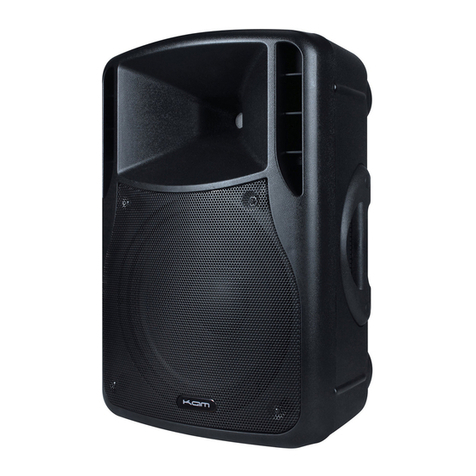
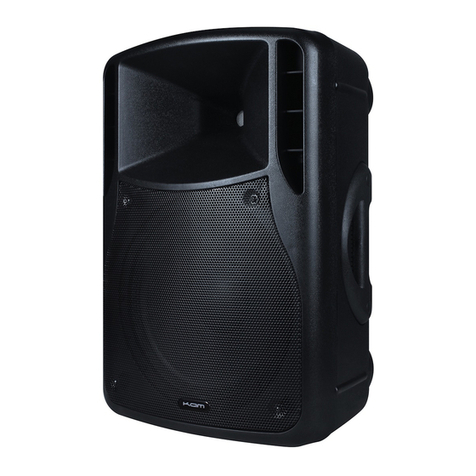
The SF6A Powered loudspeaker set is a very compact, easy to use, plug and play,
music distribution system. It consists of one amplified loudspeaker with a 6 " woofer
and a quality high frequency speaker and a second linkable passive loudspeaker.
1. VOLUME CONTROL
With this button you can easily set the desired volume.
2. TREBLE CONTROL
Herewith you can add or decrease the high frequency. Adding high frequency can
improve the intelligibility. Adjust it to the desired level. In the center position the
sound should be neutral.
3. BASS CONTROL
By adding bass you can add warmth to your music. Decreasing bass can improve the
intelligibility of spoken messages.
4. ON/OFF
When the AC plug is connected to the mains circuit, you can turn the unit on or off
with this button. When the unit is switched ON, the green led should illuminate.
5. INPUT
Here you can connect your sound source. These inputs have to be fed with a music
signal at LINE LEVEL(cd, dve, vhs, tuner, mixing table ……). Connecting a
microphone will give bad result. In this case, you should use a microphone mixer or
preamplifier.
6. SPEAKER OUTPUT
These lockable plugs should be used to free the shipped passive loudspeaker.
Using other loudspeakers can give bad result and even cause damage to
the main unit. The best sonic result will be obtained when the black
socket of the main unit is connected to the black one of the passive
loudspeaker and the red to the red.
7. MAINS SOCKET
The unit can be branched to the mains circuit by a standard IEC type power cord. This
socket contains a 1A slow blow fuse. Use a screw driver to flip out the fuse
compartment and to replace it. When this fuse blows frequently you should bring the
NC to a qualified service center. First check whether you didn’t use a quick-blow fuse!