If your telephone equipment causes harm to the telephone network, the telephone company
may discontinue your service temporarily. If possible, they will notify you in advance. But if
advance notice isn’t practical, you will be notified as soon as possible. You will be informed
of your right to file a complaint with the FCC.
Your telephone company may make changes in its facilities, equipment, operations, or
procedures that could affect the proper functioning of your equipment. If they do, you
will be notified in advance to give you an opportunity to maintain uninterrupted
telephone service. If you experience trouble with this telephone equipment, disconnect
from the network until the problem has been corrected or until you are sure that the
equipment is not malfunctioning.
This equipment may not be used on coin service provided by the telephone company.
Connection to party lines is subject to state tariffs.
This equipment is hearing aid compatible.
WARNING: Changes or modifications to this unit not expressly approved by the party
responsible for compliance could void the user’s authority to operate the equipment.
NOTE: This equipment has been tested and found to comply with the limits for a
Class B digital device, pursuant to Part 15 of the FCC Rules. These limits are
designed to provide reasonable protection against harmful interference in a residential
installation. Some cordless telephones operate at frequencies that may cause interference
to nearby TV’s and VCR’s. To minimize or prevent such interference, the Base of the
cordless telephone should not be placed near or on top of a TV or VCR. If
interference is experienced, moving the cordless telephone farther away from the TV or
VCR will often reduce or eliminate the interference. However, there is no guarantee
that interference will not occur in a particular installation. If this equipment does cause
harmful interference to radio or television reception, which can be determined by
turning the equipment off and on, the user is encouraged to try to correct the
interference by one or more of the following measures:
Relocate the Base station.
Increase the separation between the equipment and receiver.
Do not connect receiver & the equipment into an outlet with the same circuit.
Consult the dealer or an experienced technician for help.
INTRODUCTION
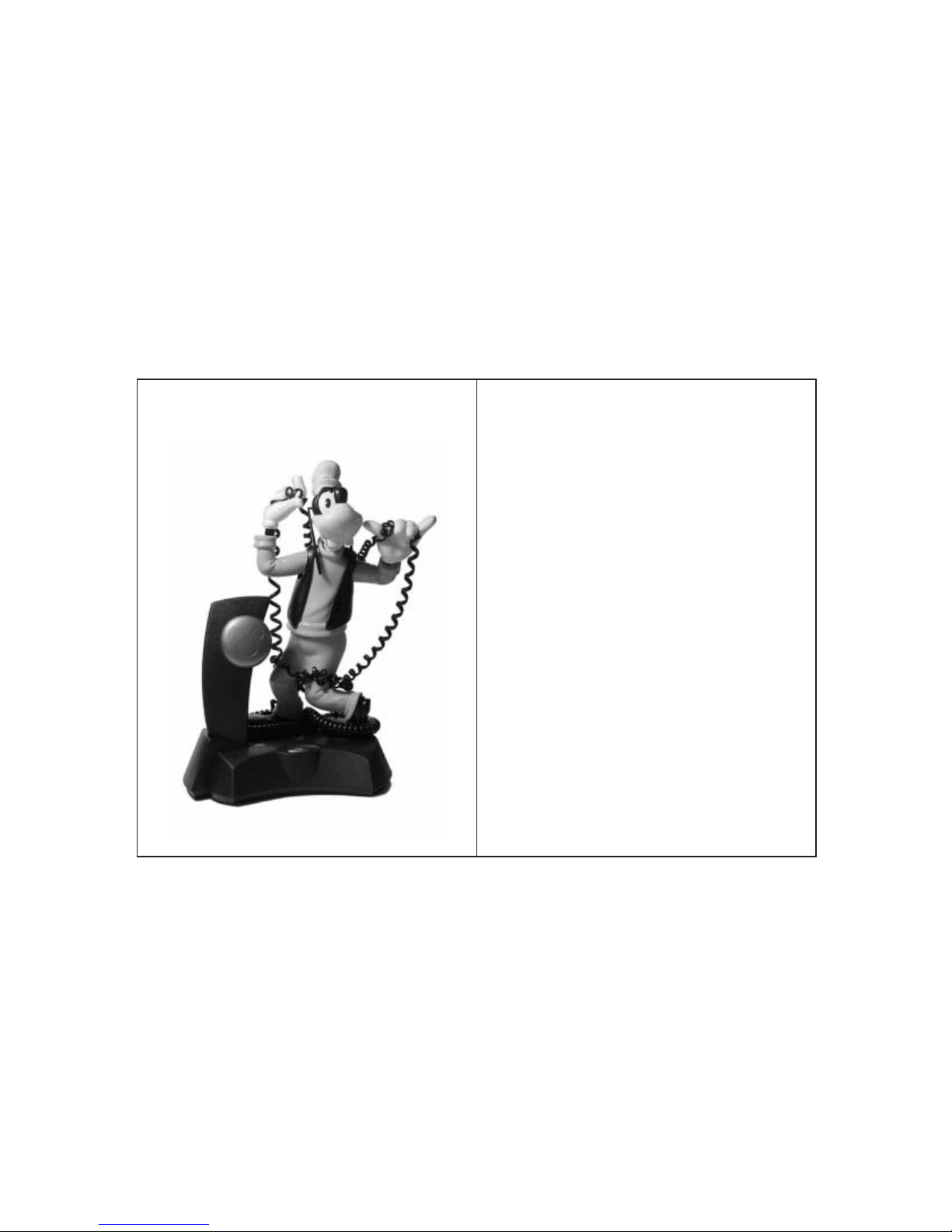
Congratulations on your purchase of Disney's Goofy cordless telephone. This quality product
is a 900MHz cordless telephone which is a replica of Goofy. Please read this operation
manual before using your new telephone and keep it on hand for future reference.
FEATURES
Choice of a conventional Ringer/Animation/OFF
Battery low indicator
Cordless Handset
40-Channel auto/manual scan
Mute function
INSTALLATION INSTRUCTIONS
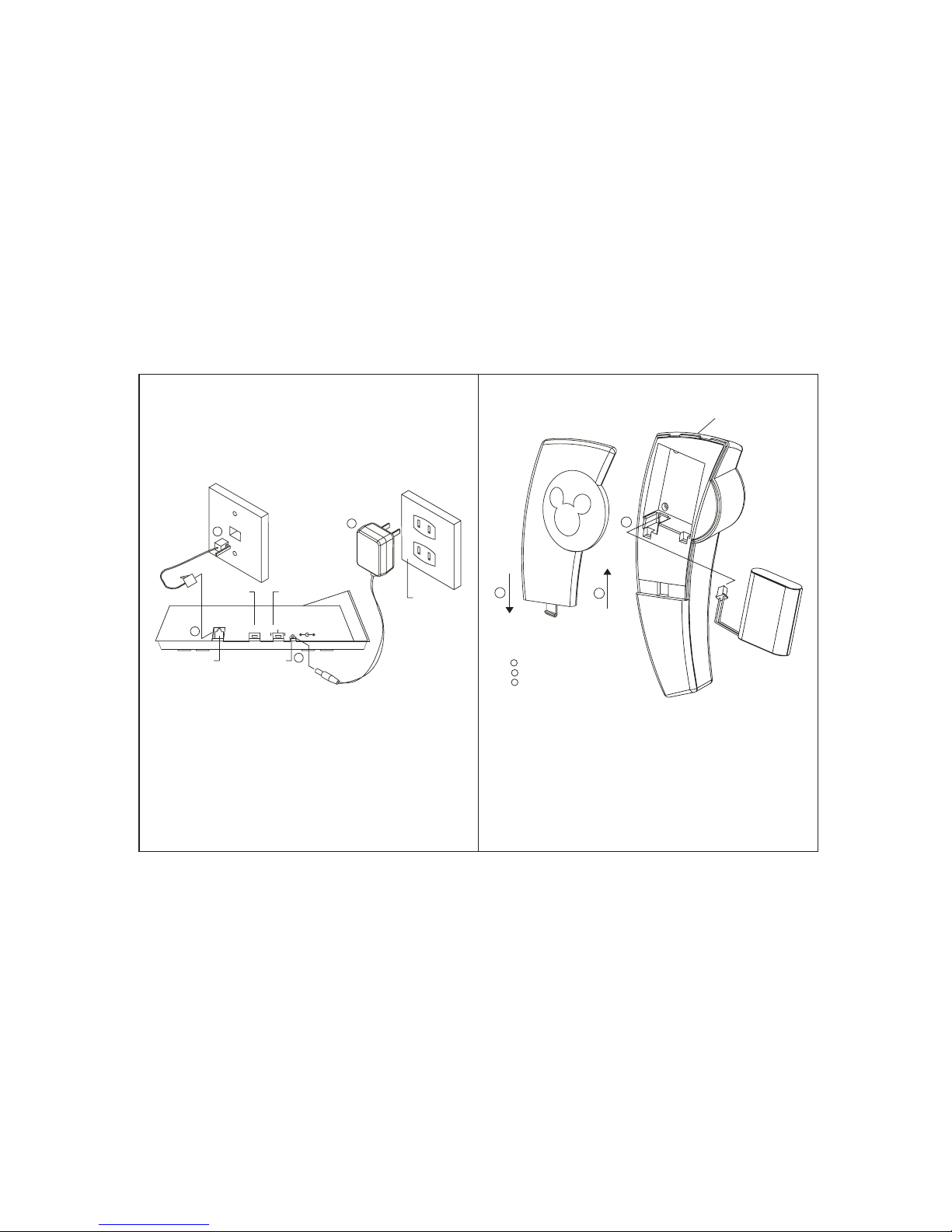
1. The Base instruction: See Figure 1
1.1 Choose an area near an electrical outlet and a telephone jack. Your Goofy cordless
telephone uses a standard modular jack RJ11C. Adapters which permit your Goofy
telephone to be used with the old 4-prong jacks are available from most telephone
accessory stores. If your home has neither a modular jack nor 4-prong wall socket,
you may ask your telephone company to install a modular jack type USOC: RJ11C.
The telephone company will make a one time charge for this installation.
1.2 The telephone line cord has a snap-in plug at each end. To connect your telephone,
insert one end of the line cord into the jack at the rear of the Base. Plug the other end
into a wall jack. Make sure the plugs snap securely into place. See Figure 1.
1.3 Plug the DC connector into the DC jack at the rear of the Base and plug the AC
power adapter into an electrical outlet. See Figure 1. The POWER LED will light up
to indicate power on.
CAUTION: Use only the AC adapter provided with your Goofy telephone. This is a
Class 2 AC adapter, specifically designed for use with this telephone.
NOTE: Connect the power to the Base BEFORE placing the Handset in the cradle.
1.4 There are two types of telephone systems in use. The most common is called TONE
dialing. The other is called PULSE or ROTARY dialing. Contact your telephone
company to find out which system is used in your area. Your Goofy telephone will
operate in either system. Simply set TONE/PULSE MODE switch on Base (see
Figure 1) to TONE for tone dialing or PULSE for pulse dialing.
5
4
Digital security codes
Page function (Handset locator)
Auto release tel-line while out of range for 10 seconds.
Memory storage
Speed dial
Up to 5 hours talk time
Tone/Pulse switchable
Battery standby up to 3 days
Hearing aid compatible
Last number redial
FCC approved
ETL approved