Kompernass KH 2283 User manual

KOMPERNASS GMBH
BURGSTRASSE 21 • D-44867 BOCHUM
www.kompernass.com
ID-NR.: KH2283-03/08-V3
TRENER MATEMATYCZNY
Instrukcja obs³ugi
SZÁMOLÁSGYAKORLÓ
Használati útmutató
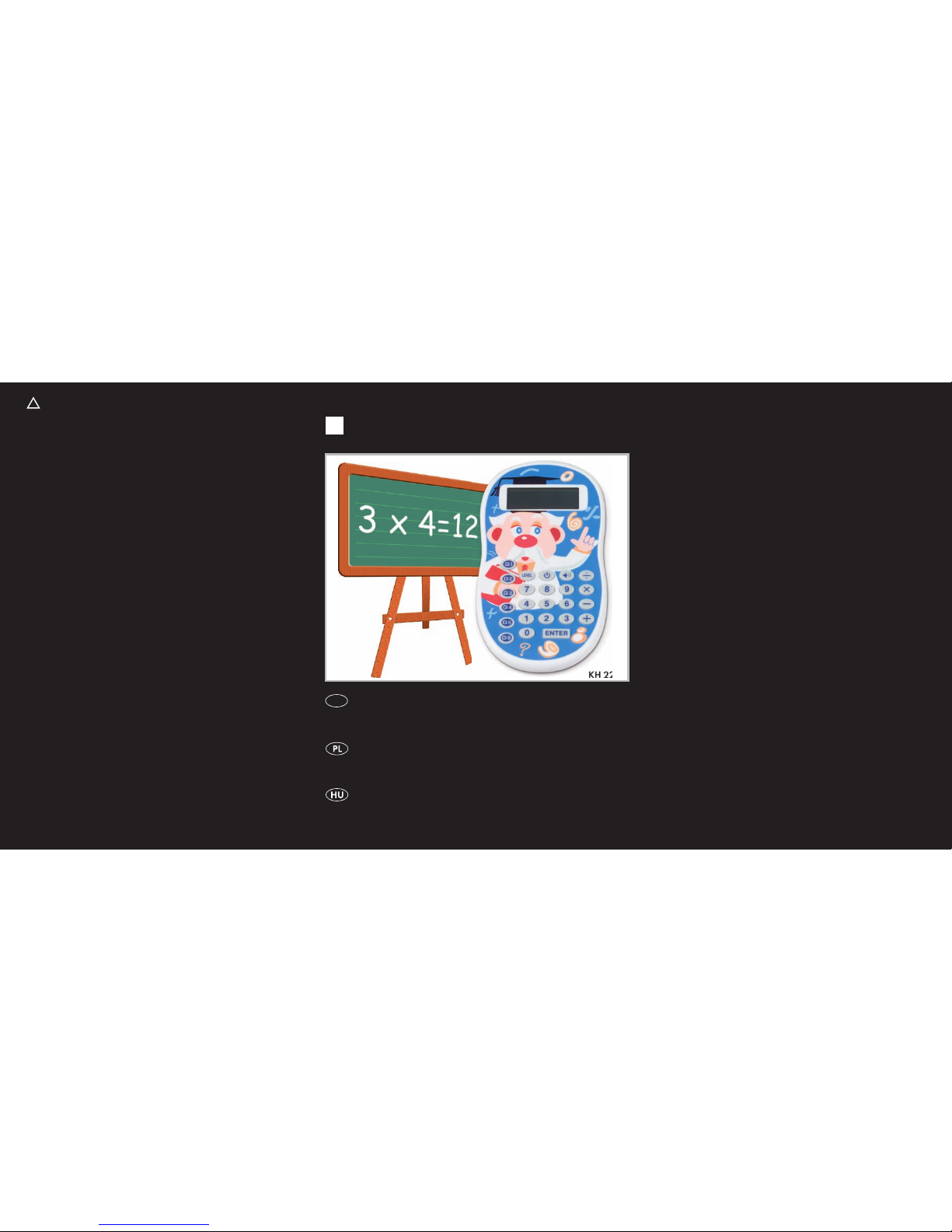
CALCULATOR TRAINER
CALCULATOR TRAINER
Instruction Manual
GB
4 A
KH 2283
㈵
㜵
㤵
㈵
㜵
㤵
㈵
㜵
㤵
㈵
㜵
㤵
䍖彋䠠㈲㠳弴
䑩敮獴慧Ⱐ㠮⁁灲楬′〰㠠ㄴ㨱㠺〶

KH2283
1&
2) 1(
1( 1*
q
w
e
r
t
y
u
i
o1)
1!
1@
1#
1$
1%
1^
㈵
㜵
㤵
㈵
㜵
㤵
㈵
㜵
㤵
㈵
㜵
㤵
䍖彋䠠㈲㠳彃噟楮湥
䑩敮獴慧Ⱐ㠮⁁灲楬′〰㠠ㄴ㨱㤺㈸

- 1 -
Read the operating instructions carefully before using the device for the rst time
and preserve this booklet for later reference. Pass this booklet on to whoever
might acquire the device at a future date.
CONTENTS Page
Intended use 2
Items supplied 2
Technical Data 2
Please read the safety instructions 2
Operational features 4
Initial operation of the device 4
Changing the batteries 5
Handling of batteries 5
Switching the device on and off 5
Selecting the training programme 6
The display 7
Setting the difficulty level 8
Muting the acoustic function 8
The training programme in particular 8
Cleaning and care 12
Disposal 13
CE Conformity 13
Importer 14
Warranty and Service 14

- 2 -
Intended use
This calculator trainer is intended exclusively for calculation
and memory prociency for the young and old (5 years and
up) and does not provide the functions of a pocket calculator.
The device is not intended for use in commercial or industrial
environments. No warranty claims will be granted for damage
resulting from improper use!
Items supplied
1 Calculator trainer
1 Transparent protective cover
1 Operating instruction booklet
Technical Data
LCD indicator
Over 300.000 tasks
Power supply: 1 x 3V (Typ CR2032)
Measurements (W x H x D): 8,2 x 15,3 x 1,3 cm
Weight : approx. 80 g
Operating temperature: 5° - 40°C
Storage temperature : —20° - 60°C
Please read the safety instructions
Do not allow children under 5 years of age to handle elec-•
tronic devices unsupervised because they often underesti-
mate the danger of personal injury.
NEVER submerse the device in water. Wipe it only with a
•
slightly damp cloth.

- 3 -
Do not expose the device to rain and never use it in a humid •
or wet environment.
You must not open the device housing or repair the device
•
yourself. Should you do so, the safety of the device may be
compromised and the warranty becomes void.
Risk of explosion!
Do not throw batteries into a re. Do not recharge the •
batteries.
Riskofre!
Do not use the device near hot surfaces.•
Do not operate or store the device in hot locations and do•
not subject the device to direct sunlight or strong articial
light sources. Otherwise, it may overheat and become
irreparably damaged.
Do not place open re sources, such as candles, on the
•
device.
Riskofpersonalinjury!
Keep batteries away from children. Children can put batteries •
into their mouths and swallow them. If a battery is swallowed
medical assistance must be sought immediately.

- 4 -
Operational features
qDisplay
w - For selection of the diculty level
e - On/O switch
r- Switches the acoustic function on and
o
t- Division button
y- Multiplication button
u- Subtraction button
i- Addition button
o ENTER - Input button
aNumber buttons for entering number values
sProgramme button G 6 - accesses training programme 6
d Programme button G 5 - accesses training programme 5
f Programme button G 4 - accesses training programme 4
gProgramme button G 3 - accesses training programme 3
h Programme button G 2 - accesses training programme 2
j Programme button G 1 - accesses training programme 1
kSpeaker for beep sounds
l RESET - To reset the device
; Battery compartment screws
2) Battery compartment cover
Initial operation of the device
Remove the calculator trainer and accessories from the >
packaging.
Remove all possible sticky tape/foils.
>
The battery is already preinstalled. To protect against prema-
>
ture discharging an isolation strip has been placed between
the poles. Simply pull this out before initial operation.

- 5 -
Changing the batteries
The device requires a 3V lithium battery type CR2032, which is
already preinstalled. If the display remains blank after it has been
switched on the batteries are depleted. To change the batteries
open the battery compartment on the rear panel of the device.
For this unscrew both of the screws
>; and remove the
battery compartment cover 2).
Before removing the old batteries please memorize their
>
position in the compartment by means of the inscription.
The plus sign is visible from the outside.
Remove the batteries and replace them with fresh ones of
>
the same type. Thereby the plus sign must still be visible
from the outside otherwise the device will not function and
could be damaged.
Place the battery compartment cover
>2) back on and screw
it down rmly.
Handling of batteries
Leaking batteries can cause damage to the calculator trainer.
If you do not intend to use the calculator trainer for a long
>
period of time then remove the batteries.
When a battery has leaked put on protective gloves and
>
clean the battery compartment with a dry cloth.
Do not attempt to recharge the batteries.
>
Switching the device on and o
To switch the device on press the>button e. In the display q
the rst calculation task appears.
To switch the device o press the
>button eagain.

- 6 -
Selecting the training programme
Press one of the G buttons 1!-1^ to select from the following
training programmes:
G 1•
Task type: Basic calculation operations, addition, subtrac-
tion, division and multiplication are selectable, 5 diculty
levels are available.
G 2•
Task type: Recognize the calculation operation by means
of the results, 5 diculty levels are available.
G 3•
Task type: Sequence recognition, recognizing the 4th value
from the previous 3, 3 diculty levels available.
G 4•
Task type: Retention of number chains, 5 diculty levels
available.
G 5•
Task type: Input of the sum terms which lead to the given
result, 3 diculty levels available.
G 6•
Task type: Addition with memory training, 5 diculty levels
available.

- 7 -
The display
In the display you can read the respective task and further
information:
2!Indicator for the current training programme
2@Indicator for the already solved task
2#Calculation tasks to be solved
2$ Answer evaluation by means of stylized facial features:
normal face, there are no scheduled evaluations,
happy face, the answer is correct,
sad face, the answer is incorrect.
2%Answer indicator
2^Acoustic function indicator
2&Selected diculty level indicator

- 8 -
Setting the diculty level
The training programmes oer you 3 and/or 5 dierent diculty
levels.
Press the
>button w to switch up to the next diculty level.
If the highest level was already set the device will switch back
to the lowest level.
The bar indicator 2& in the display qshows you the currently
selected diculty level. The display of only one bar indicates the
lowest diculty level, if the display q shows 3 and/or 5 bars, this
is an indication of the highest diculty level.
Muting the acoustic function
The acoustic function acknowledges every press of a button with a
short beep sound and after your answer entry, plays a short theme
music depending on wether the entry was correct or not.
To switch the device's acoustic function on or o press the
>
button r.
When the acoustic function is active the symbol lights up in the
display q.
When the function is switched o the symbol lights up in the dis-
play q.
The training programme in particular
Here you learn details pertaining to the training programmes.
G 1 - Basic calculation operations
To select this programme press the button G 1
>j. In the display
q the rst calculation task appears. Thereby the strokes in the an-
swer indicator 2% show how many digits the correct answer has.
Other manuals for KH 2283
3
Table of contents
Languages:
Other Kompernass Calculator manuals
Popular Calculator manuals by other brands

Texas Instruments
Texas Instruments BA II Plus user guide

Helwett Packard
Helwett Packard 9100A Operating and programming manual

Calculated Industries
Calculated Industries 3423 user guide

Calculated Industries
Calculated Industries Qualifier Plus IIcx user guide

HP
HP 35s Instruction guide

LEXIBOOK
LEXIBOOK EL350 instruction manual