manuals.online logo
Brands
  1. Home
  2. •
  3. Brands
  4. •
  5. Korg
  6. •
  7. Musical Instrument
  8. •
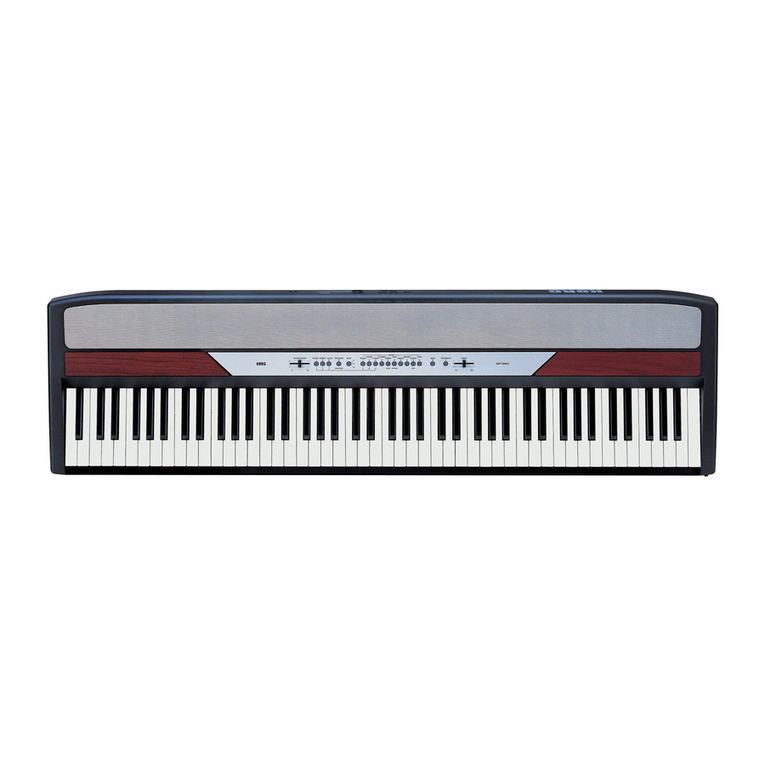
  9. Korg SP-500 User manual

Korg SP-500 User manual

Other manuals for SP-500

3

Other Korg Musical Instrument manuals

Korg M3 User manual

Korg

Korg M3 User manual

Korg TR music workstation Operation User manual

Korg

Korg TR music workstation Operation User manual

Korg Concert NC-500 Series User manual

Korg

Korg Concert NC-500 Series User manual

Korg TRITON Extreme TRITON Extreme User manual

Korg

Korg TRITON Extreme TRITON Extreme User manual

Korg OASYS musical instruments User manual

Korg

Korg OASYS musical instruments User manual

Korg microPIANO-BK User manual

Korg

Korg microPIANO-BK User manual

Korg X3R User manual

Korg

Korg X3R User manual

Korg PA1000 User manual

Korg

Korg PA1000 User manual

Korg MA-30 User manual

Korg

Korg MA-30 User manual

Korg Concert C-340 User manual

Korg

Korg Concert C-340 User manual

Korg SV-2 User manual

Korg

Korg SV-2 User manual

Korg TRITON Le User guide

Korg

Korg TRITON Le User guide

Korg Krome User manual

Korg

Korg Krome User manual

Korg G1 Use and care manual

Korg

Korg G1 Use and care manual

Korg SP-200 User manual

Korg

Korg SP-200 User manual

Korg SP-500 Installation guide

Korg

Korg SP-500 Installation guide

Korg i5S User manual

Korg

Korg i5S User manual

Korg i2 HD User manual

Korg

Korg i2 HD User manual

Korg Krome EX User manual

Korg

Korg Krome EX User manual

Korg PA Series Guide

Korg

Korg PA Series Guide

Korg BX-3 User manual

Korg

Korg BX-3 User manual

Korg Stage Vintage SV-1 User manual

Korg

Korg Stage Vintage SV-1 User manual
Korg KARMA 2 General instructions

Korg

Korg KARMA 2 General instructions

Korg TR61 User manual
Korg

Korg TR61 User manual
Popular Musical Instrument manuals by other brands

Funkey SP-561 user manual
Funkey

Funkey SP-561 user manual

thomann DP-275 GP BP user manual

thomann

thomann DP-275 GP BP user manual

Kawai CN17 Operation guide

Kawai

Kawai CN17 Operation guide

Yamaha PCY130 owner's manual

Yamaha

Yamaha PCY130 owner's manual

Roland LX-15 Brochure & specs

Roland

Roland LX-15 Brochure & specs

Johannus Rembrandt 200 user manual

Johannus

Johannus Rembrandt 200 user manual

Yamaha Clavinova CVP-609 Reference manual

Yamaha

Yamaha Clavinova CVP-609 Reference manual

Casio celviano ap-700 user guide

Casio

Casio celviano ap-700 user guide

Yamaha PSR-E473 owner's manual

Yamaha

Yamaha PSR-E473 owner's manual

Modulus Quantum Series owner's manual

Modulus

Modulus Quantum Series owner's manual

Gear4music SDP-4 user manual

Gear4music

Gear4music SDP-4 user manual

HOMCOM 390-006 Assembly instruction

HOMCOM

HOMCOM 390-006 Assembly instruction

Xotic Guitars ProVintage Series owner's manual

Xotic Guitars

Xotic Guitars ProVintage Series owner's manual

Sadowsky MetroLine Series operating manual

Sadowsky

Sadowsky MetroLine Series operating manual

Bosendorfer CEUS user manual

Bosendorfer

Bosendorfer CEUS user manual

Yamaha Electone EL-17 owner's manual

Yamaha

Yamaha Electone EL-17 owner's manual

Alesis AHB-1 Assembly guide

Alesis

Alesis AHB-1 Assembly guide

Hotpoint RF512GP How to get the best

Hotpoint

Hotpoint RF512GP How to get the best

manuals.online logo
manuals.online logoBrands
  • About & Mission
  • Contact us
  • Privacy Policy
  • Terms and Conditions

Copyright 2025 Manuals.Online. All Rights Reserved.

S
S
Se
e
er
r
rv
v
vi
i
ic
c
ce
e
e
M
M
Ma
a
an
n
nu
u
ua
a
al
l
l
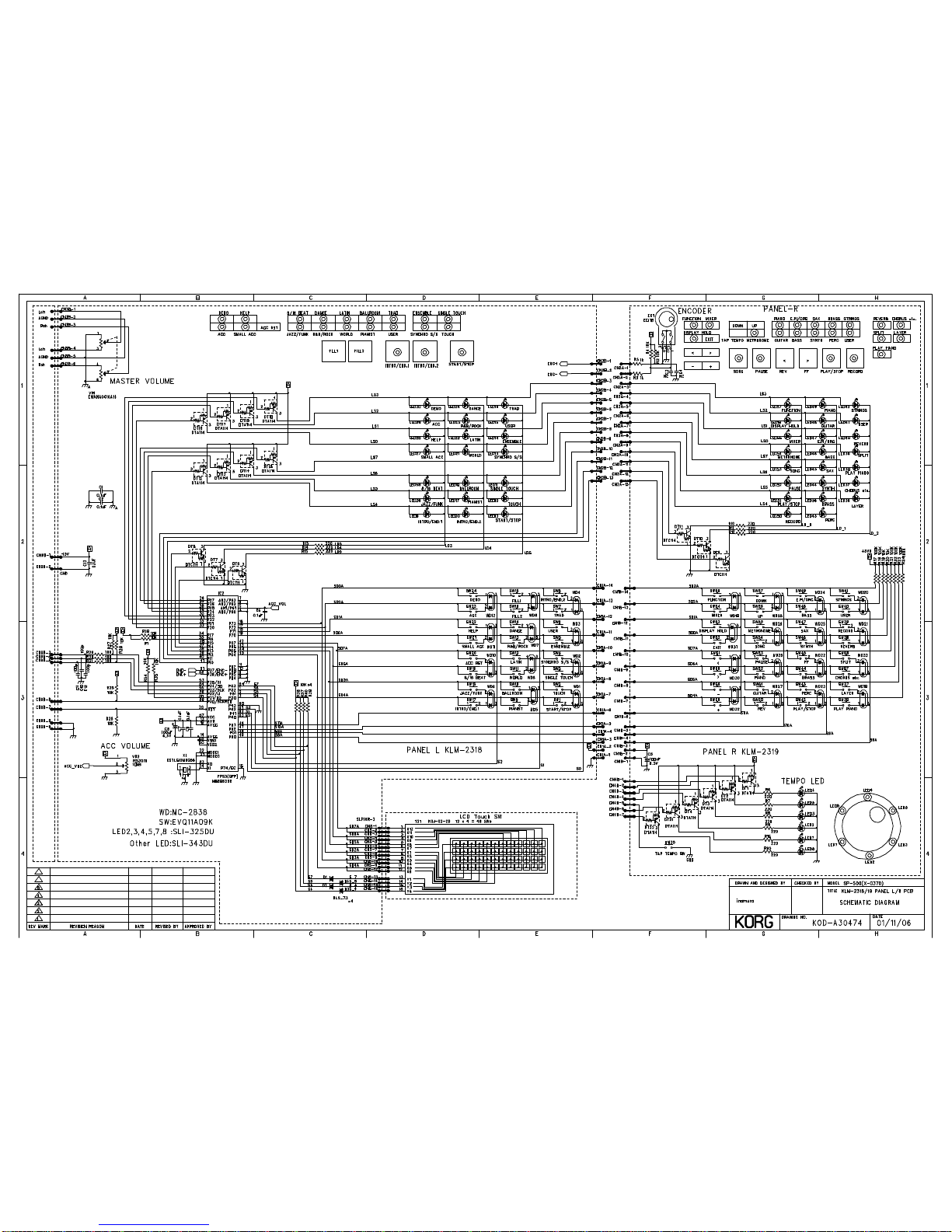
SP-500
CONTENTS
1) Structural Diagram - - - - -
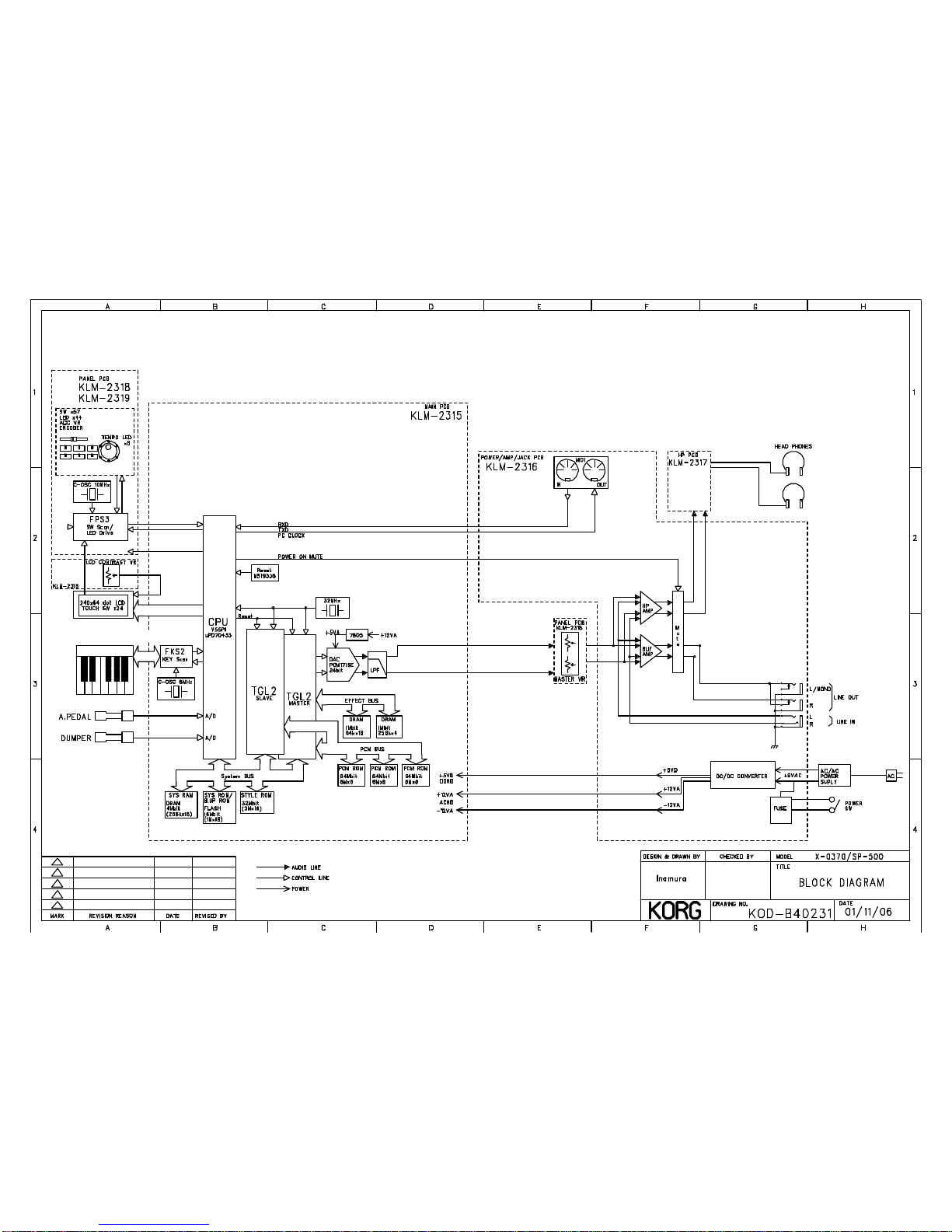
2) Block Diagram - - - - - - - - -
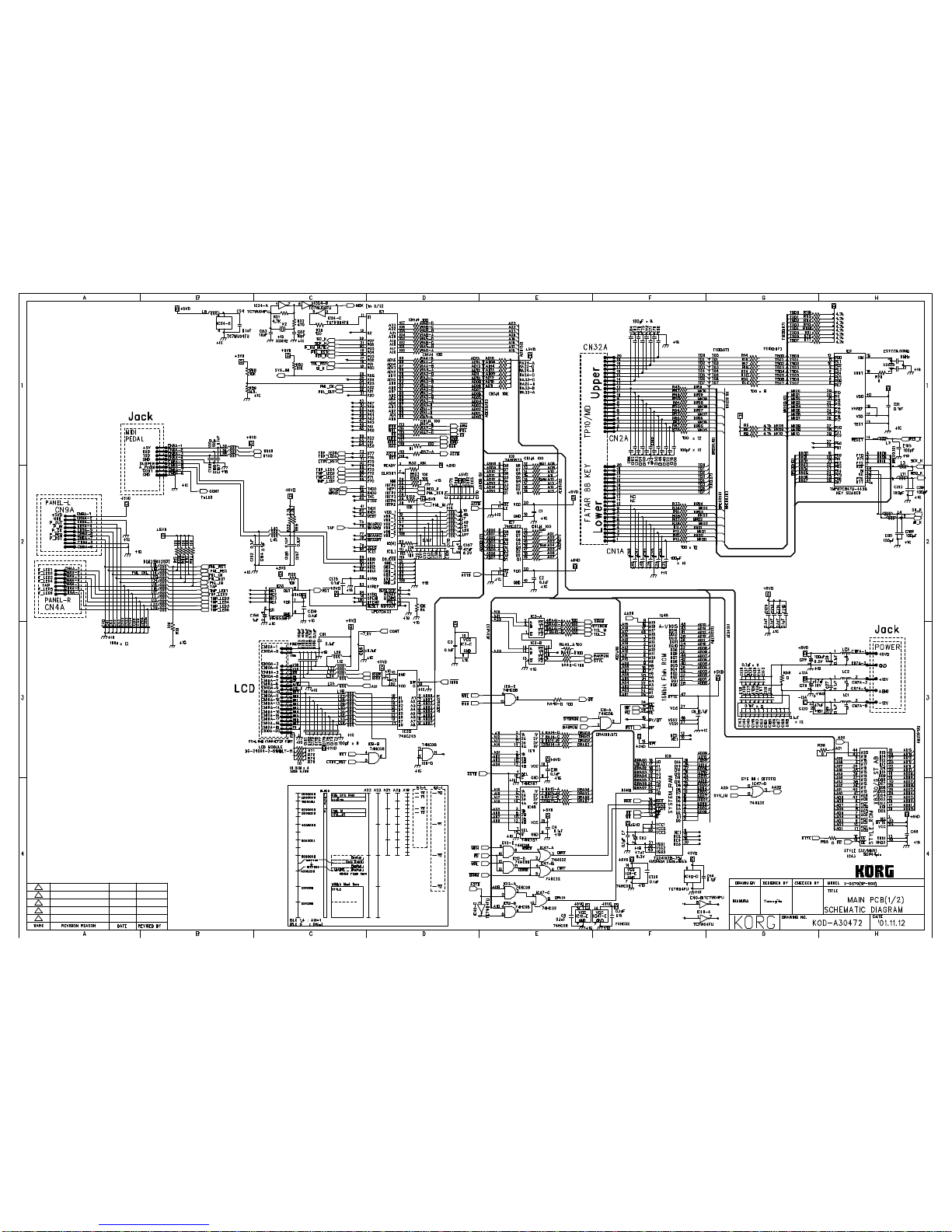
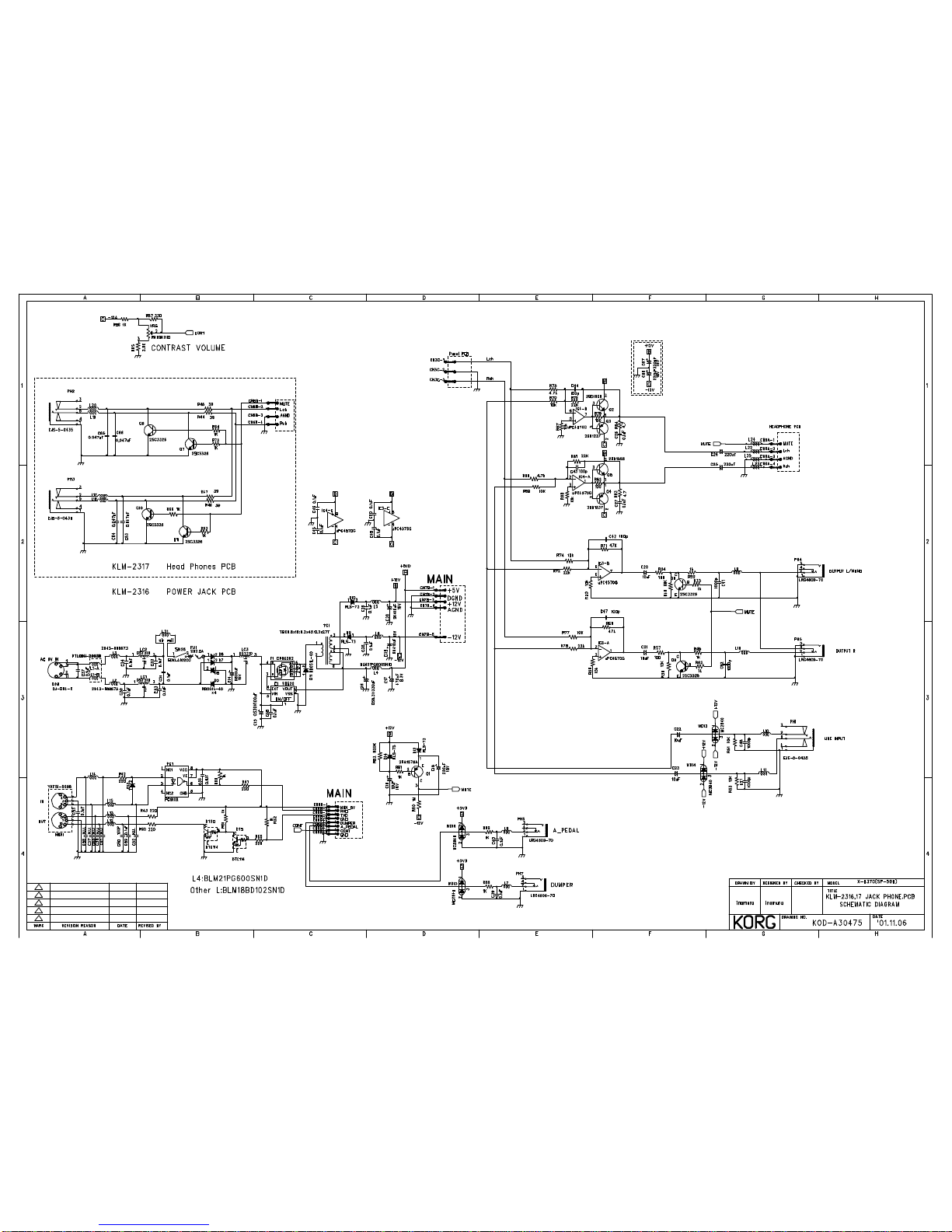
3) Circuit Diagram - - - - - - - -
4) Diagnostics - - - - - - - - - - -
5) Parts List - - - - - - - - - - - - -
Revision: 1.00
Issued date: Feb. 7th, 2002
Issued by: KORG INC.
1
2
3
4
1
1
1
43
1
3
55
66
78
x 4
x 2
x 2 x 2
x 2
x 2
x 2
x 2
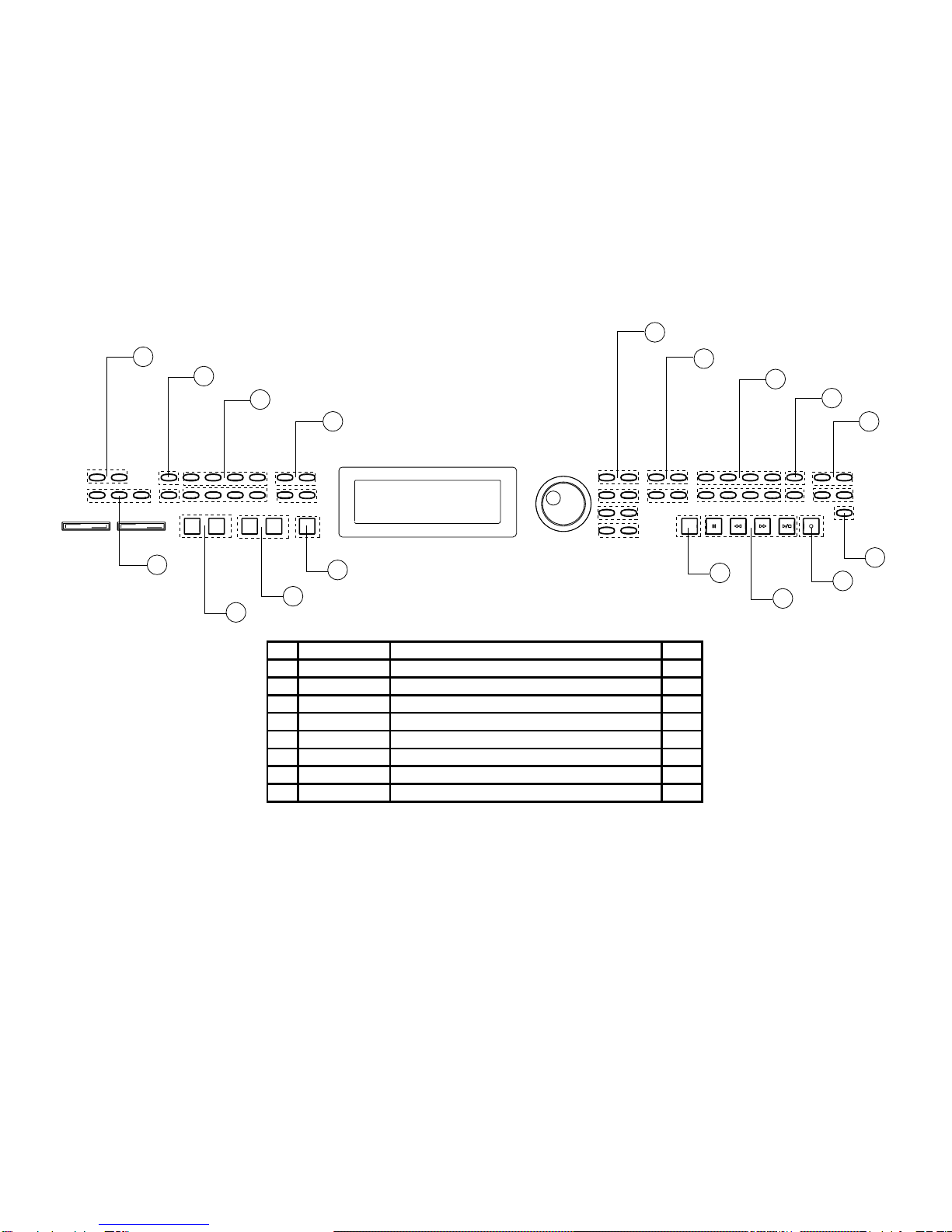
NO PART CODE PART NAME Q'TY
1 646081500 X-0370 4 LINKAGE KNOB-2 H40165-2 11
2 646081400 X-0370 4 LINKAGE KNOB-3 H40165-3 1
3 646081600 X-0370 4 LINKAGE KNOB-1 H40165-1 5
4 646081300 X-0370 4 LINKAGE KNOB-4 H40165-4 4
5 620038100 X-8110 KNOB L(2 LINKAGE) H40148-2 2
6 620038200 X-8110 KNOB L H40148-1 2
7 646081700
X-8110 KNOB L (4 LINKAGE) H40148-8
1
8 646081800 X-8110 KNOB L H40148-9 1
1
2
6
10
43
10
5
7
8
9
11
12
x5
13 14
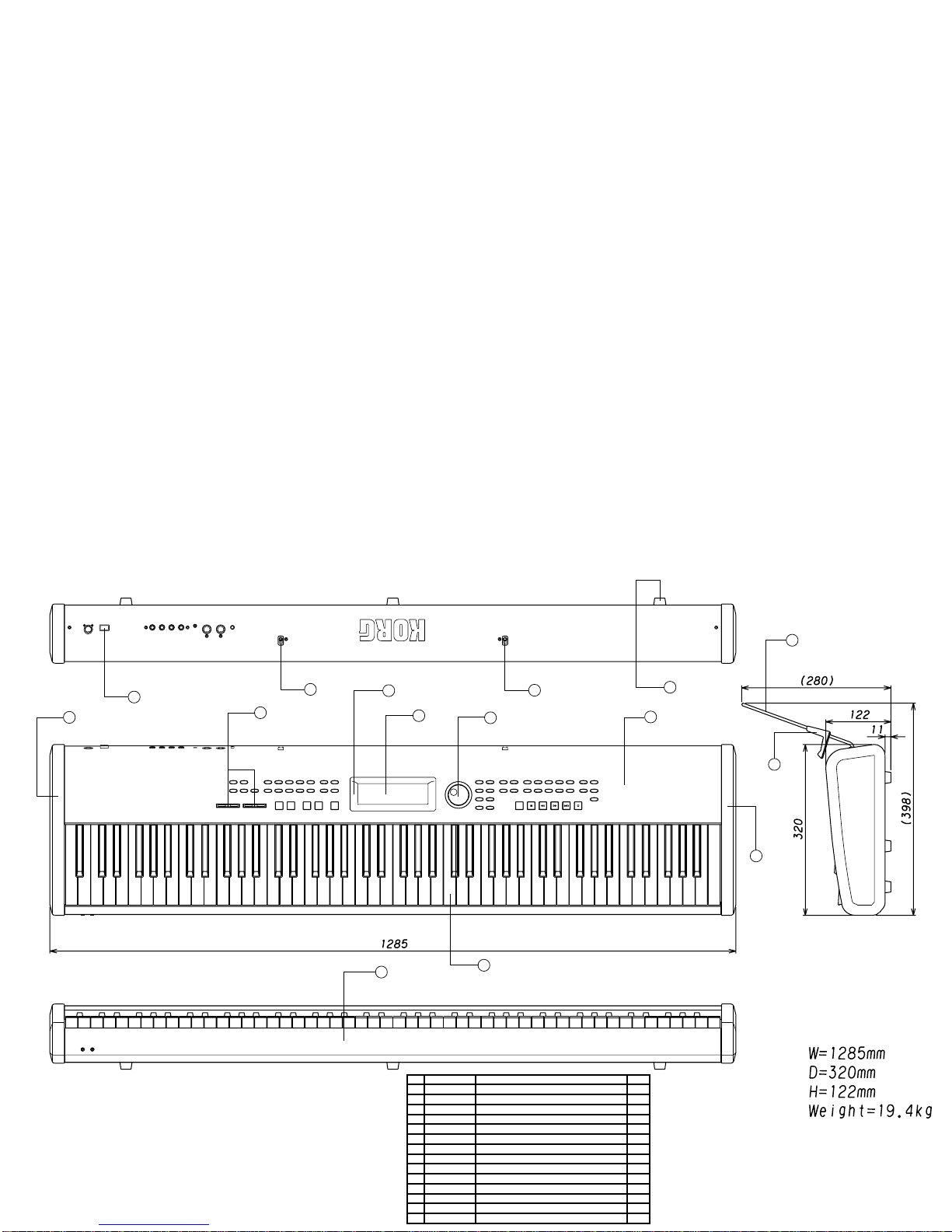
NO PART CODE PART NAME Q'TY
1 620021600
X-825M POWER SW KNOB BK E40264
1
2 646082100 X-224 SLIDE VR KNOB NO.3 E4028 2
3 620034700
X-610 ENCODER KNOB(GRAY)E40466
1
4 313005600 LCD DG-24064-2-S1MBLA-H(AMBER) 1
5 641041655 X-0370 PANEL KOC-C10266 1
6 645053263 X-0370 SIDE BOARD L D30231-1 1
7 645053264 X-0370 SIDE BOARD R D30231-2 1
8 420006700 KEYBOARD 88NOTE TP/31+PCB 1
9 641041678 X-0370 FRONT BAR KOC-C20370 1
10 646045300 X-181 MUSIC STAND HOLDER 2
11 641041679 X-0370 MUSIC STAND 2 1
12 646082200 X-610 SCORE HOLDER NO.2 1
13 646081200 X-8330 LCD HOOD 2 KOC-E30256-2 1
14 500033200 RUBBER FOOT K-23 5
SP500 Test Mode
How to start the test mode:
1) [FUNCTION] + [TEMPO DOWN] &[POWER ON] : Full test
2) [FUNCTION] + [TEMPO UP] &[POWER ON] : MIDI test Skip
3) [FUNCTION] + [METRONOME] & [POWER ON] : Internal test Skip
4) [START/STOP] + [INTRO/ENDING1] & [POWER ON] : Full test
5) [START/STOP] + [FILL2] & [POWER ON] : MIDI test Skip
6) [START/STOP] + [FILL1] & [POWER ON] : Internal test Skip
 1) and 2) executes all the tests but all area of Flash ROM.
 4) and 5) executes all the tests but the user area of Flash ROM.
How to operate the test mode:
[PLAY PIANO] : STEP UP
[PAGE UP] : Item UP
[PAGE DOWN] : Item Down
[VALUE+] : Step UP
[VALUE-] : Step Down
[START/STOP] + [PLAY PIANO] : Error Skip
Notes at the test mode:
When changing all the data to the factory data, select either "JAPAN" or
"USA" at the final process of the test mode; JAPAN as the Japanese market,
U.S.A. as other countries. After selecting either of them, pressing "PLAY
PIANO" starts preloading. Do NOT turn the power OFF until the
opening display is indicated in the LCD.
In case that preloading is executed indivisually:
1. Setting of [USER] rhythm style group
Press the USER switch of RHYTHM STYLE GROUP on the panel, then press
the "Factory Preset" button in the LCD.
2. Setting of [USER] program group
Press the USER switch of PROGRAM STYPE GROUP on the panel, then press
the "Factory Preset" button in the LCD.
3. Memory content of All set-up
When pressing the function button located at the right side of the dial, the
FUNCTION page is indicated. Press the PAGE+ switch to change the
indication to 7/10 page. Moreover, press the "Factory Preset" button.
4. Recorded song data (100 songs)
When pressing the SONGSELECT switch, the RECORDER mode is indicated.
Press the PAGE+ switch to change the indication to 3/3Page. Then, when
pressing the "Memory Utility" button, the MEMORY UTILITY" page is
indicated. Moreover, press the "Factory Preset" button.
5. To executed all 1 - 4,
power ON while pressing SONGSELECT and RECORD. Here "Initialize,
Don't power off." is indicated in the LCD.
In case that the power is turned off while preloading, execute preloading again.