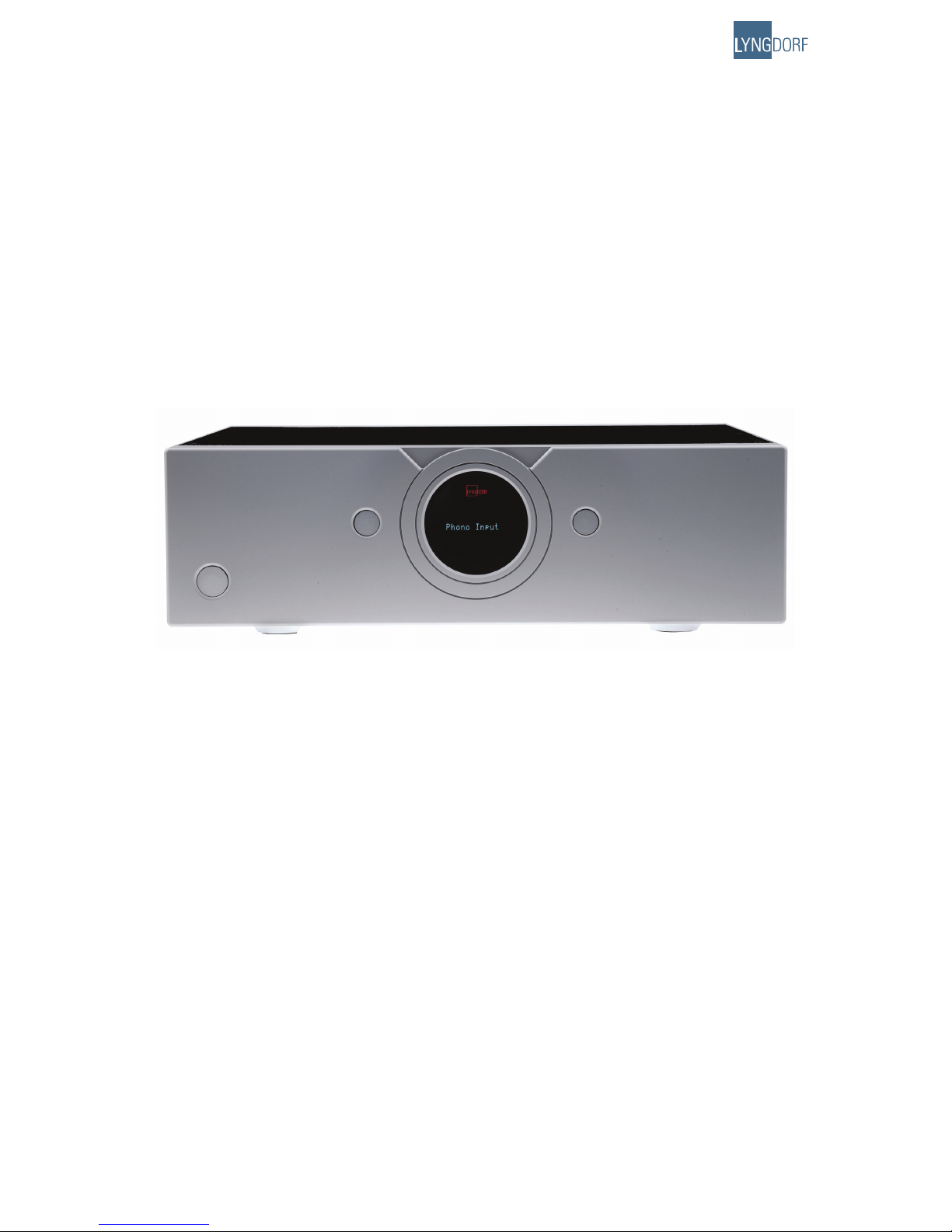
Lyngdorf Audio Millenium ADC Analog/Digital Converter User manual

Owner´s manual
Millenium ADC
Analog/Digital Converter

2

3
Table of Contents
Unpacking the Millennium ADC 4
Operating Voltage 4
Serial Number Registration 4
Introduction 5
Accessories 6
Front Panel 7
Rear Panel 8
Remote Control 9
Placement 10
Millennium Link Connection 10
Menu Tree 11
Menu Operation 12
Common Menus 13
- Digital Sample Rate 13
- Communication Address 13
- Communication Speed 13
- Display Timeout 13
- Remote Control 13
- Factory Reset 13
Phono Input Menus 14
- High Pass Filter 14
- De-emphasis 14
- Select Cartridge 14
Setup Cartr.: 1 15
- Load Preset 15
- DSP Cart. Filter 15
- 50 kHz Zero 15
- Cartridge Gain 15
- Cartr. Balance 17
- Cartr. Capacit. 17
- Cartr. Impedance 17
- Polarity 17
Analog Input 1- 4 Menus 18
- Input Gain 18
- Polarity 18
Technical Specifications 19
- Analog Inputs 19
- Phono Inputs 19
- Millennium Interface 19
- Digital Outputs 20
- Mains 20
- Mechanical 20
Cleaning and Maintenance 21
Technical Assistance 21

4
Unpacking the Millennium ADC
Carefully remove the unit and accessory kit from the carton, visually check for shipping damage. Contact
both the shipper and your Lyngdorf Audio dealer immediately if the unit bears any sign of damage from
mishandling. All Lyngdorf Audio equipment is carefully inspected before leaving our factory.
Keep shipping carton and packing material for future use or in the unlikely event that
the unit needs servicing. If this unit is shipped without the original packing, damage
could occur and void the warranty.
Operating Voltage
The Millennium ADC is selectable to one of the following power ratings:
110V-120V~ at 50-60Hz with a power rating of 50W
220V-240V~ at 50-60Hz with a power rating of 50W
Connect the power input only to the AC source matching the setting shown on the
voltage selector switch. The warranty will not cover any damage caused by connect-
ing to inappropriate AC mains.
The Millennium ADC has three power modes:
OFF
After Power off or Standby, the settings of Millennium ADC are retained. Please note that some parts
of the mains entry section still carry live mains.
STANDBY
In standby mode the Lyngdorf logo will be dimly lit.
ON
In on mode the Lyngdorf logo will be fully lit.
Serial Number Registration
Please record the serial number of your product here for future reference. The serial number is en-
graved in the plaque on the Millennium ADC rear panel. You will need this serial number, should you
ever require service on your Millennium ADC.
Millennium ADC serial number: _____________________
1.
2.
3.

5
Introduction
Congratulations on your investment in the Lyngdorf Audio Millennium ADC (Analog to Digital Converter).
The Lyngdorf Audio Millennium ADC is a high-performance 2-channel Analog to Digital Converter with
4 line inputs. Using a combination of state-of-the-art analog circuitry and Digital Signal Processing to
support the two balanced 24 bit converters per channel, the Millennium ADC sets new performance
standards for analog to digital conversion.
The optional Lyngdorf Audio Phono Stage is a plug-in module for the Millennium ADC that allows a
gramophone to be connected directly to the Millennium ADC.
The RIAA equalization in the Lyngdorf Audio Phono Stage is implemented with tight-tolerance polypro-
pylene capacitors. To further improve de-emphasis possibilities, an additional 7 de-emphasis curves are
available in the DSP for optimal playback of records made before implementation of the RIAA (Record
Industry Association of America) standard.

6
Accessories
You should find the following accessories included:
12 3
456
7
digital info
analog
A/B random repeat
AMP
channel
ENTER
volume
RCS CD TUNER
menu
8
0
9
Mains cord Millennium Link cable
(5 pin XLR)
RS-232 cable for firmware
upgrade from a PC
Remote control

7
Front Panel
1 2 3 64 5
Figure 1: Millennium ADC front panel.
The buttons/controls on the front panel of the TDAI 2200 can all be operated either with direct presses
or by operating the corresponding keys on the supplied remote control. All the keys on the front panel
[except the Mains switch (1)] are duplicated on the remote control as well.
1. Mains switch
Turns the power to the Millennium ADC on or off.
2. Left control button.
Multifunction button for switching the product on/off, input selection and menu operation:
On/Stand by: Press to switch the Millennium ADC on from stand by. Press and hold the button to
switch back to standby mode.
Input Selection: When the unit is switched ON press to toggle down
Menu Operation: Down/back button. Press to use the down function. Press and hold to use the
return function. See chapter 9.b, Menu Operation, for a more detailed description.
3. Display.
4. Lyngdorf logo.
Dimly illuminated in standby mode. Brightly illuminated when the Millennium ADC is on.
5. Receiver for the infrared remote control.
6. Right control button.
Multifunction button for switching the product on, input selection and menu operation:
On: Press to switch the Millennium ADC on from stand by.
Input Selection: When the unit is switched ON press to toggle up
Menu Operation: Up/select. Press to use the up function. Press and hold to use the select function.
See chapter 9.b, Menu Operation, for a more detailed description.
•
•
•
•
•
•

8
Rear Panel
Figure 2: Millennium ADC rear panel.
1. Binding post for phono ground.
2. Optional phono stage module.
3. Millennium ADC serial number label.
4. RS-232 AUX and INPUT RJ45 connectors.
The RS-232 communication connectors are for connection to a computer for firmware upgrade. Please
visit www.lyngdorf.com for instructions and available firmware.
5. Mains voltage input selector.
Selects the correct voltage for your location. This switch selects either 110-120 V or 220-240 V operation.
Always check that the correct voltage has been selected prior to connecting this unit
to an AC power source. Failure to do so may result in serious damage to the unit.
The warranty will not cover any damage caused by connecting to inappropriate AC
mains.
6. Phono input RCA connectors.
7. Unbalanced analog input RCA connectors.
8. Balanced analog input XLR connectors.
9. Unbalanced digital output RCA connector.
10. Balanced digital output XLR connector.
11. Optical digital output Toslink connector.
12. Lyngdorf Audio Millennium Link XLR 5 pin connector.
13. Mains input IEC 320 connector.
Millennium ADC
Phono Stage
LR
PHONO GROUND
4
1235
6 9 10 11 12 137 8

9
Remote Control
The remote control is used to access the menu system and replicate the buttons directly accessible on
the front panel.
The four buttons used for selecting which device to control are described below. To control the Millen-
nium ADC the AMP key should be pressed.
The functionality of the remote control depends on the products in your set-up. The
below description applies to operation of the Millennium ADC only.
12 3
456
7
digital info
analog
A/B random repeat
AMP
channel
ENTER
volume
RCS CD TUNER
menu
8
0
9
1
2
3
5
9
10
4
6
7
8
11
13
14
15
16
12
1. Standby
Toggles between on and stand-by mode.
2. Numerical buttons
No function.
3. Info
Shows the firmware version of the Millennium ADC.
4. Digital / Analog
No function.
5. Menu
Enters or exits the menu system.
6. Mute
No function.
7. AMP
Sets the remote for operation of the Millennium ADC
as well as a Lyngdorf Millennium MK III/IV Amplifier.
8. RCS
No function.
9. CD
Sets the remote for operation of a Lyngdorf CD Player.
10. Tuner
No function.
11. Channel -/+
Toggles down/up between inputs.
12. Volume Up / Down
No Funtion.
13. Up / Down arrows
No Funtion.
14. Left / Right arrows
Navigation / adjustment in the menu system
Pressing and holding the buttons changes the
setting in some menus fast. E.g. Input Gain.
15. Enter
Selection in menu system.
16. Play/Pause, Stop, Skip etc.
No function.

10
Placement
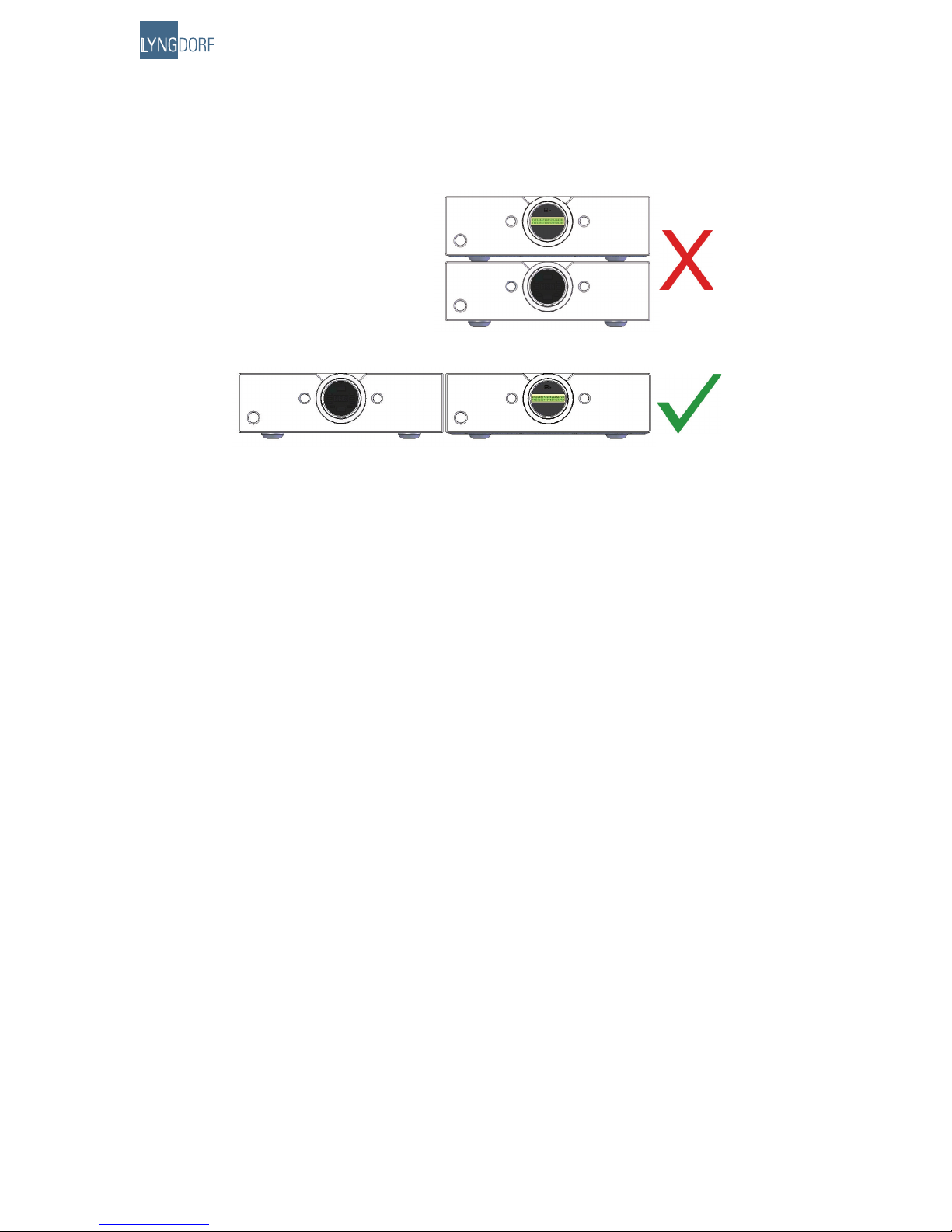
The Millennium ADC should be placed well away from any source of magnetic fields like wall mains
adapters. Also avoid placing on top of a power amplifier – instead place them ‘side by side’.
Figure 3. Recommended placing of the Millennium ADC.
Millennium Link Connection
By using the Millennium Link Connection between the Millennium ADC and a Millennium MkIII or MkIV
amplifier (from firmware version 40) you are ensured the best possible integration of the two products
– both in terms of sound quality and ease of use. They become ‘one product’.
Connection:
Connect the two using the enclosed 5 pin XLR cable
Select the desired sample rate 48, 96 or 192 kHz. Please refer to the ‘Sample rate’ menu (9.c.i) of
this manual.
Set the Millennium ADC remote control menu to ‘Mill’ to let the Millennium amplifier control
operations (when you change the analog inputs on the Millennium amplifier, you will actually change
the inputs on the Millennium ADC). Please refer to the ‘Remote control’ menu (9.c.v) of this
manual.
Millennium MkI and MkII are not compatible with the Millennium Link Connection. In this case you have
two options:
Connect the two using one of the digital outputs:
Unbalanced digital output RCA connector (SPDIF)
Balanced digital output XLR connector (AES)
2. Update your MkI/II to a MkIII version
Please contact your local Lyngdorf Audio dealer for further information.
1.
2.
3.
1.
•
•
•
This manual suits for next models
1
Table of contents
Popular Media Converter manuals by other brands

H&B
H&B TX-100 Installation and instruction manual

Bolin Technology
Bolin Technology D Series user manual

IFM Electronic
IFM Electronic Efector 400 RN30 Series Device manual

GRASS VALLEY
GRASS VALLEY KUDOSPRO ULC2000 user manual

Linear Technology
Linear Technology DC1523A Demo Manual

Lika
Lika ROTAPULS I28 Series quick start guide

Weidmuller
Weidmuller IE-MC-VL Series Hardware installation guide

Optical Systems Design
Optical Systems Design OSD2139 Series Operator's manual

Tema Telecomunicazioni
Tema Telecomunicazioni AD615/S product manual

KTI Networks
KTI Networks KGC-352 Series installation guide

Gira
Gira 0588 Series operating instructions

Lika
Lika SFA-5000-FD user guide