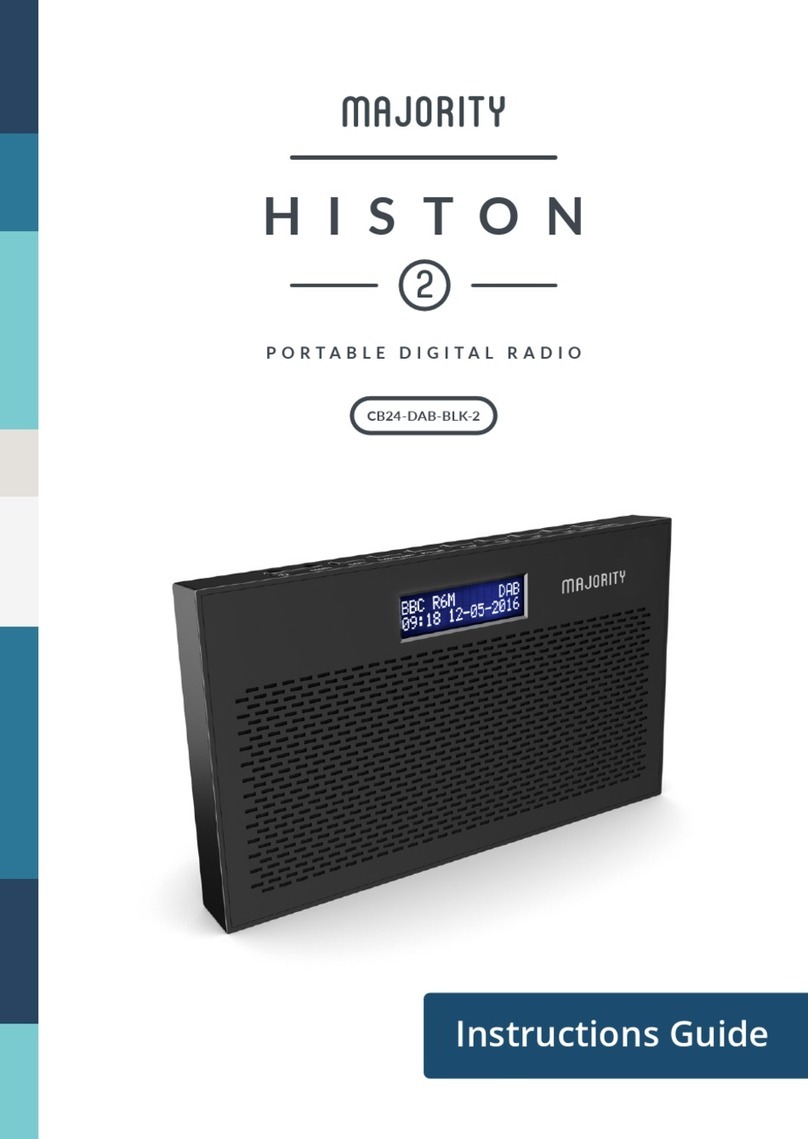
MAJORITY CB24-DAB-WHT-2 Manual

Instructions Guide
CB24-DAB-BLK | RSE | WHT-2
PORTABLE DIGITAL RADIO
HISTON

2
Contents
Controls And Functions�������������������������������������������������������������������������������1
What’s in the Box?��������������������������������������������������������������������������������������� 3
Support �������������������������������������������������������������������������������������������������������� 4
Getting Started�������������������������������������������������������������������������������������������
Instructions Guide �������������������������������������������������������������������������������������� 5
DAB/DAB+ Radio����������������������������������������������������������������������������������������
DAB/DAB+ Radio Presets��������������������������������������������������������������������������
Station Information for DAB Radio����������������������������������������������������������
FM Radio�����������������������������������������������������������������������������������������������������
FM Radio Presets ���������������������������������������������������������������������������������������
Station Information for FM Radio�����������������������������������������������������������
Clock & Date Settings�������������������������������������������������������������������������������
Dual Alarm Setting������������������������������������������������������������������������������������
Alarm Functions����������������������������������������������������������������������������������������
Other Functions ����������������������������������������������������������������������������������������
Troubleshooting�����������������������������������������������������������������������������������������19
Technical Specications��������������������������������������������������������������������������� 20
Warranty ���������������������������������������������������������������������������������������������������� 20
Safety Information�������������������������������������������������������������������������������������21
Register your product online for a FREE 3 year
extended warranty at: www.majority.co.uk

1
Controls And Functions
Side View
1
2
1� DC Power Input
2� Headphone jack
3 4 12111098765
3� Power
4� Mode
5� Info/Menu
6� Dimmer
7� Preset
8� Previous
9� Next
10� Enter/Snooze
11� Volume -
12� Volume +
Top View

2
Controls And Functions
13
14
Back View
13� Antenna
14� Battery Compartment
Front View 15
16
15� Display
16� Speaker
3
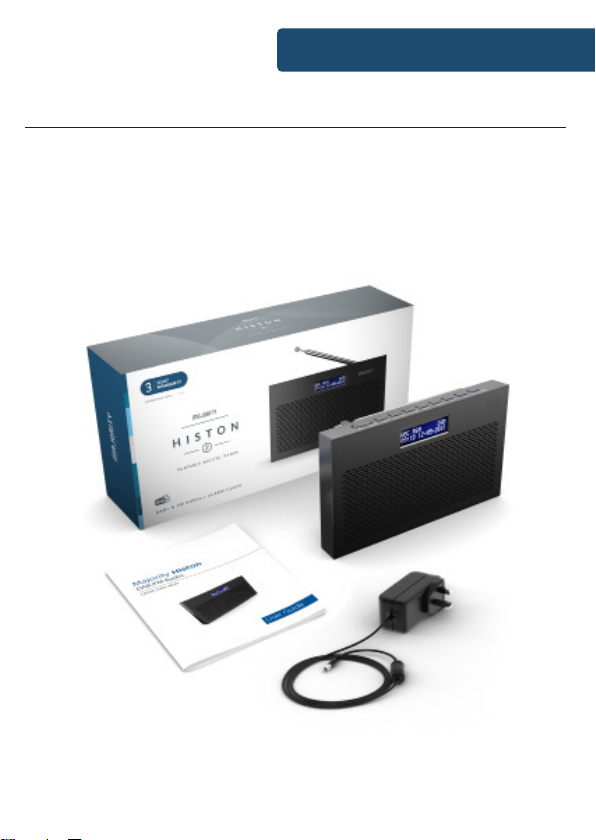
What’s in the Box?
1� Majority Histon II Radio
2� UK Power Supply
3� Instructions Guide
Box Contents

4
Support
Support
Thank you for your purchase of the Majority Histon II�
Please follow the guidance of the manual to set up your radio and enjoy
its fantastic variety of stations and features�
If you require further assistance with your new radio, please contact our
support team on the Majority website:
www�majority�co�uk

5
Please note all (Ref�) refer to Pages 1-3 of the Controls and Functions
guide�
Instructions Guide
Getting Started
Plug the power cable into the side of the system (Ref�1) and the power
supply into the mains� Alternatively, insert 4 x AA batteries into the
battery compartment (Ref�14) for portability�
Ensure the antenna (Ref�13) is extended as far as possible so that you
can rotate it which will enable you to get the best signal you can� Press
the ‘Power’ button to turn on the unit (Ref�3)� It will automatically take
you to DAB radio mode or the previous mode you were using�
for available stations if it does not do this automatically� To begin the
scan, press and hold the ‘Info/Menu’ button (Ref�5)� Use the ‘Prev/Next’
buttons (Ref�8/9) to scroll through to “Scan Setting” and press the ‘Enter/
Ref�10)�
Once the scan is complete, scroll through the stations by using the ‘Prev’
and ‘Next’ buttons� Press ‘Enter/Snooze’ to select a station� To change
the mode, press the ‘Mode’ button (Ref�4) to switch between DAB Radio
and FM Radio�
Standby
To place the music system in standby, press the ‘Power’ button (Ref�3)�
hold the ‘Power’ button
(Ref�3
must be out of reach of children�

6
Press the ‘Mode’ button (Ref�4
use it will automatically scan all stations and save them�
Fully extend the antenna (Ref�13)�
A DAB scan should have already occurred upon setting up, however if a
DAB scan has not occurred or you wish to rescan for available stations,
press and hold the ‘Info/Menu’ button (Ref�5) to open radio settings�
Use the ‘Prev/Next’ buttons (Ref�8/9) to scroll through to “Full Scan” and
Ref�10)�
station stored�
To browse through all stations that have been stored, use the ‘Next’
(Ref�9) and ‘Prev’ buttons (Ref�8) to scroll through them� When on
the chosen station, press the ‘Enter/Snooze’ button (Ref�10) to begin
listening to that station�
The radio will display station information when you press the ‘Info/
Menu’ button (Ref�5)� Press it multiple times to view all information�
Please see page 9 for further details�
automatically tune to the same station (DAB or FM) that was last
selected�
Instructions Guide
DAB/DAB+ Radio

7
How to store a preset station
To be able to quickly access your favourite DAB/DAB+ stations, you can
browse between�
To store a station as a preset, it is best to be listening to the station at
the time� Once listening to a station, press and hold the ‘Preset’ button
(Ref�7) for 2-3 seconds until the Preset Store settings open, and “Preset
Store <1: (Empty)” displays to show empty preset 1� Release the ‘Preset’
button�
Press the ‘Prev’ (Ref�8) or ‘Next’ (Ref�9) buttons to change the “<1” to the
number you want to store the station as� Follow by pressing the ‘Enter/
Snooze’ button (Ref�10) to save to that preset number�
Once the station is saved as a preset, the display will then show “Preset
(x) stored”�
How to play a preset radio station
To play your preset radio stations, press the ‘Preset’ (Ref�7) button to
open Preset Recall settings� Do not hold down the button as this will
open Preset Store settings�
Press the ‘Prev’ (Ref�8) or ‘Next’ (Ref�9) buttons to scroll through your
preset stations from 1-10�
Once you have found the chosen preset station you wish to play, press
the ‘Enter/Snooze’ button (Ref�10) to select your choice� The station will
now begin to play�
Instructions Guide
DAB/DAB+ Radio Presets

8
When you are listening to a DAB/DAB+ radio station with good signal,
you can press the ‘Info/Menu’ button (Ref�5) repeatedly to show the
Bit Rate: Shows the data rate at which the signal is being transmitted�
Bit Error Rate (BER): Provides details of the signal error rate�
Channel and Frequency: Displays the station’s transmission channel
number and frequency�
PTY (Programme Type): Shows the type and description of the program
provided by the DAB station�
Time and Date: Displays the time and date information provided by the
broadcaster�
Bit Rate: The data rate which the signal is being transmitted�
Dynamic Label Segment (DLS): Displays scrolling text information
supplied by the broadcaster�
Station Information for DAB Radio
Instructions Guide
This manual suits for next models
3
Table of contents
Other MAJORITY Portable Radio manuals