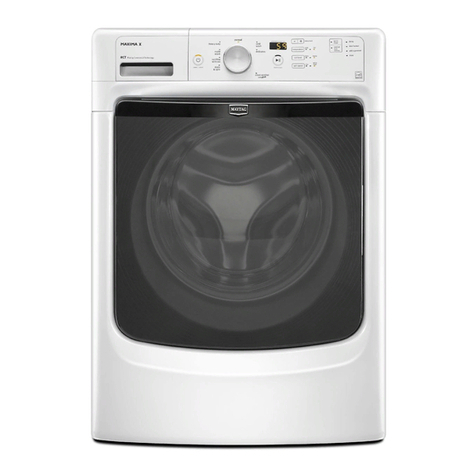
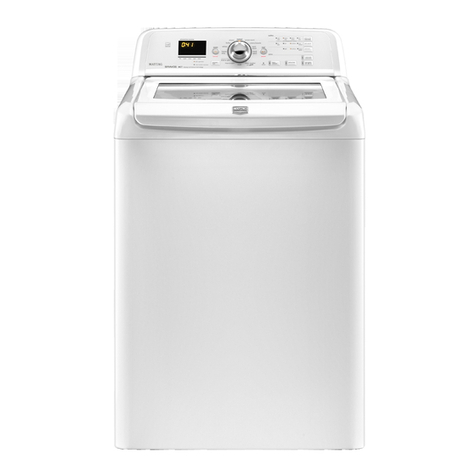
Beforeproceeding,itisworthnotingthat,despiteallofthe
optionsavailable,anownercansimplychoosetoun-crateanew
commercialwasher,hookitup,plugitin,andhaveaunitthat
operates.
Unitsarepresetatthefactoryfora14-minutewashperiodand
3rinses(noextrarinse).
SETUP CODES
The WOOLENS keypad will advance you from code to code. The
PERMANENT PRESS keypad will change the code value. The
DELICATES & KNITS keypad will select or deselect options.
FOR PN MODELS: The setup codes are the same as for the "PD"
model except where noted.
The setup code is indicated by the one or two left-hand
characters. The setup code value is indicated by the two or three
right-hand characters.
CODE EXPLANATION
607 6
07 REGULAR CYCLE PRICE (Factory Default)
Represents the number of coins (Coin 1); may
adjust from 0-39. (See VALUE OF COIN 1.)
Advance from 0-39 by pressing PERMANENT
PRESS. Currently set for 7 x coin 1.
PR MODEL ONLY: Factory pre-set for 0 coins.
601 setting would represent one coin slide
actuation.
Press WOOLENS keypad once to advance
to next code.
714 7
14 WASH LENGTH
This is the number of minutes for WASH. Unit
comes from the factory preset with 14 minutes.
Choose from 9-17 minutes by pressing the
PERMANENT PRESS keypad.
Press WOOLENS keypad once to advance
to next code.
800 8 ADDITIONAL RINSE OPTION
This option is either SELECTED "ON" or
NOT SELECTED "OFE" Ifyou want to change to an
extra rinse in super cycle, this option must be 00.
00 Not Selected "OFE"
Ar Selected "ON."
Press DELICATES & KNITS keypad once for this
selection.
Press WOOLENS keypad once to advance
to next code.
900 9
00
0C
CYCLE COUNTER OPTION
This option is either SELECTED "ON" or
NOT SELECTED "OFE"
Not Selected "OFE"
Selected "ON" and not able to be deselected.
Press DELICATES & KNITS keypad 3 consecutive
times to select "ON." Once selected "ON" it cannot
be deselected.
Press WOOLENS keypad once to advance
to next code.
This option is either SELECTED "ON" or NOT
SELECTED "OFE"
00 Not Selected "OFE"
0C Selected "ON."
Press DELICATES & KNITS keypad 3 consecutive
times to select "ON" and 3 consecutive times to
remove (Not Selected "OFF"). Counter resets by
going from "OFF" to "ON."
Press WOOLENS keypad once to advance
to next code.
CO Selected "ON" and not able to be deselected. To
select "ON" and not able to be deselected, first
select "ON," then within 2 seconds, press
DELICATES & KNITS twice, PERMANENT PRESS
once, and exit setup mode.
2.00 2.
00
SP
SPECIAL PRICING OPTIONS (Default)
This option is either SELECTED "ON" or NOT
SELECTED "OFE"
Not Selected "OFE"
Skip to code "A"
Selected "ON."
Press DELICATES & KNITS keypad once for this
selection.
If SPECIAL PRICING OPTION is selected, you have access to
codes 3.XX through 9.XX.
Press WOOLENS keypad once to advance to next
code.
Options to use if SPECIAL PRICING is selected.
3.07 3. SPECIAL CYCLE PRICE
07 Represents the number of coin 1; may adjust from
0-39. (See VALUE OF COIN 1.) Advance from 0-39
by pressing PERMANENT PRESS.
Currently set for 7 x coin 1
PN MODEL ONLY: Currently set for 0 coins.
Press WOOLENS keypad once to advance
to next code.
5.00 5. TIME-OF-DAY CLOCK, MINUTES
00 This is the TIME-OF-DAY CLOCK, minute setting;
select 0-59 minutes by pressing PERMANENT
PRESS keypad.
Press WOOLENS keypad once to advance
to next code.
6.00 6.
00
TIME-OF-DAY CLOCK, HOURS
(NOTE: Uses 24 hr. clock)
This is the TIME-OF-DAY CLOCK, hour setting;
select 0-23 hours by pressing PERMANENT
PRESS keypad.
Press WOOLENS keypad once to advance
to next code.
7.00 7.
00
SPECIAL PRICE START HOUR
(NOTE: Uses 24 hr. clock)
This is the start hour; 0-23 hours. Select START
HOUR by pressing PERMANENT PRESS keypad.
Press WOOLENS keypad once to advance
to next code.
10