manuals.online logo
Brands
  1. Home
  2. •
  3. Brands
  4. •
  5. Monogram
  6. •
  7. Refrigerator
  8. •
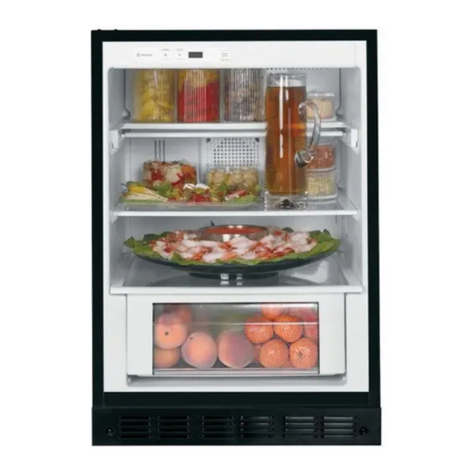
  9. Monogram ZICS360NRFRH User manual

Monogram ZICS360NRFRH User manual

This manual suits for next models

24

Other Monogram Refrigerator manuals

Monogram ZDOD240 User manual

Monogram

Monogram ZDOD240 User manual

Monogram ZIP364NBVII User manual

Monogram

Monogram ZIP364NBVII User manual

Monogram ZIBI240 User manual

Monogram

Monogram ZIBI240 User manual

Monogram ZIDS240 User manual

Monogram

Monogram ZIDS240 User manual

Monogram 36 Ceramic Cooktop User manual

Monogram

Monogram 36 Ceramic Cooktop User manual

Monogram ZKST300N Guide

Monogram

Monogram ZKST300N Guide

Monogram ZIC303NP II Series User manual

Monogram

Monogram ZIC303NP II Series User manual

Monogram WX08X10002 User manual

Monogram

Monogram WX08X10002 User manual

Monogram ZWE23PSHSS User manual

Monogram

Monogram ZWE23PSHSS User manual

Monogram Built-in refrigerators User manual

Monogram

Monogram Built-in refrigerators User manual

Monogram Monogram ZIBI240PII User guide

Monogram

Monogram Monogram ZIBI240PII User guide

Monogram ZDOG240 User manual

Monogram

Monogram ZDOG240 User manual

Monogram Double Door, Double Drawer, Stainless Steel, Free-Standing... User manual

Monogram

Monogram Double Door, Double Drawer, Stainless Steel, Free-Standing... User manual

Monogram ZIS48N User manual

Monogram

Monogram ZIS48N User manual

Monogram ZIFS360NHRH User manual

Monogram

Monogram ZIFS360NHRH User manual

Monogram ZICP720 User manual

Monogram

Monogram ZICP720 User manual

Monogram ZISB36 Series User manual

Monogram

Monogram ZISB36 Series User manual

Monogram Monogram ZIBI240PII User manual

Monogram

Monogram Monogram ZIBI240PII User manual

Monogram ZFGB21HXCSS User manual

Monogram

Monogram ZFGB21HXCSS User manual

Monogram ZISW480D User manual

Monogram

Monogram ZISW480D User manual

Monogram ZIFS36NMBLH User manual

Monogram

Monogram ZIFS36NMBLH User manual

Monogram ZDOD240 User manual

Monogram

Monogram ZDOD240 User manual

Monogram ZIFS240HSS Guide

Monogram

Monogram ZIFS240HSS Guide

Monogram ZICS36N RH User manual

Monogram

Monogram ZICS36N RH User manual

Popular Refrigerator manuals by other brands

Frigidaire FRS26TS7DW2 Use & care manual

Frigidaire

Frigidaire FRS26TS7DW2 Use & care manual

Fisher Scientific 10ECEEFSA manual

Fisher Scientific

Fisher Scientific 10ECEEFSA manual

Summit FF22BDRSS user manual

Summit

Summit FF22BDRSS user manual

Frigidaire FFRU17B2QWE use & care

Frigidaire

Frigidaire FFRU17B2QWE use & care

Hotpoint ENBGH 19xxx FW operating instructions

Hotpoint

Hotpoint ENBGH 19xxx FW operating instructions

Hitachi R-SG28KPH instruction manual

Hitachi

Hitachi R-SG28KPH instruction manual

Dometic RMH 7390 L operating instructions

Dometic

Dometic RMH 7390 L operating instructions

AEG S71700TSW0 user manual

AEG

AEG S71700TSW0 user manual

Electrolux ENB3669 Instruction book

Electrolux

Electrolux ENB3669 Instruction book

Electrolux ERN 2930 Instruction book

Electrolux

Electrolux ERN 2930 Instruction book

Beko GNE 60520 X user manual

Beko

Beko GNE 60520 X user manual

Jenn-Air JUR248LBES00 Use & care guide

Jenn-Air

Jenn-Air JUR248LBES00 Use & care guide

Dometic RGE 4000 Installation and operating manual

Dometic

Dometic RGE 4000 Installation and operating manual

Dometic L-0191B Brochure & specs

Dometic

Dometic L-0191B Brochure & specs

LG LRBP1031W - 10 Cu. Ft. Cabinet Depth Bottom Freezer... owner's guide

LG

LG LRBP1031W - 10 Cu. Ft. Cabinet Depth Bottom Freezer... owner's guide

Daewoo RN-33 Series user manual

Daewoo

Daewoo RN-33 Series user manual

Haier RF-8888-174 Service manual

Haier

Haier RF-8888-174 Service manual

Blaupunkt 5CK2 Series user manual

Blaupunkt

Blaupunkt 5CK2 Series user manual

manuals.online logo
manuals.online logoBrands
  • About & Mission
  • Contact us
  • Privacy Policy
  • Terms and Conditions

Copyright 2025 Manuals.Online. All Rights Reserved.

Owner's
Manual
Bottom-Freezer
Built-In Refrigerators
0Monogram:
Consumer Information
Bottom Freezer Refrigerator
Introduction Your new Monogram refrigerator makes an eloquent statement of style, convenience and kitchen
planning flexibility. Whether you chose it for its purity of design, practical storage arrangements
or assiduous attention to detail--or for all of these reasons--you'll find that your Monogram
refrigerator's superior blend of form and function will delight you for years to come.
The Monogram refrigerator was designed to provide the flexibility to blend in with your kitchen
cabinetry. Decorative door insert panels allow it to match your kitchen cabinets or blend with
your kitchen decor.
Since the Monogram refrigerator is a built-in product, custom panels are required on the
front of the Monogram refrigerator. Consult your kitchen designer or cabinetmaker for your
customized look.
The information on the following pages will help you operate and maintain your refrigerator
properly.
If you have any other questions, visit our Website at: ge.eom
Con_n_ Consumer Services
Important Phone Numbers ............... 19
Model and Serial Numbers ................ 3
Performance Data Sheet ................. 17
Problem Solver ...................... 15, 16
Product Registration ...................... 3
Safety Instructions ..................... 4-7
State of California
Water Treatment Device Certificate ........ 18
Warranty ....................... Back Cover
Care and Cleaning
Cleaning--Outside and Inside ............ 13
Condenser ............................. 13
Light Bulb Replacement ................. 14
Master Light Switch ...................... 14
Vacation ............................... 14
Operating Insu-uctions
Automatic Icemaker ..................... 10
Sabbath Mode Product Kit, ZSAB1 ......... 10
Shelves ................................ 12
Storage Pans ............................ 11
Temperature Controls .................... 8
Water Filter Cartridge ..................... 9
Before
using
your
refdg_ator
Read this manual carefully. It is intended to
help you operate and maintain your new
refrigerator properly.
Keep it handy for answers to your questions.
If you don't understand something or need
more help, there is a list of toll-free consumer
service numbers included in the back section
of this manual.
OR
Visit our Website at: ge.com
2
Consumer Information
Bottom Freezer Refrigerator
Write
clown the
model _._
serial
numbers
You'll see them on a label inside the fresh food
compartment under the storage drawers on
the right side.
These numbers are also on the Consumer
Product Ownership Registration Card included
with this manual.
Before sending in this card, please write these
numbers here:
Model Number
Serial Number
Use these numbers in any correspondence or
service calls concerning your refrigerator.
If you received
a damaged
refrigerator
Immediately contact the dealer (or builder)
that sold you the refrigerator.
Save time
& money Before you request service, check the Problem It lists causes of minor operating problems that
Solver in the back of this manual, you can correct yourself.
If you need
service To obtain service, see the Consumer Services
page in the back of this manual.
We're proud of our service and want you to be
pleased. If for some reason you are not happy
with the service you receive, here are steps to
follow for further help.
For customers in the USA:
FIRST, contact the people who serviced your
appliance. Explain why you are not pleased.
In most cases, this will solve the problem.
NEXT, if you are still not pleased, write all the
details_including your phone number--to:
Manager, Customer Relations
GE Appliances
Appliance Park
Louisville, KY 40225
For customers in Canada:
FIRST, contact the people who serviced your
appliance. Explain why you are not pleased.
In most cases, this will solve the problem.
NEXT, if you are still not pleased, write all the
details--including your phone number to:
Manager, Consumer Relations
Camco Inc.
1 Factory Lane, Suite 310
Moncton, N.B. E1C 9M3
3
IMPORTANT SAFETY INSTRUCTIONS
READ AND SAVE THESE INSTRUCTIONS
AWARNING: When using
this appliance, always exercise basic safety
precautions, including the following:
•Use this appliance only for its intended
purpose as described in this Owner's
Manual.
• This refrigerator must be properly installed
in accordance with the Installation
Instructions before it is used.
•Do not allow children to dinth, stand or hang
on the shelves in the refrigerator. They could
damage the refrigerator and seriously injure
themselves.
•Do not touch the cold surfaces in the freezer
compartment when hands are damp or wet.
Skin may adhere to these extremely cold
surfaces.
• Do not store or use gasoline or other
flammable vapors and liquids in the vicinity
of this or any other appliance.
•In refrigerators with automatic icemakers,
avoid contact with moving parts of the
ejector mechanism, or with the heating
element located on the bottom of the
icemaker. Do not place f'mgers or hands on
the automatic icemaking mechanism while
the refrigerator is plugged in.
Keep f'mgers out of the "pinch point" areas:
clearances between the doors and between
the doors and cabinet are necessarily small.
Be careful closing doors when children are
in the area.
Unplug your refrigerator before cleaning
and making repairs.
NOTE: We strongly recommend that any
servicing be performed by a qualified
individual.
Before replacing a burned-out light bulb,
set the Master Light switch in the OFF
position to turn off the lights in order to
avoid contact with a live wire filament.
(A burned-out light bulb may break when
being replaced.)
NOTE: Setting the refrigerator temperature
controls to OFF does not remove power to
the light circuit.
•Do not refreeze frozen foods which have
thawed completely.
ADANGER: RISK OF CHILD ENTRAPMENT
Child entrapment and suffocation are not
problems of the past. Junked or abandoned
refrigerators are still dangerous...even if they
will sit for '_just a few days." If you are getting
rid of your old refrigerator, please fonow the
instructions below to help prevent accidents.
Before You Throw Away Your Old
Refrigerator or Freezer:
•Take offthe doors.
•Leave the shelves in place so that children
may not easily climb inside.
REFRIGERANTS
All refrigeration products contain refrigerants,
which under federal law must be removed
prior to product disposal. If you are getting
rid of an old refrigeration product, check with
the company handling the disposal about
what to do.
4
INSTRUCTIONS IMPORTANTES DE SI CURITI
LIRE ET CONSERVER INSTRUCTIONS
AAVERTISSEMENT :
Lorsque vous utilisez le rdfrigdrateur, observez
toujours certaines prdcautions de base,
notamment :
•N'utilisez le r6frig6rateur que pour son usage
pr6vu, comme d&rit dans le prdsent manuel.
•Installez le r_frig6rateur conform_ment aux
directives d'installation avant de rutiliser.
•Ne laissez pas les enfants grimper, s'asseoir,
se tenir debout nl se pendre aux clayettes du
r_frig_rateur. Ils pourraient endommager le
rdfxigdrateur et se blesser gravement.
•Une lois le r_frig_rateur en marche, ne
touchez pas les surfaces froides du
cong61ateur, surtout si vous avez les mains
humides ou mouill_es : la peau risque
d'adhdrer _ ces surfaces tr& froides.
•N'entreposez et n'utilisez pas d'essence ou
autres vapeurs et liquides inflammables
proximit_ de cet appareil ou de tout autre
appareil _lectrom_nager.
•Pour les r_frig_rateurs dot6s d'une machine
it gla_ons automatique, _vitez le contact avec
les pi&es mobiles du mdcanisme djecteur,
ou avec l'dMment chauffant situ_ _ la partie
infdrieure de la machine _ glagons. Ne posez
pas les doigts ou les mains sur le m&anisme
de la machine fi glagons pendant que le
r_frig_rateur est branchd.
•_loignez les doigts des parties du
r_frig_rateur oh l'on peut facilement se
pincer : les espaces entre les portes et en_e
les portes et les placm-ds sont toujours _trfflts.
Soyez prudent lorsque vous ferrnez les portes
de l'apparefl en pr&ence des enfants.
D_branchez votre r_frig_rateur avant
de le nettoyer et de le r_parer.
REMARQUE : Nous vous recommandons
vivement de confier toute rdparation _ un
technicien quaiifi&
Avant de remplacer une ampoule grill&,
mettez le commutateur de lumi_re
principale en position OFF (arr&) pour
&eindre la lumi_re afin d'dviter tout contact
avec un fil sous tension. (Une ampoule
grill& peut se briser pendant l'opfiradon).
REMARQUE :Lorsque vous placez les
commandes de temperature du rdfrigdrateur
sur OFF (arr&), l'alimentation dlectrique
de l'ampoule n'est pas couple.
Ne faites PAS recongeler des aliments
surgel_s qui ont compl_tement d_gel&
ADANGER : RISQUES POUR LES ENFANTS
Les enfants pris au pi_ge ou morts d'asphyxie
sont toujours d'actualit& Les appareils de
rdfrig&adon abandon_s sont toujours aussi
dangereux, m_me si on n'attend que "quelque
jours" pour s'en d_barasser. Si vous ne gardez
pas votre ancien appareil, veuillez suivre les
directives ci-dessous afin de pr&enir les
accidents.
Avant de vous d_barrasser de votre vieux
appareil de r6frlg_ration :
• D&nontez les portes.
• Laissez les clayettes en place afin d'emp&her
les enfants de grimper Al'int_rieur.
REFmGEP NTS
Tousles appareils de rdfrig_ration contiennent
des rdfrig_rants qui, conform_ment aux lois
f_d_rales, doivent &re enlev_s avant toute
dlimination de l'appareil. Si vous vous
ddbarrassez de vieux appareils de rdfrigfiration,
v_rifiez, aupr_s de la soci&_ qui s'occupe de
leur dlimination, ce que vous devez faire. 5
IMPORTANT SAFETY INSTRUCTIONS
HOW TO CONNECT ELECTRICITY
Do not, under any circumstances, cut or
remove the third (ground) prong from the
power cord. For personal safety, this appliance
must be properly grounded.
The power cord of this appliance is equipped
with a 3-prong (grounding) plug which mates
with a standard 3-prong (grounding) wall
outlet to minimize the possibility of electric
shock hazard from this appliance.
Have the wall outlet and circuit checked by
a qualified electrician to make sure the outlet
is properly grounded.
Where a standard 2-prong wall outlet is
encountered, it is your personal responsibility
and obligation to have it replaced with a
properly grounded 3-prong wail outlet.
Use ofa GFI (Ground Fault Interruptor) is not
recommended for the refrigerator outlet.
The refrigerator should always be plugged into
its own individual electrical outlet which has a
voltage rating that matches the rating plate.
This provides the best performance and also
prevents overloading house wiring circuits
which could cause a fire hazard from
overheated wires.
DO NOT USE AN ADAPTER PLUG TO
CONNECT THE REFRIGERATOR TO A
2-PRONG OUTLET.
DO NOT USE AN EXTENSION CORD
WITH THIS APPLIANCE.
Never unplug your refrigerator by pulling on
the power cord. Always grip plug firmly and
pull straight out from the outlet.
Repair or replace immediately all power cords
that have become frayed or otherwise
damaged. Do not use a cord that shows cracks
or abrasion damage along its length or at
either end.
When moving the refrigerator away from the
wall, be careful not to roll over or damage the
power cord.
Refer to the Installation Instructions for
particular electrical system specifications
for this refrigerator.
SAVE THESE
INSTRUCTIONS
6
INSTRUCTIONS IMPORTANTES DE SI CURITI
RA CCORDEMENT E,LECTRIQUE
Ne coupez ni retirez en aucun cas la a'oisi_me
broche (mise hla terre) de la fiche du cordon
d'alimentation. Pour votre s6curit6, cet
appareil dolt 6tre correctement ntis hla terre.
Le cordon d'alimentation de cet appareil est
muni d'une fiche 5.3 broches (mise 5.Ia terre)
qui se branche darts une prise mural ordinaire
5. 3 alv6oles (mise 5.la terre) pour r_duire au
minimum les risques du chocs 61ectriques.
Faites examiner la prise de courant et le circuit
par un dlectricien qualifid pour vous assurer
que la prise est correctement mise 5.la terre.
Si la prise murale est du type standard 5.
2 alvfoles, il vous incombe de la faire
remplacer par une prise _t 3 alv6oles
correctement mise 5.la terre.
L'utilisation d'un interrupteur de ddfaut 5.la
terre (GFI---Ground Fault Interruptor) n'est
pas recommandd pour la prise de courant
du rdfi-igdrateur.
Le rdfrigdrateur doit toujours _tre branchd
darts sa propre prise de courant, dont la tension
nominale est idenfique 5.celle indiqude sur ia
plaque signaldfique.
Cette prdcaufion est recommandde pour
garantir un rendement optimum et dviter
une surcharge des circuits dlectriques de la
rdsidence, ce qui pourrait crder un risque
d'incendie par surschauffe des ills.
N'UTILISEZ PAS UNE FICHE
D'ADAPTATION POUR RACCORDER
LER_RIG_qATEUR DANSUNE PRISE
MURALE_ 2 ALVEOLES.
N'UTILISEZ PAS DE CORDONS
PROLONGATEURS AVEC CET APPAREIL
Ne ddbranchezjamais l'appareil en tirant le
cordon d'alimentation. Saisissez fermement
la fiche du cordon et tirez droit pour la retirer
de la prise.
Rfparez ou remplacez immddiatement tout
cordon effflochd ou endommagd. N'utilisez
pas un cordon fendilld ou prdsentant des
signes d'usure.
Lorsque vous ddplacez l'appareil du mur, faites
attention de ne pas la fa'tre rouler sur le cordon
d'alimentation afin de ne pas l'endommager.
Voyez les Instructions d'InstaUation pour
les spdcificafions particuliers du syst6me
d'616ctrique de cet appareil.
CONSERVEZ CES
DIRECTIVES
Operating Instructions
Bottom Freezer Refrigerator
Temperature
controls ®\t°l Jj !tm,j
Preset Settings
Allow 24 h0urs to reach these preset temperatures.
The temperature display shows the actual
temperature of the freezer and fresh food
compartments. The actual temperature will
vary from the set temperature based on factors
such as frequency of door opening, amount of
food, defrost cycling and room temperature.
NOTE: Frequent door openings or door left
open for periods of time may increase the
internal temperature of the freezer and fresh
food compartments temporarily.
To turn off the cooling system in both the
freezer and fresh food compartments, press
either + pad until both displays show OFF.
To turn the cooling system on, press either
-pad. The preset temperatures of 0°F and
370F will appear in the display.
To check the current temperature setting for
the fresh food or freezer compartment, press
the + or - pad once. After 5 seconds, the
display will return to the actual temperature.
To change the temperature settings, press the
+or - pads to desired temperature set point
for fresh food and freezer separately. Allow
24 hours for the refrigerator to reach the
temperature you have set.
Temperature Ranges
Low
Fresh Food 34°F
I°C
Freezer -6°F
-21°C
rligh
45°F
7°C
+6°F
-140C
NOTE:Setting the controls to OR:stops cooling,
but does not shut off electrical power to the
refrigerator.
Changing
isptay
temperatures
from °F to °C
To change the temperature display between
Fahrenheit and Celsius, press the Temp
Display *C/°F.
Door
alarm
To turn the Door Alarm feature on, press
the pad once. The ACTIVElight will come on.
To turn it off, press the pad again.
When the DOOR ALARM
is active, the alarm will flash
and beep if you keep the
door open for more than
2 minutes. (01'
Automatic Icemaker (on some models)
Bottom Freezer Refrigerator
Water filter
cartridge
The water filter cartridge is located behind the
grille panel at the top of the refrigerator. Lift up
the panel to access the cartridge.
When to Replace the Filter:.
The filter cartridge is designed w_mm_
to filter 300 gallons of water _'_°_rau_"_'_
(lasting approximately 12 months). k../
It should be replaced when the status
light turns red or ffyou notice the
ice cubes getting hollow or small.
Installing the Fdter Cartridge:
1 Raise the grille panel at the top of the
refiigerator.
2Remove the old cartridge by slowly awning
it to the left. A small amount of water may drip
down. Do not pull down on the cartridge.
3Fill the new cartridge with water from the
tap to allow for better flow immediately after
installation.
4Line up the arrow on the cartridge with the
center of the holder. Do not push it up into
the holder.
5Slowly tuna it to the right until the cartridge
stops. It will rotate about 1/4 turn. DO NOT
OVERTIGH'IEN.
Cartridge
Holder
_WaterFilter
I Iutut Cartridge
Slowlyturnittotheright.
Donotovertighten.
To Reset the Fdl_r Status Light:
Press and hold the RESET pad for 3seconds.
Fdter Bypass Plug:
You mm-t use the filter bypass plug:
a) if you have a household reverse osmosis water
system and/or another form of home water
filtration system
b) ira replacement filter is not available.
The icemaker will not operate without the filter
or filter bypass plug installed.
Replacement filters:
To order additional Filtercartridges inthe
United States, visit ourWebslte at ge.com, or call
GE Parts andAccessories, 800.626.2002.
MWF
Suggested Retail $38.95--47.95
Customers in Canada should consult the yellow
pages for the nearest Camco Service Center.
Automatic Icemaker (on some models) and Sabbath Mode Product Kit
Bottom Freezer Refrigerator
Automatic
icemaker
A new_'mstalled refrigerator may take
12-24 hours to begin making ice.
The icemaker will produce seven cubes per
cycle--approximately 15 cycles in a 24-hour
period.
If the refrigerator is operated before the water
connection is made to the icemaker, set the
power switch to O (off).
When the refrigerator has been connected to
the water supply, set the power switch to | (on).
Throw away the first full bucket of ice to allow
the water line to clear.
Be sure nothing interferes with the sweep of
the feeler arm.
When the bin fills to the level of the feeler arm,
the icemaker will stop producing ice.
It is normal for several cubes to be joined together.
ffice is not used frequendy, old ice cubes will
become cloudy, taste stale and shrink.
PowerSwitch lcemaker
ffice cubes get stuck in the icemaker, set the
power switch to O (off) and remove the cubes.
Set the power switch to I (on) to restart the
icemaker.
After the icemaker has been turned on again,
there will be a delay of about 45 minutes before
the icemaker resumes operations.
The ice bucket is conveniently located in the
upper freezer basket. Occasionally ice cubes may
spill out of the bucket. Should the ice cubes fall
to the bottom of the freezer, they are of no
concern; they will sublimate away harmlessly.
NOTE: In homes with low water pressure, you
may hear the icemaker water valve cycle on
several times when making one batch of ice.
Sabbath
Mode
Product Kit
(available at
extra cost)
The Sabbath Mode Product Kit was designed
for use on the Jewish Sabbath and Holidays.
The Sabbath Mode feature makes it possible
for observant Jews to refrigerate and freezer
food during the duration of the holiday.
The Sabbath Mode feature can be set to
override typical reactions to actions in your
refrigerator. While in the Sabbath Mode
your refrigerator will still operate normally.
However the refrigerator will not respond to
your actions.
While in the Sabbath Mode you may notice
the fan running when the door is opened;
however, dais is not a result of your actions.
The fan will operate at random times. The
defrost heater will continue to defrost the
refrigerator and freezer and will be activated
on a timer. The defrost heater will not defrost
as a result of door openings or any consumer
actions.
ON/OFF--To activate, raise the top grill
panel, set the Sabbath Mode switch to the
ON position. A green LED light will be visible
below the Sabbath Mode Kit switch. The green
light may not be visible with the top grille
panel closed. If you are not sure if the unit is
in Sabbath Mode, raise the grille panel and
see ffthe green light is on.
DISPLAYS, ALARMS and LIGHT_-The main
temperature control, door alarms and lights
will be disabled.
ICEMAKER--The icemaker will be disabled.
This Sabbath Mode Product Kit can be
purchased from your local appliance dealer.
The ZSAB1 Kit is designed for use with
Monogram Built-In Refrigerators: 36", 42" and
48" Side-by-Side models manufactured after
February 2004 and 36" Bottom-Freezer models
manufactured after April 2004. To locate
your nearest dealer visit our web site
ge.com or call 1.800.626.2000. In Canada, call
1.888.880.3030. Order Kit # ZSAB1.
NOTE: The Sabbath Mode Product Kit must
be installed by a qualified service technician.
10