manuals.online logo
Brands
  1. Home
  2. •
  3. Brands
  4. •
  5. montpellier
  6. •
  7. Hob
  8. •
  9. montpellier SP200X User manual

montpellier SP200X User manual

Other montpellier Hob manuals

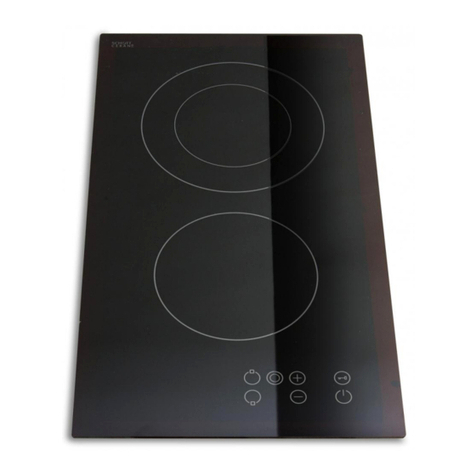
montpellier CT200 User manual

montpellier

montpellier CT200 User manual

montpellier MINH59 User manual

montpellier

montpellier MINH59 User manual

montpellier SP601W User manual

montpellier

montpellier SP601W User manual

montpellier INT750 User manual

montpellier

montpellier INT750 User manual

montpellier MON-INT785 User manual

montpellier

montpellier MON-INT785 User manual

montpellier MCH77 User manual

montpellier

montpellier MCH77 User manual

montpellier INT750 User manual

montpellier

montpellier INT750 User manual

montpellier MON-CDH2 User manual

montpellier

montpellier MON-CDH2 User manual

montpellier INT400 User manual

montpellier

montpellier INT400 User manual

montpellier CT400 User manual

montpellier

montpellier CT400 User manual

montpellier MCH59 User manual

montpellier

montpellier MCH59 User manual

montpellier INT780 User manual

montpellier

montpellier INT780 User manual

montpellier MON-INT30TT2 User manual

montpellier

montpellier MON-INT30TT2 User manual

montpellier MON-CKH60 User manual

montpellier

montpellier MON-CKH60 User manual

montpellier GH71X User manual

montpellier

montpellier GH71X User manual

montpellier INT61NT User manual

montpellier

montpellier INT61NT User manual

montpellier CKH61 User manual

montpellier

montpellier CKH61 User manual

montpellier MCH29 User manual

montpellier

montpellier MCH29 User manual

montpellier INT900 User manual

montpellier

montpellier INT900 User manual

montpellier MCH59CK User manual

montpellier

montpellier MCH59CK User manual

montpellier MGB60X User manual

montpellier

montpellier MGB60X User manual

montpellier INT61T15 User manual

montpellier

montpellier INT61T15 User manual

montpellier MON-GH75BG User manual

montpellier

montpellier MON-GH75BG User manual

montpellier CT750 User manual

montpellier

montpellier CT750 User manual

Popular Hob manuals by other brands

PreCise BI-2000T user manual

PreCise

PreCise BI-2000T user manual

AEG HK884400XG user manual

AEG

AEG HK884400XG user manual

KKT KOLBE IFZ772EDF Instruction and installation manual

KKT KOLBE

KKT KOLBE IFZ772EDF Instruction and installation manual

premiere PG4VQ255FTN instruction manual

premiere

premiere PG4VQ255FTN instruction manual

AEG HK614000CB user manual

AEG

AEG HK614000CB user manual

Klarstein 10033282 manual

Klarstein

Klarstein 10033282 manual

Zanussi ZGF 782 CTN Instruction booklet

Zanussi

Zanussi ZGF 782 CTN Instruction booklet

Asko H6 Use and care guide

Asko

Asko H6 Use and care guide

Eurotech ED-C3 02 instruction manual

Eurotech

Eurotech ED-C3 02 instruction manual

IKEA Livsgnista manual

IKEA

IKEA Livsgnista manual

Dacor DTT36M974 user manual

Dacor

Dacor DTT36M974 user manual

AEG HKP75410XB user manual

AEG

AEG HKP75410XB user manual

Siemens EX875KYV1E INFORMATION FOR USE

Siemens

Siemens EX875KYV1E INFORMATION FOR USE

AEG CERAMIC HOB 6010 K Installation and operating instructions

AEG

AEG CERAMIC HOB 6010 K Installation and operating instructions

Zanussi ZGF 6420 Instruction booklet

Zanussi

Zanussi ZGF 6420 Instruction booklet

G3 Ferrari Energy user manual

G3 Ferrari

G3 Ferrari Energy user manual

Award H903BG user manual

Award

Award H903BG user manual

Bosch PIN64 T1 Series instruction manual

Bosch

Bosch PIN64 T1 Series instruction manual

manuals.online logo
manuals.online logoBrands
  • About & Mission
  • Contact us
  • Privacy Policy
  • Terms and Conditions

Copyright 2025 Manuals.Online. All Rights Reserved.

I
n
s
t
a
ll
a
ti
o
n
a
nd
O
p
era
ti
n
g
I
n
s
t
r
u
c
tio
n
s
MODEL: SP200X
Built-In Domino Electric Hob
Please
read
these
instructions
carefully
before
attempting
to
install
or
use
this
appliance.
It
is
advisable
to
keep
these
instructions
in
a
safe
place
for
future
reference.
(Please note that this picture is shown for indicative purposes only)
2
In
t
roduc
t
ion
Please read these instructions carefully before installing or
using your appliance. It is advisable to keep your purchase
and
installation receipts with these instructions in a safe place for
future reference. Included is some important safety informat
ion
in addition to guidelines and recommendations that will enab
le
you to take full advantage of all the functions available.
This quality appliance has been tested and certified to meet all
applicable UK electrical and safety standards.
This appliance must be installed and connected in
accordance with current regulations.
After unpacking the appliance ensure that there is no visible
damage. If the appliance has been damaged during transit,
do not use it, contact your retailer immediately.
Thank you for choosing this
m
ontpellier
branded
appliance. It has been designed to give years of trouble-
free use provided it is installed and maintained correctly.
3
Your 2 year Manufacturer's guarantee
THIS DOES NOT AFFECT YOUR STATUTORY RIGHTS.
Your new montpellier appliance carries a free guarantee which protects you against the
cost of repairs during the first 24 months from date of purchase provided that:
Any claim is accompanied by evidence of the model reference, model serial number and
proof of purchase, such as a Sales Receipt, showing that the appliance was purchased
within the 24 months prior to the date of claim.
What is not covered under the Guarantee:
·Any appliance not correctly installed and operated in accordance with the
manufacturer's instructions.
·Any appliance that is used for anything other than domestic purposes.
·Any defect caused by accident, misuse, unauthorized modification or inexpert repair.
·Cost of Call-out where a fault cannot be found with the appliance.
·Cost of Call-out for work covering routine maintenance, such as, but not exclusively,
cleaning of filters or defrosting.
·Cost of Call-out for work required to correct the alignment of doors following door
reversal procedures carried out by you.
·Use of the appliance by anyone other than the Householder.
·Use in any commercial environment.
·Consumable items, such as, but not exclusively, fuses in plugs, bulbs and breakable
items which require routine replacement.
·Repair costs incurred that have not been authorised by Repairtech and/or carried out
by a non-approved Repairtech engineer.
YOUR GUARANTEE IS VALID ONLY IN THE UK.
To Register your Appliance simply complete the card in your appliance pack and return it
with a stamp affixed or Alternatively you can Register online at www.repairtechuk.com
SERVICE HELP-LINE
Should your appliance develop a fault, please call the
Repairtech Service Helpline on: 01527-888133
Please remember to have all your product details available, including the model number,
serial number, date of purchase and your retailer’s details before registering a fault.
Your service call cannot progress without this information.

4
(Image shown for indicative purposes only)
Electrical Hotplate
Description of the Appliance
5
CONTENTS:
Section 1. Installation
Section 2. Safety Advice
Section 3. Operating the Appliance
Section 4. Maintenance
6
Section 1. Installation
-Remove all packaging, protective film and securing tape from the appliance.
-Position the appliance in a dry atmosphere.
- The following dimensions are provided as a guide for installation –your installer will
carry out the installation in accordance with the current regulations.
- This appliance must be connected by a suitably qualified electrician who will connect
the power cable in accordance with the current regulations.
To install this appliance, please proceed as follows:
1.1. Work-Surface Cut-Out
1.2. Position and Air Gaps
Ensure the hob is positioned as follows:
Adjoining Walls
7
1.3. Attaching the Fixing Brackets
1.4. Electrical Connection
This appliance can be fitted with a 13 amp plug and plugged into a standard 13 amp
socket.
We recommend that this appliance is ‘hard wired’to a suitable fused point adjacent to
the appliance housing and protected with a 20 amp fuse. Please note that a
switchable spur should be accessible above the work surface to allow the power to
be turned off by the consumer.
Your installer will connect this appliance in accordance with current regulations.
The wires in the mains lead are coloured in accordance with the following code:
Brown = L (Live), Blue = N (Neutral), Green/Yellow = Earth
If not supplied with a fitted cable, you should connect the power supply to the
appliance as follows:
8
Section 2. Safety Advice
-This appliance must be connected by a qualified electrician.
-Please read this booklet thoroughly before installing and switching on the
appliance. The manufacturer accepts no responsibility for incorrect
installation and usage.
-This appliance is guaranteed for Domestic Use Only.
-The appliance is not intended for use by persons (including children) with
reduced physical, sensory or mental capabilities, or lack of experience
and knowledge, unless they have been given supervision or instruction
concerning the use of the appliance by a person responsible for their
safety. Children should be supervised to ensure that they do not play with
the appliance.
-This appliance must only be used for cooking/heating foods and liquids.
Do not use it for any other purpose.
-Do not twist or bend the cables, and keep them away from hot surfaces.
-Following installation make sure that the power cable is not trapped
underneath the appliance.
-Keep the appliance surfaces clean. Failure to do this could lead to the
appliance malfunctioning.
-The surface of this appliance will get hot during use. Take care when
using the appliance and keep children well away.
-The surface of this appliance will remain hot after it has been turned off.
Do not touch or clean the hotplate until it has completely cooled down.
-If the power supply cord is damaged, it must be replaced by the
manufacturer, its service agent or similarly qualified persons in order to
avoid a hazard.
9
Section 3. Operating the Appliance
3.1 Control Panel
3.2 Power and Cooking Functions
3.2.1. On-Off
To turn the required hotplate on or off, turn the control know to the required heat setting. The
red power indicator will be illuminated whilst the hob is on.
To turn the hotplate off, turn the control knob back to zero.
3.2.2. Setting the Hotplate Temperature
Turn the control knob between the low to high settings, 1 being low and 6 being high.
When you have finished with the hotplate, turn the control knob back to zero (0).
Rear Hotplate Front Hotplate
10
Section 4. Maintenance
Before any maintenance or cleaning work is carried out, DISCONNECT the
appliance from the ELECTRICITY supply and ensure that the appliance is
completely cool.
4.1. Cleaning the Hob Surface
Clean spillages from the hob surface as soon as possible after use. Always ensure
that the surface has cooled down before cleaning.
Use a soft cloth or kitchen paper to clean the surface.
Do not use other abrasive cleaners and/or wire wool etc as this may scratch the
surface of the hob.
4.2. What to do if something goes wrong
There is no power to the appliance:
-Check there is not a power cut
-Check there is power to the electrical connection
If after the pr
evious checks there is still a fault, please contact
the Repairtech Service Helpline below. Please ensure that you
have the model number, serial number, date of purchase and
retailers information available before you make the call.
Should your appliance develop a fault, please call the
Repairtech Service Helpline on:
01527-888133