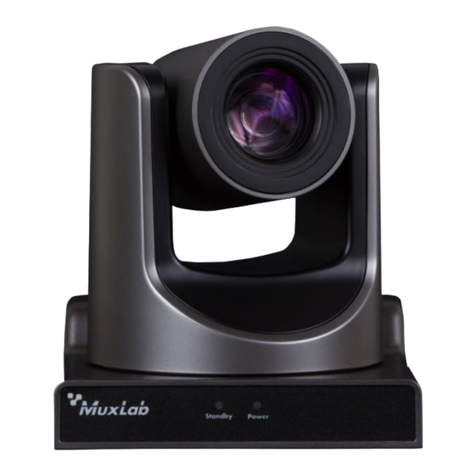
MuxLab PRODIGITAL 500791 User manual

MuxLab © 2020 1 94-000958-A/SE-000958-A
HDMI/IP PTZ Camera
Operation Manual
(500791)

HDMI/IP PTZ Camera Operation Manual
2
Preface
Thank you for purchasing the HDMI/IP PTZ Camera. This manual covers the camera functions,
installation and operation. Prior to installation and usage, please read the manual thoroughly.
Precautions
This product must be used in the specified conditions in order to avoid damage to the camera:
⚫Do not subject the camera to rain or moisture.
⚫Do not remove the cover, otherwise you may get an electric shock and may void the
warranty. In case of abnormal operation, contact the seller.
⚫Never operate beyond the specified temperature, humidity and power supply range.
⚫Please use a soft dry cloth to clean the camera. If the camera is very dirty, clean it with a
diluted neuter detergent; do not use any type of solvents which may damage the surface.
Note
This is class A product. Electromagnetic radiation at the specific frequency may affect the image quality
of a TV in a home environment
Copyright Notice
All contents in this manual is copyrighted, and cannot be cloned, copied or translated without the express
permission of MuxLab Inc. Product specifications and information in this document are for reference
only, and the content may be updated from time to time without prior notice.

HDMI/IP PTZ Camera Operation Manual
3
Contents
Safety Notice......................................................................................4
Supplied Accessories..........................................................................4
Quick Start .........................................................................................5
Features..............................................................................................6
Specification ......................................................................................7
Main Unit Connections ......................................................................9
IR Handheld Remote Control...........................................................10
RS-232 Interface Pinout...................................................................13
Serial Communication Control ........................................................14
PTZ over TCP/UDP Control ............................................................ 14
Command List..................................................................................14
Menu Settings ..................................................................................15
Network Function ............................................................................20
Maintenance and Troubleshooting ...................................................29
Appendix – Visca and Pelco-D Comment List ................................31

HDMI/IP PTZ Camera Operation Manual
4
Safety Notice
⚫Electric Safety
Installation and operation must be in accordance with national and local electric safety standards.
Do not use any power supply other than the one originally supplied with this camera.
⚫Caution when transporting
Avoid stress, vibration and sock during transport, storage and installation.
⚫Polarity of power supply
The power supply of the product is +12V @ 2A (max). The polarity of the power supply plug is
shown below.
⚫Care during installation
Do not grasp the camera head when carrying the camera. Do not turn camera head by hand. Doing
so may result in mechanical damage.
Do not apply any corrosive form of liquid, gas or solid to the camera to avoid damaging the plastic
cover.
To make sure there are no obstacles in the camera rotation range.
Never power on the camera before the installation is complete.
⚫Do not dismantle the camera in any way
MuxLab is not responsible for damage caused by unauthorized modification or dismantling.
CAUTION!
Specific frequencies of electromagnetic fields may affect the image quality of the camera!
Supplied Accessories
When unpacking, check that all supplied accessories are included:
•One (1) Camera
•One (1) AC power adaptor
•One (1) Power cord
•One (1) RS232 cable
•One (1) IR handheld remote control
•One (1) User manual (available via download)

HDMI/IP PTZ Camera Operation Manual
5
Quick Start
Step1. Please check that connections are correct before continuing.
Step2.Connect the power on the rear panel of the camera, and the power LED on the front will illuminate.
Step3. During the power On sequence the Pan-Tilt function rotates the camera to its maximum upper
right position, and then returns to the center position to complete the initialization process. (Note: if
there is an entry for position preset 0, the corresponding position preset 0 will be called up after
initialization.)

HDMI/IP PTZ Camera Operation Manual
6
Features
⚫Maximum resolution of 1920 x 1080 (Full HD) at 60Hz.
⚫Supports a Panasonic's 1/2.7 inch, 2.07 million effective pixels high quality HD CMOS sensor.
⚫Uses a 72.5° wide-angle high-quality lens.
⚫Supports a 12x optical zoom, and up to 16x digital zoom.
⚫High SNR CMOS sensor combined with 2D & 3D noise reduction algorithm, effectively reducing
noise even under low light conditions.
⚫Supports AAC audio encoding for better sound quality at a lower bandwidth.
⚫Designed with worm gear drive for reliable and accurate movement.
⚫May be remotely controlled via RS232 and IP.
⚫Works as a standalone device and is compatible with MuxLab’s Live Streaming Kits (models
500785 & 500786).

HDMI/IP PTZ Camera Operation Manual
7
Specification
Camera
Sensor
1/2.7 inch, CMOS, Effective Pixels: 2.07M
Scanning Mode
Progressive
Lens
12x, focal length of 3.5mm to 42.3mm, F-Stop of 1.8 to F2.8
Digital Zoom
16x
Minimal Illumination
0.5 Lux @ (F1.8, AGC ON)
Shutter
1/30s to 1/10000s
White Balance
Auto, Indoor, Outdoor, One Push, Manual
Backlight Compensation
Supported
Digital Noise Reduction
2D & 3D Digital Noise Reduction
Video S/N
≥55dB
Horizontal Angle of View
72.5° to 6.9°
Vertical Angle of View
44.8° to 3.9°
Horizontal Rotation Range
-170° to +170°
Vertical Rotation Range
-30° to +90°
Pan Speed Range
1.7° to 100°/s
Tilt Speed Range
0.7° to 28°/s
Horizontal & Vertical flip
Supported
Image Freezing
Supported
Number of Presets
255
Preset Accuracy
0.1°
IPC Features
Video coding standard
H.265/H.264/MJEPG
Video Stream
First Stream, Second Stream
First Stream resolution
1920x1080,1280x720,1024x576,960x540,640x480,640x360
Second Stream resolution
1280x720,1024x576,720x576,720x408,640x360,480x270,320x240,3
20x180
Video Bit Rate
32Kbps to 20480Kbps
Bit Rate Types
Variable bit rate and Fixed bit rate

HDMI/IP PTZ Camera Operation Manual
8
Frame Rate
1fps to 60fps
Audio encode standard
AAC
Audio Bit Rate
96Kbps, 128Kbps, 256Kbps
Support protocols
TCP/IP, HTTP, RTSP, RTMP, ONVIF, DHCP, Multicast, etc.
Input/Output Interface
HD Output
One (1) HDMI 1.3
Network interface
One (1) RJ45: 10/100/1000M Adaptive Ethernet ports
Audio interface
1-ch 3.5mm audio interface, Line In
Communication interface
One (1) RS-232: 8pin Min DIN, Max Distance: 30m,
Protocol: VISCA/Pelco-D/Pelco-P
Power jack
JEITA type (DC IN 12V)
Generic Specification
Input Voltage
DC 12V
Current Consumption
1.0A (Max)
Operating Temperature
-10°C ~ 40°C (14°F ~ 104°F)
Storage Temperature
-40°C ~ 60°C (-40°F ~ 140°F)
Power Consumption
12W (Max)
MTBF
>30000h
Unit dimensions
6.65” x 5.59” x 6.46” (169mm x 142mm x 164mm)
Unit Weight
3.0lbs (1.35Kg)
Model
Ordering Information
500791 HDMI/IP PTZ Camera

HDMI/IP PTZ Camera Operation Manual
9
Main Unit Connections
1 RJ45S Ethernet interface (for video streaming and device control)
2 HDMI Out interface
3 2CH AUDIO LINE IN interface
4 RS232 interface for control
5 12VDC IN power interface

HDMI/IP PTZ Camera Operation Manual
10
IR Handheld Remote Control
1. Standby Button
Pressing this button toggles between “standby”
and “normal power On” mode. (standby mode
is approximately half the power consumption
of power On mode)
2. Numeric Position Buttons
To store or activate a preset position
3. * Button
Used in combination with other buttons
4. Preset Button
[PRESET] + Numeric key (0-9): Saves a
preset position to a numeric key
5. Pan-Tilt Home Button
Pressing this button sets the camera to the
Pan/Tilt center (home) position
6. Back/Return button
Press this button returns you to the previous
(higher) OSD (On Screen Display) menu.
7. Zoom Buttons
Slow Zoom: Zoom In [+] or Out [-] slowly
Fast Zoom: Zoom In [+] or Out [-] quickly
8. Pan-Tilt L/R set
Press the L/R Set button and either the “1” key or “2” key to set the camera direction of the Pan-Tilt
motion.
L/R Set +1 [STD]: sets the Pan-Tilt motion to the default left/right direction
L/R Set +2 [REV]: sets the Pan-Tilt motion to the reverse right/left direction
9. Focus Buttons
Used for focus adjustment.
Press [AUTO] to adjust the focuses on the center object automatically.
Press [MANUAL] to adjust the focus on the center of the object manually by using the
Table of contents
Other MuxLab Security Camera manuals