NAUTIZ X4 Manual Version 1.2
1handheld
CONTENTS
1. INTRODUCTION····················································································································································4
Trademarks························································································································ 4
About the NAUTIZ X4 Handy Terminal·····················································································4
Accessories ······················································································································· 5
2. SAFETY REGULATIONS HW··································································································································6
2.1. General Safety Rules····························································································· 6
2.2. Power Supply·······································································································6
2.3. Laser Safety·········································································································7
2.4. LED Safety ·········································································································· 8
2.5. FCC RF Exposure································································································· 8
2.6. CB Scheme ·········································································································8
2.7. FCC Part 15 Regulation··························································································8
2.8. Canadian Compliance····························································································9
2.9. Radio Compliance······························································································· 10
2.10. WEEE Compliance······························································································ 10
2.11. China Compliance······························································································· 10
3. GETTING STARTED·············································································································································11
3.1. Install the Battery ································································································ 11
3.2. Charge the Batteries···························································································· 12
3.3. LED Indicators···································································································· 13
3.4. Guidelines for Battery Pack Use and Disposal··························································· 13
3.5. Turn Your Device On ··························································································· 15
3.6. Desktop ············································································································ 15
3.7. Indicator Icons···································································································· 16
3.8. Using the Stylus·································································································· 17
3.9. Selecting Program······························································································· 17
3.10. Pop-Up Menus ··································································································· 17
3.11. Using Windows Explorer······················································································· 17
4. GET TO KNOW YOUR DEVICE·····························································································································18
4.1. Feature of Your Device························································································· 18
4.2. NAUTIZ X4 Handy Terminal ·················································································· 18
4.3. Front Panel Layout ······························································································ 19
4.4. Display Backlight································································································· 20
4.5. Keypad Backlight ································································································ 20
4.6. Using Screen Protectors······················································································· 21
4.7. Installing Your Screen Protector ············································································· 21
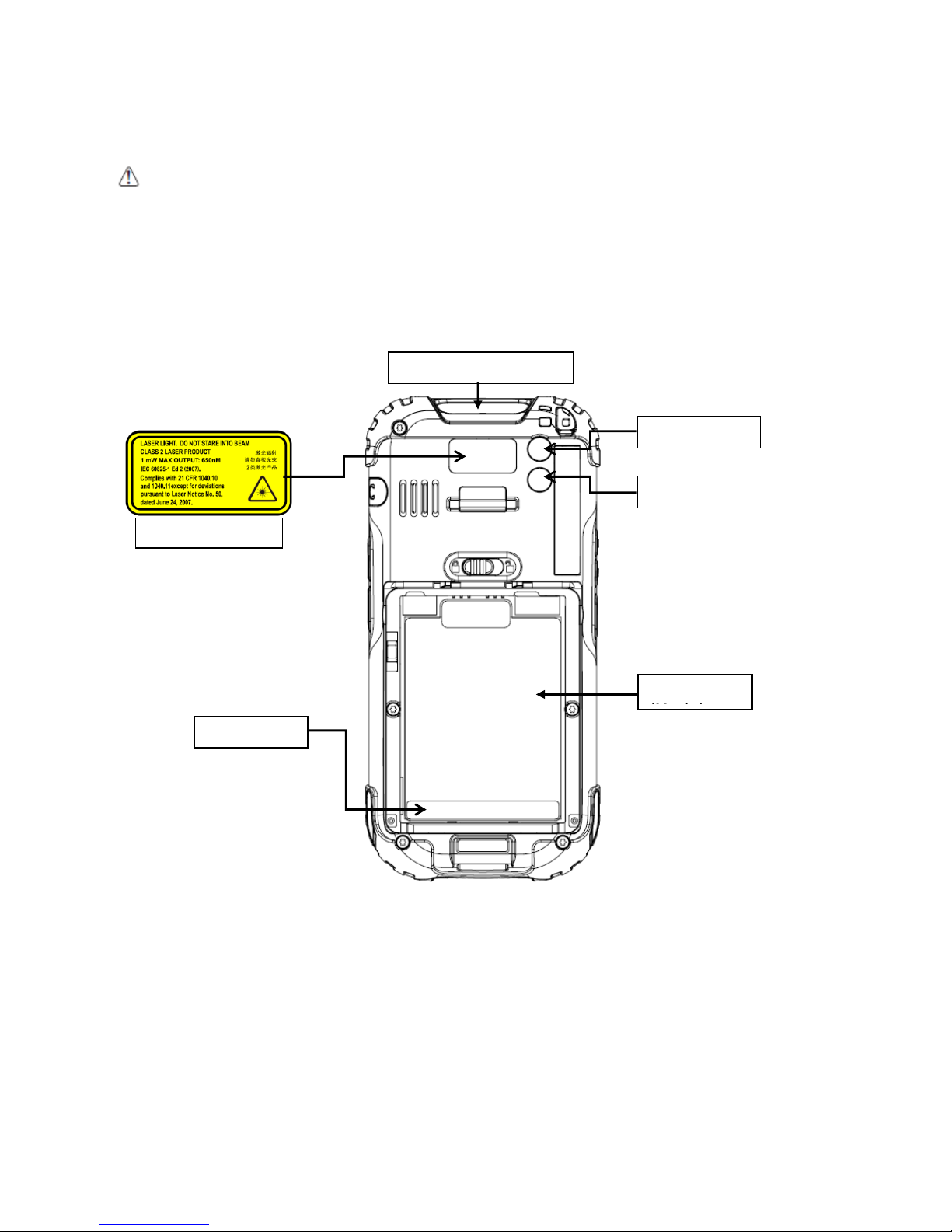
4.8. Back Panel Layout ······························································································ 25
4.9. Left Side Panel Layout ························································································· 25
4.10. Installing Memory Cards ······················································································· 25
4.11. Right Side Panel Layout ······················································································· 26
4.12. Top Panel Layout································································································ 26
4.13. Bottom Panel Layout···························································································· 27
4.14. Peripherals and Accessories·················································································· 28
4.15. USB ActiveSync Cable························································································· 28
4.16. Li-ion Battery Packs····························································································· 28
4.17. Battery Power····································································································· 28
4.18. Main Battery Pack ······························································································· 28
4.19. Managing Main Battery Power ··············································································· 30
4.20. Resetting the Terminal ························································································· 30
4.21. Suspend Mode ··································································································· 31
4.22. Memory Allocation······························································································· 32