Print Provider Side
4 XMPie PersonalEffect Integration Guide
Configuration Check
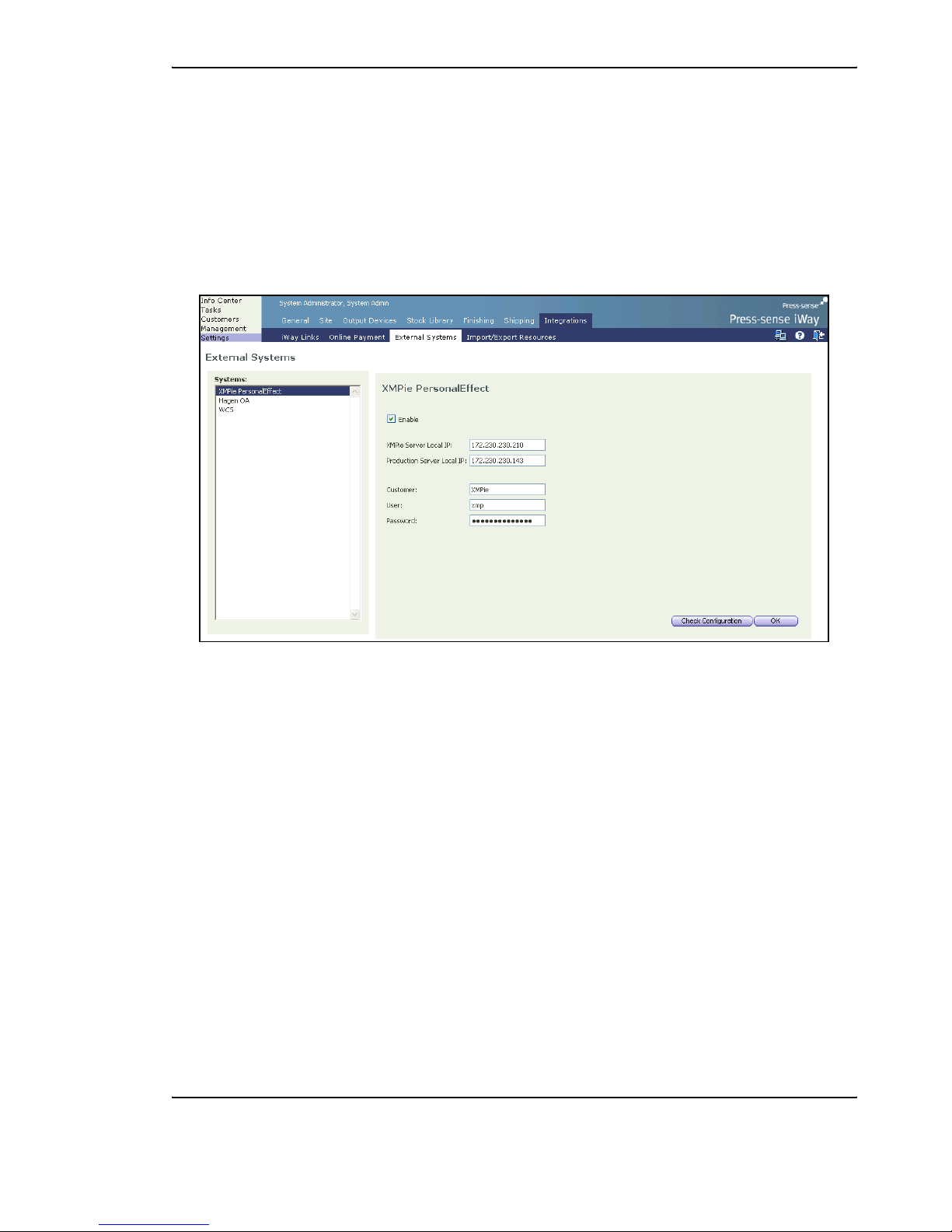
To verify the configuration settings, carry out the following steps:
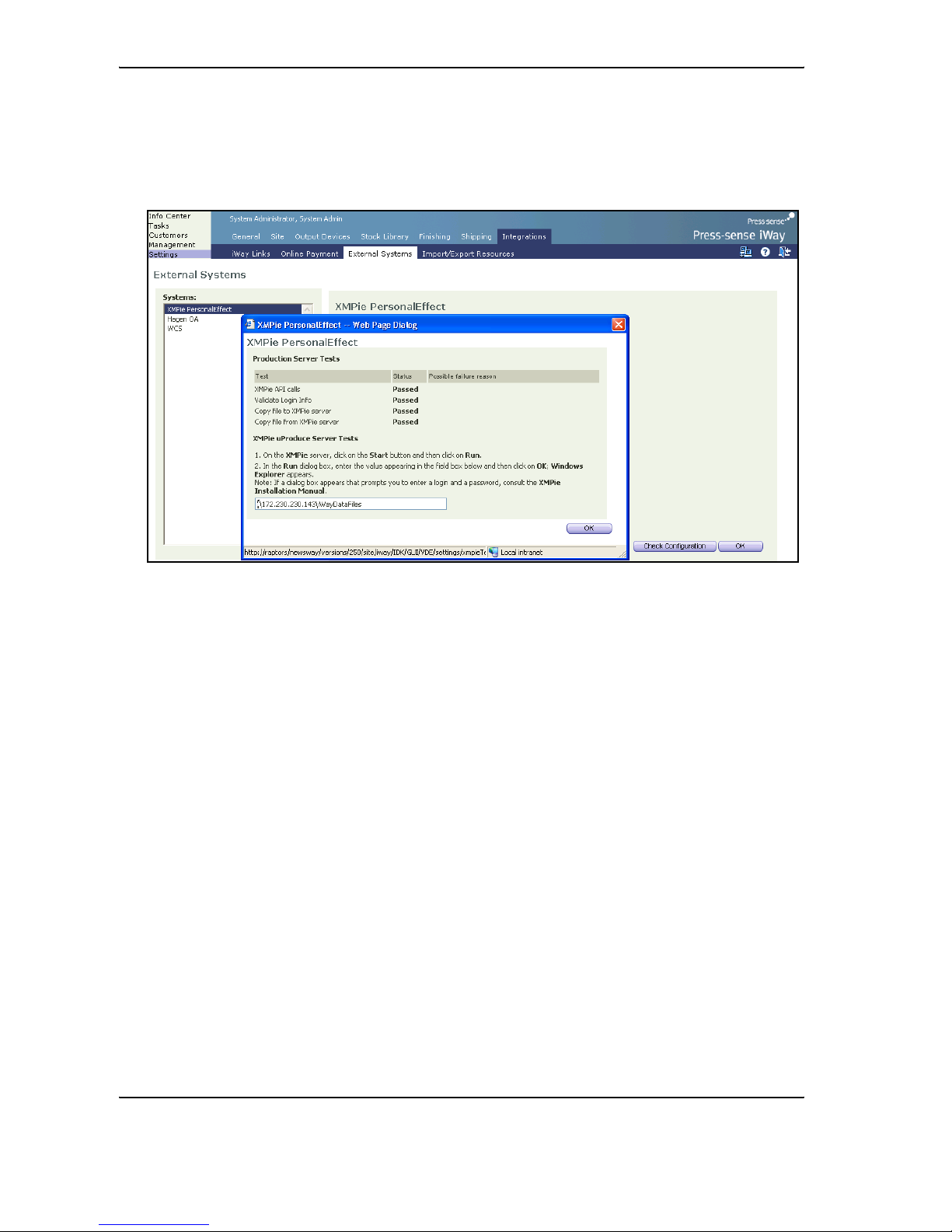
1Click on the Check Configuration button in the Set-up Configuration panel; the Production Server
Tests window appears.
When a setting has been configured appropriately, the status in the Production Server Tests window
appears as Passed. However, when a setting has been configured incorrectly, the status appears as Failed
and the Production Server Tests window displays a comment on the failure.
Test Comment
XMPie Api calls Verify that the XMPie server has been installed and that, in Settings,
the XMPie Server Local IP field has been correctly configured.
Validate Login Info
Verify that the XMPie server has been installed and that, in Settings,
the Customer, User and Password fields have been correctly
configured.
Copy file to XMPie server
Verify the following:
•In Settings, the Production Server Local IP field has been
correctly configured
•The NewEdition folder on the Production server is shared
•The share name is "iWayDataFiles" with full permissions to
'Everyone'
Copy file from XMPie server Verify that the XMPie server has been installed and that in Settings, the
XMPie Server Local IP field has been correctly configured.