
manuals.online logo
Brands
  1. Home
  2. •
  3. Brands
  4. •
  5. Oldfield Amplifiers
  6. •
  7. Amplifier
  8. •
  9. Oldfield Amplifiers Compact 2-12 User manual

Oldfield Amplifiers Compact 2-12 User manual

Other Oldfield Amplifiers Amplifier manuals
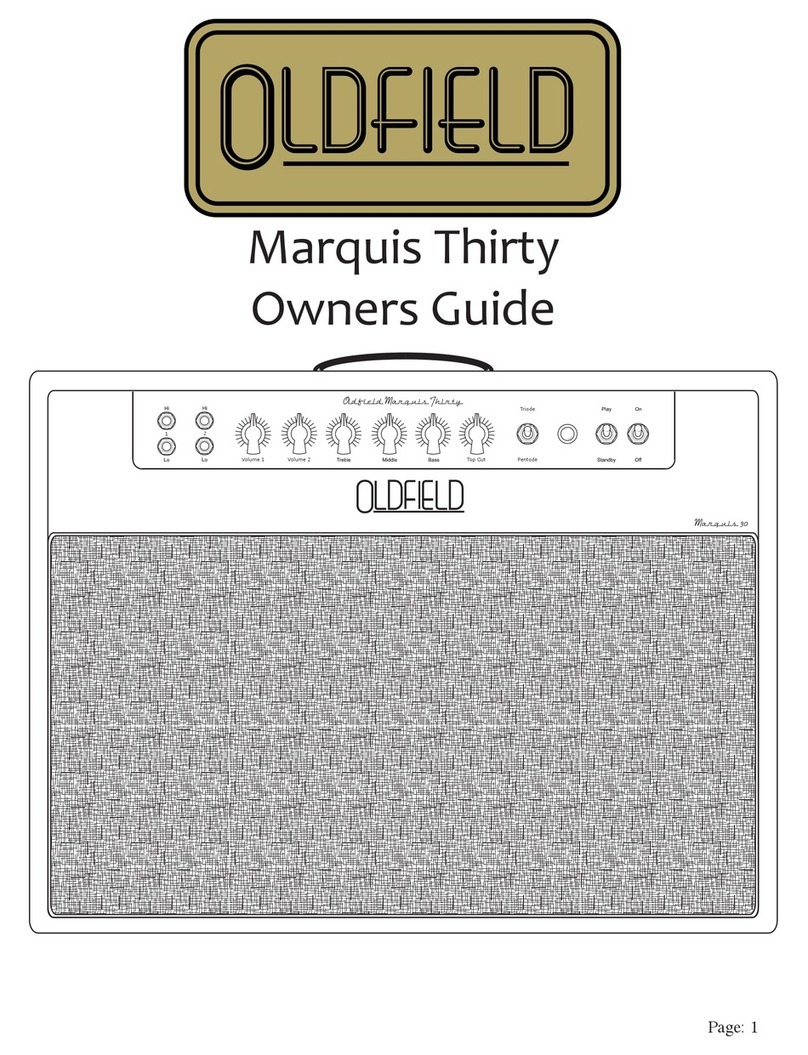
Oldfield Amplifiers Marquis Thirty User manual
Oldfield Amplifiers

Oldfield Amplifiers Marquis Thirty User manual

Oldfield Amplifiers 6440-OD User manual
Oldfield Amplifiers

Oldfield Amplifiers 6440-OD User manual

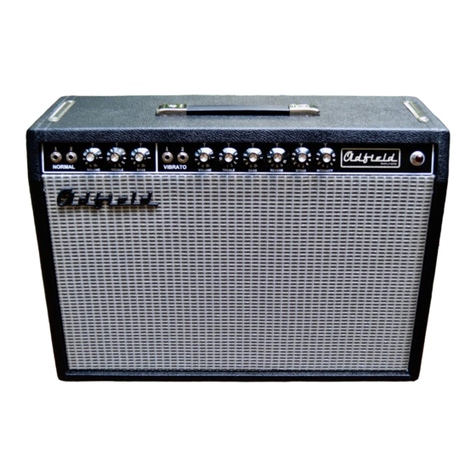
Oldfield Amplifiers Club D'Lux Classic 6420C User manual

Oldfield Amplifiers

Oldfield Amplifiers Club D'Lux Classic 6420C User manual

Oldfield Amplifiers Marquis 36 User manual
Oldfield Amplifiers

Oldfield Amplifiers Marquis 36 User manual

Oldfield Amplifiers Club King 64-OD Series User manual
Oldfield Amplifiers

Oldfield Amplifiers Club King 64-OD Series User manual

Oldfield Amplifiers Dual 40 User manual

Oldfield Amplifiers

Oldfield Amplifiers Dual 40 User manual

Oldfield Amplifiers Woodie User manual
Oldfield Amplifiers

Oldfield Amplifiers Woodie User manual

Oldfield Amplifiers Troubadour User manual

Oldfield Amplifiers

Oldfield Amplifiers Troubadour User manual

Popular Amplifier manuals by other brands

Magnat Audio EDITION FOUR Owner's manual/warranty document

Magnat Audio

Magnat Audio EDITION FOUR Owner's manual/warranty document

Inter-m PA-2000A Operation manual

Inter-m

Inter-m PA-2000A Operation manual

Yamaha TX6n owner's manual

Yamaha

Yamaha TX6n owner's manual

Peavey TNT 150 user guide

Peavey

Peavey TNT 150 user guide

Bosch LBB 1903/10 Installation and user instructions

Bosch

Bosch LBB 1903/10 Installation and user instructions

Avocent Emerge DA1200D Installer/user guide

Avocent

Avocent Emerge DA1200D Installer/user guide

Redgum RGi35 operating instructions

Redgum

Redgum RGi35 operating instructions

Cambridge Audio AXA25 user manual

Cambridge Audio

Cambridge Audio AXA25 user manual

Alpine MRP-M200 owner's manual

Alpine

Alpine MRP-M200 owner's manual

Technical Pro H1502UrBT user manual

Technical Pro

Technical Pro H1502UrBT user manual

FMS EMGZ307 operating manual

FMS

FMS EMGZ307 operating manual

Racal Instruments 5601 user manual

Racal Instruments

Racal Instruments 5601 user manual

Valcom V-1094A Technical specifications

Valcom

Valcom V-1094A Technical specifications

Cambridge Audio 851D user manual

Cambridge Audio

Cambridge Audio 851D user manual

QSC 3800 Specifications

QSC

QSC 3800 Specifications

NAD C300 owner's manual

NAD

NAD C300 owner's manual

Rotel RMB-1077 owner's manual

Rotel

Rotel RMB-1077 owner's manual

Peavey Monitor 300 Series operating guide

Peavey

Peavey Monitor 300 Series operating guide

manuals.online logo
manuals.online logoBrands
  • About & Mission
  • Contact us
  • Privacy Policy
  • Terms and Conditions

Copyright 2025 Manuals.Online. All Rights Reserved.

Oldfield Amplifiers User Guide
Compact 2-12 Speaker Cabinet
Feature Summary
The Oldfield 2x1 2 peaker cabinet ha ome unique feature not found on mo t other
cabinet . Thi make the cabinet very ver atile and able to adapt to many different
playing ituation and amplifier connection .
- Small in ize, huge in performance
- Split back allow the cabinet to be u ed a an open back or a clo ed back tyle.
- Smart input jack that allow a number of different peaker configuration .
Closed Or Open Back
When looking at the back of the peaker cabinet you will notice that the cabinet' back i
plit into three eparate part . Thi allow the player to u e the cabinet a a clo ed back
cabinet or an open back cabinet. The middle panel i the key to the configuration. In tall
the middle panel for clo ed back operatipn and remove it for open back operation.
The cabinet panel are tight and nug. In order to remove the middle panel it will mo t
likely be nece ary to remove the bottom panel a well in order to give the nece ary
freedom to remove the middle panel. Once the middle panel i removed rein tall the
bottom panel. Thi hold true for in talling the middle panel a well.
Speaker Configuration
Your Oldfield Compact 2x1 2 cabinet utilize a mart input jack in order to give you a
number of different peaker configuration . See the example on the following page .
Speake Cabinet Wi ing Examples
One Head - Both Speake s
Set Head To 4 Ohms
Speake Cabinet Wi ing Examples
One Head - Both Speake s
Set Head To 16 Ohms
Speake Cabinet Wi ing Examples
One Head - Right Speake
Set Head To 8 Ohms
Speake Cabinet Wi ing Examples
One Head - Left Speake
Set Head To 8 Ohms
Dummy Speaker Cable
Speake Cabinet Wi ing Examples
Two Heads - Each With It's Own Speake
Set Head To 8 Ohms
Set Head To 8 Ohms











