manuals.online logo
Brands
  1. Home
  2. •
  3. Brands
  4. •
  5. ON Semiconductor
  6. •
  7. Motherboard
  8. •
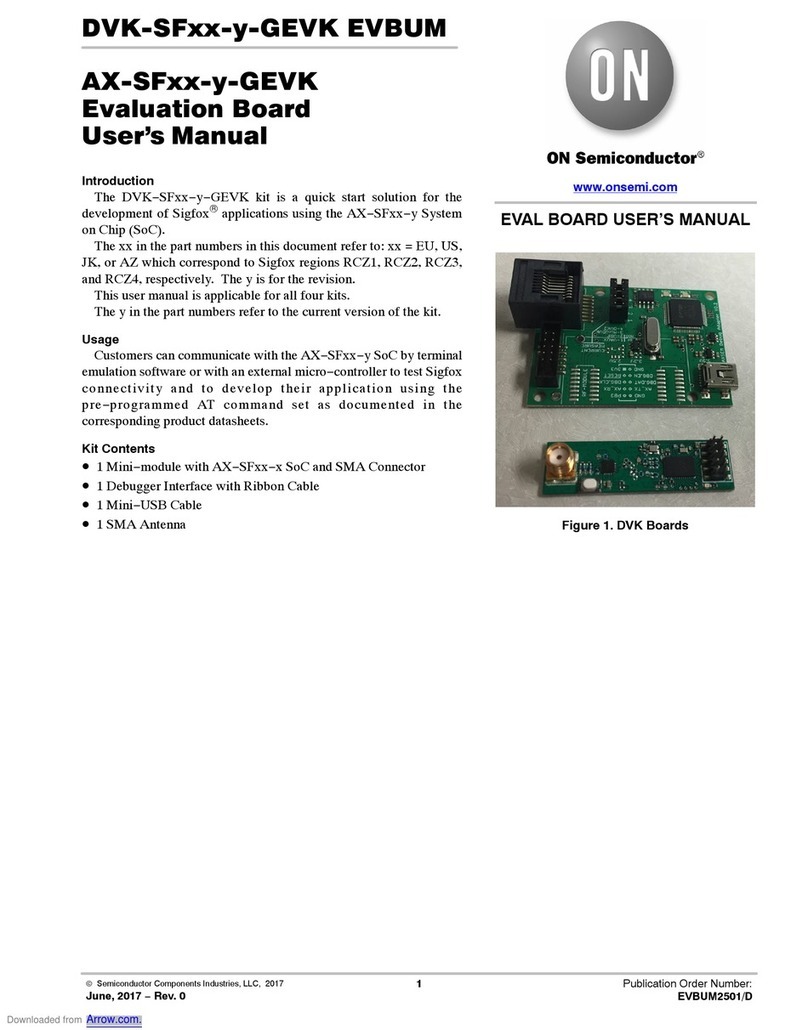
  9. ON Semiconductor DVK-AXM0F243-GEVK Series User manual

ON Semiconductor DVK-AXM0F243-GEVK Series User manual

This manual suits for next models

10

Other ON Semiconductor Motherboard manuals
ON Semiconductor MT9P006 User manual

ON Semiconductor

ON Semiconductor MT9P006 User manual

ON Semiconductor FUSB302GEVB User manual

ON Semiconductor

ON Semiconductor FUSB302GEVB User manual

ON Semiconductor AP0100AT2L00XUGAH3-GEVB User manual

ON Semiconductor

ON Semiconductor AP0100AT2L00XUGAH3-GEVB User manual

ON Semiconductor AGB2N0CS-GEVK User manual

ON Semiconductor

ON Semiconductor AGB2N0CS-GEVK User manual

ON Semiconductor MT9V022 User manual

ON Semiconductor

ON Semiconductor MT9V022 User manual

ON Semiconductor AP0100CSSL00SPGAH-GEVB User manual

ON Semiconductor

ON Semiconductor AP0100CSSL00SPGAH-GEVB User manual

ON Semiconductor ASX370CS User manual

ON Semiconductor

ON Semiconductor ASX370CS User manual

ON Semiconductor MT9P017 User manual

ON Semiconductor

ON Semiconductor MT9P017 User manual

ON Semiconductor NB4N11MDTEVB User manual

ON Semiconductor

ON Semiconductor NB4N11MDTEVB User manual

ON Semiconductor NCV887300LEDGEVB User manual

ON Semiconductor

ON Semiconductor NCV887300LEDGEVB User manual

ON Semiconductor MT9M114EBLSTCZH-GEVB User manual

ON Semiconductor

ON Semiconductor MT9M114EBLSTCZH-GEVB User manual

ON Semiconductor NCP51705 User manual

ON Semiconductor

ON Semiconductor NCP51705 User manual

ON Semiconductor STK404-120NGEVB User manual

ON Semiconductor

ON Semiconductor STK404-120NGEVB User manual

ON Semiconductor Ezairo 7111 User manual

ON Semiconductor

ON Semiconductor Ezairo 7111 User manual

ON Semiconductor AR0834AISN32SMFAH-GEVB User manual

ON Semiconductor

ON Semiconductor AR0834AISN32SMFAH-GEVB User manual

ON Semiconductor MT9V127 User manual

ON Semiconductor

ON Semiconductor MT9V127 User manual

ON Semiconductor AR0261CS User manual

ON Semiconductor

ON Semiconductor AR0261CS User manual

ON Semiconductor RSL10 User manual

ON Semiconductor

ON Semiconductor RSL10 User manual

ON Semiconductor MT9P004EBMSTCBH-GEVB User manual

ON Semiconductor

ON Semiconductor MT9P004EBMSTCBH-GEVB User manual

ON Semiconductor MT9TV024IA7XTCH-GEVB User manual

ON Semiconductor

ON Semiconductor MT9TV024IA7XTCH-GEVB User manual

ON Semiconductor NCP4305 User manual

ON Semiconductor

ON Semiconductor NCP4305 User manual

ON Semiconductor AP0100CS User manual

ON Semiconductor

ON Semiconductor AP0100CS User manual

ON Semiconductor MT9P004 User manual

ON Semiconductor

ON Semiconductor MT9P004 User manual

ON Semiconductor MT9F002I12STCUH-GEVB User manual

ON Semiconductor

ON Semiconductor MT9F002I12STCUH-GEVB User manual

Popular Motherboard manuals by other brands

Gigabyte MNJ190I-FH user manual

Gigabyte

Gigabyte MNJ190I-FH user manual

Biostar HI-FI-Z87X-3D Setup manual

Biostar

Biostar HI-FI-Z87X-3D Setup manual

Atmel SAM9753PIA-DK user guide

Atmel

Atmel SAM9753PIA-DK user guide

Coapt GEN2 Handbook

Coapt

Coapt GEN2 Handbook

Supero SUPER P4DL6 user manual

Supero

Supero SUPER P4DL6 user manual

Cypress CY3210-PSoCEVAL1 quick start guide

Cypress

Cypress CY3210-PSoCEVAL1 quick start guide

ASROCK B660M-HDV manual

ASROCK

ASROCK B660M-HDV manual

Fujitsu D2831 Short description

Fujitsu

Fujitsu D2831 Short description

Industrial Computers ADE-6050 user manual

Industrial Computers

Industrial Computers ADE-6050 user manual

Asus TUF Z270 MARK 2 manual

Asus

Asus TUF Z270 MARK 2 manual

DFI NB71-BC user manual

DFI

DFI NB71-BC user manual

ASROCK H61 Pro BTC user manual

ASROCK

ASROCK H61 Pro BTC user manual

Norco POS-7893 user manual

Norco

Norco POS-7893 user manual

Intel DG965MS specification

Intel

Intel DG965MS specification

Asus B85M-VIEW PAKER user manual

Asus

Asus B85M-VIEW PAKER user manual

Asus P5G41T-M LX V2 user manual

Asus

Asus P5G41T-M LX V2 user manual

Gigabyte GA-K8VT800-RH user manual

Gigabyte

Gigabyte GA-K8VT800-RH user manual

Gigabyte Z790M AORUS ELITE user manual

Gigabyte

Gigabyte Z790M AORUS ELITE user manual

manuals.online logo
manuals.online logoBrands
  • About & Mission
  • Contact us
  • Privacy Policy
  • Terms and Conditions

Copyright 2025 Manuals.Online. All Rights Reserved.

©Semiconductor Components Industries, LLC, 2018
November, 2018 −Rev. 1
1Publication Order Number:
EVBUM2595/D
EVBUM2595/D
DVK-AXM0F243-xxx-x-GEVK
Evaluation Kit
User's Manual
Introduction
The DVK−AXM0F243−868−x−GEVK and
DVK−AXM0F243−915−x−GEVK kits are designed as quick start
solution for the development of applications with the AXM0F243 RF
System On Chip (SoC). This SoC combines an ARM Cortex M0+
ultra−low power microcontroller with the AX5043 ultra−low power
RF transceiver in a single IC package. The
DVK−AXM0F243−868−x−GEVK is optimized for 868 MHz
frequency, and the DVK−AXM0F243−915−x−GEVK development
kit is enhanced for 915 MHz. The
DVK−AXM0F243−xxx−x−GEVK’s are compatible with
AX−RadioLab and AxCode::Blocks development software for the PC.
Figure 1. DVK−AXM0F243−868−x−GEVK Kit
1
23
5
4
6
7
www.onsemi.com
EVAL BOARD USER’S MANUAL
Downloaded from Arrow.com.
EVBUM2595/D
www.onsemi.com
2
The development kits DVK−AXM0F243−868−x−GEVK
and DVK−AXM0F243−915−x−GEVK come with:
Designator DVK−AXM0F243−868−x−GEVK DVK−AXM0F243−915−x−GEVK Quantity
1AXDBG Debug adapter 1 piece
2DVK−AXM0F243−868−x−SMA−GEVB
(SMA connector)
DVK−AXM0F243−915−x−SMA−GEVB
(SMA connector)
1 piece
3DVK−AXM0F243−868−x−ANT−GEVB (chip
antenna, LR44 button cell battery holder)
DVK−AXM0F243−915−x−ANT−GEVB
(chip antenna, LR44 button cell battery
holder)
1 piece
4Mini USB cable 1 piece
5LR4 cell batteries 2 pieces
6Flat Debug cable 1 piece
7Antenna 868 MHz 1/2 wave SMA Antenna 915 MHz 1/2 wave SMA 1 piece
DVK−AXM0F243−XXX−x−SMA−GEVB Overview
The DVK−AXM0F243−868−x−SMA−GEVB mainboard is
the first of two boards in the DVK−AXM0F243−868−x−GEVK
kit. It features the AXM0F243 ultra−low power SoC, as well as
a LED, a button, and a 50 WSMA port. In addition to the
antennas shipped with the kit, various 50 Wantennas with
male SMA connector can be used. The SMA port can also be
used to connect the DVK to RF measurement equipment for
conducted−mode testing.
Similarly the DVK−AXM0F243−915−x−SMA−GEVB
mainboard is the first of two boards in the
DVK−AXM0F243−915−x−GEVK kit.
Figure 2. DVK−AXM0F243−xxx−x−SMA−GEVB
7
3
2
1
4
6
5
Designator DVK−AXM0F243−868−x−SMA−GEVB DVK−AXM0F243−915−x−SMA−GEVB
1AXM0F243 ultra−low power RF SoC
248 MHz TCXO
3AX debug link connector
4Programmable LED
5Programmable button
6Matching circuit optimized for 868 MHz Matching circuit optimized for 915 MHz
750 WSMA connector
Downloaded from Arrow.com.Downloaded from Arrow.com.
EVBUM2595/D
www.onsemi.com
3
DVK−AXM0F243−XXX−x−ANT−GEVB Overview
The DVK−AXM0F243−868−x−ANT−GEVB mainboard is
the second of two boards in the
DVK−AXM0F243−868−x−GEVK kit.
It features the AXM0F243 ultra−low power SoC, as well
as a LED, a button, battery, and chip antenna.
Similarly the DVK−AXM0F243−915−x−ANT−GEVB
mainboard is the first of two boards in the
DVK−AXM0F243−915−x−GEVK kit.
Figure 3. DVK−AXM0F243−xxx−x−ANT−GEVB
4
5
1
2
6
8
3
9
7
Designator DVK−AXM0F243−868−x−ANT−GEVB DVK−AXM0F243−915−x−ANT−GEVB
1AXM0F243 ultra−low power RF SoC
248 MHz TCXO
3AX debug link connector
4Programmable LED
5Programmable button
6Matching circuit optimized for 868 MHz Matching circuit optimized for 915 MHz
7868 MHz Chip antenna 915 MHz Chip antenna
8Power supply switch (select between debug link and battery powered operation)
9LR44 Button cell battery holder
Downloaded from Arrow.com.Downloaded from Arrow.com.Downloaded from Arrow.com.
EVBUM2595/D
www.onsemi.com
4
AXDBG Debug Adapter Overview
The AXDBG debug adapter is the interface between the
PC and the mainboards. It can be used for programming and
debugging the AXM0F243 microcontroller. It interfaces
with the PC via windows drivers and the AXSDB software
interface, which is then used by AX−RadioLab and
AxCode::Blocks development software for the PC. The
AXSDB can also be used in mass production with the
scriptable AXSDB software.
Figure 4. AXDBG Debug Adapter
2
3
4
1
Designator AXDBG Debug Adapter
1Mini USB PC interface
2LED red indicating the debug link is active, MCU in debug mode
3LED green indicating a program is executed on the MCU
4Debug link connector
Downloaded from Arrow.com.Downloaded from Arrow.com.Downloaded from Arrow.com.Downloaded from Arrow.com.
EVBUM2595/D
www.onsemi.com
5
Out of the Box RF Functionality
RF functionality are already programmed on both
mainboards. It’s possible to make the first RF experience
sending data packages from
DVK−AXM0F243−XXX−x−SMA−GEVB, programmed
as transmitter, to the
DVK−AXM0F243−XXX−x−ANT−GEVB, programmed
as receiver, just following these simply steps.
Preparing DVK−AXM0F243−XXX−x−SMA−GEVB:
•Screw the antenna to the
DVK−AXM0F243−XXX−x−SMA−GEVB board
•Connect the DVK−AXM0F243−XXX−x−SMA−GEVB
board to the AXDBG Debug adapter board with the
Flat Debug cable
•Connect the AXDBG Debug adapter board to the PC
with Mini USB cable
•DVK−AXM0F243−XXX−x−SMA−GEVB LED is
blinking when transmitting data packages
Preparing DVK−AXM0F243−XXX−x−ANT−GEVB:
•Insert the LR4 cell batteries in
DVK−AXM0F243−XXX−x−ANT−GEVB battery holder.
•Set the DVK−AXM0F243−XXX−x−ANT−GEVB
Power supply switch in position 1 for battery powered
operation. Position 2 is for debug link connector
powered operation.
Figure 5. Power Supply Switch. Position 1 −
Battery Powered Operation, Position 2 −Debug
Link Connector Powered Operation
•DVK−AXM0F243−XXX−x−ANT−GEVB LED is
blinking when receiving data packages from
DVK−AXM0F243−XXX−x−SMA−GEVB
See Figure 6: DVK−AXM0F243−xxx−x−SMA−GEVB
connection for more details.
Figure 6. DVK−AXM0F243−xxx−x−SMA−GEVB Connection
Downloaded from Arrow.com.Downloaded from Arrow.com.Downloaded from Arrow.com.Downloaded from Arrow.com.Downloaded from Arrow.com.
EVBUM2595/D
www.onsemi.com
6
Required Software
To build applications and configure the AXM0F243 is
necessary to install the AX−IDE Development tool for
Windows. It contains all tools for developing and debugging
C source code applications and can be found on the
AXM0F243 Product page under Software:
http://www.onsemi.com/PowerSolutions/product.do?id
=AXM0F243−1−TX40
The development system architecture is visible in
Figure 7: Development System Architecture.
Radio Link parameters are set using the AX−RadioLAB
GUI. AX−RadioLAB produces source code, compiles it and
downloads it into the target board.
AxCode::Blocks is the graphical Integrated Development
Environment (IDE) for AXM0F243 projects. It is a
customized version of the popular Code::Blocks IDE.
It can be used to further customize the AX−RadioLAB
generated code, or it can be used to create new projects (such
as those that do not involve a radio link).
Both AX−RadioLAB and AxCode::Blocks talk to the
Symbolic (command line) Debugger AXSDB for
programming and debugging the microcontroller.
Normally, users need not directly interact with AXSDB.
AXSDB can however be useful for automated or scripted
tasks, thanks to its command line and TCL scripting
features.
For AXM0F243 microcontroller, OpenOCD debug
interface software is used for programming and debugging
using the GDB (GNU) debugger.
The AXDBG debug adapter provides the link between the
developer’s workstation and the target board.
Downloaded from Arrow.com.Downloaded from Arrow.com.Downloaded from Arrow.com.Downloaded from Arrow.com.Downloaded from Arrow.com.Downloaded from Arrow.com.
EVBUM2595/D
www.onsemi.com
7
Figure 7. Development System Architecture
Downloaded from Arrow.com.Downloaded from Arrow.com.Downloaded from Arrow.com.Downloaded from Arrow.com.Downloaded from Arrow.com.Downloaded from Arrow.com.Downloaded from Arrow.com.
EVBUM2595/D
www.onsemi.com
8
Installing AX−IDE
The AX−IDE installer contains everything you need: the
SDCC compiler, GNU GCC Compiler for ARM,
AxCode::Blocks, AX−RadioLab, debug adapter drivers, the
AXSDB debugger software, OpenOCD software, example
files and libraries.
•Launch the installer
Figure 8. AX−IDE Installer Wizard
•After accepting the terms of agreement you are asked to
select the components to be installed. It’s strongly
suggested to install all components.
Figure 9. License Agreement
•Continue installing all software packages
Getting Started
Before building the first application is necessary to set the
AxCode::Blocks compiler.
This operation has to be executed only once.
•Start AxCode::Blocks.
•The first time AxCode::Block starts, it scans for
installed compilers and presents a list of the compilers
found. Select GNU GCC Compiler for ARM as default,
see Figure 9: GNU GCC compiler for ARM.
Figure 10. GNU GCC Compiler for ARM
Downloaded from Arrow.com.Downloaded from Arrow.com.Downloaded from Arrow.com.Downloaded from Arrow.com.Downloaded from Arrow.com.Downloaded from Arrow.com.Downloaded from Arrow.com.Downloaded from Arrow.com.
EVBUM2595/D
www.onsemi.com
9
Connection
•Connect one of the
DVK−AXM0F243−XXX−x−ANT−GEVB or
DVK−AXM0F243−XXX−x−SMA−GEVB mainboards to
the AXDBG Debug adapter board with the Flat Debug
cable
•Connect the AXDBG Debug adapter board to the PC
with Mini USB cable
More connection details are visible in Figure 11:
DVK−AXM0F243−XXX−x−SMA−GEVB connection to
AXDBG Debug Adapter or Figure 12:
DVK−AXM0F243−XXX−x−ANT−GEVB connection to
AXDBG Debug Adapter.
Figure 11. DVK−AXM0F243−xxx−x−SMA−GEVB Connection to AXDBG Debug Adapter
Figure 12. DVK−AXM0F243−xxx−x−ANT−GEVB Connection to AXDBG Debug Adapter
Downloaded from Arrow.com.Downloaded from Arrow.com.Downloaded from Arrow.com.Downloaded from Arrow.com.Downloaded from Arrow.com.Downloaded from Arrow.com.Downloaded from Arrow.com.Downloaded from Arrow.com.Downloaded from Arrow.com.
EVBUM2595/D
www.onsemi.com
10
Working with AX−RadioLab
AX−RadioLab is the most advanced development tool for
Software Defined Radio (SDR) applications.
It offers a variety of transmitter and receiver options such
as
•periodic transmission of packets timed with the RC
oscillator of the radio block
•periodic transmission of packets timed with the 32 kHz
XTAL oscillator of the MCU
•Transmit on push−button
•Wake−on−radio reception with programmable wake−up
interval
•Synchronous transmit and receive with programmable
wake−up interval
•Optional acknowledge package send for all modes
Additionally, AX−RadioLab allows the user to configure
the packet format, as well as Physical (PHY) parameters.
Since AX−RadioLab is a source code generator, the
developer can use the generated C code example project as
a robust foundation upon which to build the end application.
Additional documentation for AX−RadioLab can be
found directly under Start −> All Programs −>
AX−RadioLab −> AX−RadioLAB_AX5043_user_manual
Figure 13. AX−RadioLab Manual
Figure 14. AX−RadioLab
Downloaded from Arrow.com.Downloaded from Arrow.com.Downloaded from Arrow.com.Downloaded from Arrow.com.Downloaded from Arrow.com.Downloaded from Arrow.com.Downloaded from Arrow.com.Downloaded from Arrow.com.Downloaded from Arrow.com.Downloaded from Arrow.com.