manuals.online logo
Brands
  1. Home
  2. •
  3. Brands
  4. •
  5. one80
  6. •
  7. Game
  8. •
  9. one80 T-40 User manual

one80 T-40 User manual

Popular Game manuals by other brands

Bay Tek Games GRIDIRON BLITZ Service manual

Bay Tek Games

Bay Tek Games GRIDIRON BLITZ Service manual

Outdoor Play Box it! 2020 instruction manual

Outdoor Play

Outdoor Play Box it! 2020 instruction manual

Beleduc Papilio Instruction

Beleduc

Beleduc Papilio Instruction

Costway UY10001 user manual

Costway

Costway UY10001 user manual

Vex Add It Up Assebly instructions

Vex

Vex Add It Up Assebly instructions

Radica Games BUCKAROO 630 instruction manual

Radica Games

Radica Games BUCKAROO 630 instruction manual

Roberto Sport INGLESE Assembly instructions

Roberto Sport

Roberto Sport INGLESE Assembly instructions

Koala Technologies KoalaWare Spider Eater owner's manual

Koala Technologies

Koala Technologies KoalaWare Spider Eater owner's manual

Tomy The Magic Oven manual

Tomy

Tomy The Magic Oven manual

Tiger Electronics Last Out 7-584-0 instructions

Tiger Electronics

Tiger Electronics Last Out 7-584-0 instructions

Fisher-Price RollOverRover manual

Fisher-Price

Fisher-Price RollOverRover manual

Mattel World Championship Football instructions

Mattel

Mattel World Championship Football instructions

DGT Centaur manual

DGT

DGT Centaur manual

Haba Dragon Diego Dart manual

Haba

Haba Dragon Diego Dart manual

Tiger Electronics Brain Warp instruction manual

Tiger Electronics

Tiger Electronics Brain Warp instruction manual

Tiger Electronics Bot-Ster 59704 instruction manual

Tiger Electronics

Tiger Electronics Bot-Ster 59704 instruction manual

Fundex Games Timber Tumble User instructions

Fundex Games

Fundex Games Timber Tumble User instructions

Crivit DS-1532 Playing and user instructions

Crivit

Crivit DS-1532 Playing and user instructions

manuals.online logo
manuals.online logoBrands
  • About & Mission
  • Contact us
  • Privacy Policy
  • Terms and Conditions

Copyright 2025 Manuals.Online. All Rights Reserved.

T-40
Electronic Dartboard
Owner’s Manual
And Game Instructions
2/16
Mounting with adapter
Choose a location to hang the dartboard where is about 10 feet (3.048 m) of open space in
front of the board. The “toe-line” should be 7’9 1/4” (2.37 M) from the face of the dartboard.
Since this dartboard is powered with anAC adapter, you could mount it close to an electronic
outlet for convenience.
There are 2 ways to mount the dartboard.
Option one: The mounting holes on this dartboard set are about 16” (40.5 cm) apart so it can
be mounted securely on wall studs in your home. Locate a wall stud and place a mar 80”
(203 cm) form the floor. Measure 16” from your first mark (staying level with the first mark)
and place the second mark on the wall, which should be over another wall stud (see diagram
below). The center of bullseye should be 5’8” (1.73 m) from the ground.
Insert 2 mounting screws in the center of the studs using the marks you made as guides. Be
sure the screws are level to ensure an accurate playing surface. If not mounting into studs,
be sure to use drywall anchors or other securing hardware appropriate to the wall you are
using.
Mount the dartboard on the wall by lining up the hang holes on the back with the screws (see
diagram below). It may be necessary to adjust the screws until the board fits snugly against
the wall. If you want to mount the dartboard even more securely to the wall, you can
fasten 4 screws through the holes located in the catch ring area (the area outside the
scoring segments).
3/16
Dartboard Functions
POWER button - Press to turn on and off the dartboard.
START button - Press to start the game when all options have been selected.
GAME button – Press to page through the on-screen game menu and select game.
SELECT button – Press to select various difficulty settings for games. Many games contain
several difficulty options that can be accessed by pressing this button
PLAYER/PAGE button – This button is used at the start of each game to select the number
of players you want to play the game. In addition, this button allows players to see other
player scores of not on active display.
DOUBLE/MISS button – This button is used to activate the Double In/Double Out and
Master Out options for the “01” games. This function is only active when selecting 301, 401,
etc. games. Note: not all models have Master Out option. The MISS feature is active during
play of any game. Press button to register a “missed” dart. Player can press when dart
lands outside target area so computer registers a thrown dart.
SOUND button – Sound level adjustable from 0-7 levels (8 levels).
iMATCH/RETURN button – This exciting feature allows single player to play against the
computer at one of five different levels of skill! Only 1 player can complete against the iMatch
competitor at a time. The iMatch feature adds a level of competition to normally routine
practice sessions. Press to activate iMatch feature where you can play against the computer
and then press START. When play begins: the ‘human’ player throws first. After 3 darts art
thrown, go to the board to take darts out and press START to change the next player
(iMatch). Watch as the iMatch opponent’s dart scores are registered on the display.
After the iMatch opponent completes his round, the board will automatically reset for the
‘human’ player. Play continues until one player wins. GOOD LUCK! The RETURN feature is
active during play of any game. Press button to return a dart score.
iMatch Skill Levels Level 1 (C1) Professional
Level 2 (C2) Advanced
Level 3 (C3) Intermediate
Level 4 (C4) Novice
Level 5 (C5) Beginner
Live Catching ring - If a dart hits live catching ring, the dartboard will score zero and counts
a hit.
4/16
Electronic Dartboard Operation
1. Press the POWER to activate dartboard. A short musical introduction is played as the
display goes through power-up test.
2. Press GAME button until desired game is displayed.
3. Press DOUBLE button (optional) to select starting and/or ending on Double or Master
Out (used only in 301 - 901 games). This is explained in the game rules section.
4. Press PLAYER button to select the number of players (1, 2 ... 8). The default setting is 2
players. Or select iMATCH option by pressing iMATCH button.
5. Press START/HOLD button (red) to activate game and begin play.
6. Throw darts: When all 3 darts have been thrown, a voice command will indicate “Remove
Darts” and the score will flash. The darts can now be removed without affecting the
electronic scoring. When all darts are removed from the playing surface press the
START button to go to next player. Voice command will indicate which player is up. Also,
the player indicator lights will illuminate to show which player’s turn it is.
Caring for your Electronic Dartboard
1. Never use metal tipped darts on this dartboard. Metal tipped darts will seriously
damage the circuitry and electronic operation of this dartboard.
2. Do not use excessive force when throwing darts. Throwing darts too hard will cause
frequent tip breakage and cause excess wear on the board.
3. Turn darts clockwise as you pull them from the board. This makes it easier to remove
darts and extends the life of the tips.
4. Use only the A/C adapter that comes with the dartboard. Using the wrong adapter may
cause electrical shock and damage to the electronic circuits.
5. Remove the batteries when not in use or if using the optional A/C adapter. This will
prolong the life of your batteries.
6. Do not spill liquids on the dartboard. Do not use spray cleaners, or cleaners that
contain ammonia or other harsh chemicals as they may cause damage.
5/16
Game Menu
G01 301 G15 Doub DN
G02 Cricket G16 41
G03 Scram G17 All Fives
G04 Cut Throat G18 ShangHai
G05 Eng Cri G19 Golf
G06 Adv-Cri G20 Football
G07 Shooter G21 Baseball
G08 Big Six G22 Steeple chase
G09 Overs G23 Elimination
G101 Unders G24 Horse She
G11 Count Up G25 Warfare
G12 High Score G26 Adv War
G13 Round Clk G27 Paintball
G14 Killer
GAME 1: 301
This popular tournament and pub game is played by subtracting each dart from the starting
total until the player reaches exactly 0 (zero). If a player goes past zero it is considered a
“Bust” and the score returns to where it was at the start of that round. For example, if a
player needs a 32 to finish the game and he/she hits a 20, 8, and 10 (totals 38), the score
goes back to 32 for the next round.
In playing the game, the double in / double out option can be chosen (double out is the most
widely used option). Simply press the “DOUBLE” button to change this setting. The
indicators will display your current setting: Note: you can adjust total score of this game.
• Double In - A double must be hit before points are subtracted from the total. In other words,
a player’s scoring does not begin until a double is hit.
• Double Out - A double must be hit to end the game.
• Double In and Double Out - A double is required to start and end scoring of the game by
each player.
• Master Out - A double or triple is required to finish the game.
GAME 2: CRICKET (For 2 players only)
Cricket is a strategic game for accomplished players and beginners alike. Players throw for
numbers best suited for them and can force opponents to throw for numbers not as suitable
for them. The object of Cricket is to “close” all of the appropriate numbers before one’s
opponent while racking up the highest number of points.
6/16
Only the numbers 15 through 20 and the inner/outer bullseye are used. Each player
must hit a number 3 times to “open” that segment for scoring. A player is then awarded the
number of points of the “open” segment each time he/she throws a dart that lands in that
segment, provided their opponent has not closed that segment. Hitting the double ring
counts as two hits, and the triple ring counts as 3 hits. Numbers can be opened or closed in
any order. A number is “closed” when the other player(s) hit the open segment 3 times.
Once a number has been “closed”, any player for the remainder of the game can no longer
score on it.
Winning - The side closing all the numbers first and accumulating the highest point total is
the winner. If a player “closes” all numbers first but is behind in points, he/she must continue
to score on the “open” numbers. If the player does not make up the point deficit before the
opposing player(s) “closes” all the numbers, the opposing side wins. Play continues until all
segments are closed.
NO-SCORE CRICKET
(Press SELECT button when Cricket is displayed) Same rules as standard Cricket except
there is no point scoring. The object of this version is to be the first to simply “close” all the
appropriate numbers (15 through 20 and the bullseye).
GAME 3: SCRAM (For 2 players only)
This game is a variation of Cricket. The game consists of two rounds. The players have a
different objective in each round. In round 1, player 1 tries to “close” (score 3 hits in each
segment - 15 to 20 and bullseye). During this time, player 2 attempts to rack up as many
points in the segments that the other player has not yet closed. Once player 1 has closed all
segments, round 1 is complete. In round 2, each player’s roles are reversed. Now, player 2
tries to close all the segments while player 1 goes for points. The game is over when round 2
is complete (player 2 closes all segments). The player with the highest point total is the
winner.
GAME 4: CUT-THROAT CRICKET (For 2 players only)
Same basic rules as standard Cricket except once scoring begins, points are added to your
opponent(s) total. The object of this game is to end up with the fewest points. This variation
of Cricket offers a different psychology to the players. Rather than adding to your own score
and helping your own cause as in standard Cricket, Cut-Throat offers the benefit of racking
up points for your opponent(s), digging him in a deeper hole. Competitive players will love
this variation!
GAME 5: ENGLISH CRICKET (For 2 players only)
This game is another variation of Cricket that requires precision dart throwing. The game
consists of two rounds. The players have a different objective in each round. During the first
round, player 2 attempts to throw bullseyes – with the objective of needing 9 to complete
7/16
round 1. Double bull (red center) counts as 2 scores. Any throw that hit outer single and
double segment is credited to player 1’s point total. For example, if player 2 throws an
outer 20, a single bullseye, and an outer 7 during his/her turn, player 2 will have one bullseye
subtracted from the 9 needed, and 27 points will be credited to player 1’s point total. Player 2
must exhibit accurate bullseye dart throwing!
Meanwhile, player 1 attempts to score as many points as possible during this first round.
Doubles and triples count 2x and 3x their respective values. However, to score points, player
1 must score over 40 points in each turn (3 throws) to amass points against player 2. Only
those points over 40 are counted toward the cumulative score. Player 1 must also exhibit
precision dart throwing and avoid hitting any bullseyes during this first round because any
hits scored by player 1 in the bullseye area will be subtracted from player 2’s needed total of
9 bullseyes. Once player 2 reaches the objective of getting 9 bullseyes, the roles are
reversed for round two.
GAME 6: ADVANCED CRICKET (For 2 players only)
This difficult version of cricket was developed for the advanced player. Players must close
out the segments (20, 19, 18,17,16,15 and bullseye) by using only triples and doubles! In
this challenging game, doubles segments count as 1x the number, and triple segments
count as 2x the number. The bullseye scoring is the same as in standard cricket. The first
player to close out the numbers with the most points is the winner.
GAME 7: SHOOTER
This challenging game tests the player’s ability to “group together” darts within a segment
during each round of play. The computer will randomly select the segment the players must
shoot for at the start of each round – indicated by a flashing number in the display.
Scoring is as follows: Single segment = 1 Point
Double segment = 2 Points
Triple segment = 3 Points
When the computer selects players to hit double Bullseye, the outer bull scores 2 points and
the inner Bull scores 4 points. The player with the most points at the end of the rounds is the
winner. Note: you can adjust number of rounds.
GAME8: BIG SIX
This game allows players to challenge their opponents to hit the targets of their choice.
Similar to the popular basketball game “HORSE”; however, players must earn the chance of
picking the next target for their opponent by making a hit on the current target first.
Single 6 is the first target to hit when the game begins. Before the game starts, players must
agree on how many lives will be used by pressing SELECT button. Within the three throws,
player 1 must hit a 6 to “save” their life. After the current target is hit, the next dart thrown will

8/16
determine the opponent’s target. If player 1 fails to hit the current target within 3 darts, they
will lose a life and a chance to determine the next target for player 2. Player 2 will shoot for
the single 6 that player 1 missed – and if it is hit, he can throw for a segment for the next
round. Singles, doubles and triples are all separate targets for this game.
The object of the game is to force your opponent into losing lives by selecting tough targets
for your opponent to hit such as “Double Bullseye” or “triple 20” The last player with a life left
is the winner. Note: you can adjust number of lives.
GAME 9: OVERS
The object of this game is to simply score higher (“over”) than your own previous three dart
total score. Before play begins, players choose the amount of lives to be used by pressing
the SELECT button. When a player fails to score “over “their previous three-dart total, they
will lose one life. When a player “equals” the previous three dart total, a life will also be lost.
The screen on the right will light off once for each life taken away. The last player with a life
remaining is the winner. Note: you can adjust number of lives.
GAME 10: UNDERS
This game is the opposite of “Overs”. Players must score less (“Under”) than their own
previous three-dart total. The game begins with 180 (highest total possible) when the player
shoots higher than his or her own previous three-dart total, they will lose a life. Each dart that
hits outside the scoring area, including bounce outs will be penalized with 60 points added to
your score. This will be added at the end of the round when the “START/HOLD” button is
pressed. The last player with a life remaining is the winner. Note: you can adjust number of
lives.
GAME 11: COUNT-UP
The object of this game is to be the first player to reach the specified point total (400, 500 …).
Point total is specified when the game is selected. Each player attempts to score as many
points as possible per round. Doubles and triples count 2 or 3 times the numerical value of
each segment. For example a dart that lands in the triple 20 segment is scored as 60 points.
The cumulative scores for each player will be displayed in the display as the game
progresses. Note: you can adjust total score.
GAME 12: HIGH SCORE
The rules for this competitive game are simple - Rack up the most points in three rounds
(nine darts) to win. Doubles and triples count as 2x and 3x that segment’s score respectively.
You can adjust number of rounds.
GAME 13 ROUND-THE-CLOCK
Each player attempts to score in each number from 1 through 20 in order. Each player
throws 3 darts per turn. If a correct number is hit, he/she tries for the next number in
9/16
sequence. The first player to reach 20 is the winner. The display will indicate which segment
you are shooting for. A player must continue shooting for a segment until it is hit. The display
will then indicate the next segment you should shoot for. There are many difficulty settings
available for this game. Each game has the same rules, the differences are detailed as
follows:
ROUND-THE-CLOCK 1 - Game starts at segment number 1
ROUND-THE-CLOCK 5 - Game starts at segment number 5
ROUND-THE-CLOCK 10 - Game starts at segment number 10
ROUND-THE-CLOCK 15 - Game starts at segment number 15
Since this game does not utilize point scoring, the double and triple rings count as single
numbers.
ROUND-THE-CLOCK Double - Player must score a Double in each segment from 1 through
20 in order.
ROUND-THE-CLOCK Double 5 - Game starts at double segment 5
ROUND-THE-CLOCK Double 10 - Game starts at double segment 10
ROUND-THE-CLOCK Double 15 - Game starts at double segment 15
ROUND-THE-CLOCK Triple - Player must score a Triple in each segment from 1 through 20
in order.
ROUND-THE-CLOCK Triple 5 - Game starts at triple segment 5
ROUND-THE-CLOCK Triple 10 - Game starts at triple segment 10
ROUND-THE-CLOCK Triple 15 - Game starts at triple segment 15
GAME 14: KILLER
This game will really show who your friends are. The game can be played with as few as two
players, but the excitement and challenge builds with even more players. To start, each
player must select his number by throwing a dart at the target area. The display will indicate
“SEL” at this point. The number each player gets is his assigned number throughout the
game. No two players can have the same number. Once each player has a number, the
action starts.
Your first objective is to establish yourself as a “Killer” by hitting the double segment of your
number. Once your double is hit, you are a “Killer” for the rest of the game. Now, your
objective is to “kill” your opponents by hitting their segment number until all their “lives” are
lost. The last player to remain with lives is declared the winner. It is not uncommon for
players to “team up” and go after the better player to knock him out of the game. Note: you
can adjust number of lives. In addition, for those who really want a challenge, there are three
additional difficulty settings: Doubles 3 lives, Doubles 5 lives, and Doubles 7 lives. In these
games, you can only “Kill” opponents by scoring doubles in their number segment.
10/16
GAME 15: DOUBLE DOWN
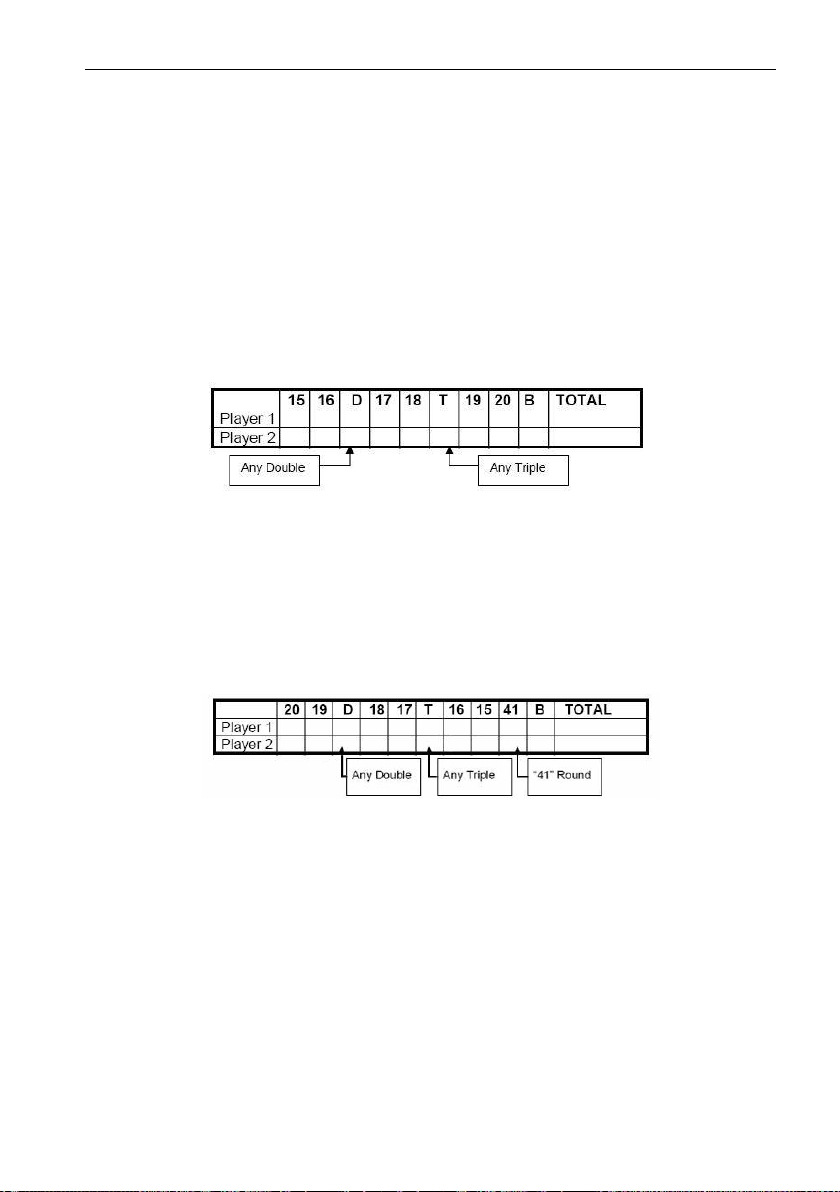
Each player starts the game with 40 points. The object is to score as many hits in the active
segment of the current round. The first round, the player must throw for the 15 segment. If no
15’s are hit, his score is cut in half. If some 15’s are hit, each 15 (doubles and triples count)
is added to the starting total. The next round players throw for the 16 segment and hits are
added to the new cumulative point total. Again, if no hits are registered, the point total is cut
in half.
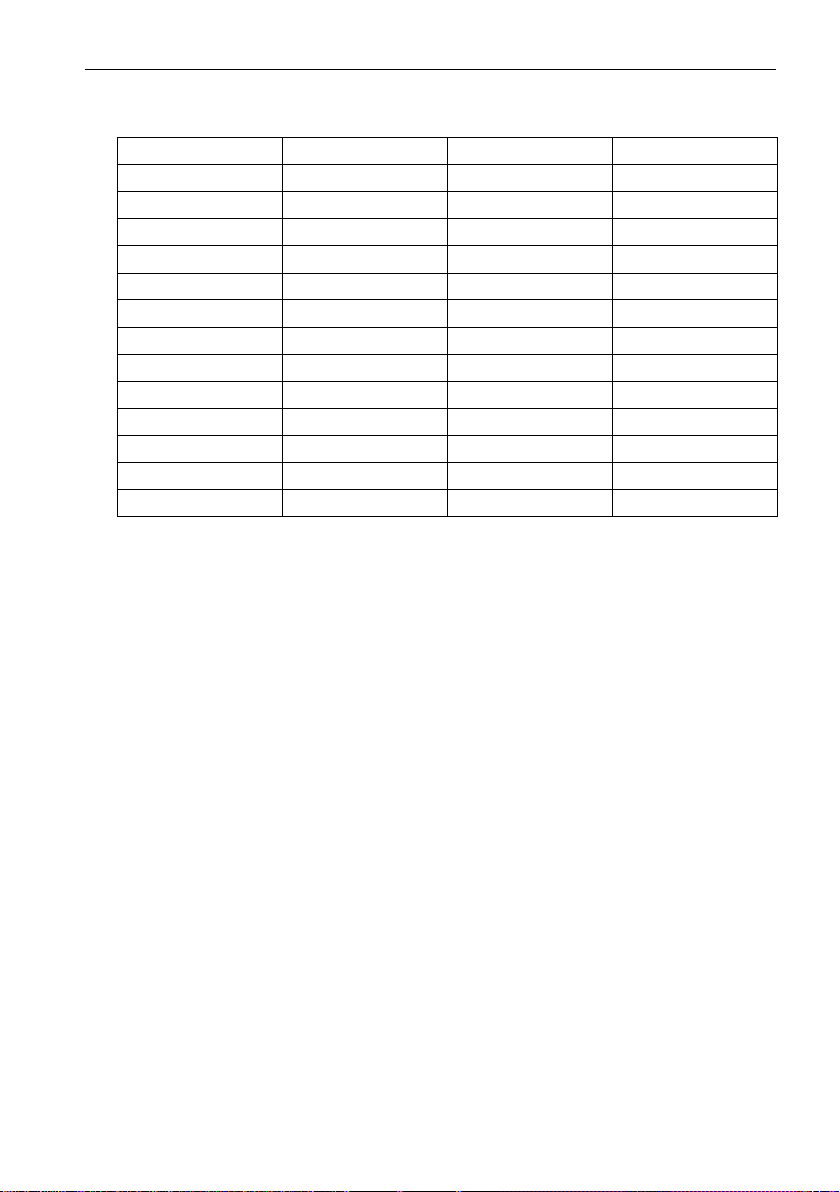
Each player throws for the numbers as indicated in the chart below in order (the screen will
indicate the active segment in which to throw). The player who completes the game with the
most points is the winner.
GAME 16: FORTY ONE
This game follows similar rules as standard Double Down as described above with two
exceptions. First, instead of going from 15 through 20 and bullseye, the sequence is
reversed which will be indicated on the display. Second, an additional round is included
toward the end in which players must attempt to score three hits that add up to 41 points (20,
20, 1; 19, 19, 3; D10, D10, 1: etc.). This “41” round adds an extra level of difficulty to the
game. Remember, a player’s score is cut in half if not successful, so the “41” round presents
quite a challenge!
GAME 17: ALL FIVES
The entire board is in-play for this game (all segments are active). With each round (of 3
darts) each player has to score a total which is divisible by 5. Every “five” counts as one
point. For example, 10, 10, 5 = 25. Since 25 is divisible by 5 fives, this player scores 5 points
(5 x 5 = 25).
If a player throws 3 darts that are not divisible by 5, no points are given. Also, the last dart of
each round must land in a segment. If a player throws the third dart and it lands in the catch
ring area (or misses the board completely), he earns no points even if the first two darts are
divisible by 5. This prevents a player from “tanking” the third throw if his first two are good.
The first player to total fifty-one (51) “fives” is the winner. The screen will keep track of the