4
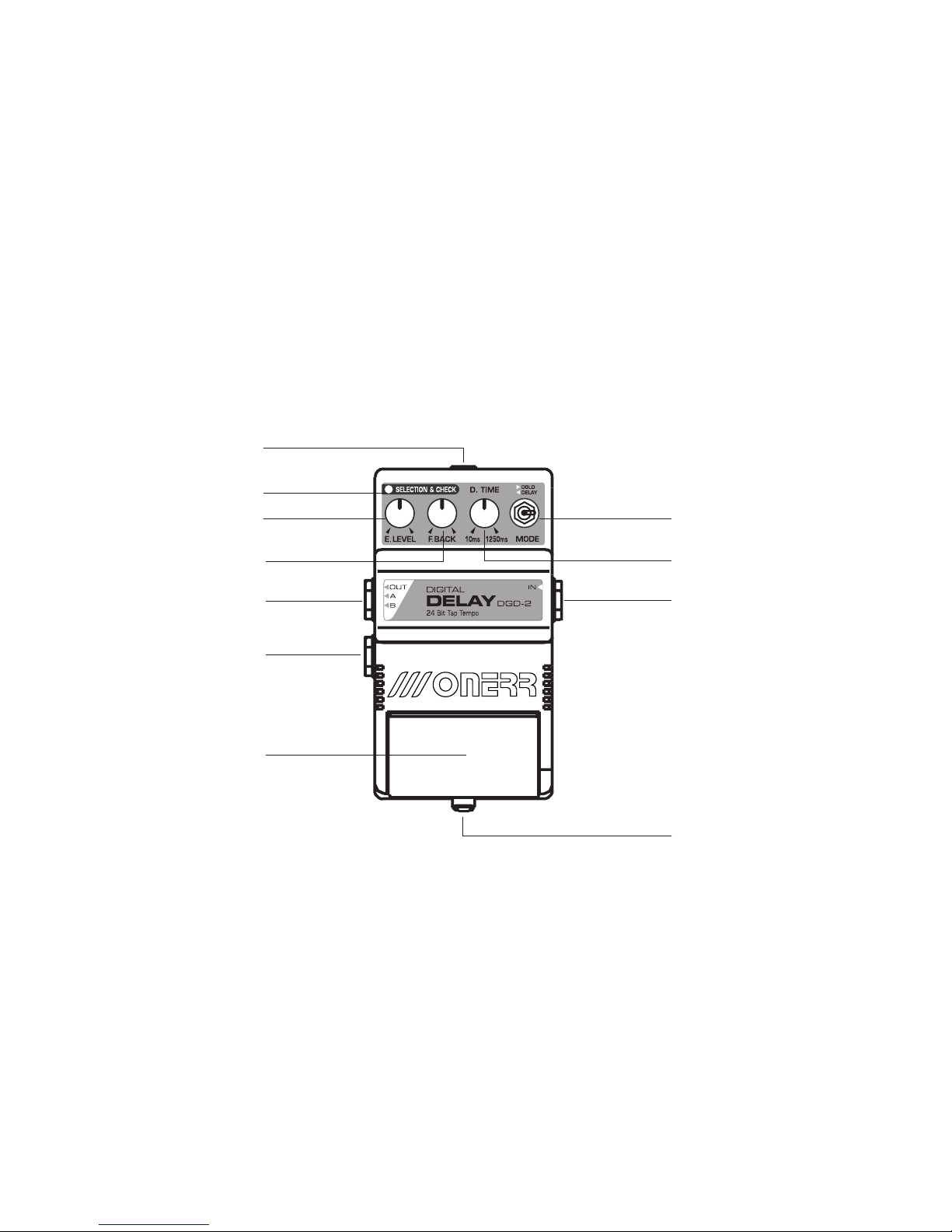
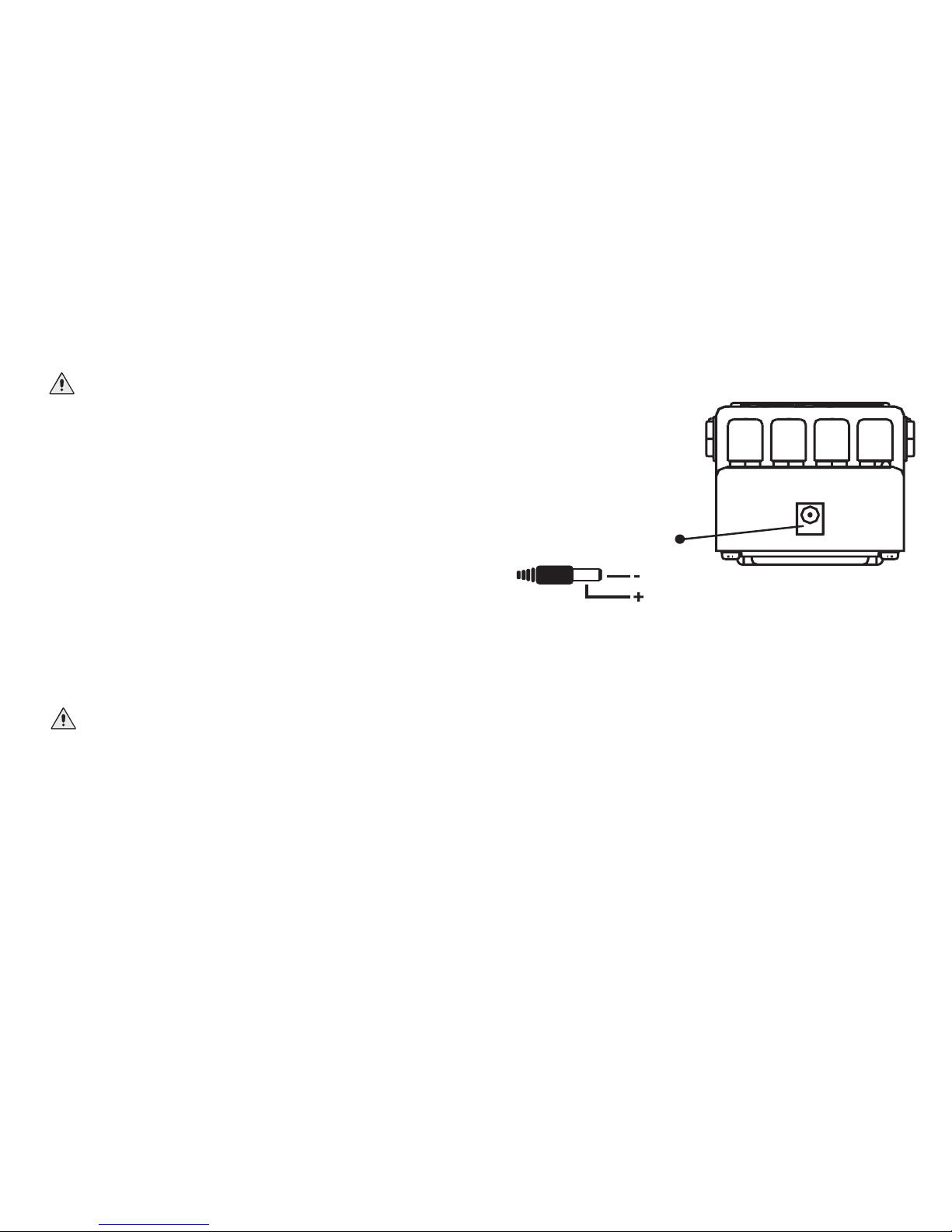
AC adaptor jack: AC adaptor Jack: Accepts connection
of an external AC adaptor. By using an AC adaptor you can
play without being concerned about the battery life.
Input Jack: Connect your instrument cord or the output
of another effect pedal if you are linking pedals together.
Output Jacks A and B: These output jacks will
deliver the effected sound to your amplifiers or to an
input jack of another effect.
When using a single amplifier use output jack A. If you
wish to use two amplifiers, connect the first unit into
output A and the second unit into output B.
By using two amplifiers you will obtain a great surround
effect in your sound.
Pedal: Depress to turn on/off the pedal.
Depress and hold it for about 2 seconds to turn on/off in
the TAP TEMPO mode. For more instructions about how
to use the TAP TEMPO mode please refer to page 7.
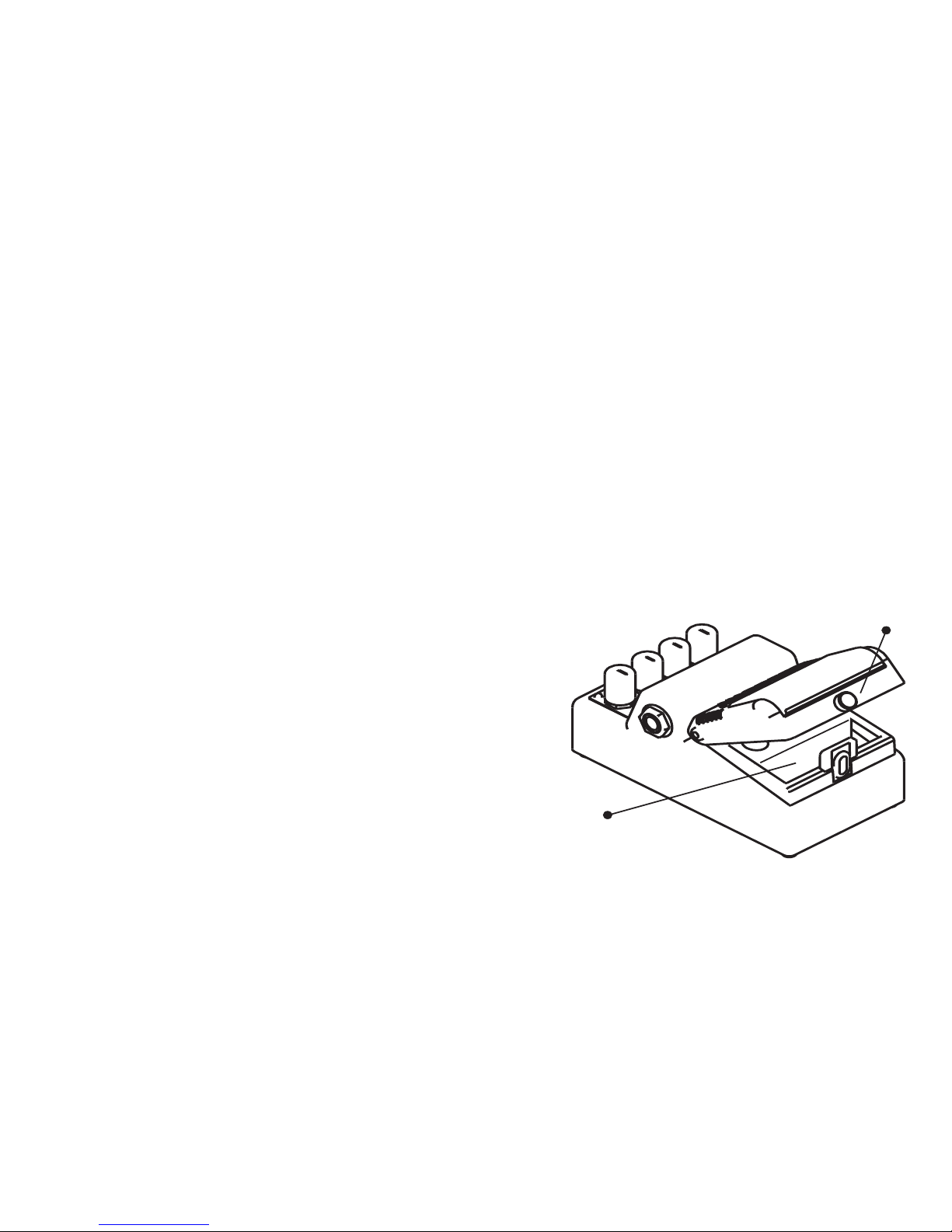
Thumbscrew: By loosing this thumbscrew you will gain
access to the battery compartment. For instructions on
how to replace the battery please refer to page 4.
Effect Level Knob: Gives you control of the level of
output effect. Use this knob to blend how much delay
you want in your sound.
Get more delay by turning this knob to the right, and
less by turning it to the left.
Feedback Knob: Use this knob to control how much
feedback you wish to add in your delay sound.
By turning it totally to the left, you will get a single delay.
By turning it to the right, you will get countless delay.
Pedal Descriptions