INTRODUCTION
4
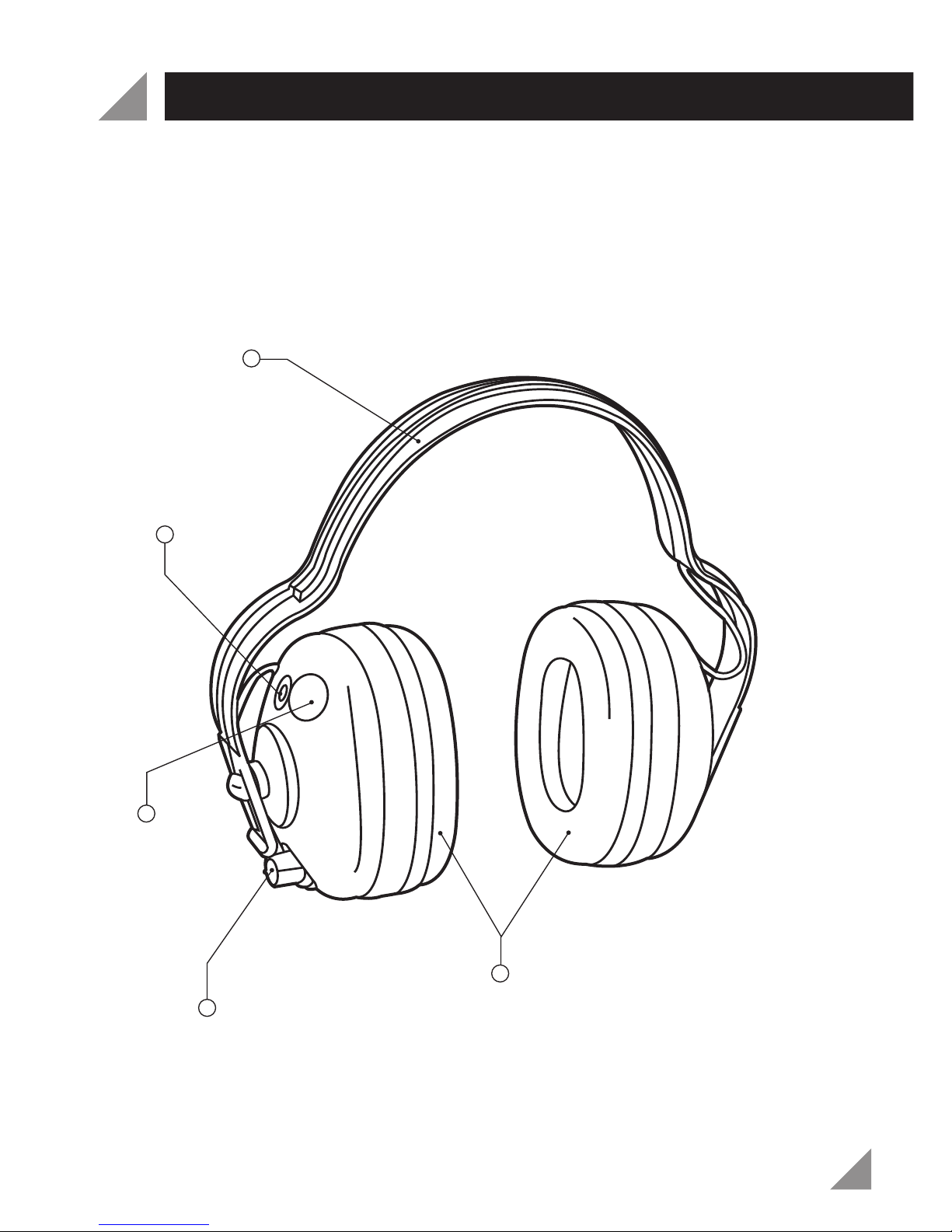
On/Off Switch and Volume Control
To turn on the earmuffs, rotate the switch knob clockwise. The LED power
indicator will light up indicating the earmuffs are on. Adjust the volume by
rotating the switch knob until the noise level is at a comfortable level. To
turn off the earmuffs rotate the switch knob anti clockwise until it clicks off
and the LED power indicator has faded.
Fitting the Earmuffs
Hold one ear cushion in each hand and pull them apart 5 centimetres
more than the width of your head.
Place the headband over your head ensuring the headband follows the
contour of the top of your head.
Guide one ear cushion over your left ear and one over your right ear.
Slowly allow the headband to draw each cushion over your ears ensuring
both cushions form comfortable cupped seals over each ear.
If the ear cushions do not sit centrally over both ears they should be
repositioned by moving it up or down the slot on the headband until both
ear cushions are centred and sit comfortably and tightly over both ears.
If possible use an available noise source to check the seal formed over
both ears and if required slightly re-adjust the ear cushions to achieve
optimum hearing protection.
Congratulations on purchasing a pair of Ozito Electronic
Earmuffs. We aim to provide quality products at an
affordable price. We hope you will enjoy using this
product for many years.
Your Ozito Electronic Earmuffs have been designed to
provide hearing protection from noise levels above 85
decibels while simultaneously allowing lower noise
levels to remain audible.
OPERATION