Cleaning Body and Pump Head
• May be wiped down with a towel moderately soaked in the following common laboratory sanitizing solutions:
•70% isopropyl alcohol (IPA)
•10% bleach
Sanitizing the Fluid Path
• The Fluid Path should be changed at least once a week.
•For optimal contamination control, daily replacement of Fluid Path is recommended.
• Upon initial installation of the Fluid Path:
•Run 70% IPA through the Fluid Path for 5 seconds
•Pump residual IPA through the tube
• If the Fluid Path is used for more than one day:
•At the end of the filtration session, run 70% IPA through the Fluid Path for 5 seconds
•Pump residual IPA through the tube
•Open the pump head loading door to relieve the pinch of the rollers on the drive tube
Troubleshooting
Th s symbol on the un t s backed w th a yellow LED and w ll llum nate to nd cate the dev ce has sensed
a cond t on n wh ch performance has been mpacted and the user should consult User Gu de for
troubleshoot ng.
Problem Cause Corrective Action
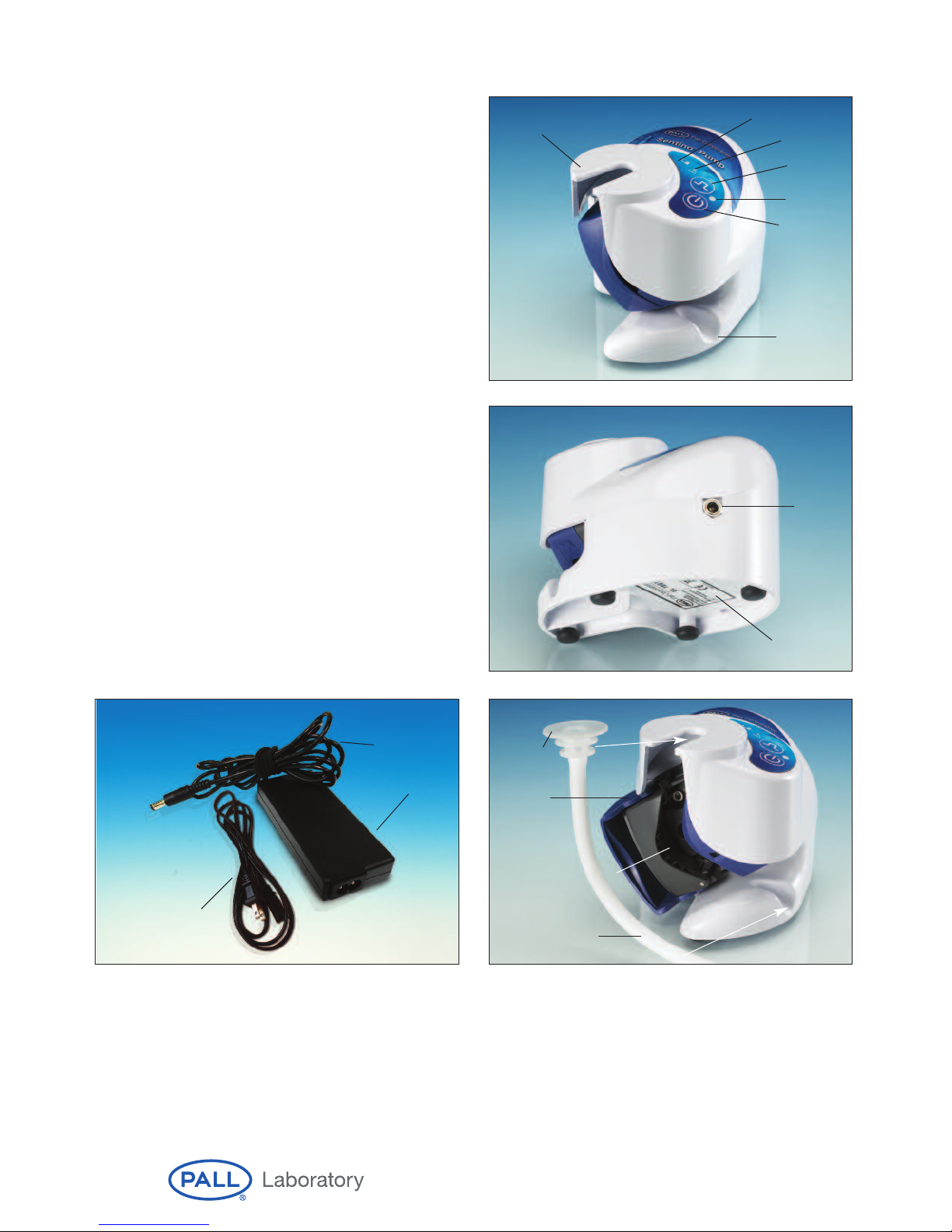
Plugged into main power source Incorrect power transformer. Use power transformer supplied with pump.
but green main power indicator Incorrect power source. Check that power source supplies 100-240 VAC.
not illuminated.
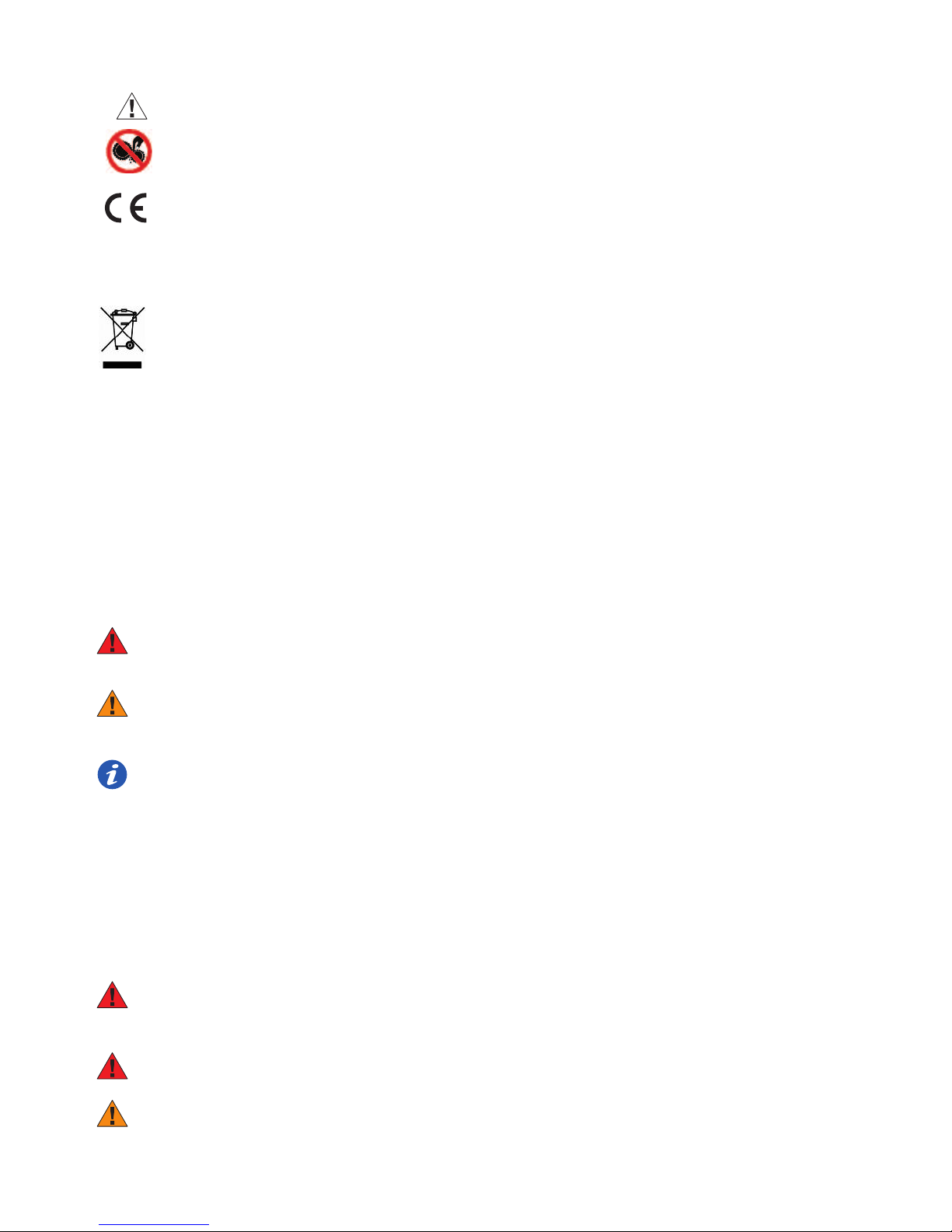
Pump plugged into main power Obstruction in pump head. Check that drive tube slot in pump head is free of foreign objects.
but green main power indicator Verify Fluid Path is properly loaded.
not illuminated and yellow fault See Preparing System for Use, Fluid Path Installation, Loading.
indicator is illuminated. Pump over temperature limit. Check the temperature of the operating environment and allow
pump to cool.
Pump slowing down with or without Battery discharging. Continue filtration using power transformer plugged into main
yellow fault indicator flashing. power source until battery is fully charged.
Yellow fault indicator flashing Battery is discharged. Continue filtration using power transformer plugged into main
and unit not operating. power source until battery is fully charged.
Pump will not turn on, Battery is discharged. Recharge battery. If problem is not corrected, call for service.
no yellow fault indicator.
Pump head not rotating, Obstruction in pump head. Check that drive tube slot in pump head is free of foreign objects.
yellow fault indicator illuminated. Verify Fluid Path is properly loaded. See Preparing System for
Use, Fluid Path Installation, Loading.
Pump over temperature limit. Check the temperature of the operating environment and allow
pump to cool.
Pump head rotating but fluid Pump head loading door is open. Verify Fluid Path is properly loaded and loading door is securely
is not filtering. closed. See Preparing System for Use, Fluid Path Installation, Loading.
Fluid too viscous. Consider whether sample can be diluted with sterile buffer to
facilitate filtration.
Fluid too particulate-laden. Consider whether MF echnique is the appropriate method for
microbial evaluation for the heavy particulate load or process
sample in multiple aliquots to facilitate filtration.
If the above correct ve act ons do not remedy the problem, contact manufacturer for serv ce or warranty.
www.pall.com/lab 9