manuals.online logo
Brands
  1. Home
  2. •
  3. Brands
  4. •
  5. Palsonic
  6. •
  7. LED TV
  8. •
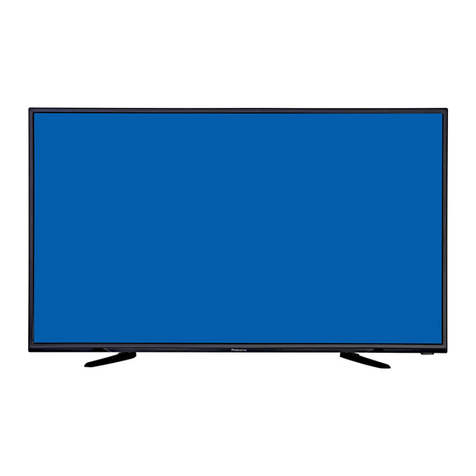
  9. Palsonic TFTV478LED User manual

Palsonic TFTV478LED User manual

Other manuals for TFTV478LED

1

Other Palsonic LED TV manuals

Palsonic TFTV552LED User manual

Palsonic

Palsonic TFTV552LED User manual

Palsonic TFTV5532LED User manual

Palsonic

Palsonic TFTV5532LED User manual

Palsonic TFTV5855FL User manual

Palsonic

Palsonic TFTV5855FL User manual

Palsonic TFTV5825FL User manual

Palsonic

Palsonic TFTV5825FL User manual

Palsonic TFTV607LEDR User manual

Palsonic

Palsonic TFTV607LEDR User manual

Palsonic TFTV608LED User manual

Palsonic

Palsonic TFTV608LED User manual

Palsonic TFTV608LED User manual

Palsonic

Palsonic TFTV608LED User manual

Palsonic TFTV555LEDR User manual

Palsonic

Palsonic TFTV555LEDR User manual

Palsonic TFTV478LED User manual

Palsonic

Palsonic TFTV478LED User manual

Palsonic TFTV476LED User manual

Palsonic

Palsonic TFTV476LED User manual

Palsonic TFTV4980MW User manual

Palsonic

Palsonic TFTV4980MW User manual

Palsonic TFTV4010FL User manual

Palsonic

Palsonic TFTV4010FL User manual

Palsonic TFTV5585M User manual

Palsonic

Palsonic TFTV5585M User manual

Palsonic TFTV700HL User manual

Palsonic

Palsonic TFTV700HL User manual

Palsonic TFTV475LED User manual

Palsonic

Palsonic TFTV475LED User manual

Palsonic PT3250P User manual

Palsonic

Palsonic PT3250P User manual

Palsonic PT3235SB User manual

Palsonic

Palsonic PT3235SB User manual

Palsonic TFTV6032LED User manual

Palsonic

Palsonic TFTV6032LED User manual

Palsonic TFTV558LED User manual

Palsonic

Palsonic TFTV558LED User manual

Palsonic TFTV804LED User manual

Palsonic

Palsonic TFTV804LED User manual

Palsonic PT3210H User manual

Palsonic

Palsonic PT3210H User manual

Palsonic TFTV5545LEDR User manual

Palsonic

Palsonic TFTV5545LEDR User manual

Palsonic TFTV492LED User manual

Palsonic

Palsonic TFTV492LED User manual

Palsonic TFTV6085MW User manual

Palsonic

Palsonic TFTV6085MW User manual

Popular LED TV manuals by other brands

Samsung UE65C8000XK user manual

Samsung

Samsung UE65C8000XK user manual

VESTEL SATELLITE 22PF5045 operating instructions

VESTEL

VESTEL SATELLITE 22PF5045 operating instructions

Tokai TTE-48B4444K user manual

Tokai

Tokai TTE-48B4444K user manual

LG 55UR640S Easy setup guide

LG

LG 55UR640S Easy setup guide

LG 43UF680T-TA owner's manual

LG

LG 43UF680T-TA owner's manual

Bush DLED55UHDSFIRE instruction manual

Bush

Bush DLED55UHDSFIRE instruction manual

Logik L24FED12 instruction manual

Logik

Logik L24FED12 instruction manual

Samsung QE65QN85CATXXN user manual

Samsung

Samsung QE65QN85CATXXN user manual

Samsung 7 Series user manual

Samsung

Samsung 7 Series user manual

Insignia NS-42D240A13 brochure

Insignia

Insignia NS-42D240A13 brochure

Philips 32PFL3207H/12 Specifications

Philips

Philips 32PFL3207H/12 Specifications

LG 49UB850V owner's manual

LG

LG 49UB850V owner's manual

TCL Roku TV 55C807 user guide

TCL

TCL Roku TV 55C807 user guide

LG 43UF690V-ZC manual

LG

LG 43UF690V-ZC manual

Samsung UN50ES6900 Product highlights

Samsung

Samsung UN50ES6900 Product highlights

Philips 55PUT7805 user manual

Philips

Philips 55PUT7805 user manual

Vidao 58V850R user manual

Vidao

Vidao 58V850R user manual

LG 55UF671V owner's manual

LG

LG 55UF671V owner's manual

manuals.online logo
manuals.online logoBrands
  • About & Mission
  • Contact us
  • Privacy Policy
  • Terms and Conditions

Copyright 2025 Manuals.Online. All Rights Reserved.

Offering Australians quality since 1958 www.palsonic.com.au
User’s Manual
TFTV478LED
47cm (18.5”) HD LED TV with DVB-T
RECORD
DTV via USB
HDTV
Integrated Tuner
SUPER
Slim Design
COMPONENT
Input
USB 2.0
Connection
LED TV
Liquid Crystal Display
TELETEXT
HIGH-DEFINITION MULTIMEDIAINTERFACE
VIEW ALL FREE
Digital Broadcasts
7 DAY EPG
electronic program guide
WXGA
PC input
*Where available
PARENTAL
Lock
75mm
mm57
H.264
MPEG-4/AVC
I
Important safety information
Grounding information
This apparatus must be grounded. To ensure safe operation, the grounded plug must be
inserted only into a standard grounded power outlet which is effectively grounded through
normal household wiring. Extension cords used with the equipment must be hazardous
.The face that the equipment operates satisfactorily only means it is grounded, but the
installation may not necessarily be safe. For your safety, if in any doubt about the effective
grounding if the equipment or power outlet, please consult a qualified technician.
Product disposal
Do not dispose of the TV with general household waste. The LED screen contains a small
amount of liquid crystal and mercury. For disposal or recycling information, please contact
your local authorities.
Safety precautions
Please read all of these instructions before you operate your television and save these
instructions for later use. This unit has been engineered and manufactured to ensure your
personal safety, However, improper use can result in electric shock or fire hazards. In order
not to defeat the safeguards incorporated in this equipment, please observe the following
basic rules for its installation, use and servicing.
• Unplug this television equipment from the wall outlet before cleaning.
• Do not use liquid cleaners or aerosol cleaners. Use a soft cloth moistened with water for cleaning.
• Use only the attachments recommended by the television equipment manufacturer.
• Do not use this television equipment near water-for example, near a bath tub, washbowl, kitchen sink
or laundry tub, in a wet basement, or near a swimming pool.
• Do not place this equipment on an unstable surface, stand, or cart. The television equipment may fall,
causing serious injury to a child or an adult, and seriously damage the equipment.
• When carrying the TV, hold it under the maim unit. Do not carry the TV by its speakers, Both the base
and the speakers could come off, causing you to drop the TV, possibly resulting in damage to the TV
or causing injury.
• Television equipment and cart combination should be moved with care. Quick stops, excessive force,
and uneven surfaces when moving may cause the equipment and cart combination to overturn.
• Shelf mounting should follow the manufacturer’s instructions, and should use a mounting kit approved
by the manufacturer.
• Slots and opening in the cabinet and the back or bottom are provided for ventilation. To ensure
reliable operation of the television equipment and to protect it from overheating, these opening must
not be blocked or covered. This television equipment should not be placed in an enclosed installa-
tion such as a bookcase unless proper ventilation os provided.
CAUTION
RISK
OF
ELECTRIC
SHOCK;
DO
NOT
OPEN
CAUTION:
TO REDUCE THE RISK OF ELECTRIC SHOCK, DO NOT
REMOVE COVER. NO USER-SERVICEABLE PARTS INSIDE.
REFER SERVICING TO QUALIFIED SERVICE PERSONNEL.
WARNING
This symbol is intended to tell the user
that parts inside the product pose a
risk of electric shock to persons.
This symbol is intended to tell the user
that important operating and servicing
instructions are described here.
WARNING: TO REDUCE THE RISK OF FIRE OR ELECTRIC, DO NOT EXPOSE THIS
APPLIANCE TO RAIN OR MOISTURE. TO AVOID ELECTRIC SHOCK, INSERT
TPLUG FULLY INTO THE POWER OUTLET.
CAUTION

II
• The openings should never be covered with a cloth or other material, and the bottom openings
should not be blocked by placing near or over a radiator or heat source.
• This Television equipment should be operated only from type of power source indicated on the
marking label. If you are not sure of the type of power supplied to your home, consult your
television dealer or local power company.
• As a safety feature ,this television equipment is equipped with a grounded power plug, If the plug
does not fit in your power outlet, contact your electrician. Do not modify the plug and defeat this
safety feature.
• Do not allow anything to rest on the power cord. Do not locate this television equipment where the
cord may be damaged due to lightning and power-line surges.
• Follow all warnings and instructions marked on the television equipment.
• If an outdoor antenna is connected to the television equipment, be sure the antenna system is
grounded so as to provide some protection against voltage surges and static charges.
• For added protection or this television equipment during a lightning storm, or when it is left
unattended and unused for long periods of time, unplug it from the wall outlet and disconnect the
antenna. This will prevent damage to the equipment due to lightning and power-line surges.
• An outdoor antenna system should not be located in the vicinity of overhead power lines or other
electric light or power circuits, or where it can fall into such power lines or circuits. When installing
an outdoor antenna system, extreme care should be taken to keep from touching such power lines
or circuits as contact with them might be fatal.
• The mains plug or the appliance coupler is used as the disconnect device, the disconnect device
shall remain readily operable. The mains plug is connected with the electrical outlet with safety
ground wire.
• Do not over load wall outlets and extension cords as this can result in fire or electric shock.
• Never push objects of any kind into this television equipment through cabinet slots as they may
touch dangerous voltage points or short-circuit internal parts. This could result in a fire or electric
shock. Never spill liquid of any kind in the television equipment.
• Do not attempt to service this television equipment yourself as opening or removing covers may
expose you to dangerous voltage or other hazards. Refer all servicing to qualified service
personnel.
• Unplug this television equipment from the wall outlet and refer servicing to qualified service
personnel under the following conditions:
— When the power cord or plug is damaged or frayed.
— If liquid has been spilled into the television equipment.
— If the television equipment does not operate normally by following the operating instructions.
Adjust only those control that are covered by the operating instruction as improper adjustment
of other controls may result in damage and will often require extensive work by a qualified
technician to restore the television equipment to normal operation.
— If the television equipment has been dropped or the cabinet has been damaged.
— When the television equipment exhibits a distinct change in performance
—this indicates a need for service.
• UP on completion of any service or repairs to this television equipment ,ask the service technician
to perform routine safety checks to determine that the television is in safe operating condition.
• When replacement parts are required, make sure that the service technician has used
replacement parts specified by the manufacturer that have the same characteristics as the
original part.
Unauthorized substitutions may result in fire, electric shock, or other hazards.
• Note to CATV system installer: This note is to remind the CATV system installers that the cable
ground shall be connected to the grounding system of the building, as close to the point of cable
entry practical.
III
Handling the LED screen
• Do not leave the LED screen facing the sun as it can damage it. Take care when you
place the TV by a window.
• Do not push or scratch the LED screen .Do not place a heavy object on the LED
screen. This may cause the screen to lose conformity or cause LED panel
malfunctions.
• If the TV is used in a cold place, a smear may appear on the screen. This is not a
malfunction. The screen will return to normal as its temperature rises to a normal
operating level.
• If a still picture is displayed for a long time on the TV screen, ghosting may occur for a
while. The ghosting will eventually disappear.
• If the LED panel becomes warm during operation, this is normal and not a malfunction.
Handing of broken glass and liquid crystal leakage
If the LED panel is damaged, crystalline liquid leakage may occur, or scattered broken
glass may result. Do not touch broken glass or crystalline liquid (which is toxic). With bare
hands that have cuts, skin irritation or poisoning may result. If any crystalline liquid gets
into mouth or eyes, rinse thoroughly with and consult your doctor.
CAUTION: IF the set is not going to be used for a long period, such as during a
vacation, unplug the set from the wall outlet to economise power.
(If the TV set is plugged in, a slight current still flows, even with the
power button in OFF position)
Handing of broken glass and liquid crystal leakage
IMPORTANT NOTICE
This product composes up to 6.0 million cells and a few cell defects may
occur In the manufacture of the panel. Several dead pixels (allow up to 2
bright or 2 dark pixels) on the panel are deemed acceptable by the industry
standards. In line with manufacturers and would not mean that the
panel is faulty. Dead pixels panels with 6 pixels or more within 12 month
period, Palsonic Corporation Pty Ltd. complies with industry standard
and reserves the right to repair the unit and non-refundable. We hope you
will understand that the product that corresponds to this standard is
regarded as acceptable.
IV
Overview of the LED TV..................1
Features..............................................1
Opening the packing.............................1
Product components.............................2
Side View ............................................. 2
Back View..............................................3
Remote control......................................4
Using the OSD menus.......................6
Channel Adjustment...............................6
Picture Adjustment..................................8
Sound Adjustment..................................9
Time Adjustment....................................10
Lock Adjustment....................................11
Setup Adjustment..................................12
Media Operation.................................. 13
Record...................................................14
15
Troubleshooting.................................16
Table of Content
Overview of the LED TV
Congratulation on purchasing the LED Television. This product has been designed
to provide you with a rich audio and video experience. This monitor enables you
to watch broadcast, cable television or channels, connect VCR, VCD or DVD play-
er to watch your favorite movies, or connect a computer to use the display as a
monitor. The TV is equipped with convenient control buttons and a handy remote
control to let you adjust the TV setting and customize the TV preferences through
an easy-to-use on screen menu system.
Features
Enjoy the versatility of your LED TV with its wide variety of features:
 TFT LED TV with remote control

Video support:
—HDMI input
—PC input
—PC 
—YPbPr input
—V input
—RF input



 TV
LED Color Television


Warranty Registration Card
Quitart Guide
dapter
If any of these items appears to be missing or damaged, please contact your vendor or authorised
service personnel for assistance.

The following section describes the various components of the LED TV. Please

before using it.
1

Product components
Side view
VOL
INPUT
Increase or decrease the volume.
CH
Increase or decrease channel numbers.
Switch the input sources .
MENU
Press the button to enter on screen Display (OSD).
POWER
Turn the TV on or off.
Remote Inductor and Power Indicator
2
1
2
3
4
5
Back view
USB
Connect to portable USB device such as USB ash / hard device.
DC 12V
HDMI IN
Connect to 12V Poewer supply.
Connect to the VGA output of your device.
PC IN
Connect to the audio output of your PC (earphone jack)
YPbPr
Connect to the component output of your component device.
AV IN
Connect to the audio and video output of A/V device.
RF IN
SPDIF
Connect to the UHF antenna or coaxial cable from local TV.
3
Connect an optional coaxial digital cable (not included) through
a compatible amp/receiver to enjoy superior audio sound.
8
8
9
8
8
Connect to the HDMI output of your device.
9
HEADPHONE
Connect a stereo headphone (3.5mm)
for private listening.
 If direct sunlight shine directly on the remote sensor, remote control’s operation may be unstable,
and the effective range will be shorter.

y.
 If the remote is not used for an  period of time, remove the batteries to prevent damage or

Remote Control
4
121
23
22
24
25
26
28
27
29
30
31
32
3
6
8
10
2
4
5
7
9
11
13
12
14
15
17
19
16
18
20
5
SNOITCNUFNOTTUB
1. POWER Turn the TV on or off.
2. TEXT
11.INFO
12. OK
13. CH.LIST
5.
Exit the current menu.
Display a variety of information about current channel.
15. NICAM
16. AUDIO
17.
6.
7.
9.
8.
Press to display a list of favorite.
18.
19.
20.
21.
22.
23.
25.
26.
HOLD
SIZE You can change the picture size in the teletext mode.
28.
29.
27.
Start the text mode.
3. CANCEL Videotext hidden button.
Press to scan in reverse.
30.
31.
Press to scan in forword.
32.
Direction button.
MUTE Disable the audio output.
VOL +/- Press +/- button to control the volume up or down.
Select an audio source for the current programme.
10.MENU Enter or exit the OSD menu.
SLEEP Press the button repeatly to set the time to turn off the TV.
EPG
EXIT
Press to display electronic program guide menu.
Hold freeze the current teletext page on the screen.
TV/R Select the TV/RADIO mode.
INDEX Display a list and information about the teletext pages.
FAV
CH +/- Press +/- button to switch the channels.
SUBPAGE
Make sure the adjustment setted previously.
REVEAL
SUB
SOURCE
REC
Start the subtitle mode.
Display or remove the content that is hidden.
Display the submenu of the text.
Press to stop the current program.
Press to start recording.
Press the button to stop the current program.
To play the previous chapter, title or track.
To play the next chapter, title or track.
Switch to the previously viewed channel.
ASPECT
24.RECALL
Switch the screen ratio: auto, 4:3, 14:9, zoom1, zoom2.
Select the input source.
4. NUMBER
KEYS Press number keys to enter channel numbers.
Display the channel list.
14. COLOUR
KEYS Different input source has different functions.
Press repeatedly to cycle through the NICAM mode.