manuals.online logo
Brands
  1. Home
  2. •
  3. Brands
  4. •
  5. Panasonic
  6. •
  7. Home Theater System
  8. •
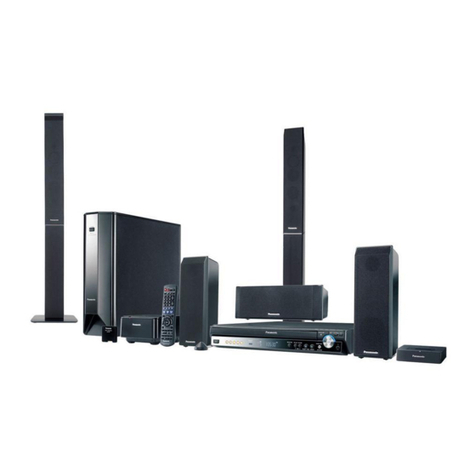
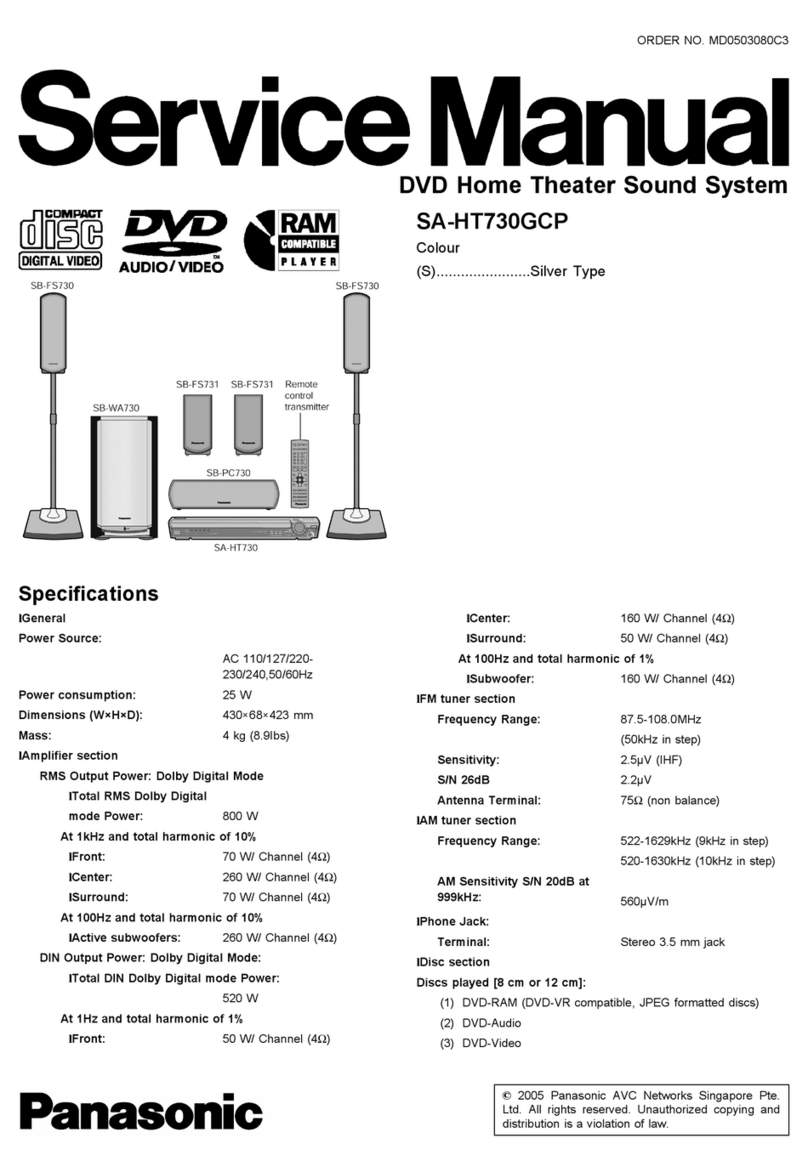
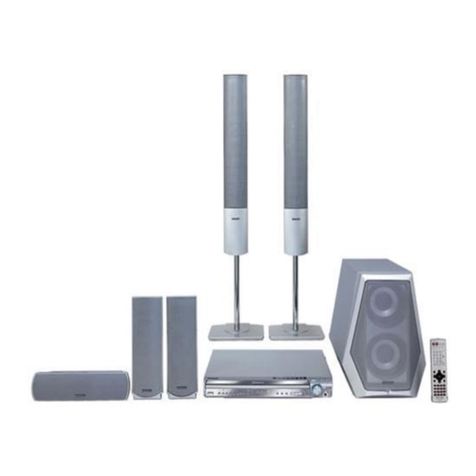
  9. Panasonic SC-PT650 - CD-DVD Home Theater User manual

Panasonic SC-PT650 - CD-DVD Home Theater User manual

Other manuals for SC-PT650 - CD-DVD Home Theater

1

Other Panasonic Home Theater System manuals

Panasonic sc-pt150 User manual

Panasonic

Panasonic sc-pt150 User manual

Panasonic SC-BT200 User instructions

Panasonic

Panasonic SC-BT200 User instructions

Panasonic SA-HT650P User manual

Panasonic

Panasonic SA-HT650P User manual

Panasonic SA-PT660P User manual

Panasonic

Panasonic SA-PT660P User manual

Panasonic SC-PTX60 User manual

Panasonic

Panasonic SC-PTX60 User manual

Panasonic SC-HTB370 User manual

Panasonic

Panasonic SC-HTB370 User manual

Panasonic SA-HT740P User manual

Panasonic

Panasonic SA-HT740P User manual

Panasonic SC-RT30 User manual

Panasonic

Panasonic SC-RT30 User manual

Panasonic SC-XH380 User manual

Panasonic

Panasonic SC-XH380 User manual

Panasonic SAHT730 - DVD THEATER RECEIVER Quick start guide

Panasonic

Panasonic SAHT730 - DVD THEATER RECEIVER Quick start guide

Panasonic SC-PT550 User manual

Panasonic

Panasonic SC-PT550 User manual

Panasonic SCZT2 - HOME THEATER AUDO SYSTEM User manual

Panasonic

Panasonic SCZT2 - HOME THEATER AUDO SYSTEM User manual

Panasonic SCHTB70 User manual

Panasonic

Panasonic SCHTB70 User manual

Panasonic SC-HTB250GA User manual

Panasonic

Panasonic SC-HTB250GA User manual

Panasonic SC-PT560 User manual

Panasonic

Panasonic SC-PT560 User manual

Panasonic SU-HTB880EB User manual

Panasonic

Panasonic SU-HTB880EB User manual

Panasonic SC-HT855 User manual

Panasonic

Panasonic SC-HT855 User manual

Panasonic SC-XH170 User manual

Panasonic

Panasonic SC-XH170 User manual

Panasonic SCZT2 - HOME THEATER AUDO SYSTEM User instructions

Panasonic

Panasonic SCZT2 - HOME THEATER AUDO SYSTEM User instructions

Panasonic SCBT230 - BLU RAY HOME THEATER SYSTEM User manual

Panasonic

Panasonic SCBT230 - BLU RAY HOME THEATER SYSTEM User manual

Panasonic SA-PT460 User manual

Panasonic

Panasonic SA-PT460 User manual

Panasonic SC-XH150 User manual

Panasonic

Panasonic SC-XH150 User manual

Panasonic SC-BT735 User manual

Panasonic

Panasonic SC-BT735 User manual

Panasonic SCPT750 - DVD HOME THEATER SOUND SYSTEM User manual

Panasonic

Panasonic SCPT750 - DVD HOME THEATER SOUND SYSTEM User manual

Popular Home Theater System manuals by other brands

Samsung HT-DL200 instruction manual

Samsung

Samsung HT-DL200 instruction manual

Samsung HT-ES6600 user manual

Samsung

Samsung HT-ES6600 user manual

Curtis DVD6010 instruction manual

Curtis

Curtis DVD6010 instruction manual

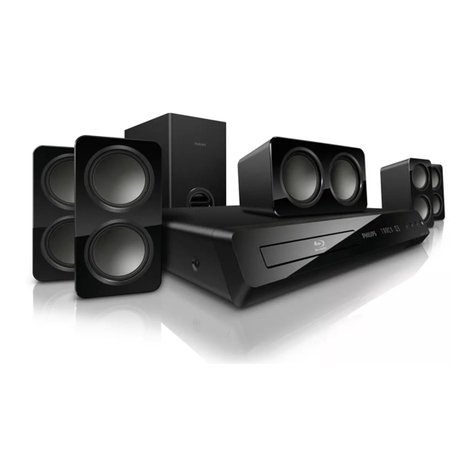
Philips MCD716/12 user manual

Philips

Philips MCD716/12 user manual

Sherwood ST-4108 operating instructions

Sherwood

Sherwood ST-4108 operating instructions

Philips HTS5520/12 quick start

Philips

Philips HTS5520/12 quick start

Sony BDV-T57 Notices and Licences

Sony

Sony BDV-T57 Notices and Licences

LG HT503PHW owner's manual

LG

LG HT503PHW owner's manual

Samsung HT-ES4200K user manual

Samsung

Samsung HT-ES4200K user manual

Samsung HT-P10 instruction manual

Samsung

Samsung HT-P10 instruction manual

Philips HTS5131 User manaul

Philips

Philips HTS5131 User manaul

Goodmans GDVD19SWS user manual

Goodmans

Goodmans GDVD19SWS user manual

Moxi media center user guide

Moxi

Moxi media center user guide

Samsung HT-EM35 user manual

Samsung

Samsung HT-EM35 user manual

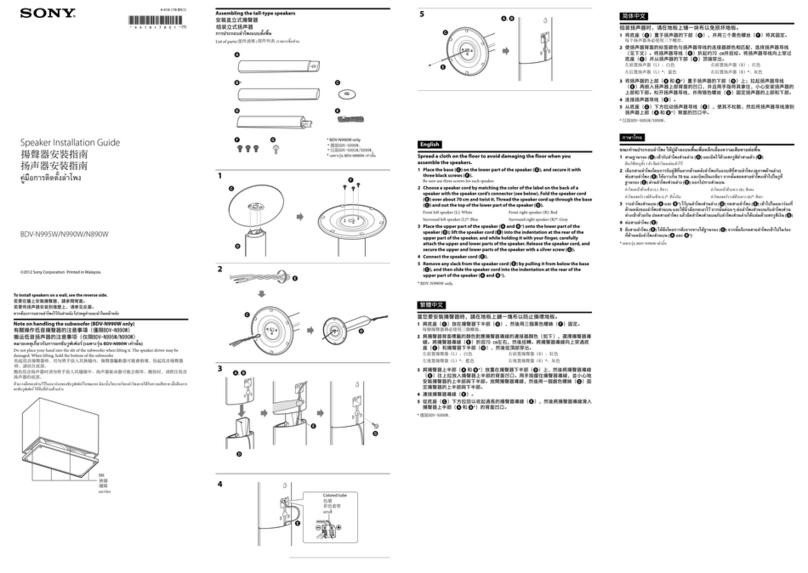
Sony BDV-N990W installation guide

Sony

Sony BDV-N990W installation guide

Manta GK-500 user manual

Manta

Manta GK-500 user manual

Sharp SBW800 user manual

Sharp

Sharp SBW800 user manual

Philips HTS3541 user manual

Philips

Philips HTS3541 user manual

manuals.online logo
manuals.online logoBrands
  • About & Mission
  • Contact us
  • Privacy Policy
  • Terms and Conditions

Copyright 2025 Manuals.Online. All Rights Reserved.

Panasonk
Operating Instructions
DVD Home Theater Sound System
Model No. SC-PT650
Region number
The player plays DVD-Video marked with labels containing the region
number "1" or "ALL".
V II D E O LDJGJTALVJDEOJ
H rrm| TM
HUGH-DEFI_ITIor_MULTUMEDIAUNT_F_ACE TM
E As an ENERGY STAR_Partnerl _
Panasonic has determined that
this product meets the ENERGY STAR'_
guidelines for energy efficiency.
For Canada only: The word "Participant" is used in place of the word
"Partner".
Before connecting, operating or adjusting this product, please
read the instructions completely.
Please keep this manual for future reference.
If you have any questions contact
In the U.S.A.: 1-800-211-PANA (7262)
In Canada: 1-800-561-5505
[_ _ RQTX0069-1P
I....
I:L
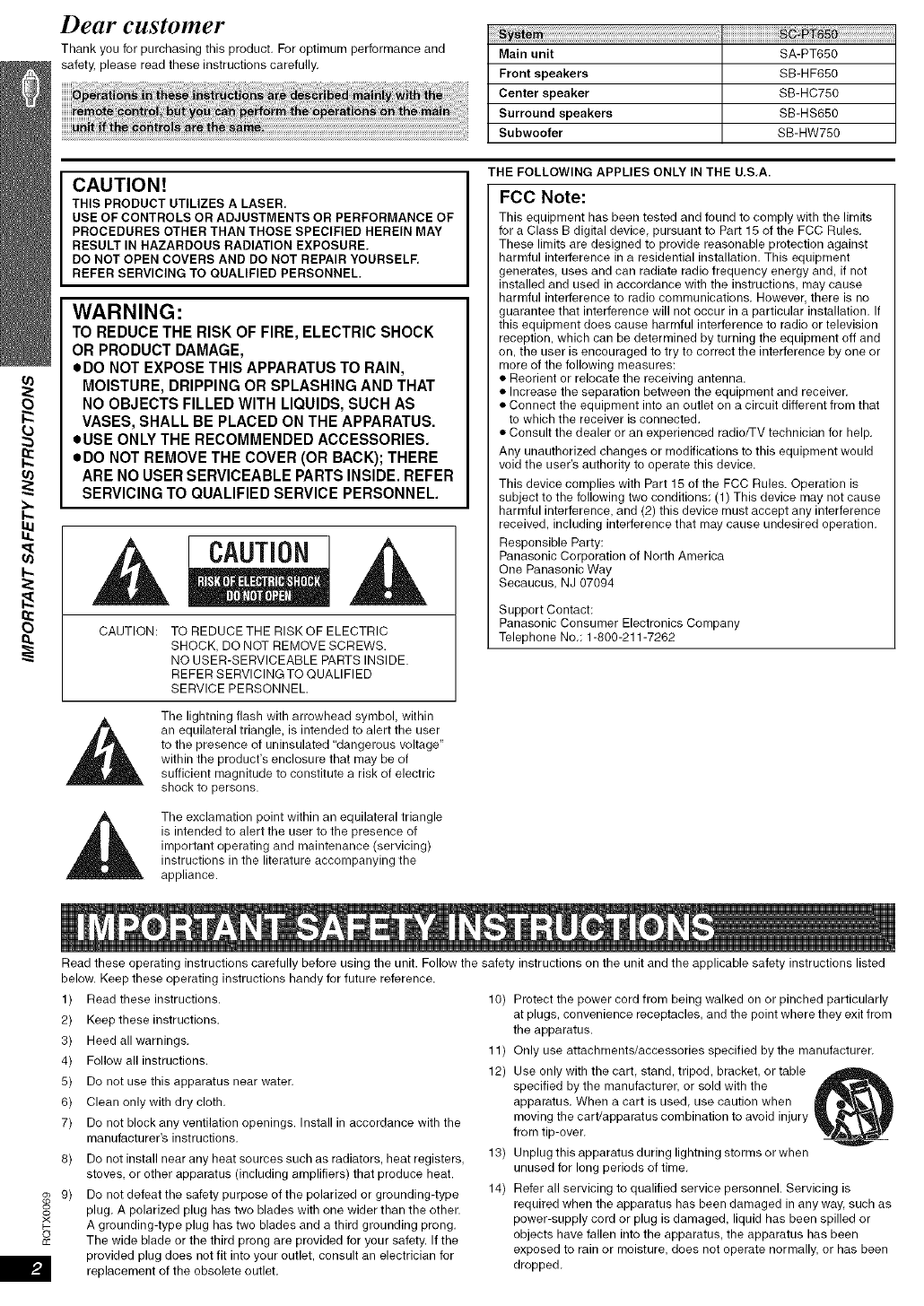
Dear customer
Thank you for purchasing this product. For optimum performance and
safety, please read these instructions carefully. Main unit SA-PT650
Front speakers SB-HF650
Center speaker SB-HC750
Surround speakers SB-HS650
Subweofer SB-HW750
CAUTION!
THIS PRODUCT UTILIZES A LASER.
USE OF CONTROLS OR ADJUSTMENTS OR PERFORMANCE OF
PROCEDURES OTHER THAN THOSE SPECIFIED HEREIN MAY
RESULT IN HAZARDOUS RADIATION EXPOSURE.
DO NOT OPEN COVERS AND DO NOT REPAIR YOURSELF.
REFER SERVICING TO QUALIFIED PERSONNEL.
WARNING:
TO REDUCE THE RISK OF FIRE, ELECTRIC SHOCK
OR PRODUCT DAMAGE,
eDO NOT EXPOSE THIS APPARATUS TO RAIN,
MOISTURE, DRIPPING OR SPLASHING AND THAT
NO OBJECTS FILLED WITH LIQUIDS, SUCH AS
VASES, SHALL BE PLACED ON THE APPARATUS.
oUSE ONLY THE RECOMMENDED ACCESSORIES.
eDO NOT REMOVE THE COVER (OR BACK); THERE
ARE NO USER SERVICEABLE PARTSINSIDE. REFER
SERVICING TO QUALIFIED SERVICE PERSONNEL.
CAUTION
CAUTION: TO REDUCETHE RISK OF ELECTRIC
SHOCK, DO NOT REMOVE SCREWS.
NO USER-SERVICEABLE PARTS INSIDE.
REFER SERVICING TO QUALIFIED
SERVICE PERSONNEL.
The lightning flash with arrowhead symbol, within
an equilateral triangle, is intended to alert the user
to the presence of uninsulated "dangerous voltage"
within the product's enclosure that may be of
sufficient magnitude to constitute a risk of electric
shock to persons.
The exclamation point within an equilateral triangle
is intended to alert the user to the presence of
important operating and maintenance (servicing)
instructions in the literature accompanying the
appliance.
THE FOLLOWING APPLIES ONLY IN THE U.S.A.
FCC Note:
This equipment has been tested and found to comply with the limits
for a Class B digital device pursuant to Part 15 of the FCC Rules.
These limits are designed to provide reasonable protection against
harmful interference in a residential installation. This equipment
generates, uses and can radiate radio frequency energy and, if not
installed and used in accordance with the instructions, may cause
harmful interference to radio communications. However, there is no
guarantee that interference will not occur in a particular installation. If
this equipment does cause harmful interference to radio or television
reception, which can be determined by turning the equipment off and
on, the user is encouraged to try to correct the interference by one or
more of the following measures:
• Reorient or relocate the receiving antenna.
• Increase the separation between the equipment and receiver.
• Connect the equipment into an outlet on a circuit different from that
to which the receiver is connected.
• Consult the dealer or an experienced radio/-i-V technician for help.
Any unauthorized changes or modifications to this equipment would
void the user's authority to operate this device.
This device complies with Part 15 of the FCC Rules. Operation is
subject to the following two conditions: (1) This device may not cause
harmful interference, and (2) this device must accept any interference
received, including interference that may cause undesired operation.
Responsible Party:
Panasonic Corporation of North America
One Panasonic Way
Secaucus, NJ 07094
Support Contact:
Panasonic Consumer Electronics Company
Telephone No.: 1-800-211-7262
Read these operating instructions carefully before using the unit. Follow the safety instructions on the unit and the applicable safety instructions listed
below. Keep these operating instructions handy for future reference.
1) Read these instructions.
2) Keep these instructions.
3) Heed all warnings,
4) Follow all instructions.
5) Do not use this apparatus near water.
6) Clean only with dry cloth,
7) Do not block any ventilation openings. Install in accordance with the
manufacturer's instructions.
8) Do not install near any heat sources such as radiators, heat registers
stoves, or other apparatus (including amplifiers) that produce heat.
9) Do not defeat the safety purpose of the polarized or grounding-type
o° plug. A polarized plug has two blades with one wider than the other.
x
_- A grounding-type plug has two blades and a third grounding prong.
o
cc The wide blade or the third prong are provided for your safety. If the
provided plug does not fit into your outlet, consult an electrician for
replacement of the obsolete outlet.
10) Protect the power cord from being walked on or pinched particularly
at plugs, convenience receptacles, and the point where they exit from
the apparatus.
11) Only use attachments/accessories specified by the manufacturer.
12) Use only with the cart stand, tripod, bracket, or table
specified by the manufacturer, or sold with the
apparatus. When a cart is used, use caution when
moving the cart/apparatus combination to avoid injury
from tip-over.
13) Unplug this apparatus during lightning storms or when
unused for long periods of time.
14) Refer all servicing to qualified service personnel. Servicing is
required when the apparatus has been damaged in any way, such as
power-supply cord or plug is damaged, liquid has been spilled or
objects have fallen into the apparatus, the apparatus has been
exposed to rain or moisture, does not operate normally, or has been
dropped.
P41

TABLE OF CONTENTS
Basic play .............................. 14
Using the main unit ........................... 14
Using the remote control ...................... 15
Convenient functions .................... 16
Checking and selecting the disc ................. 16
Displaying current playback condition ............. 16
Playing CDs sequentially ...................... 16
Program and Random play ..................... 17
Playing data discs using navigation menus.. 18
Playing data discs ........................... 18
Selecting a track using CD text ................. 18
Playing HighMAT TM discs ...................... 19
Playing RAM and DVD-R/-RW (DVD-VR) discs .... 19
Using on-screen menus .................. 20
Main menu ................................. 20
Other Settings .............................. 21
Changing the player settings .............. 23
Changing the delay time of the speakers .......... 25
ii iTMiiiiill!i
Reference
Using the EZ Sync TM"HDAVI Control TM" . .... 26
One touch play .............................. 26
Auto input switching .......................... 26
Speaker control ............................. 26
Power off link ............................... 26
EZ Sync Control only with TV's remote control (for
"HDAVI Control 2") .......................... 26
Using the FM/AM radio ................... 27
Presetting stations automatically ................ 27
Selecting the preset channels .................. 27
Manual tuning ............................... 27
Using the XM ® Satellite Radio ............. 28
Selecting XM channels by direct entry ............ 29
Selecting XM channels by category .............. 29
Presetting the XM channels .................... 29
Using sound effects ..................... 30
Using the equalizer function .................... 30
Enhancing the stereo sound:
Dolby Pro Logic II/Super Surround ............. 30
Adjusting the amount of bass: Subwoofer level ..... 30
Adjusting the volume of each speaker:
Speaker level adjustments ................... 30
Enjoying audio from an external source ..... 31
Enjoying audio from the television ............... 31
Using the Music Port ......................... 31
Using the iPod .............................. 31
Glossary ............................... 32
Product Service ......................... 32
Troubleshooting guide ................... 33
Specifications .......................... 36
Limited Warranty (ONLY FOR U.S.A.) ....... 38 "*_'_*
Limited Warranty (ONLY FOR CANADA) ..... 39
Accessories .................... Back cover
8
x
Positioning
How you set up your speakers can affect the bass and the sound field. Note the following points:
• Place speakers on flat secure bases.
• Placing speakers too close to floors, walls, and corners can result in excessive bass. Cover walls and windows with thick curtains.
• For optional wall mount, refer to page 5.
Keep your speakers at least 10 mm (W32") away from the system for proper ventilation.
Setup example
Place the front, center, and surround speakers at approximately the same distance from the seating position.
The angles in the diagram are approximate.
Subwoofer
Place to the right or left of the
television on the floor or a
sturdy shelf so that it will not
cause vibration. Leave about
30 cm (1 1W_d') from the
television.
Front speakers
Left and right speakers are
interchangeable.
Center speaker
Put on a rack or shelf. Vibration caused by the
speaker can disrupt the picture if it is placed
directly on the television.
Main unit
To allow for proper ventilation and to maintain
good airflow around the main unit, position it with
at least 5 cm (2") of space on all sides.
Universal Dock for iPed
Position near the main unit.
• For compatible iPod, refer to page 31.
Surround speakers
Left and right speakers are /.'_._2.
interchangeable. 12o° <_
Remove the digital transmitter cover before installing any
optional Panasonic wireless accessory.
• Replace the cover when the digital transmitter is not in use. Back of the main unit
The illustration shows the model for U.S.A. You can use the blunt end of a writing instrument to
push here until the cover pops out.
Notes on speaker use
•Use only supplied speakers
Using other speakers can damage the unit, and sound quality will be
negatively affected.
• You can damage your speakers and shorten their useful life if you play
sound at high levels over extended periods.
• Reduce the volume in the following cases to avoid damage:
-When playing distorted sound.
-When the speakers are reverberating due to a record player, noise
from FM broadcasts, or continuous signals from an oscillator, test
disc, or electronic instrument.
-When adjusting the sound quality.
-When turning the unit on or off.
If irregular coloring occurs on your television
The front and center speakers are designed to be used close to a
television, but the picture may be affected with some televisions and
setup combinations.
If this occurs, turn the television off for about 30 minutes.
The demagnetizing function of the television should correct the problem,
If it persists move the speakers further away from the television.
•Attaching to a wall
You can attach all of the speakers (except subwoofer) to a wall,
• The wall or pillar on which the speakers are to be attached should be
capable of supporting 10 kg (22 Ibs) per screw. Consult a qualified
building contractor when attaching the speakers to a wall. Improper
attachment may result in damage to the wall and speakers.
QDrive a screw (not included) into the wall.
zz zz z A _' At least 30 mm (13/_d')
O4.0 mm (5/32")
_-/_ _- ¢57.0 to 9,4 mm
__ JL ('/32" to"/3/')
Wa,,orpi,,ar--to Gmml'J,,'tolJ,')
(_ Fit the speaker securely onto the screw(s) with the hole(s),
Front and surround speakers
Caution
•The main unit and supplied speakers are to be
used only as indicated in this setup. Failure to
do so may lead to damage to the amplifier and/
or the speakers, and may result in the risk of
fire. Consult a qualified service person if
damage has occurred or if you experience a
sudden change in performance.
•Do not attempt to attach these speakers to
walls using methods other than those
described in this manual,
Center speaker
Caution
Do not touch the front netted area of the speakers. Hold by the sides.
e.g. Center speaker 190 mm
(7'%/')
•Fitting speaker stands (notincluded)
(except subwoefer)
Ensure the stands meet these conditions before purchasing them.
Note the diameter and length of the screws and the distance
between screws as shown in the diagram.
• The stands must be able to support over 10 k8 (22 Ibs).
• The stands must be stable even if the speakers are in a high
position.
e.g. Center speaker
Metal screw holes
For attacl-fing to ...................................I I
speaker stands
/: ; i/
/
5 mm (3/16'), pitch 0.8 mm (%2") _1_
i/
Plate thickness plus /]
7 mm to 10 mm 60 mm (23H ')
(plus %2" to WJ)
Cable connections
Turn off all equipment before connection and read the appropriate operating instructions.
Do not connect the AC power supply cord until all other connections are complete.
Basic setup example
The illustration shows the model for U.S.A.
Main unit
You can enjoy audio from your
television, video cassette
recorder or cable TV programs
through this home theater
system by connecting to the
AUX terminals. Select "AUX"
as the source (-I. page 31).
Television (not included) Main unit
Television terminals Cables required Main unit terminals Features
(not included)
HDMI
HDMI cable
HDR'tl
AV_N
@Yi
All Panasonic televisions
that have 480p input
connectors are
compatible. Consult the
manufacturer if you have
another brand of
television.
•Non-HDMI-compliant cables
cannot be utilized.
• It is recommended that you use
Panasonic's HDMI cable.
Recommended part number:
RP-CDHG15 (1.5 m/4.9 ft),
RP-CDHG30 (3.0 m/9.8 ft),
RP-CDHGSO (5.0 m/16.4 ft), etc.
Video cables
HE3ml
AVOUT
H_m|
AVOUT
COMPONENT VIDEOi
• Connect to terminals
of the same color.
This connection provides the best picture quality.
• Set "Video Mode" to "On" (--I, page 24, "HDMI" menu).
• Set "Video Output Mode" (.4. page 21, Picture Menu).
EZ Sync "HDAVI Control"
If your Panasonic television is an HDMI control
compatible television, you can operate your television
synchronizing with home-theater operations or vice
TM
versa (".) page 26, Using the EZ Sync "HDAVI
CentroFM").
• Make the audio connection (-'.) above) when you use
EZ Sync "HDAVI Control" function.
This connection provides a much purer picture than the
VIDEO OUT terminal.
• After making this connection, select "Darker" from the
"Black Level Control" in the "Video" menu
(.4. page 24).
To enjoy progressive video
• Connect to a progressive output compatible
television.
O) Set "Video Mode" to "Off" (.4. page 24, "HDMI"
menu).
(2)Set "Video Output Mode" to "480p", and then follow
the instructions on the menu screen (--I,page 21,
Picture Menu).
•Do not make the video connections through the video cassette recorder,
Due to copy guard protection, the picture may net be displayed properly.
• Only one video connection is required.
•Be careful not to cross (short-circuit) or reverse the polarity of the speaker wires as doing so may damage the
speakers.
Insert the wires, taking care
not to insert beyond the
wire insulation.
Main unit
Insert the wires correctly.
@ SURROUND (L)
(© SURROUND (R)
(1_ FRONT (L)
(2_ FRONT (R)
@ CENTER
@ SUBWOOFER
• Keep loose antenna cables away from other wires and cables.
+ : White
: Blue
Speaker cable sticker (included)
Attach the corresponding speaker
cables with the speaker-cable
stickers to make connection easier.
FM indoor antenna ,,_
(included) / ..........
Affix this end of the
antenna where 7
reception is best. /I
Adhesive tapeJ_
AM loop antenna
(included)
Stand the antenna
up on its base.
Place the antenna
where reception is
best.
XM antenna i
(not included)
Use an XM Connect & Play antenna
or XM Passport Mini-Tuner and
Home Dock.
• Subscription is required to receive
XM Satellite Radio.
Refer to page 28 for details.
Push! [
LOOP
ANTGND White
Red
I Black
J
Use outdoor antenna if FM/AM radio reception is poor.
• Disconnect the antenna when the unit is not in use.
• Do not use the outdoor antenna during an electrical storm.
_i/Leave the AM _ _, _MANTI 75 [_ coaxial cable _
loop antenna --"7 _'(e")_b(75_)I (notincluded) f_-
L_ _I_oolo,......i.......................
LOOPq
_AM Antenna plug _
__ ANT (not included)
LEX T I /
J 5to12m
(16 to 39 feet)
Rework your outdoor antenna's 75 Ocoaxial cable as follows.
__.._--_ FM outdoor antenna
[Using a television antenna (not
included)]
• Disconnect the FM indoor antenna.
• The antenna should be installed by a
competent technician.
AM outdoor antenna
[Using a vinyl wire (not included)]
Run a piece of vinyl wire horizontally across
a window or other convenient location.
(_ Remove a piece of the outer _) Carefully pull the tabs apart (_ Install the coaxial cable.
vinyl insulator, to remove the cover. Clamp the cable conductor, and
wind it on so that it does not
contact anything else.
10 mm (W3d')
, .o
10 mm (W32') Peel back @
41. \
7 mm (%d') Clamp with pliers
@Attach the cover,
iPod ®connection
Proceed to step 4 if you are not connecting an iPod to the main unit.
Dock adapter for Dock adapter for Dock adapter for
iPod nano 2nd generation iPod 5th generation iPod 5th generation
(aluminum) (video) (60GB, 80GB) (video) (30GB)
(2GB, 4GB, 8GB)
The mark [_, [_ or [_ is shown on the back of each dock adapter.
• For other types of iPod, use the dock adapter sold separately.
Or visit the official Apple Computer website for compatible adapters.
--_ Connect the dock to
thebackofthemainunit. _ _
Universal Dock
for iPod
r v,ng
upwards.
AC cord connection
•Charging the iPod
iPod (not included) _.._.__ /
• Connect the iPed firmly.._(
The indicator lights up when
the iPod is inserted, and
charging starts.
Charging time
iPod nano 2nd generation (aluminum) Until iPod is fully charged
iPed 5th generation (video)
iPed nane 1st generation
iPed 4th generation (color display) 5 hours (fixed)
iPed 4th generation
iPed mini
• AC cord must be connected with the main unit.
• "OPTION :-:" will be shown on the main unit's display during iPod
charging in main unit standby mode. It will go off when charging
is finished.
For the above models under "fixed 5-hour charging"
"OPTION -:" continues to be displayed throughout this duration,
even when your iPod is fully charged. You can turn off this display
by removing the iPod from the dock.
• Compatibility depends on the software version of your iPod.
Main unit The illustration shows the model for U.S.A.
AC power supply cord To household AC outlet
(AC 120 V, 60 Hz)
Conserving power
The main unit consumes a small amount of power when it is turned off
(approx. 0.5 W). To save power when it is not to be used for a long time,
unplug it from the household AC outlet.
You will need to reset some memory items after plugging in the main unit.
The included AC power supply cord is for use with the main unit only. De
not use it with other equipment. Also, do not use cords for other
equipment with the main unit.
Preparing the remote control
Do not:
•mix old and new batteries.
@ Insert so the poles (+ and ) match those in the remote control. • use different types at the same time.
• heat or expose to flame.
• take apart or short circuit.
• attempt to recharge alkaline or manganese batteries.
• use batteries if the covering has been peeled off.
Mishandling of batteries can cause electrolyte leakage which can
severely damage the remote control.
Remove the batteries if the remote control is not going to be used for a
long period of time. Store in a cool, dark place.
R6/LR6, AA
• Do not use rechargeable type batteries. •Use
Aim at the remote control signal sensor (-.) page 11), avoiding
obstacles, at a maximum range of 7 m (23 feet) directly in front of
the unit.
(_ Performing QUICK SETUP
The QUICK SETUP screen assists you to make necessary settings.
To display the picture from the main unit_ turn on your television and change its video input mode
(e,g. VIDEO 1, AV 1_etc.).
•To change your television's video input mode, refer to its operating instructions.
•This remote control can perform some basic television operations (4 page 10).
Turn on the unit.
h,, T, <,i_--
ENTER
!i!i
=-RETURN,
--SETUP
Select "DVD/CD".
Press and hold to show
the QUICK SETUP
screen.
Follow the messages
and make the settings.
eMenu Language
oTV Type
oTV Aspect
Press to finish QUICK
SETUP.
Press to exit.
To change these settings later
Select "QUICK SETUP" in the "Others" menu (_ page 25).
13
See page references in parentheses.
Television operations
Refer to "Operating the television" below.
Turn the main unit on/off (9)m
Select disc's title numbers etc,/Enter numbers (15) --
Select the disc or show disc information (16)
Select preset radio stations/channels (27, 29) m
Basic operations for play (14, 15) --
Show a disc top menu (18) or program list (19)_
Frame-by-frame/Select or register menu items on the
television screen (15)/Browse XM radio categories (29)
Show on-screen menu (20)
_AIt_ _MQI]_ SLEEF
-EQ -SW.LEVEL _
CANCEL -CD MODE
iis) (16,30) (30)
nBPL l[/
S.SRD FLDISPLAY PL_,YMODE
.... _:2!_?°iii7;29;3oi.....................
-TEST -CM SELECT
Mute the sound
• "MUTING" flashes in the main unit's display while the
function is on.
• To cancel, press the button again or adjust the volume.
• Muting is canceled when you switch the unit to standby.
.....Mi!l;
i
Show a disc menu (18) or play list (19)
Return to previous screen (15)
or show the setup menu (23)
m
Turn the unit off automatically (Sleep timer)
1 Press and hold the button,
2 While the time is shown, press the button repeatedly to select
the time (in minutes).
• The maximum setting is 120-rain (in 30-min steps)
• Press and hold the button again to confirm the remaining time
on the unit's display.
• To cancel, select "OFF" in the main unit's display.
Aim the remote control at the Panasonic television and press the button,
[_ TV]: Turn the television on/off
[TV/VlDEO]: Change the television's video input mode
[+, -]: Adjust the television volume
• This may not work properly with some models.
oo
x
o
£c
Other Panasonic audio/video equipment may start functioning when you
operate the unit using the supplied remote control.
You can operate this unit in another mode by setting the remote control
operating mode to "REMOTE 2".
The main unit and remote control must be set to the same mode.
1 Press and hold [_..I_/1_..t] on the main unit and [2] on the remote
control until the main unit's display shows "REMOTE 2".
2 Press and hold [ENTER] and [2] on the remote control for at least 2
seconds.
To change the mode back to "REMOTE 1", repeat both steps above by
replacing [2] with [1].
|I_