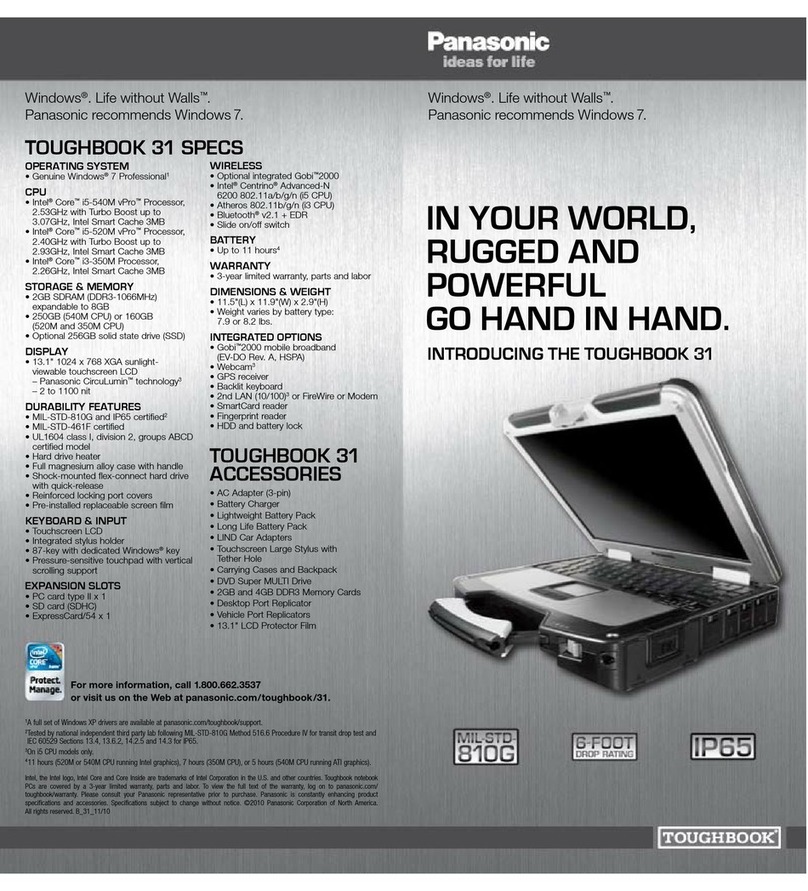
Windows®. Life without Walls™. Panasonic recommends Windows 7.
DURABILITy ■MIL-STD-810G certified (6' drop, shock, vibration, rain, dust, sand, altitude,
freeze/thaw, high/low temperature, temperature shock, humidity, explosive atmosphere)3
■MIL-STD-461F certified
■IP65 certified sealed all-weather design3
■Hard drive heater
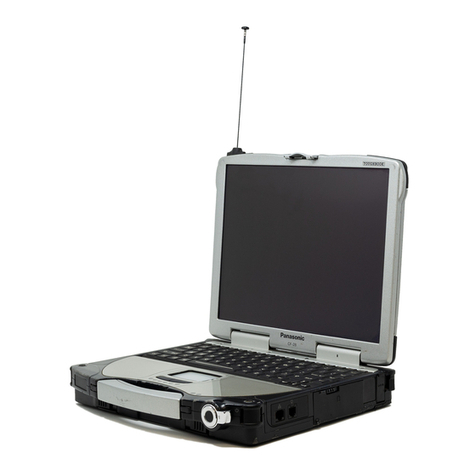
■Full magnesium alloy case with handle
■Shock-mounted flex-connect hard drive with quick-release
■Reinforced locking port covers
■Pre-installed replaceable screen film for touchscreen protection
SOfTwARE ■Genuine Windows®7 Professional 32-bit4or
Genuine Windows®7 Professional 64-bit4
■Panasonic Utilities, Recovery Partition
CPU5■Intel®Core™i5-2540M vPro™Processor
– 2.6GHz with Turbo Boost up to 3.3GHz
– Intel Smart Cache 3MB
■Intel®Core™i5-2520M vPro™Processor
– 2.5GHz with Turbo Boost up to 3.2GHz
– Intel Smart Cache 3MB
■Intel®Core™i3-2310M Processor
– 2.1GHz
– Intel Smart Cache 3MB
STORAGE & MEMORy ■i5 models: 4GB SDRAM (DDR3-1333MHz), expandable to 8GB6,7
■i3 model: 2GB SDRAM (DDR3-1333MHz), expandable to 8GB6,7
■Shock-mounted flex-connect hard drive with quick-release
– 320GB 7200rpm (i5 models), 320GB 5400rpm (i3 model)7
– Optional 128GB and 256GB solid state drives (SSD)7
DISPLAy ■13.1" XGA sunlight-viewable touchscreen LED 1024 x 768
– Panasonic CircuLumin™technology
– 2-1200 nit
– Circular polarizer2
– Anti-reflective and anti-glare screen treatments
■2540M CPU with switchable graphics in BIOS:
– ATI Radeon™HD6750, 512MB dedicated VRAM
– Intel QM67 video controller, max. 1428MB shared VRAM with 32-bit6
■2520M CPU:
– Intel QM67 video controller, max. 1428MB shared VRAM with 32-bit6
■2310M CPU:
– Intel HM65 video controller, max. 1428MB shared VRAM with 32-bit6
■External video support up to 1280 x 1024 at 16.7 million colors
■Concealed mode
AUDIO ■Intel®high-definition audio compliant
■Integrated front-facing speaker
■Keyboard volume and mute controls
KEyBOARD & INPUT ■Touchscreen
■Integrated stylus holder
■87-key with dedicated Windows®key
■Pressure-sensitive touchpad with vertical scrolling support
MULTIMEDIA BAy ■Optional DVD Super MULTI Drive or 2nd battery
EXPANSION SLOTS ■PC card type II x 1
■SD card (SDXC)
■ExpressCard/54 x 1
INTERfACE ■Docking connector 80-pin
■HDMI Type A
■VGA D-sub 15-pin
■Headphones/speaker Mini-jack stereo
■Microphone/line in Mini-jack stereo
■Serial D-sub 9-pin
■Ext. antenna conn. 50 ohm coaxial
■USB 2.0 (x 4)—optional USB 3.0 (x1)84-pin
■Optional IEEE 1394a (FireWire) 4-pin
■10/100/1000 Ethernet RJ-45
■Optional 10/100 2nd LAN (Ethernet) RJ-45
■Optional 56K Modem RJ-11
wIRELESS ■Optional integrated LTE 4G mobile broadband (Fall 2011)
■Optional integrated Gobi™2000 3G mobile broadband
■Intel®Centrino®Advanced-N 6205 802.11a/b/g/n (i5 CPU models)
■Atheros 802.11b/g/n (i3 CPU model)
■Bluetooth®v2.1 + EDR (Class 1)
■Security
– Authentication: LEAP, WPA, 802.1x, EAP-TLS, EAP-FAST, PEAP
– Encryption: CKIP, TKIP, 128-bit and 64-bit WEP, Hardware AES
■User-selectable antenna pass-through (single standard, dual optional)
■Slide on/off switch
POwER SUPPLy ■i5 CPU:
– Battery operation: 13.5 hours (2520M), 12.5 hours (2540M running Intel graphics),
7.5 hours (2540M CPU running ATI graphics)9
– Long life Li-Ion battery pack (10.65V, typical 8550mAh, minimum 8100mAh)
– Battery charge time: 3.5 hours off, 4.5 hours on9
■i3 CPU:
– Battery operation: 7.5 hours (with lightweight battery)9
– Lightweight Li-Ion battery pack (10.8V, typical 4500mAh,
minimum 4200mAh)
– Battery charge time: 2 hours off, 2.5 hours on9
■Optional media bay 2nd battery: 6.5 additional hours (2520M and 2310M models)1
■AC Adapter: AC 100V-240V 50/60Hz, auto sensing/switching
worldwide power supply
POwER MANAGEMENT
■Suspend/Resume Function, Hibernation, Standby, ACPI BIOS
SECURITy fEATURES
■Password Security: Supervisor, User, Hard Disk Lock
■Kensington cable lock slot
■Trusted platform module (TPM) security chip v.1.22
■Computrace®theft protection agent in BIOS10
■Intel®Anti-Theft Technology (i5 CPU models)
■Optional fingerprint reader
■Optional SmartCard reader
wARRANTy
■3-year limited warranty, parts and labor
DIMENSIONS & wEIGHT
■11.5"(L) x 11.9"(W) x 2.9"(H)
■7.9 or 8.2 lbs. (varies by battery type)
INTEGRATED OPTIONS11
■LTE 4G mobile broadband (Fall 2011)
■Gobi™2000 3G mobile broadband (EV-DO Rev. A, HSPA)
■Webcam2
■GPS receiver
■Backlit keyboard – sealed rubber or plastic emissive
■2nd LAN (10/100)2or FireWire or Modem
■USB 3.0 port (x1)8
■SmartCard reader
■Fingerprint reader
■Media bay 2nd battery1
■HDD and battery lock
■128GB and 256GB solid state drives (SSD)
ACCESSORIES11
■AC Adapter (3-prong) CF-AA5713AM
■Lightweight Battery Pack CF-VZSU65AU
■Long Life Ion Battery Pack CF-VZSU46AU
■Media Bay 2nd Battery1CF-VZSU1431U
■Battery Charger CF-VCBTB2W
■LIND 3-Bay Battery Charger PACH329-1857-P
■LIND Car Adapter 120W CF-LNDDC120
■LIND Car Adapter 120W
Mounting Bracket CF-LNDBRK120
■LIND Shutdown Timer CF-LNDLPT
■InfoCase ComUniversal
Carrying Case (large capacity) TBCCOMUNV-P
■InfoCase Backpack TBCBPK-P
■InfoCase Sling 31 Case TBC31CASE-P
■DVD Super MULTI Drive CF-VDM311U
■Memory Cards
– 2GB DDR3 CF-WMBA1002G
– 4GB DDR3 CF-WMBA1004G
■Desktop Dock CF-VEB311U
■Vehicle Dock
– no pass-through See Dealer
– single pass-through See Dealer
– dual pass-through See Dealer
■Touchscreen Large Stylus
with Tether Hole CF-VNP009U
■Tether CF-VNT002U
■13.1" LCD Protector Film CF-VPF15U
SS31mk2_07/11
1.800.662.3537 /panasonic.com/toughbook /31
Financing options now available from Panasonic Finance Solutions;
please call number above for more details.
Panasonic is constantly enhancing product specifications and accessories. Specifications subject to change without notice.
Trademarks are property of their respective owners. ©2011 Panasonic Corporation of North America. All rights reserved.
Please consult your reseller or Panasonic representative before purchasing.
1Not available on 2540M.
2On i5 CPU models only.
3Tested by national independent third party lab following MIL-STD-810G Method
516.6 Procedure IV for transit drop test and IEC 60529 Sections 13.4, 13.6.2,
14.2.5 and 14.3 for IP65.
4
A full set of Windows XP drivers are available at panasonic.com/toughbook/support.
5
An Intel Core i7 processor is also available.
6
The size of the VRAM cannot be set by the user and varies by operating system as well
as size of RAM. Windows 7 64-bit max. VRAM is 1696MB with 4GB of memory.
71GB = 1,000,000,000 bytes.
8Replaces one USB 2.0 port.
9
Battery performance features such as charge time and life span can vary according to
the conditions under which the computer and battery are used. Battery operation and
recharge times will vary based on many factors, including screen brightness, applications,
features, power management, battery conditioning and other customer preferences.
Battery testing results from MobileMark 2007 running Windows 7 Professional.
10 Requires software and activation to enable theft protection.
11 Accessories and Integrated Options may vary depending on your notebook configuration.