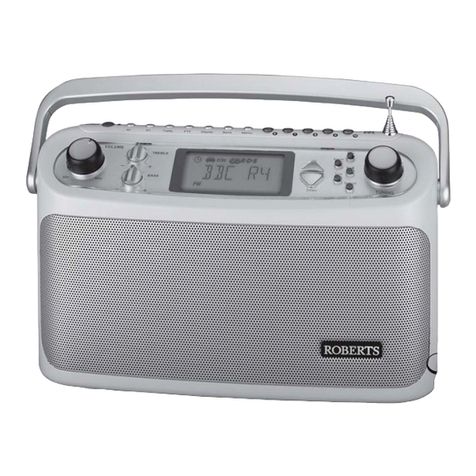
PERFECTPRO ATR-1 User manual

GB
F
E
NL
D
Operating instruction
Mode d’emploi
Instruccions de manejo
Gebruiksaanwijzing
Bedienungsanleitung
ATR-1

1
IMPORTANT SAFETY INSTRUCTIONS
1. Read these instructions.
2. Keep these instructions.
3. Heed all warnings.
4. Follow all instructions.
5.Do not use this apparatus near water.
6. Clean only with dry cloth.
7.Do not block any ventilation openings. Install in accordance with
the manufacturer’s instructions.
8.Do not install near any heat sources such as radiators,
heat registers, stoves, or other apparatus (including amplifiers)
that produce heat.
9.Do not defeat the safety purpose of the polarized or
grounding-type plug.Apolarized plug has two blades with one
wider than the other.Agrounding type plug has two blades and a
third grounding prong. The wide blade or the third prong are
provided for your safety. If the provided plug does not fit into your
outlet. consult an electrician for replacement of the obsolete outlet.

2
10. Protect the power cord from being walked on or pinched
particularly at plugs, convenience receptacles, and the point
where they exit from the apparatus.
11. Only use attachments/accessories specified by the manufacturer.
12. Use only with the cart, stand, tripod, bracket, or table specified by
the manufacturer, or sold with the apparatus. When a cart is
used, use caution when moving the cart/apparatus combination
to avoid injury from tip-over.
13. Unplug this apparatus during lightning storms or when unused for
long periods of time.
14. Refer all servicing to qualified service personnel. Servicing is
required when the apparatus has been damaged in any way,
such as power-supply cord or plug is damaged. liquid has been
spilled or objects have fallen into the apparatus, the apparatus
has been exposed to rain or moisture, does not operate
normally, or has been dropped.
15. To Reduce the Risk of Fire or Electric Shock,Do not Expose
ThisAppliance To Rain or Moisture.
16. The Shock Hazard Marking andAssociated Graphical Symbol is
provided on the bottom panel of unit.
17.Apparatus shall not be exposed to dripping or splashing and no
objects filled with liquids, shall not be placed on the apparatus.
GB

3

4
Control
Tone Control
Aux In LED indicator
Power Button/Sleep
Buzzer Alarm
Buzzer
Light Switch
Radio Alarm
DC Input Socket
Open to AC Cord Compartment
DC Output Socket
Volume Control
Tuning Control/Time Set/Station Scan
FM Antenna
DC Out LED indicator
Band Selection
Speaker
Light
LCD Display
Preset station
Battery Compartment
Aux In Socket
Headphone Socket
3
45
67
89
10 11
12 13
14 15
16 17
18
2
1
19
20 21
22 GB

5
LCD Display Preset Stations
Frequencyunit
HWS BuzzerAlarm
Sleep and Snooze Status
Time Set
Band Indicator
Battery Power
RadioAlarm
Frequency
PM for Clock
Clock
F
AB
CD
E
G
J
I
H
K

6
GB
Power the radio
Note:
Insert back up battery prior to main batteries.
Back up battery is to back up the preset stations and also clock.
It is necessary to insert back up battery (2 x UM-3 1.5V, not supplied)
for memory back up even if you useAC power only. Without the back
up battery, time and preset station will get lost if removeAC power
cord fromAC outlet or duringAC power failure.
Back up battery compartment is located inside the main battery
compartment. Insert 2 xAAsize (UM-3) battery and ensure the
battery is inserted in accordance with the diagram shown.

1. Battery operation
Installing the batteries, first turn battery cover fixture anti-clockwise
to loosen and put down the battery cover. Insert 6 xDsize (UM-1)
battery into the compartment. Ensure the battery is inserted in
accordance with the diagram shown.
Close the battery cover and fasten the fixture by turning clockwise.
If the radio is not to be used for any extended period of time,
it is recommended that the battery is removed from the radio.
2. AC operation
Before you plug theAC cord into theAC socket, be sure the voltage
is correct. If you have batteries in the radio and use theAC power
cord, the batteries will automatically be disconnected.
Switch the “Open“ to theAC cord compartment to OPENposition,
pull back the compartment door and cylinder of theAC cord storage,
put out theAC cord to get the required length to theAC socket and
position theAC cord in the cut out in the lower right side of the
compartment door. Close the door.
You can store theAC cord after use in the opposite way you pull out
theAC cord.
3. Powered viaDC IN socket
The radio can be also powered via theDC INsocket which can allow
9-14 Volt DC, which is designed to be powered by the vehicle or the
boat so you can take the radio with you outdoors or on the boat.
An additional cigarette lighter cable is required (not supplied) for
this device.
7

8
Setting the clock
1. Clock can be set either the radio is power on or off.
2.Display will show “- : - -“ when the batteries are installed or when
the radio is connected to the mains supply.
3. Press inTuning control (Time Set) knob for more than 2 seconds,
display will flash time set symbol and also the hour digits,
followed by a beep.
4. Rotary Tuning Control (Time Set) knob to set the required hours.
5. Press in Tuning control knob, the minute digits will flash.
6. Rotary Tuning Control button to set required minute.
7. Press in Tuning Control button to complete time setting.
Operating the radio
This radio is equipped with three tuning methods – Scan tuning,
Manual tuning and Memory presets recall.
Scan Tuning
1. Press the Power button to turn on the radio.
2. Select the required waveband by pressing the Band button.
For FM band, be sure to screw in the rubber FM antenna properly
to get best reception. For MW (AM) band, rotate the radio to get
best signal.
3. Press and release Tuning Control /Time Set /Scan knob
(long press the knob more than 2 seconds will activate time
setting), the radio will up search and stop automatically when
it finds a radio station. Press the Scan button again to pick up
the found station.
GB

9
Note:
The radio will continue to search next available stations if you
do not press Scan button again when it finds a radio station.
4. Rotate the Volume Control and Tone Control to get required
sound level.
5. To turn off the radio, press the Power button.
Display will show OFF.
Manual tuning
1. Press the Power button to turn on the radio.
2. Select the required waveband by pressing the Band button.
Adjust the antenna as described above.
3.Asingle press on either rotate the Tuning Control knob will
change the frequency in the following increments:
FM: 50 or 100 kHz
MW (AM): 9 or 10 kHz
4. Rotate the Volume Control and Tone Control to get required
sound level.
5. To turn off the radio, press the Power button.
Display will show OFF.
Table of contents
Languages:
Other PERFECTPRO Portable Radio manuals