OFF
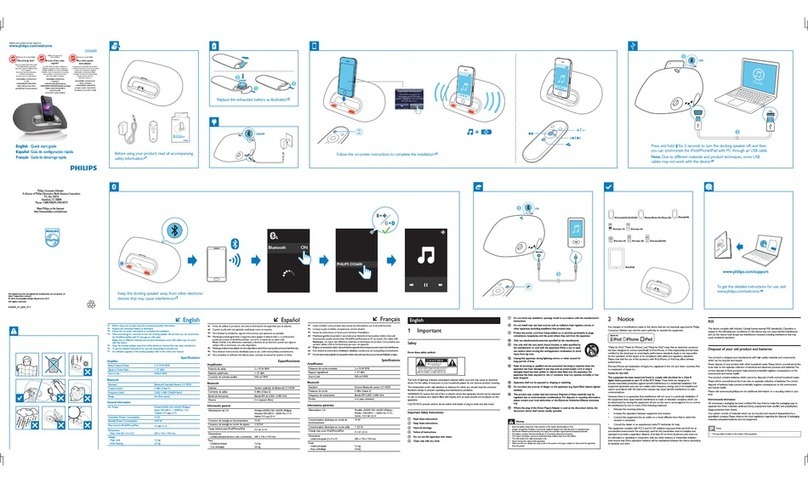
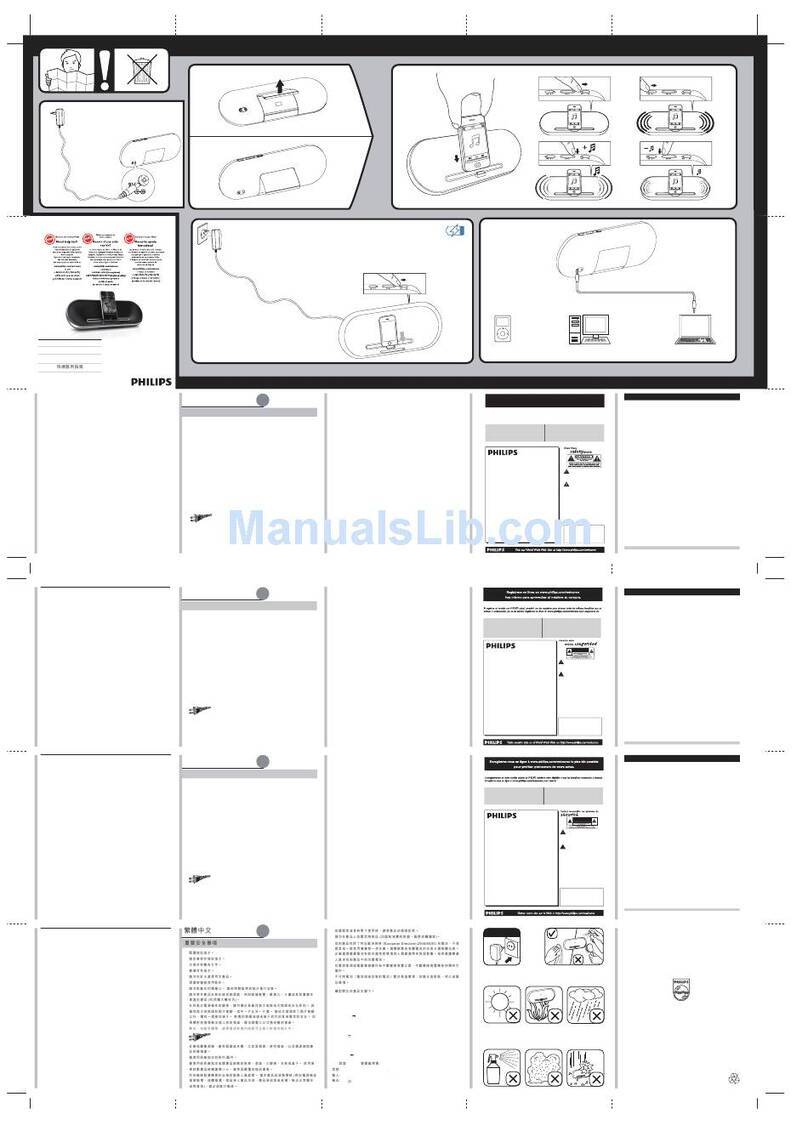
Press to turn the docking speaker off, and then you can
synchronize the iPod/iPhone with PC through an USB cable.
Note: Due to different materials and product techniques,
some USB cables may not work with this device.
MP3 LINK
To get the detailed instructions for use,
visit www.philips.com/support.
ÁEnglish
*1 If the docking speaker is powered by batteries, the volume is lower than that by AC supply.
*2 For software upgrade of the docking speaker, refer to the online user manual.
Specications
Rated Output Power 2 X 5 W RMS
Power supply
- AC Power
- Battery
Model: AS190-090-AI190 (Philips);
Input: 100-240 V ~, 50/60Hz, 0.7A;
Output: 9 V 1.9 A;
Li-ion battery
Operation Power Consumption <10 W
Standby Power Consumption <0.5 W
Max. load for iPod/iPhone 5 V 1 A
Dimensions
- Main Unit (W x H x D) 224 x 162 x 120 mm
Weight
- Main Unit
- With Packing
1.1 kg
1.6 kg
1 Important
• Read these instructions.
• Heed all warnings.
• Follow all instructions.
• Do not use this apparatus near water.
• Do not block any ventilation openings. Install in accordance with the
manufacturer’s instructions.
• Do not install near any heat sources such as radiators, heat registers,
stoves, or other apparatus (including ampliers) that produce heat.
• Protect the power cord from being walked on or pinched, particularly at
plugs, convenience receptacles, and the point where they exit from the
apparatus.
• Only use attachments/accessories specied by the manufacturer.
• Unplug this apparatus during lightning storms or when unused for long
periods of time.
• Refer all servicing to qualied service personnel. Servicing is required
when the apparatus has been damaged in any way, such as power-supply
cord or plug is damaged, liquid has been spilled or objects have fallen
into the apparatus, the apparatus has been exposed to rain or moisture,
does not operate normally, or has been dropped.
• Batteries (battery pack or batteries installed) shall not be exposed to
excessive heat such as sunshine, re or the like.
• Apparatus shall not be exposed to dripping or splashing.
• Do not place any sources of danger on the apparatus (e.g. liquid lled
objects, lighted candles).
• The USB socket is for data transmission only.
• Where the plug of the Direct Plug-in Adapter is used as the disconnect
device, the disconnect device shall remain readily operable.
Warning
• Never remove the casing of this apparatus.
• Never place this apparatus on other electrical equipment.
• Ensure that you always have easy access to the power cord, plug or adaptor to disconnect the
apparatus from the power.
2 Notice
Any changes or modications made to this device that are not expressly
approved by Philips Consumer Lifestyle may void the user’s authority to
operate the equipment.
This product complies with the radio interference requirements of the
European Community.
Your product is designed and manufactured with high quality materials
and components, which can be recycled and reused.
When this crossed-out wheeled bin symbol is attached to a product it
means that the product is covered by the European Directive 2002/96/
EC.
Please inform yourself about the local separate collection system for electrical
and electronic products.
Please act according to your local rules and do not dispose of your old
products with your normal household waste. Correct disposal of your old
product helps to prevent potential negative consequences for the
environment and human health.
Your product contains batteries covered by the European Directive
2006/66/EC, which cannot be disposed with normal household
waste.Please inform yourself about the local rules on separate collection of
batteries because correct disposal helps to prevent negative consequences
for the environmental and human health.
Environmental information
All unnecessary packaging has been omitted.We have tried to make the
packaging easy to separate into three materials: cardboard (box), polystyrene
foam (buffer) and polyethylene (bags, protective foam sheet.)
Your system consists of materials which can be recycled and reused if
disassembled by a specialized company. Please observe the local regulations
regarding the disposal of packaging materials, exhausted batteries and old
equipment.
“Made for iPod” and “Made for iPhone” mean that an electronic accessory
has been designed to connect specically to iPod or iPhone respectively, and
has been certied by the developer to meet Apple performance standards.
Apple is not responsible for the operation of this device or its compliance
with safety and regulatory standards. Please note that the use of this
accessory with iPod or iPhone may affect wireless performance.
iPod and iPhone are trademarks of Apple Inc., registered in the U.S. and other
countries.
Note
• The type plate is located on the bottom of the apparatus.
Always bring your product to a professional to remove the built-in battery.
DS3120_05_QSG_V1.0.indd 2DS3120_05_QSG_V1.0.indd 2 4/1/2012 9:26:54 AM4/1/2012 9:26:54 AM