manuals.online logo
Brands
  1. Home
  2. •
  3. Brands
  4. •
  5. Philips
  6. •
  7. Speakers
  8. •
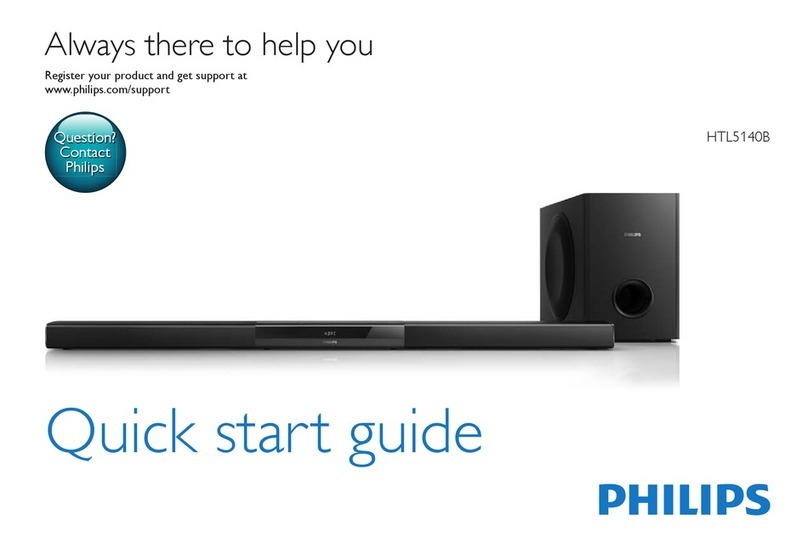
  9. Philips HTL3110B/F7 User manual

Philips HTL3110B/F7 User manual

Other manuals for HTL3110B/F7

2

Other Philips Speakers manuals

Philips MMS221 User manual

Philips

Philips MMS221 User manual

Philips BT3600 User manual

Philips

Philips BT3600 User manual

Philips SPA3251/97 User manual

Philips

Philips SPA3251/97 User manual

Philips Fidelo E5 User manual

Philips

Philips Fidelo E5 User manual

Philips HTL2111A User manual

Philips

Philips HTL2111A User manual

Philips HTL5120VF7 User manual

Philips

Philips HTL5120VF7 User manual

Philips Fidelio DS3880W User manual

Philips

Philips Fidelio DS3880W User manual

Philips SPA3350/93 User manual

Philips

Philips SPA3350/93 User manual

Philips HTL2150 User manual

Philips

Philips HTL2150 User manual

Philips TAS2505 User manual

Philips

Philips TAS2505 User manual

Philips TAS4405/37 User manual

Philips

Philips TAS4405/37 User manual

Philips FB 602 User manual

Philips

Philips FB 602 User manual

Philips BT2500 Product information sheet

Philips

Philips BT2500 Product information sheet

Philips HTL3160B/93 User manual

Philips

Philips HTL3160B/93 User manual

Philips CSS5123/93 User manual

Philips

Philips CSS5123/93 User manual

Philips Fidelio B5 User manual

Philips

Philips Fidelio B5 User manual

Philips AD7050W/10 User manual

Philips

Philips AD7050W/10 User manual

Philips SPA2602/10 User manual

Philips

Philips SPA2602/10 User manual

Philips BT6000 User manual

Philips

Philips BT6000 User manual

Philips SB7200/12 User manual

Philips

Philips SB7200/12 User manual

Philips 4000 series User manual

Philips

Philips 4000 series User manual

Philips HU2000 Series User manual

Philips

Philips HU2000 Series User manual

Philips BT3500 Product information sheet

Philips

Philips BT3500 Product information sheet

Philips SBT30/85 User manual

Philips

Philips SBT30/85 User manual

Popular Speakers manuals by other brands

Electro-Voice LR4S engineering data

Electro-Voice

Electro-Voice LR4S engineering data

Definitive Technology Sound Cylinder user guide

Definitive Technology

Definitive Technology Sound Cylinder user guide

AudioSource LS545 user manual

AudioSource

AudioSource LS545 user manual

Paso C402-T Instructions for use

Paso

Paso C402-T Instructions for use

Altec Lansing 416-8C LF SPEAKER manual

Altec Lansing

Altec Lansing 416-8C LF SPEAKER manual

Kenwood KFC-1072 Servise manual

Kenwood

Kenwood KFC-1072 Servise manual

Peavey ProSys 112 user guide

Peavey

Peavey ProSys 112 user guide

JBL Control Contractor 60 Series installation instructions

JBL

JBL Control Contractor 60 Series installation instructions

Aura STORM-8 owner's manual

Aura

Aura STORM-8 owner's manual

Oontz ANGLE 3 PLUS quick start guide

Oontz

Oontz ANGLE 3 PLUS quick start guide

Electro-Voice LR4A engineering data

Electro-Voice

Electro-Voice LR4A engineering data

Rave RK-650-ICA-B owner's manual

Rave

Rave RK-650-ICA-B owner's manual

Flux Reference Series installation manual

Flux

Flux Reference Series installation manual

Lanzar AQAWBS64BK installation manual

Lanzar

Lanzar AQAWBS64BK installation manual

DAPAudio DCS-6230 manual

DAPAudio

DAPAudio DCS-6230 manual

Aluratek ABS03F quick start guide

Aluratek

Aluratek ABS03F quick start guide

Kenwood KES-5A instruction manual

Kenwood

Kenwood KES-5A instruction manual

Sonance ORIGINAL SERIES instruction manual

Sonance

Sonance ORIGINAL SERIES instruction manual

manuals.online logo
manuals.online logoBrands
  • About & Mission
  • Contact us
  • Privacy Policy
  • Terms and Conditions

Copyright 2025 Manuals.Online. All Rights Reserved.

1 - 1
HTL3110B/F7
©Copyright 2014 WOOX Innovations limited.
All rights reserved. No part of this publication may be reproduced, stored in a retrieval system or
transmitted, in any form or by any means, electronic, mechanical, photocopying, or otherwise
without the prior permission of WOOX Innovations. Philips and the Philips’ shield Emblem are
registered trademarks of Koninklijke Philips N.V. and are used by WOOX Innovations Limited
under license from Koninklijke Philips N.V.
Published by SW_HF1402
TV BAR
Version 1.0
TABLE OF CONTENTS
Location Of PCBA & Versions Variation.................... 1-2
Technical Specification .............................................. 1-3
Software upgrade instruction ........................................ 2
Trouble Shooting............................................................ 3
Dismantling instructions ................................................ 4
Block Diagram................................................................ 5
Wiring Diagram .............................................................. 6
MAIN+MP3&USB+SPK+VFD&BT+AUX&OPTICAL PCB(Main unit) .......... 7
WIRELESS PCB(Main unit) .......................................... 8
AMP+LED PCB(Subwoofer) .......................................... 9
POWER PCB(Subwoofer) .......................................... 10
Mechanical Exploded .................................................. 11
Revision List ................................................................ 12
Safety instruction ...................................................... 1-4
Service Manual
Service
Tfswjdf
Service
Tfswjdf
Service
GB
Chapter
PHILIPS
3140 038 61420
All manuals and user guides at all-guides.com
all-guides.com
1 - 2
LOCATION OF PCBA
VERSIONS VARIATION:
MAIN+MP3&USB+SPK+VFD&BT+AUX&OPTICAL Board
Type/Versions
Board in used
HTL3110B
WIRELESS Board
*M= Module Level Repair
*C = Component Level Repair
AMP+LED Board
POWER Board
C
/F7
C
C
C
SPK_L PCB
WIRELESS PCB TOUCH PCB NFC PCB
SPK_R PCB
AUX PCB
USB PCB
VFD PCB
MAIN PCB
POWER PCB
Wireless TX module
MAIN PCB LED PCB
Main Unit
Subwoofer
All manuals and user guides at all-guides.com
1 - 3
Technical Specification
• FTC total output power: 40W
• Left + Right: 25W (1%THD, 8ohm,
120Hz-20kHz)
• Subwoofer: 15W (1%THD, 4ohm,
30Hz-80Hz)
• RMS Total output power: 120W RMS (+/-
0.5 dB, 10% THD)
• Frequency response: 20 Hz-20 kHz / ±3
dB
• Signal-to-noise ratio: > 65 dB (CCIR) /
(A-weighted)
• Input sensitivity:
• AUX: 900 mV
Audio
• S/PDIF Digital audio input:
• Coaxial: IEC 60958-3
• Optical:TOSLINK
USB
• Compatibility: Hi-Speed USB (2.0)
• Class support: USB Mass Storage Class
(MSC)
• File system: FAT16, FAT32, NTFS
• Supports MP3 and WMA formats
• Sampling frequency:
• MP3: 8 kHz, 11 kHz, 12 kHz, 16 kHz, 22
kHz, 24 kHz, 32 kHz, 44.1 kHz, 48 kHz
• WMA: 44.1 kHz, 48 kHz
• Constant bit rate:
• MP3: 8 kbps-320 kbps
• WMA: 32 kbps-192 kbps
• Version:
• WMA:V7,V8,V9
Bluetooth
•Bluetooth A2DP, AVRCP
•Bluetooth version: 3.0 + EDR
Main unit
•Power supply:
• Model (Philips AC power adapter):
DYS602-210309W;AS650-210-AA309
• Input: 100-240 V~, 50/60 Hz 1.5 A
• Output: 21V , 3.09A
•Standby power consumption: ≤ 0.5 W
• Speaker impedance
• Woofer: 8 ohm
• tweeter: 16 ohm
• Speaker drivers: 2 x (90mm/3.5" x
34mm/1.3") woofer + 2 x 31mm/1.2"
tweeter
•Dimensions (WxHxD): 843 x 52 x 60 mm
•Weight: 1.4 kg
Subwoofer
• Power supply: 110-240 V~, 50-60 Hz
• Power consumption: 30 W
• Standby power consumption: ≤ 0.5 W
• Impedance: 4 ohm
• Speaker drivers: 1 x 165 mm (6.5") woofer
• Dimensions (WxHxD): 226 x 251 x 306
mm
• Weight: 3.9 kg
Remote control batteries
• 1 x AAA-R03-1.5 V
All manuals and user guides at all-guides.com
1 - 4
Safety Instruction
Important safety instructions
• Do not use this apparatus near water.
• Clean only with dry cloth.
• Do not block any ventilation openings. Install in accordance with the
manufacturer’s instructions.
• Do not install near any heat sources such as radiators, heat registers, stoves, or
other apparatus (including that produce heat.
• Do not defeat the safety purpose of the polarized or
grounding-type plug. A polarized plug has two blades with one
wider than the other. A grounding type plug has two blades and
a third grounding prong.The wide blade or the third prong are
provided for your safety. If the provided plug does not into your outlet, consult an
electrician for replacement of the obsolete outlet.
• Protect the power cord from being walked on or pinched, particularly at plugs,
convenience receptacles, and the point where they exit from the apparatus.
• Only use attachments/accessories by the manufacturer.
• Use only with the cart, stand, tripod, bracket or table by
the manufacturer or sold with the apparatus.When a cart is used, use
caution when moving the cart/apparatus combination to avoid injury
from tip-over.
• Unplug this apparatus during lightning storm or when unused for long periods of
time.
• Refer all servicing to service personnel. Servicing is required when the
apparatus has been damaged in any way, such as power-supply cord or plug is
damaged, liquid has been spilled or objects have fallen into the apparatus, the
apparatus has been exposed to rain or moisture, does not operate normally, or has
been dropped.
• Battery usage CAUTION - To prevent battery leakage which may result in bodily
injury, property damage, or damage to the unit:
• Install all batteries correctly, + and - as marked on the unit.
• Do not mix batteries (old and new or carbon and alkaline, etc.).
• Remove batteries when the unit is not used for a long time.
• The batteries shall not be exposed to excessive heat such as sunshine, or the like.
• Perchlorate Material - special handling may apply. See www.dtsc.ca.gov/hazardouswaste/
perchlorate.
• The product/remote control may contain a coin/button type battery, which can be swallowed.
Keep the battery out of reach of children at all times! If swallowed, the battery can cause
serious injury or death. Severe internal burns can occur within two hours of ingestion.
• If you suspect that a battery has been swallowed or placed inside any part of the body, seek
immediate medical attention.
• When you change the batteries, always keep all new and used batteries out of reach of children.
Ensure that the battery compartment is completely secure after you replace the battery.
• If the battery compartment cannot be completely secured, discontinue use of the product.
Keep out of reach of children and contact the manufacturer.
• Apparatus shall not be exposed to dripping or splashing.
• Do not place any sources of danger on the apparatus (for example. liquid
objects, lighted candles).
•This apparatus may contain lead and mercury. Dispose according to local, State
or Federal laws. For disposal or recycling information, please contact your local
authorities. For additional assistance on recycling options, please contact www.
mygreenelectronics.com or www.eiae.org or www.recycle.philips.com.
•Where the MAINS plug or an appliance coupler is used as the disconnect device,
the disconnect device shall remain readily operable.
•Do not place this apparatus on the furniture that is capable of being tilted by a child
and an adult leaning, pulling, standing or climbing on it.A falling apparatus can cause
serious injury or even death.
• This apparatus should not be placed in a built-in installation such as a bookcase or rack unless
proper ventilation is provided. Make sure to leave a space of 7.8 inches (20cm) or more around
this apparatus.
Class II equipment symbol
This symbol indicates that the unit has a double insulation system.
This ‘bolt of lightning’ indicates uninsulated material within your unit may cause an
electrical shock. For the safety of everyone in your household, please do not remove
product covering.
The ‘exclamation point’ calls attention to features for which you should read the
enclosed literature closely to prevent operating and maintenance problems.
WARNING: To reduce the risk of or electric shock, this apparatus should not be exposed to rain
or moisture and objects with liquids, such as vases, should not be placed on this apparatus.
CAUTION: To prevent electric shock, match wide blade of plug to wide slot, fully insert.
Care for your product
Use only cloth to clean the product.
Care of the environment
Your product is designed and manufactured with high quality materials and components,
which can be recycled and reused. Please visit www.recycle.philips.com for additional
information on a recycling center in your area.
Never dispose of your product with other household waste. Please inform yourself about the local
rules on the separate collection of electrical and electronic products and batteries.The correct
disposal of these products helps prevent potentially negative consequences on the environment and
human health.
The batteries supplied do not contain the heavy metals mercury and cadmium. Nevertheless, in many
areas batteries may not be disposed of with your household waste. Please ensure you dispose of
batteries according to local regulations.
For perchlorate material, special handling may apply.Visit www.dtsc.ca.gov/hazardouswaste/perchlorate.

All manuals and user guides at all-guides.com
2 - 1
1)Restore factory setting
a) In Aux mode,within three seconds,press < - (Volume), BASS - and TREBLE - > to reset the default settings programmed at the
factory.
»» When the factory settings restore is complete, the product automaticallyswitches off and restarts.
2)Check software version
a)In any source mode, press < TREBLE -, BASS- and - (Volume) > on the remote control.
3) Software Upgrade via USB
a) Check the latest software version on www.philips.com/support.
• Search for your model and click on“Software and drivers”.
b) Download the software into a USB storagedevice.
1. Unzip the download if zipped, and make sure that the unzipped file is named “HTL3110.BIN”.
2. Put the “HTL3110.BIN” file in theroot directory.
c) Connect the USB storage device to the USB connector on this product.
d) Switch this product to the HDMI ARC source, and switch your TV to the HDMI source.
e) On the remote control, within 6 seconds press < Mute >twice, and <VOL +> once, then hold down <SURROUND ON.>
f) Press < Mute >button on R/C to start the update.

g) Wait until the update is completed.
• If the update is complete, this product automatically turns off and on again.
Software upgrade instruction
All manuals and user guides at all-guides.com
3 - 1 3 - 1
Trouble Shooting(main unit)
MAIN UNIT REPAIR CHART 1/2
A
Standby LED
red light is not bright
Check touch to main board
4pin cable is loose
or bad INT
check red LED D1 part
fine or bad
Re-insert and fix
the cable
replace the bad part
YES
NO
bad
B
Power Supply
No working
D
All Function
No Sound
Check POWER IC
Voltage +21V See Contents B
Check IC501 IC502 PIN19
And Its conn parts
Yes
No
Check AMP IC PDN
PIN19 Voltage 3.3V
OK
No
A
Standby LED
red light is not bright
B
Power Supply
No Working
D
All Function
No Sound
C
Didn't power ON
E
AUX IN
No Output
F
Wireless
No Output
G
optical&COAXIAL IN
No Sound
H
Audio line IN
No Sound
I
USB
No Sound
J
Bluetooth No Output
OK
Check IC905 L902 FB905
And Its conn parts
Check AMP pcb
Voltage VD33
OK
No
Check IC501 IC502
And Its Conjoint Part
K
HDMI ARC
Check I2S output
OK
NO
check DC in 21V
ok
Check DCIN JACK
NO
CJP901 OK or bad replace the bad part
bad
Replace the Adaptor
NO
C
Didn't power ON
check B
Check A
OK
As per A Repair
NG
Check power IC
OK
As per B Repair
NG
voltage BK5V
Check IC904 FB902 L903
And Its conn parts
No
Check power IC
OK
voltage BK33
Check IC908 FB903 L903
And Its conn parts
No
Check power IC
OK
voltage BK1.2V
Check IC906
And Its conn parts
No
Check power ON/OFF
OK
control
Check IC201 pin10
And Its conn parts
No
Check IC201I2S pin
And Its conn parts
E
AUX IN
No Output
Check JK304 RB301
Check IC303 Pin16
CN303 INT or No
approx +4.6V Check Q303 R360
Check L301 C332
Change this jack
Check IC302 IC201
And Its Conjoint parts
OK
No
OK
Check IC302 Pin10 +5V
Yes
INT
No
Yes or No
No Output
All manuals and user guides at all-guides.com
all-guides.com
3 - 2 3 - 2
MAIN UNIT REPAIR CHART 2/2
F
Wireless
No Output
OK or No
Check CN401 CN402
connect jack INT or no
No
OK
Check MD401
Pin1,4 approx +3.3V
Check L401 L402 and
YES
repair this jack
connect part
Check IC201 and the
connect part
OK
G
optical&COAXIAL IN
No Output
Check JK304 RB301
Check IC301 Pin14
CN303 INT or No
approx +3.3V
Check R309 and connect part
Change this jack
Check IC301 IC201
And Its Conjoint parts
OK
No
OK
INT
Yes or No
H
Audio line IN
No Output
Check CN302 RB302
Check IC303 Pin16
JK306 INT or No
approx +4.6V
Check Q303 R360
Check L301 C332
Change this jack
Check IC302 IC201
And Its Conjoint parts
OK
No
OK
Check IC302 Pin10 +5V
Yes
INT
No
Yes or No
I
USB
No Output
Check JK305
Check RB302 CN301
INT or No
Repair RB302 CN301
Check R347 R348 R349
Change this jk
Check IC304 IC201
And Its Conjoint parts
OK
YES
OK
Check IC304 Pin1/6 +5V
NO
INT
No
INT or No
K
ARC
No Output
Check JK201
INT or No
Change this jack
OK
INT
Check IC301 Pin14
approx +3.3V
Check R309 and connect part
Check IC301 IC201
And Its Conjoint parts
No
OK
Yes or No
J
Bluetooth
No Output
Check BT401
Check IC303 Pin16
PIN18 3.9V
approx +4.6V
Check Q303 R360
Check L301 C332
Check Q404 R419 L403
Check IC302 IC201
And Its Conjoint parts
OK
No
OK
Check IC302 Pin10 +5V
Yes
NO
No
Yes or No
and the connect part
Check BT401 pin8/9
and the connect part
OK
Check CN405 RB405
INT or No
OK
Repair RB405 CN405
YES
Trouble Shooting(main unit)
All manuals and user guides at all-guides.com
3 - 3 3 - 3
24
BK3.3V Check power D905,D910,IC901,
IC902, Q902,Transformer and
their conjoint part
8pin
24V
D905,
IC401 and IC501
Change transmitter module
L202, L203
IC901, IC906
and
Trouble Shooting(subwoofer)
All manuals and user guides at all-guides.com
4- 1 4 - 1
Dismantling of the SPK_L/R assembly
1) Loosen 2*2 screws “ A ” at both side of SPK_L/R as shown in gure 1.
Figure 1
Figure 2
Figure 3
Note:In some service positions the components or copper patterns of one board may risk touching its
neighbouring pc boards or metallic parts. To prevent such short-circuit use a piece of hard paper or other
insulating material between them.
Dismantling of the SPK_L/R Boards
1) Loosen 2*2 screws “B” at both side of SPK_L/R to remove the rear Housing as shown in gure 2.
Dismantling of the Bottom cover
1) Loosen 4 screws “C” at the bottom cover as shown in gure 3.
Dismantling of the VFD+BT Boards
1) Loosen 2 screws “F” on the top of VFD+BT board as shown in gure 7.
Figure 7
Dismantling of the MAIN Boards
1) Loosen 4 screws “G” on the top of Main Board as shown in gure 8.
Figure 9
A
B
C
Dismantling of the AUX & OPTICAL Board
1) Loosen 2 screws “D”& “E” to remove the brakcet as shown in gure 4 and gure 5.
3) Loosen 1 screws ”F” at the brakcet to remvoe the AUX & OPTICAL board as shown in gure 6.
Figure 4
F
Figure 5
D
Figure 8
Dismantling of the MP3&USB Boards
1) Loosen 2 screws “I” on the top of MP3&USB Board as shown in gure 9.
I
E
Figure 6
G
H
All manuals and user guides at all-guides.com
4 - 2 4 - 2
Dismantling of the WIRELESS Boards assembly
1) Loosen 1 screws “J” on the top of WIRELESS Board as shown in gure 10.
SERVICE POSITIONS
Servie A
Figure 10
Dismantling of the TOUCH Boards assembly
1) Remove the top lens to take the TOUCH Board out as shown in gure 11.
Figure 11
Dismantling of Back panel assembly
1) Loosen 8 screws “K” to remove the back panel as shown in gure 12.
J
Dismantling Instructions(SUBWOOFER)
K
Figure 12
Dismantling of AMP&LED Boards
1) Loosen 4 screws “L” on the top of AMP&LED Boards as shown in gure 13.
L
Figure 13
Dismantling of POWER Boards
1) Loosen 4 screws “M” on the top of POWER Boards as shown in gure 14.
M
Figure 14
All manuals and user guides at all-guides.com