EnglishDeutsch
 logo
Brands
  1. Home
  2. •
  3. Brands
  4. •
  5. Philips
  6. •
  7. TV
  8. •
  9. Philips Roku TV 40PFL4775/F8 User manual

Philips Roku TV 40PFL4775/F8 User manual

This manual suits for next models

1

Other Philips TV manuals

Philips 8516 Series User manual

Philips

Philips 8516 Series User manual

Philips 14GR1220 User manual

Philips

Philips 14GR1220 User manual

Philips S42SD-YD09 User manual

Philips

Philips S42SD-YD09 User manual

Philips Signage Solutions BDL9870EU User manual

Philips

Philips Signage Solutions BDL9870EU User manual

Philips 14PT300A User manual

Philips

Philips 14PT300A User manual

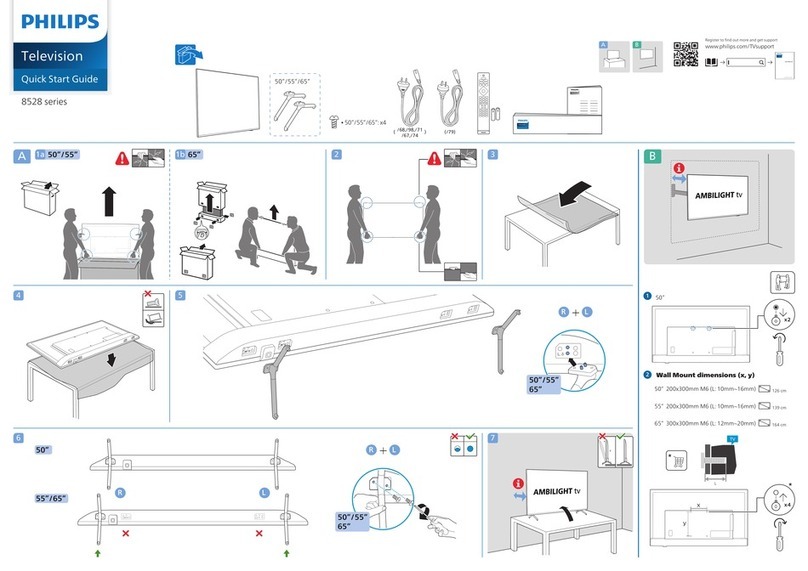
Philips 8528 Series User manual

Philips

Philips 8528 Series User manual

Philips 24PFL3538/V7 User manual

Philips

Philips 24PFL3538/V7 User manual

Philips 21PT2443B User manual

Philips

Philips 21PT2443B User manual

Philips QV15.1E LA User manual

Philips

Philips QV15.1E LA User manual

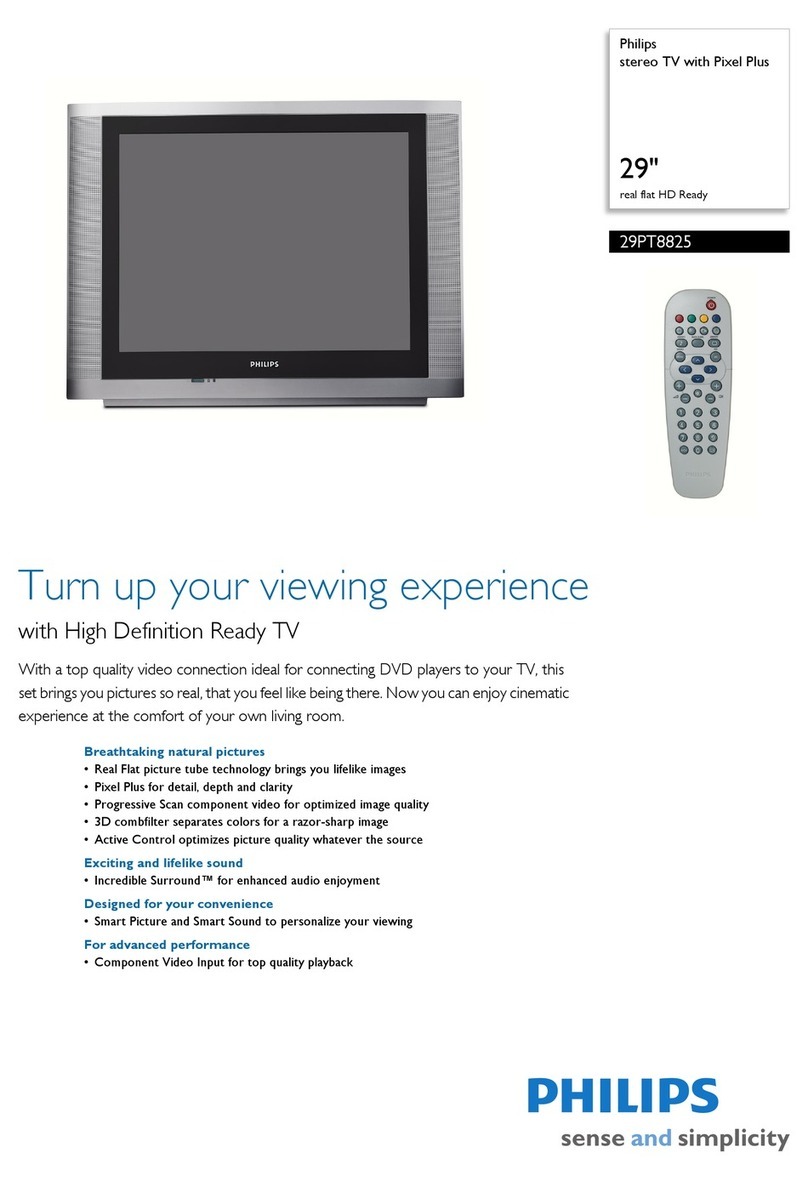
Philips 29PT8825 User manual

Philips

Philips 29PT8825 User manual

Philips 26PW9100D - Hook Up Guide User manual

Philips

Philips 26PW9100D - Hook Up Guide User manual

Philips 24PFS5603/12 User manual

Philips

Philips 24PFS5603/12 User manual

Philips GR2.2AA User manual

Philips

Philips GR2.2AA User manual

Philips 21GR2356 User manual

Philips

Philips 21GR2356 User manual

Philips HFL3117D User manual

Philips

Philips HFL3117D User manual

Philips 21PT3324 User manual

Philips

Philips 21PT3324 User manual

Philips 42PF9531 User manual

Philips

Philips 42PF9531 User manual

Philips 42PF5320/79 User manual

Philips

Philips 42PF5320/79 User manual

Philips 50PUG7907/78 User manual

Philips

Philips 50PUG7907/78 User manual

Philips 32TA2800/55 User manual

Philips

Philips 32TA2800/55 User manual

Philips 4300 Series User manual

Philips

Philips 4300 Series User manual

Philips 70PUT6774 User manual

Philips

Philips 70PUT6774 User manual

Philips 32PF9966 - 4 User manual

Philips

Philips 32PF9966 - 4 User manual

Philips 75PFL5603 User manual

Philips

Philips 75PFL5603 User manual

Popular TV manuals by other brands

Haier HS-2190 null

Haier

Haier HS-2190 null

Toshiba 27A10 owner's manual

Toshiba

Toshiba 27A10 owner's manual

Hitachi 32FX48B operating guide

Hitachi

Hitachi 32FX48B operating guide

DAEWOO ELECTRONICS DTQ-14V1FC Service manual
DAEWOO ELECTRONICS

DAEWOO ELECTRONICS DTQ-14V1FC Service manual

Changhong Electric uhd55b6000is Operation manual

Changhong Electric

Changhong Electric uhd55b6000is Operation manual

Panasonic Genus TX-G10 operating instructions

Panasonic

Panasonic Genus TX-G10 operating instructions

Toshiba 19A20 Service manual

Toshiba

Toshiba 19A20 Service manual

Sony XBR-100Z9D reference guide

Sony

Sony XBR-100Z9D reference guide

Samsung 55S9 B Series Quick setup guide

Samsung

Samsung 55S9 B Series Quick setup guide

Sharp LC-40FI5012E user manual

Sharp

Sharp LC-40FI5012E user manual

Loewe Table Stand Reference 55 user guide

Loewe

Loewe Table Stand Reference 55 user guide

Sylvania 6427FB owner's manual

Sylvania

Sylvania 6427FB owner's manual

Sanyo CE19LD90N-B instruction manual

Sanyo

Sanyo CE19LD90N-B instruction manual

North State TV2GO user guide

North State

North State TV2GO user guide

RCA RTU7877 instruction manual

RCA

RCA RTU7877 instruction manual

Sharp 21K-FG1RU Operation manual

Sharp

Sharp 21K-FG1RU Operation manual

Sony Esprit TAV-L1 operating instructions

Sony

Sony Esprit TAV-L1 operating instructions

Grundig 43 VLE 4820 user manual

Grundig

Grundig 43 VLE 4820 user manual

https://manuals.online logo
https://manuals.online logoBrands
  • About & Mission
  • Contact us
  • Privacy Policy
  • Terms and Conditions

Copyright 2026 Manuals.Online. All Rights Reserved.

1.0A
1.0
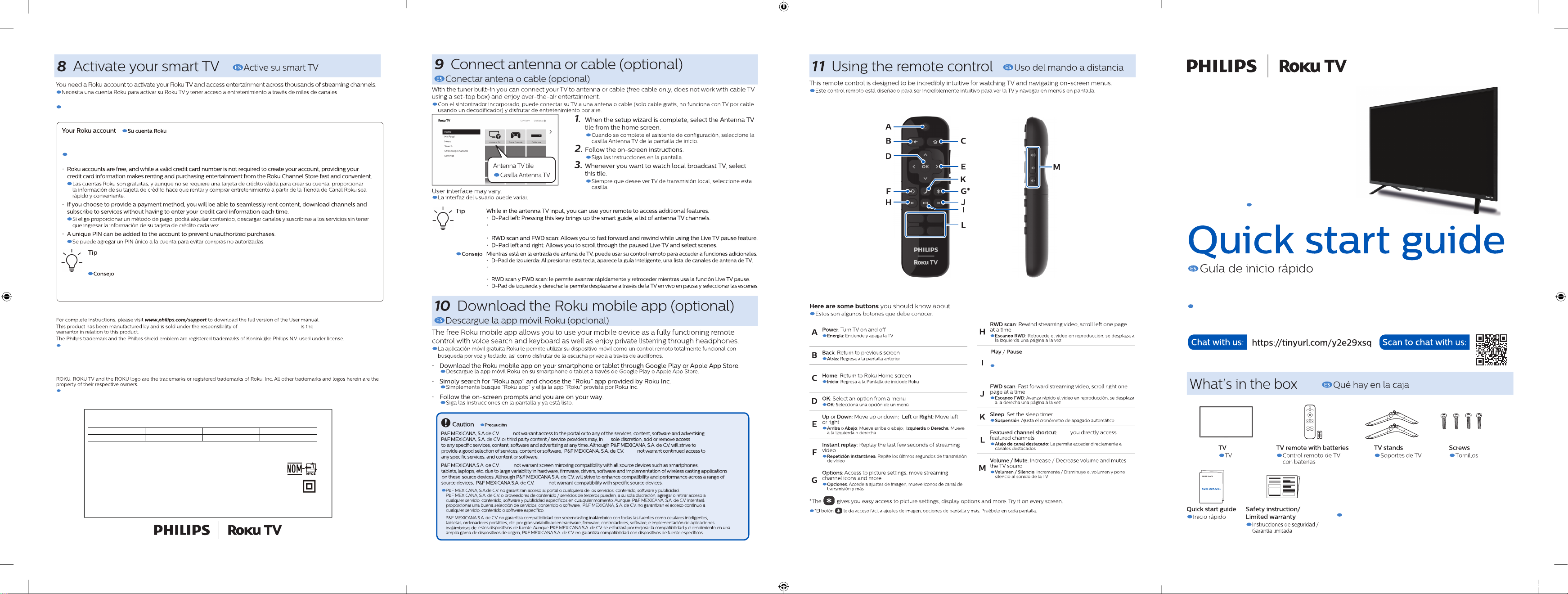
Digital audio (S / PDIF) output
To home theater or another digital audio system
Note: Use an optical (TOSLINK) to coaxial (RCA)
adapter (not included) for devices which only
have a coaxial input.

Salida de audio digital (S / PDIF)
Hacia un cine en casa o en otro sistema de audio
digital
Nota: Utilice un adaptador óptico (TOSLINK) a
coaxial (RCA) (no incluido) para dispositivos
que sólo tienen una entrada coaxial.
75 ohm cable / Antenna / Satellite box connection

Conexión de decodicadorde satélite / Antena /
Cable de 75 ohmios
HDMIinput jacks
*For HDMI1 only
In addition to normal HDMI and HDMI-DVI functionality,
it outputs TV audio to an HDMI-ARC compliant device,
such as a home theater system.

Tomas de entrada HDMI
*Sólo para HDMI 1
Además de la funcionalidad HDMI y HDMI-DVI
normal, transmite el audio de TV a un dispositivo
en cumplimiento con HDMI-ARC, tal como un
sistema de teatro en casa.
Reset button

Botón de restablecimiento
USB port
is used for connecting a USB ash memory drive to view
personal media or pause Live TV. A USB drive 16GB or
larger is required for the Live TV pause feature.

El puerto USB
se usa para conectar una unidad de memoria ash
USB para ver medios personales o pausar Live TV.
Se requiere una unidad USB de 16GB o más para la
función de pausa de Live TV.
Headphone 3.5 mm stereo jack

Conector estéreo de 3,5 mm de audiífono
Composite video input jacks
Tomas de entrada de video componentes
Analog audio (L/R) input jacks
Tomas de entrada de audio analógico (I/D)
www.philips.com/support.
www.philips.com.mx.
www.philips.com.mx.
Press to turn the TV on/select connected device
Press and hold to turn the TV o
Presione para encender la TV / ó seleccione componente
conectado.
Presione y mantenga presionado para apagar la TV.
bottom
inferior
123
×2
4
Carefully lift and stand the
television or utilize a second person.
M4 x 20mm
40PFL4775/F8
Play / Pause:Pressing this key allows you to pause live TV for up to 90 minutes when a 16 GB USB
drive is connected.
Inicia / Pausa Presionando este botón le permite pausar TV en vivo hasta por 90 minutos cuando se
conecta una unidad USB de 16 GB al televisor.
does
its
does
does
does
This button is also used to pause live TV for up
:
to 90 minutes when a 16 GB USB drive is attached to the TV.
Lets
Inicia / Pausa:Inicia ó pausa la reproducción. Este botón
también se usa para pausar TV en vivo hasta por 90 minutos
cuando se conecta una unidad USB de 16 GB al televisor.
Product design and user interface are for
illustrative purposes only. Actual product
and user interface may vary.
Diseño del producto e interface del usuario son
solamente con propósito ilustrativo. Producto
actual e interface del usuario puede variar
If you have any questions or need a detailed manual, please visit our support web site
at: www.philips.com/support. Or call Customer Support Service in Mexico City at (55) 5887 9736
and Other Cities in Mexico (800) 8391 989.
Si tiene cualquier pregunta ó necesita un manual detallado, por favor visite nuestro sitio web de
soporte; www.philips.com.mx ó llame por telefono al Servicio de Atención a Clientes, en Cd. De
Mexico (55) 5887 9736 y en otras Ciudades de Mexico (800) 8391 989.
Follow the on-screen instructions on your Roku TV. You need to activate your
Roku TV using your smartphone, tablet or computer to link to a Roku account. See more information below.
Siga las instrucciones en la pantallas de su Roku TV. Necesitará activar su Roku TV usando su telefóno inteligente,
Tableta ó computadora para enlazarse a una cuenta Roku. Ver mas information abajo.
Rokudoes not charge for activation support – beware of scams.
Roku no cobra por el soporte de activación, tenga cuidado con las estafas.
P&F Mexicana S.A.de C.V.
Para indicaciones completas, por favor visite la página www.Philips.com/support para descargar la versión completa del manual del
usuario. Este producto ha sido manufacturado por y comercializado bajo la responsabilidad de P&F Mexicana S.A. De C.V.
Y es el garantizador en relación con este producto.
La marca comercial Philips y el escudo emblema Philips es marca comercial registrada de Philips Koninklijke N.V. Usados bajo licencia.
ROKU, el logotipo de ROKU, y ROKU TV son marcas comerciales y/o registradas de Roku, Inc. Todas las demás marcas
comerciales y logotipos que se mencionan son propiedad de sus respectivos dueños.
*Payment required for some channels and content. Channels can change and vary by region.
Algunos canales reuieren pago. La disponibilidad de canales puede cambiar y varía según el país.
Streaming.
PLEASE READ THIS INSTRUCTION CAREFULLY BEFORE USING YOUR DEVICE
LEA CUIDADOSAMENTE ESTE INSTRUCTIVO ANTES DE USAR SU APARATO
TELEVISOR A COLOR DE CRISTAL LIQUIDO (LCD )
MODELO
LCD
IMAGEN VISIBLE
ENERGIA
40PFL4775/F8
40” ( 101.60cm )
100.33cm
120V ~ 50/60Hz 60W
Comercializado por: P&F MEXICANA S.A.De C.V.
IMPORTADOR: P&F MEXICANA S.A.De C.V.
Av. Jaime Balmes No.11 Torre A Piso 1, Col. Polanco,
I Sección, Miguel Hidalgo. Ciudad de Mexico C.P. 11510 Tel: (55) 1328 5220
GARANTIA INCLUIDA EN EL INSTRUCTIVO DE USO HECHO EN: MEXICO