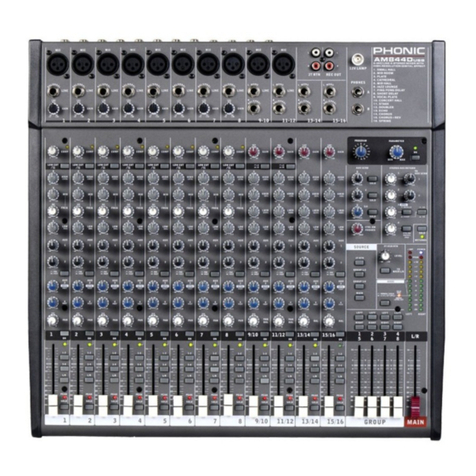
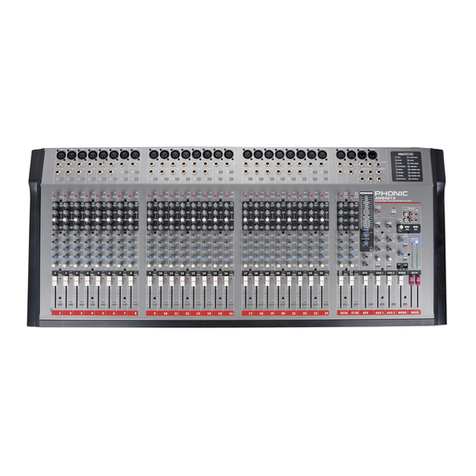
8 Helix Board 24 Universal
MAKING CONNECTIONS
Inputs and Outputs
1. XLR Jacks
These jacks accept typical 3-pin XLR inputs for
balanced and unbalanced signals. They can be used in
conjunction with microphones – such as professional
condenser, dynamic or ribbon microphones – with
standard XLR male connectors, and feature low
noise preampliers, serving for crystal clear sound
replication. The Helix Board 24 Universal features a
total of sixteen Microphone inputs.
NB. When these inputs are used with condenser microphones, the
Phantom Power should be activated. However, when Phantom Power
is engaged, single ended (unbalanced) microphones and instruments
should not be used on the Mic inputs.
2. Line In Jacks
This input accepts typical 1/4” TRS (balanced) or
TS (unbalanced) inputs, for balanced or unbalanced
signals. They can be used in conjunction with a wide
range of line level devices, such as keyboards, drum
machines, electric guitars, and a variety of other
electric instruments.
3. Insert Jacks
The primary use for these 1/4” TRS phone jacks is
for the addition of external devices, such as dynamic
processors or equalizers, to the corresponding mono
input channel. This will require a Y cord that can
send and receive signals of the mixer to and from an
external processor. The tip of the TRS jack will send
the signal from the input channel, and the ring will
return the signal back to the mixer (the sleeve is the
grounding).
4. Direct Outputs
These connections are for the direct output of the
signals received by mono channels 1 through to 8,
post-fader, post-EQ, post-HPF, and post-mute. They
are most commonly used to connect multitrack
recorders.
5. Auxiliary (AUX) Returns
The 1/4” TRS AUX Return inputs are for the return of
audio to the Helix Board 24 Universal mixer, processed
by an external signal processor. If really needed, they
can also be used as additional stereo inputs. The
feed from these inputs can be adjusted using the
AUX Return controls on the face of the mixer. When
connecting a monaural device to the AUX Return 1, 2
and 4 inputs, simply plug a 1/4” phone jack into the left
(mono) input, and the signal will appear in the right as
well. This, however, does not work for the AUX Return
3.
NB.When any device is plugged into the mixer’s corresponding EFX
Return inputs (AUX Return 3), the signal processed by the mixer’s
internal digital effect engine is then not fed to the Main L/R; the signal
fed into the EFX Return 3 inputs will be instead.
6. Auxiliary (AUX) Sends
These 1/4” TRS phone jacks are the nal output of
line-level signal fed from the corresponding auxiliary
send mixing buses, and are best suited for use with
external effect processors or stage monitors. Feeding
the output from the Auxiliary outs to an amplier - and
possibly an equalizer - and then to a oor monitor
speaker allows artists to monitor their own instruments
or vocals whilst performing. The AUX 5 and AUX 6
Sends take their signal directly from AUX Controls 3
and 4, when the 5/6 Shift Button is activated.
7. Group Outs
These 1/4” phone jacks output the nal feed from the
Group 1, 2, 3 and 4 Faders on the main panel of the
mixer. These outputs can be used to feed multi-track
records, as well as an amplier and speakers to be
used along with the Main Speakers.
8. CTRL RM (Control Room) Output
These two 1/4” Phone Jack outputs feed the signal
altered by the Control Room level control on the face
of the mixer. This output has extensive use, as it can
be used to feed the signal from the mixer to an active
monitor, for the monitoring of the audio signal from
within a booth, among many other possible uses.
56
3
2
1
4