5
En
Fr
Es
It
De
Nl
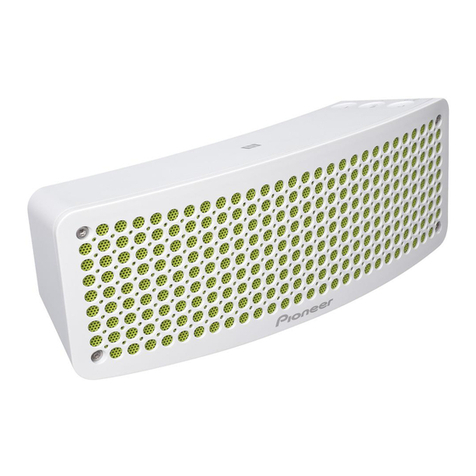
EN 1Press the button so that the indicator blinks.
2Press and hold the button for about 3 seconds until the
indicator blinks faster.
3Turn the Bluetooth
®
function on and select “XW-BTSP70” on your
device.
4The indicator stops blinking and lights up. Now paired.
FR 1Appuyez sur la touche pour que le témoin clignote.
2Appuyez sur la touche pendant environ 3 secondes jusqu'à ce
que le témoin clignote plus rapidement.
3Activez la fonction Bluetooth
®
et sélectionnez “XW-BTSP70” sur
votre périphérique.
4Le témoin arrête de clignoter et devient fixe. L'appairage est
effectué.
ES 1Pulse el botón de modo que el indicador parpadee.
2Mantenga pulsado el botón durante unos 3 segundos hasta que
el indicador parpadee más rápido.
3Encienda la función Bluetooth
®
y seleccione “XW-BTSP70” en su
dispositivo.
4
El indicador deja de parpadear y se enciende. Está emparejado.
IT 1Premere il pulsante in modo che l'indicatore lampeggi.
2Tenere premuto il pulsante per circa 3 secondi sino a che
l'indicatore lampeggia più velocemente.
3Attivare la funzione Bluetooth
®
e selezionare “XW-BTSP70” sul
proprio dispositivo.
4L'indicatore smette di lampeggiare e rimane acceso. Ora
l'abbinamento è terminato.
DE 1Drücken Sie die -Taste, bis die -Anzeige blinkt.
2Halten Sie die -Taste etwa 3 Sekunden lang gedrückt, bis die
-Anzeige schneller blinkt.
3Schalten Sie die Bluetooth
®
Funktion ein und wählen Sie am Gerät
“XW-BTSP70” aus.
4Die -Anzeige hört zu blinken auf und leuchtet. Das Pairing ist
jetzt abgeschlossen.
NL 1Druk op de -knop zodat het -controlelampje knippert.
2Druk vervolgens ongeveer 3 seconden op de -knop tot het -
controlelampje sneller knippert.
3Schakel de Bluetooth
®
functie in en selecteer “XW-BTSP70” op uw
apparaat.
4
Het -controlelampje stopt met knipperen en gaat branden. Nu gepaird.
XW-BTSP70.book 5 ページ 2015年6月29日 月曜日 午前11時33分