manuals.online logo
Brands
  1. Home
  2. •
  3. Brands
  4. •
  5. Power Your Fun
  6. •
  7. Game
  8. •
  9. Power Your Fun CUBIK User manual

Power Your Fun CUBIK User manual

Popular Game manuals by other brands

Bay Tek Games GRIDIRON BLITZ Service manual

Bay Tek Games

Bay Tek Games GRIDIRON BLITZ Service manual

Outdoor Play Box it! 2020 instruction manual

Outdoor Play

Outdoor Play Box it! 2020 instruction manual

Beleduc Papilio Instruction

Beleduc

Beleduc Papilio Instruction

Costway UY10001 user manual

Costway

Costway UY10001 user manual

Vex Add It Up Assebly instructions

Vex

Vex Add It Up Assebly instructions

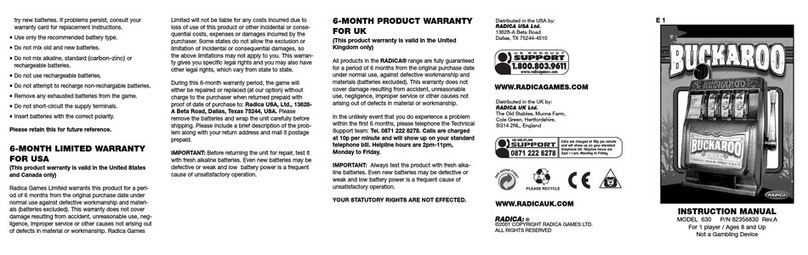
Radica Games BUCKAROO 630 instruction manual

Radica Games

Radica Games BUCKAROO 630 instruction manual

Roberto Sport INGLESE Assembly instructions

Roberto Sport

Roberto Sport INGLESE Assembly instructions

Koala Technologies KoalaWare Spider Eater owner's manual

Koala Technologies

Koala Technologies KoalaWare Spider Eater owner's manual

Tomy The Magic Oven manual

Tomy

Tomy The Magic Oven manual

Tiger Electronics Last Out 7-584-0 instructions

Tiger Electronics

Tiger Electronics Last Out 7-584-0 instructions

Fisher-Price RollOverRover manual

Fisher-Price

Fisher-Price RollOverRover manual

Mattel World Championship Football instructions

Mattel

Mattel World Championship Football instructions

DGT Centaur manual

DGT

DGT Centaur manual

Haba Dragon Diego Dart manual

Haba

Haba Dragon Diego Dart manual

Tiger Electronics Brain Warp instruction manual

Tiger Electronics

Tiger Electronics Brain Warp instruction manual

Tiger Electronics Bot-Ster 59704 instruction manual

Tiger Electronics

Tiger Electronics Bot-Ster 59704 instruction manual

Fundex Games Timber Tumble User instructions

Fundex Games

Fundex Games Timber Tumble User instructions

Crivit DS-1532 Playing and user instructions

Crivit

Crivit DS-1532 Playing and user instructions

manuals.online logo
manuals.online logoBrands
  • About & Mission
  • Contact us
  • Privacy Policy
  • Terms and Conditions

Copyright 2025 Manuals.Online. All Rights Reserved.

C
h
a
l
l
e
n
g
e
Y
o
u
r
M
i
n
d
B
u
i
l
d
Y
o
u
r
M
e
m
o
r
y
P
o
u
c
h
I
n
c
l
u
d
e
d
R
e
a
d
y
F
o
r
T
r
a
v
e
l
Catch Me
Remember Me
Volume
Light Show
Power Button
2 Players
Follow Me
Chase Me
Make Music
At the beginning of the game a red square
will light up on each side of the Cubik
Cube. To win, you need to press all the red
squares. Be careful! Don't press any of the
green icons or you lose the game. Bonus
blue icons will randomly appear during the
game for only 3 seconds. If you can catch
the blue squares you get 10 bonus points!
As you catch the red squares, the faster
you will need to be! Press and hold the
"Catch Me" button to see if you can beat
the highest score.
At the beginning of the game, all sides of
the Cubik Cube will light up with a color.
Correctly select the colors in the order they
are called out. Each round adds another
color to the sequence. The more colors you
can remember in the pattern the higher
your score will be. The game ends if you
select the wrong color in the pattern. Press
and hold the "Remember Me" button to
see if you can beat the highest score.
Can You Catch Me?
Can You Remember Me?
ELECTRONIC GAME
CUbIK
INSTRUCTION MANUAL
For fast, friendly service contact us at
[email protected]om
BUTTON FUNCTIONS GAMES
Chase Me!
At the beginning of the game, one side of
the Cubik Cube will light up with 3 color
patterns on the front panel. The other 3
panels will stay illuminated. Copy the
pattern on each side. As you copy the
patterns correctly, the faster you will need
to be! Can you master all 7 levels? Press
and hold the "Follow Me" button to see if
you can beat the highest score.
At the beginning of the game, a blue square
will light up and red squares will follow.
To win, you need to catch the blue square
by pressing the red squares in the order
they appear. As you chase the blue square,
the faster you will need to be! Press and
hold the "Chase Me" button to see if you
can beat the highest score.
Can You Follow Me?
Play with a friend! The first player starts with the Cubik and has to
press all 20 of the red squares as they randomly light up around the
cube. Once completed, the Cubik will call out to pass the cube.
Each round gets faster until a player cannot catch all 20 squares.
2 Player Mode
Lightshow
To start recording, press the red square. Compose your song by
pressing any of the other squares on that side of the Cubik.
To play your song back, press the red square again.
Music
Press the "Power On" button and hold for 2 seconds to turn Cubik
off and on. To conserve battery, the Cubik will turn off if it's not
used for 5 minutes!
Power
You can adjust the volume of Cubik by pressing the volume button.
The volume will cycle through loudest to quietest levels as you
press the button.
Volume
If you want to clear the scores, press and hold the volume button
and the game you want to clear, at the same time.
Scores
1 x Manual
1 x Cubik Electronic Game
1 x Travel Bag & Clip
ELECTRONIC GAME
CUbIK
powerurfun.com
For fast, friendly service contact us at
[email protected]om
MODES
TIPS
BOX CONTENTS
BATTERY INFORMATION