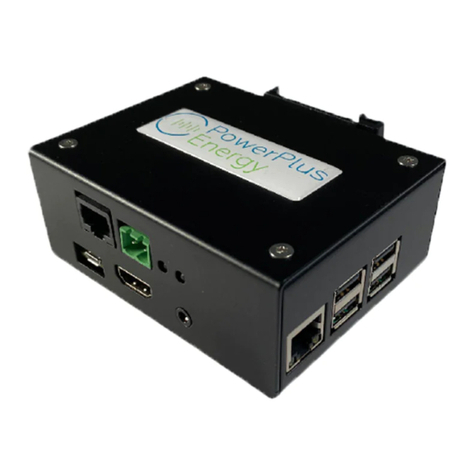
Powerlink module Setup and monitoring
procedure
Powerlink set up
Connect the micro USB cable from the 5V power adaptor to the Powerlink port.
Connect the 5V power adaptor to the main AC power outlet and Switch it ON. The red
LED will be ON now.
Connect the cable from the LAN modem (for the internet) to the LAN port. Note: This
port is next to the 4 USB ports.
LAN port LED indicators on the bottom will be ON now.
Web interface setup
Open WiFi network menu in mobile or computer (Interface layout might be different
from the picture). Select PPE-Powerlink-xxxx (xxxx will be digits).
Type the password 12345678
Open the web browser. Type the address 192.168.0.10:8822
It will open the home page as shown in the picture.
Press configuration button, a screen like the picture will open
Press reset data to remove any previous data from the Files.
enter the Number of Batteries to be scanned into the box and press submit.
Battery scanning procedure
Note: battery scanning order should be from top to bottom in the rack, with only one
battery connected at at time.
Take the longest RJ45 cable and connect the cable black colour RJ45 port.
Note: please make sure, the cable is connected to the correct port in the Powerlink
Connect the other RJ45 cable end to the battery needing to be scanned.
Press Scan in the Battery management screen and after couple of seconds, you will
see battery (BMS) serial number as in the picture.
Repeat the steps 9 and 10 in every other battery.