OPERATION
TURNING THE UNIT ON/OFF
Turning on the Player
After all connections are completed. correctly,
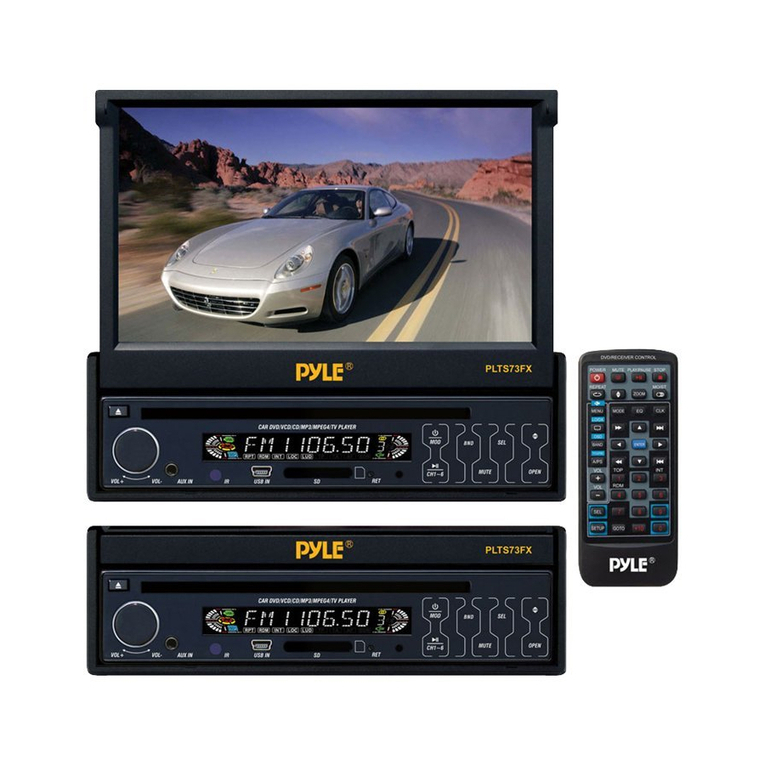
Press power button to turn on the unit. When
the unit is on, it will search the disc
automatically. If there is a disc in the disc slot,
the unit will start playback automatically.
Turning off the Player
When the unit is on. Press power button to turn
the unit off.
Loading a Disc
Insertthe disc into the discslotwith the printedside
facingup, The player will playthe disc automatically.
Removing a Disc
P
ress ejectbutton to eject the disc.
BASIC PLAY Stopping
Playback
- Shortly press button one time to stop the
unit playback. Press button to playback
the disc. and go back to the DVD LOGO
PausingPlay
Pressing. on the remote control
on the front panelduring playback will stop
playback temporarily. To return to
normal playback, pr
ess
. If you play a
DVD/VCD/SVCD,
pr
ess
on the remote control again to stop at the next
picture (step function). If you play a
CD/MP3/Picture CD, pressing on the
remote control again is
inef
fective.
Rapid Forward
/
Rapid Reverse
Repeatedly press and hold /
for 2
seconds during playback. It will be changed
according to the disc asfollows:
X2---x4---x8---x20---play
Slow Motion Playback (For DVD Only)
Press “SLOW”button on the remote control
during play.
Each time the button is pressed, the speed of
slow forward/reverse changesaccording to the
disc as follows.
DVD:
In slowmotion state, press ENTER or
on the remote control or on the front
panel to recover normal playback.
SkippingTrack
Press to skip to the next track, and
Press to skip to the previous track.
Note:
For some VCD2.0 discs (PBC-playback
contr
ol)
/
buttons maybe
unavailable.
SOUND ADJUSTMENT
Press SEL button shortly to select the desired
adjustment mode. The adjustment mode will
change in the following order:
→VOL →BAS →TRE →BAL →FAD ---
(volume) (bass) (treble) (balance) (fader)
By pressing the volume button to adjust
the desired sound quality.
Volume LevelAdjustment
Pressing VOL+/- button on the remote control to
increaseordecreasethevolume level.
DVD VIDEO MENU PLAY
When
playing a
DVD
disc in the
DVD
player:
1) The disc will be played automatically and
stop at menu pictur
e.
2) Use cursor buttons on the remote
control to move between the highlight bars
in the menu.
3) Press ENTER button on the remote control
to confirm the selected item.